
ARCTIC P12 Slim PWM PST
4.6Editor score
Slim 15 mm profile
PWM speed control
1.33 mmH₂O pressure
Static pressure fans for PC cooling compared for airflow, noise, radiator performance, PWM control, dimensions, and overall suitability.
Static pressure fans for PC cooling are designed to move air through restrictive spaces such as heatsinks, radiator fins, dense filters, and tightly packed components. A strong fan must generate enough pressure to overcome resistance while maintaining useful airflow, controllable speeds, manageable noise, and compatibility with the intended installation.
This guide compares ten 120 mm options based on the supplied specifications, including maximum RPM, airflow, static pressure, noise information, PWM support, bearing design, dimensions, lighting, and connection features. The selections cover standard-depth and slim models, individual and multi-packs, plain and illuminated designs for radiators, CPU coolers, and constrained PC cases.
Each numbered review identifies the strongest use for that product and also explains its limitations. The top selections highlight a compact value option, a quiet established all-rounder, and a higher-output model for demanding cooling installations. Product details and availability can change, so readers should verify current specifications and prices before purchasing.
4.6Editor score

4.8Editor score
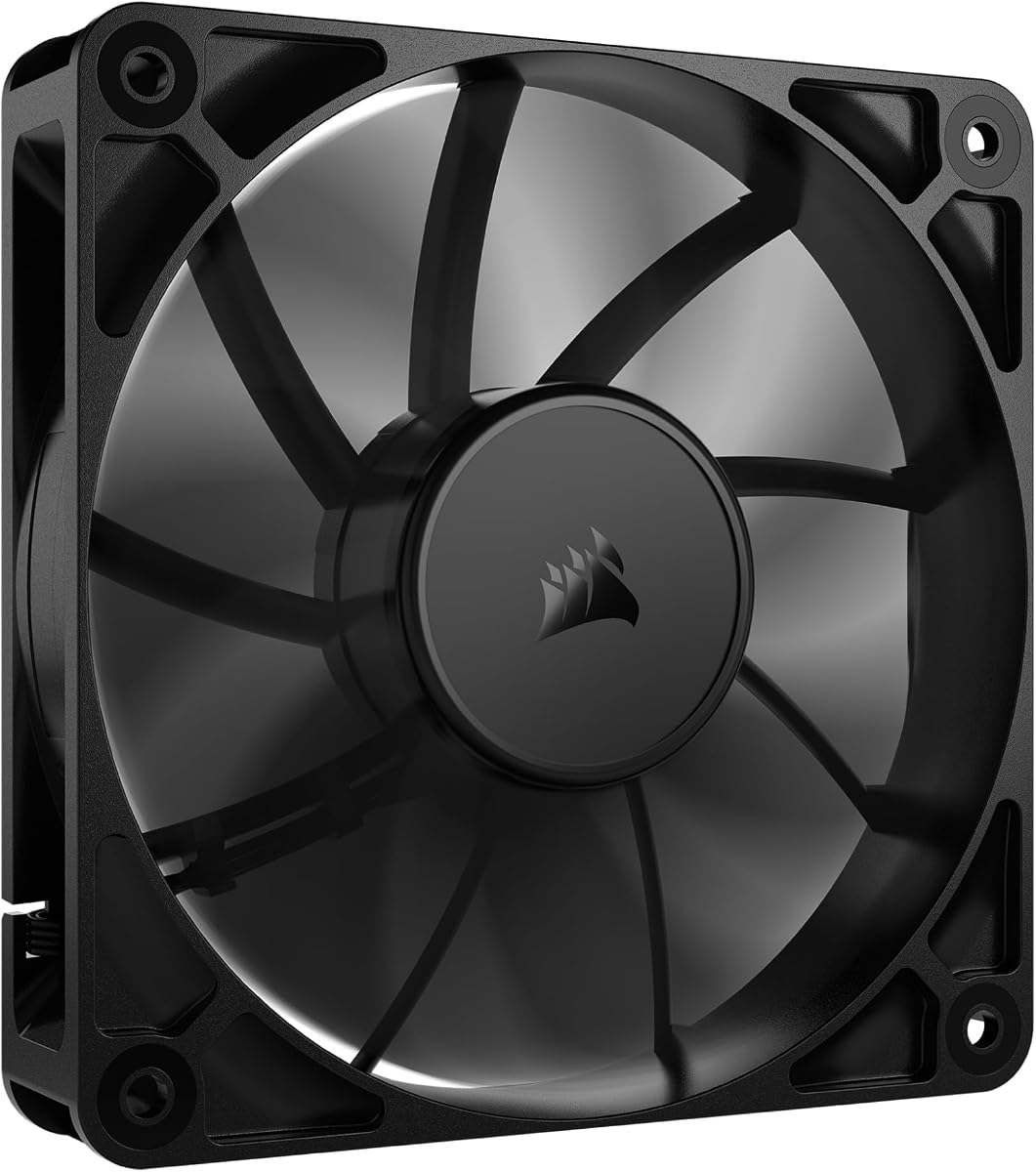
4.7Editor score
The comparison below places airflow, pressure, speed, acoustics, and installation features side by side, making it easier to match each fan with a radiator, CPU heatsink, or constrained case.


The ARCTIC P12 Slim PWM PST 3-Pack is a compact 120 mm cooling solution with a 4.6 rating. Its most appealing feature is the 15 mm installation depth, which makes it useful where a conventional 25 mm fan cannot fit. The listed speed range of 200–2100 RPM gives users plenty of scope for quiet idle operation and stronger cooling under load.
We may earn a commission when you buy through this link, at no additional cost to you.
Static-pressure optimization is particularly relevant to heatsinks and radiators, where fan airflow meets resistance from tightly spaced fins. ARCTIC specifies 1.33 mmH₂O of static pressure and 34.51 CFM of airflow, along with a 0.3 Sone noise level. PWM PST control allows the motherboard to adjust the speed according to the cooling demand, while the three-pack format makes it convenient to populate several positions.
The compromise is that the slim design does not provide the raw airflow of thicker, full-size models. The lower pressure figure also places it behind the highest-output CORSAIR RS120 options. However, those limits are most noticeable in large radiators or severely restricted airflow paths, where the extra depth of a conventional fan would be beneficial.
This pack is a strong choice for compact builds, laptop-style cases, thin radiators, and any 120 mm position with limited clearance. It also suits builders who want several matching fans without operating many separate speed-control channels. For those needs, it delivers a useful combination of compact dimensions, PWM control, and dedicated pressure optimization.
The 15 mm profile preserves clearance around dense components while retaining a pressure-optimized blade design. That combination makes the pack especially useful in compact cases and slim cooling assemblies where physical depth is the first constraint.
A broad 200–2100 RPM range allows compatible motherboards to reduce fan speed during lighter workloads. This gives users a practical route to quieter operation without giving up the option of increased cooling during sustained processor loads.
We may earn a commission when you buy through this link, at no additional cost to you.
The Noctua NF-P12 redux-1700 PWM carries a 4.8 rating and stands out as the most balanced selection for buyers who want strong pressure performance without prioritizing maximum fan speed. It is a 120 by 120 by 25 mm fan with four-pin PWM control, a maximum speed of 1700 RPM, and a listed maximum noise level of 25.1 dB(A).
We may earn a commission when you buy through this link, at no additional cost to you.
The pressure-optimized blade design is designed for air-based CPU coolers, water-cooling radiators, and low-noise chassis ventilation. A stated minimum mean time to failure above 150,000 hours reinforces its positioning as a long-term option, while PWM support allows automatic motherboard speed control for quieter idling and stronger airflow under load.
Compared with the 2100 RPM CORSAIR RS120 and the wide-speed ARCTIC P12 Slim PWM PST, the Noctua does not chase maximum output. Its 1700 RPM ceiling may appear modest on paper, but the stated acoustic focus makes it especially attractive for workstations, quiet gaming systems, and recording environments where persistent fan noise can be distracting.
This is the most broadly sensible choice for a single high-quality CPU cooler fan or radiator position where balanced performance matters. Builders creating a completely silent system will appreciate the attention to acoustics, while those seeking maximum airflow should look toward the higher-output alternatives. For general use, the NF-P12 remains a confident, mature recommendation.
The NF-P12 combines a pressure-optimized blade profile with a 25.1 dB(A) maximum noise specification. This makes it particularly well suited to CPU coolers and radiators, where moving air through resistance is more important than creating a strong open-case breeze.
Automatic PWM control and a stated life expectancy above 150,000 hours make this fan appropriate for systems intended to run for many years. Its established accessory range also gives builders practical options for cable management and vibration control.
We may earn a commission when you buy through this link, at no additional cost to you.
The single-pack CORSAIR RS120 has a 4.7 rating and is the strongest high-output option in this list based on the supplied specifications. It combines 2100 RPM maximum speed, up to 72.8 CFM airflow, and 4.15 mmH₂O static pressure, giving it the most substantial figures for moving air through radiator and heatsink restrictions.
We may earn a commission when you buy through this link, at no additional cost to you.
CORSAIR AirGuide anti-vortex vanes are designed to direct airflow toward hot components when the fan is mounted on a radiator or heatsink. Daisy-chain support simplifies the wiring of multiple RS120 units through a single four-pin PWM connection. A Magnetic Dome bearing is included to reduce friction and support lower noise and longer service life.
The principal trade-off is that maximum performance can produce more sound than a fan optimized primarily for quiet operation. The 2100 RPM ceiling may also be unnecessary for lightly loaded or spacious cases. Nevertheless, those same figures become important when the fan faces dense fins, compact radiators, or elevated component temperatures.
The RS120 is best suited to builders who prioritize cooling headroom and clean multi-fan wiring over the lowest possible noise. It is a strong premium choice for a performance radiator, a substantial air CPU cooler, or a compact system with multiple obstructed airflow paths. It can also serve as the foundation of a larger daisy-chained group.
The combination of 4.15 mmH₂O static pressure and up to 72.8 CFM airflow is the key reason to consider this model for demanding radiator positions. Those figures indicate a design oriented toward overcoming resistance rather than merely circulating air through an open case.
Daisy-chain connections allow several RS120 fans to share one four-pin PWM control path. This reduces motherboard header competition and simplifies coordinated speed management in a multi-fan cooling setup.
We may earn a commission when you buy through this link, at no additional cost to you.
The Thermalright TL-C12C X3 3-Pack has a 4.6 rating and combines a relatively high listed airflow figure with a moderate 1550 RPM maximum speed. Its three-fan package is aimed at builders who want a coordinated set for a CPU cooler, radiator, or case rather than a single replacement fan.
We may earn a commission when you buy through this link, at no additional cost to you.
The specified airflow reaches 66.17 CFM, while static pressure is listed at 1.53 mmH₂O. Four-pin PWM control allows the motherboard to vary speed according to operating conditions. An S-FDB bearing is intended to reduce vibration, and four silicone corner pads add another layer of vibration isolation that can help lower perceived noise.
Its main limitation is the 1550 RPM ceiling, which is below the speed of the ARCTIC P12 PWM PST and CORSAIR RS120. The 1.53 mmH₂O pressure figure is also lower than the strongest options. As a result, it may not extract the last bit of cooling from a deeply finned or highly restricted radiator, although its stated airflow remains impressive for the speed range.
This pack works well for a multi-position build that needs generous airflow, simple PWM control, and vibration reduction. It is particularly attractive for case ventilation or a moderately restrictive CPU cooler. Buyers seeking maximum radiator pressure should prioritize the CORSAIR RS120, while those focused on quiet operation may find the Noctua more aligned with their needs.
A matching three-pack is convenient for populating a 120 mm CPU cooler, a compact radiator, or a trio of case positions. Buyers can maintain a consistent size and control approach instead of mixing unrelated fan models.
The four silicone pads are intended to reduce vibration transfer from the housing. This can improve the acoustic character of the installation and helps the fan remain steady during rotation.
We may earn a commission when you buy through this link, at no additional cost to you.
The single ARCTIC P12 Slim PWM PST earns a 4.6 rating and is a practical choice when clearance matters more than maximum flow. Its 15 mm depth allows it to fit where standard 25 mm fans are obstructed, while the listed pressure optimization makes it more purposeful than a basic case fan.
We may earn a commission when you buy through this link, at no additional cost to you.
Speed control spans 200–2100 RPM through a four-pin PWM connection. ARCTIC lists airflow of 34.51 CFM, static pressure of 1.33 mmH₂O, and a noise level of 0.3 Sone. These figures position the fan as a compact option for slim radiators, compact CPU coolers, and small-form-factor cases where fan depth is restricted.
Because the airflow and pressure figures are lower than those of full-depth high-output models, this fan may need to be paired with several units to achieve comparable overall cooling. The broad speed range compensates in many installations, allowing low output at idle and greater movement under load. It is also less visually elaborate because it has no lighting system.
Choose this model for a constrained build where a 25 mm fan physically will not fit. It is a sensible value choice for a slim radiator or compact case, and the PWM range makes it easy to balance noise and cooling. For large radiators without depth limitations, a full-size option offers more airflow potential.
The 15 mm thickness is the defining advantage. It creates options for small cases and slim cooling assemblies where a standard-depth fan would overlap a heatsink, radiator, memory module, or another structural component.
The 200–2100 RPM range gives compatible motherboards considerable control over output. Users can reduce speed for everyday tasks and increase it when sustained cooling demand justifies the additional sound.
We may earn a commission when you buy through this link, at no additional cost to you.
The black triple-pack CORSAIR RS120 ARGB has a 4.6 rating and brings together high airflow, 2100 RPM speed, coordinated lighting, and straightforward cabling. It is a compelling choice for a visible gaming build where a radiator or several case positions need matching illuminated fans.
We may earn a commission when you buy through this link, at no additional cost to you.
Each fan produces up to 72.8 CFM of airflow and is fitted with eight ARGB LEDs. The listed static pressure of 2.8 mmH₂O provides useful resistance capability, while CORSAIR AirGuide vanes are designed to direct air toward components. Daisy-chain wiring lets the set share a single four-pin PWM connector and one five-volt ARGB connection.
ARGB adds a compatibility consideration that plain PWM fans avoid. The motherboard must provide a compatible lighting header or the system needs another way to supply and control five-volt ARGB. Lighting also creates another cable to route, although daisy-chaining reduces the number of individual connections. The listed 2.8 mmH₂O pressure is lower than the 4.15 mmH₂O figure given for the plain RS120.
This pack is best for builders who want coordinated lighting without giving up strong airflow. It suits radiator installations, glass-sided cases, and systems where visual consistency matters. Those prioritizing maximum pressure, minimal lighting complexity, or the lowest possible noise should compare the plain RS120 and the Noctua alternative.
Eight ARGB LEDs per fan create a consistent illuminated appearance across all three units. Compatible motherboard controls allow the lighting to follow the system’s wider visual theme while the fans remain under PWM control.
Up to 72.8 CFM per fan provides considerable movement capacity, while daisy-chain connections simplify multi-fan arrangements. A single PWM path and ARGB supply keep cable routing more orderly than separate connections for every fan.
We may earn a commission when you buy through this link, at no additional cost to you.
The ARCTIC P12 PWM PST 5-Pack has a 4.8 rating and offers a balanced combination of airflow, pressure, quiet operation, and coordinated control. It is designed for builders who want to fill several case positions or a multi-fan CPU cooler with matching 120 mm fans.
We may earn a commission when you buy through this link, at no additional cost to you.
The listed specifications include a speed range of 200–1800 RPM, airflow of 56.30 CFM, and static pressure of 2.20 mmH₂O. PWM Sharing Technology allows compatible fans to be regulated as a group through PWM control, and the fan can drop to zero RPM below five percent, allowing complete shutdown during suitable conditions.
A five-fan pack can be excessive for a small case, and the standard 25 mm depth will not solve slim-clearance problems. However, the stated 2.20 mmH₂O pressure is substantially higher than the ARCTIC P12 Slim models, while 56.30 CFM of airflow is more than enough to support effective case circulation. The motor is also described as operating efficiently, with its coil temperature contributing to service life.
This set is a strong all-around choice for a complete air-cooled build with a 120 mm CPU cooler, several case positions, or a moderately sized radiator. It gives users fewer compatibility and appearance decisions than mixing individual models. If the installation only needs one or two fans, the smaller packs are more practical.
PWM Sharing Technology is especially useful when several identical fans are installed. It allows the group to respond together to motherboard control rather than requiring separate tuning for every position.
The combination of 56.30 CFM and 2.20 mmH₂O gives the P12 PWM PST a useful middle ground between quieter models and the highest-output RS120. It can handle obstructed paths while still moving substantial overall volume.
We may earn a commission when you buy through this link, at no additional cost to you.
The white CORSAIR RS120 ARGB triple pack has a 4.6 rating and is a natural fit for light-themed systems that need strong airflow and coordinated illumination. Its exterior styling distinguishes it from the black RS120 versions while retaining the same high-speed 2100 RPM ceiling.
We may earn a commission when you buy through this link, at no additional cost to you.
The fans are listed at up to 72.8 CFM airflow and 2.8 mmH₂O static pressure. Eight ARGB LEDs per fan provide controllable illumination through a compatible motherboard, while a daisy-chain arrangement shares one four-pin PWM connector and one five-volt ARGB connection across the group. AirGuide anti-vortex vanes are designed to improve directional airflow over radiators and heatsinks.
As with the black ARGB set, lighting compatibility is the main practical limitation. The system must provide appropriate five-volt ARGB control, and the shared lighting cable must be routed carefully. The 2.8 mmH₂O static pressure figure is also below the plain RS120’s 4.15 mmH₂O, so this version is less compelling when maximum pressure is the overriding requirement.
The white set is best for builders matching a white motherboard, case, cooler, or accessory theme. It offers plenty of airflow for radiators and case ventilation, and the three-pack configuration supports a coordinated installation. Those who do not need ARGB can obtain cleaner wiring and greater stated pressure with the plain white or black alternatives.
The white housing is intended to blend with matching components rather than visually disappear into a dark case. It gives builders a way to coordinate both cooling and lighting across a complete system.
ARGB and PWM control are handled through daisy-chained connections, while each fan can reach 2100 RPM and 72.8 CFM. This makes the set suitable for installations where visual presentation and strong cooling are both priorities.
We may earn a commission when you buy through this link, at no additional cost to you.
The single-pack black CORSAIR RS120 ARGB has a 4.6 rating and provides an easy way to add one high-output illuminated fan without buying a full set. It is useful for replacing a failed case fan or adding a dedicated position to an existing coordinated installation.
We may earn a commission when you buy through this link, at no additional cost to you.
The fan reaches 2100 RPM and produces up to 72.8 CFM, with listed static pressure of 2.8 mmH₂O. Its eight ARGB LEDs can be customized through a compatible motherboard, and the daisy-chain connection allows additional compatible units to share the PWM and ARGB wiring. AirGuide vanes are intended to focus the airflow over heatsinks and radiators.
Buying only one unit means the system may eventually contain a mix of lighting generations or non-daisy-chain fans, so buyers should check compatibility with existing hardware. The ARGB system also needs a suitable five-volt connection, and maximum output may be louder than a dedicated quiet fan. As with the other illuminated RS120 versions, the stated pressure is lower than the plain model’s figure.
This is the most sensible choice for a single illuminated upgrade in a black gaming system. It is also a convenient way to test the RS120 platform before committing to a multi-pack. For the highest pressure or the simplest wiring, choose a non-ARGB RS120 instead; for a coordinated set, the triple-pack options may be more convenient.
The daisy-chain design means this single fan can function on its own or act as part of a larger compatible group. That makes it suitable for incremental upgrades where replacing every fan at once is unnecessary.
Eight controllable LEDs add visual interest without requiring separate decorative light products. The lighting is intended to synchronize with compatible motherboard controls for a consistent system appearance.
We may earn a commission when you buy through this link, at no additional cost to you.
The plain black CORSAIR RS120 triple pack has a 4.7 rating and delivers the strongest stated static-pressure specification among these products. It combines 2100 RPM maximum speed, up to 72.8 CFM airflow, and 4.15 mmH₂O pressure, making it well suited to restrictive cooling positions.
We may earn a commission when you buy through this link, at no additional cost to you.
Three matching fans make it convenient to install a full 120 mm CPU cooler, populate a radiator, or create a coordinated group of case fans. Daisy-chain support means the set can be controlled through a single four-pin PWM connector. AirGuide anti-vortex vanes help direct airflow toward components, while the Magnetic Dome bearing is designed to reduce friction and noise.
The set does not include ARGB lighting, which is a drawback for builders whose system design depends on synchronized illumination. Its high maximum speed can also generate more noise than quieter alternatives, although PWM control allows the output to be reduced. Its standard thickness also means it will not fit where a slim fan is required.
This triple pack is ideal for performance builds that value cooling headroom, straightforward wiring, and a uniform set of fans without decorative lighting. The 4.15 mmH₂O rating gives it a compelling advantage in dense radiators and obstructed heatsinks. Quiet-focused users may prefer the Noctua, while space-constrained builders should consider the ARCTIC slim model.
A listed 4.15 mmH₂O static pressure gives this set an advantage when air must pass through dense radiator fins or a restrictive heatsink. It is the most compelling of the plain models in this list for users who need resistance-handling capability.
Daisy-chain support allows the included fans to share a single PWM connection. This reduces header usage and makes coordinated cooling easier to configure in a case with several fan positions.
We may earn a commission when you buy through this link, at no additional cost to you.
Choosing a static pressure fan requires balancing airflow, resistance capability, acoustic output, physical clearance, electrical control, and the number of positions that need to be filled.
Static pressure describes a fan’s ability to create the pressure difference needed to move air through resistance. A radiator, dense heatsink, dust filter, and mesh panel all make the cooling job harder than open case ventilation. Higher pressure can maintain useful airflow through those restrictions, while higher airflow describes the overall volume the fan can move. Neither figure alone reveals real cooling performance because results also depend on the cooler, fin density, fan placement, and the system’s thermal load.
Choose based on the most restrictive position in the build. High static pressure is valuable for radiators and large tower heatsinks, while balanced figures often suffice for case ventilation. A higher-pressure fan can still deliver less total flow than a model optimized for open airflow.
Fan thickness determines whether the installation is physically possible. Most 120 mm case fans in this guide are 25 mm thick, while the ARCTIC P12 Slim PWM PST models are only 15 mm. Slim designs can fit tight radiators, small-form-factor cases, and positions obstructed by memory, motherboard components, or the edge of a heatsink. Full-depth fans often have more room for a deeper blade and stronger overall performance.
Measure the available space before buying, including screw clearance and any grille or bracket beneath the fan. Do not assume every 120 mm mounting hole pattern provides 25 mm of depth. If clearance is abundant and a radiator demands maximum output, a full-depth model is usually more appropriate.
Four-pin PWM control allows the motherboard to vary fan speed according to temperature or a user-defined curve. This is valuable for quieter idle operation and can reduce unnecessary noise. Daisy-chain support is also useful when several fans share one header, provided the combined current and connector design are supported. ARCTIC’s PWM Sharing Technology and CORSAIR’s daisy-chain options both simplify coordinated multi-fan control.
Prefer fans with standard four-pin PWM control for broad motherboard compatibility. Check available headers and plan how leads will be routed. A group that stops together can feel more consistent, but independent curves may provide finer control in a complex case with different heat zones.
Fan noise depends on design, speed, mounting, airflow restrictions, and the acoustic character of the rest of the system. The listed 25.1 dB(A) maximum for the Noctua and 25.6 dBA for the Thermalright are especially relevant to quiet builds, while the ARCTIC slim models list a 0.3 Sone noise level under their stated test conditions. The Corsair RS120 models reach 2100 RPM and prioritize airflow, so their potential sound output at maximum speed is an important consideration.
Look beyond maximum speed. A broad RPM range and reliable PWM control can let a fan remain quiet at low load and accelerate only when temperatures rise. Proper rubber or silicone mounting pads, clean fan blades, and unobstructed airflow also help prevent vibration and turbulence from making an otherwise capable fan seem noisy.
The bearing system supports the rotor, controls vibration, and influences how smoothly a fan operates over time. The Thermalright TL-C12C X3 uses an S-FDB bearing, the CORSAIR RS120 uses a Magnetic Dome bearing, and the ARCTIC P12 PWM PST emphasizes efficient motor operation and a long service life. The Noctua NF-P12 redux-1700 PWM lists a mean time to failure above 150,000 hours. These claims still depend on operating conditions and proper installation.
A long-rated bearing does not remove the need for sensible airflow and dust control. Fans should be mounted without forcing the frame, allowed to spin freely, and kept away from cables that may rub against the blades. Stable power delivery and reasonable temperatures further support long service life.
Pack size should reflect the number of positions that genuinely benefit from a new fan. Single packs suit replacements and focused upgrades, while three- and five-packs make coordinated case or radiator installations easier. Buying more fans than needed can leave unused hardware and make cable management unnecessarily complex. Multi-packs often provide better convenience when matching color, dimensions, lighting, and control behavior across a build.
Before choosing a pack, map the intended layout and confirm that each position has a mounting pattern, adequate clearance, and access to a PWM source. Daisy-chain fans can reduce header requirements, but their combined placement may also make cable routing harder in a crowded case.
ARGB lighting is optional functionality rather than a cooling requirement. The illuminated CORSAIR RS120 options provide eight LEDs per fan and require a compatible five-volt ARGB connection and controller. Non-ARGB fans simplify wiring and can be preferable in a restrained, work-focused, or fully closed system. Color selection may also matter when the fan will be visible through a glass side panel or mounted directly beside matching components.
Check the system’s lighting ecosystem before purchasing ARGB fans. Addressable lighting should not be confused with simple fixed-color or synchronized RGB connections. If compatible control software and headers are not present, the plain RS120 models deliver the same stated 72.8 CFM airflow and 2100 RPM ceiling without the added lighting cable.
Begin by identifying each fan’s intended position and confirming the available mounting depth. A static pressure fan may be used as a CPU cooler fan, radiator fan, or case fan, but airflow direction must match the system design. Fans should generally pull cool air toward the intake side and push warm air through a heatsink or radiator toward the rear or top exhaust.
Connect the four-pin leads to compatible PWM headers, or use the specified daisy-chain arrangement when installing multiple units. Follow the fan’s arrow marking to confirm rotation direction. Route power and lighting cables away from blades, tighten screws evenly without bending the frame, and use the included vibration pads where available. ARGB installations also require a compatible five-volt lighting connection.
After installation, configure a motherboard fan curve and watch CPU, GPU, and coolant temperatures under realistic loads. Begin with a conservative curve, increase speed only when needed, and listen for vibration, rubbing, or airflow noise. Keep the grille and fins clean, check that cables remain clear of the rotor, and inspect the fans periodically for dust accumulation, unusual sound, or changes in performance.
Static pressure fans are usually better when air must pass through restrictive components such as dense radiator fins, large heatsinks, or mesh filters. Regular case fans may move a substantial amount of air in open spaces, but they can lose effectiveness when facing resistance. The best choice depends on the location rather than the product category alone.
Yes, pressure-optimized fans are specifically suited to radiator positions because they can help force air through narrow fin channels. Their RPM, airflow, and static-pressure figures should be checked against the radiator size and fin density. Very large or dense radiators may still benefit from a higher-output fan such as a CORSAIR RS120.
A 15 mm fan is thinner and fits where a standard 25 mm fan cannot. A 25 mm fan has more physical depth, which can permit a deeper blade and stronger overall airflow. The ARCTIC P12 Slim PWM PST models prioritize compact compatibility, while the 25 mm alternatives in this guide generally provide more airflow potential.
A four-pin PWM fan is highly desirable because it allows automatic motherboard control based on temperature or a custom fan curve. This can provide quieter idle operation and faster response during heavy loads. A fan with only three pins generally requires manual voltage or speed control instead.
No. Higher maximum RPM can provide useful headroom, but effective cooling also depends on static pressure, blade design, airflow, frame quality, noise, and the resistance of the installation. A well-matched fan controlled by an appropriate PWM curve often provides a better result than running a high-speed model continuously.
The right number depends on case layout, component heat, radiator size, and airflow paths. A balanced build commonly uses intake fans near cool-air sources and exhaust fans near heat-producing areas, but there is no universal count. Installing more fans than the case can channel effectively may add noise without improving temperatures.
ARGB lighting does not inherently improve cooling. The non-ARGB and ARGB CORSAIR RS120 versions share the same stated 2100 RPM maximum and 72.8 CFM airflow, while the plain versions list higher static pressure. ARGB is a visual feature, and its benefit depends on whether the system supports compatible lighting control.
The best direction depends on the cooler, radiator, and the location of intake and exhaust fans. Radiator fans commonly push cool air through the radiator in an intake-oriented arrangement and pull warm air through it in a push-oriented arrangement. The important goal is to provide a consistent path through the radiator without creating a short circuit that bypasses the fin stack.
The ARCTIC P12 Slim PWM PST 3-Pack is the most practical compact multi-fan selection, while the single ARCTIC P12 Slim PWM PST covers the same basic design for a more limited installation. The Noctua NF-P12 redux-1700 PWM is the quietest-focused all-rounder, and the CORSAIR RS120 stands out for the highest stated pressure and airflow combination.
Prioritize the location that will be hardest for air to pass through. Use slim fans only when clearance demands them, choose a quiet model for an acoustic-sensitive system, and favor higher pressure for dense radiators or restrictive tower heatsinks. PWM control, bearing design, pack size, and cable management can be just as important as headline performance once the fans are installed.
Specifications, ratings, availability, and prices can change over time, so verify the current product listing and compatibility before making a final purchase. Compare the physical dimensions, connector requirements, fan direction markings, and lighting support with the planned build rather than selecting on one performance figure alone.