
iMusk Original OEM for DJI Mic Mini RX Phone Adapter
4.6Editor score
Purpose-fit Mic Mini receiver
Premium OEM positioning
Designed for Lightning iPhones
Clearly defined device limits
Our guide compares the best DJI Mic Mini USB C to Lighting phone adapters for iPhone compatibility, audio recording, charging, portability, and everyday use.
A DJI Mic Mini USB C to Lightning phone adapter is the small but essential bridge between a USB-C microphone receiver and an iPhone with a Lightning connection. Choosing the right adapter affects audio compatibility, charging options, portability, and how easily a mobile creator can begin recording.
We compared the ten available options by examining their stated device compatibility, connector arrangement, supported functions, dimensions, included accessories, and customer ratings. The list covers official DJI hardware, compact third-party OTG adapters, charging-capable designs, and multi-device alternatives.
Each review explains who benefits most from a particular adapter and where the alternatives may be more appropriate. Ratings and product information reflect the supplied listings, while availability and prices can change, so readers should verify current details before purchasing.
4.6Editor score

4.7Editor score
4.1Editor score
The following comparison highlights each adapter's receiver compatibility, connection style, device support, and practical extras so buyers can quickly identify the option that matches their DJI microphone and iPhone setup.


The DJI Mic Mini Mobile Phone Adapter is the most straightforward option for creators who want to connect the Mic Mini receiver directly to a Lightning-equipped iPhone or iPad. Its 4.7 rating is the highest among the ten listed products, which makes it an especially strong recommendation for users who value a focused accessory with clearly defined compatibility.
We may earn a commission when you buy through this link, at no additional cost to you.
The principal advantage is its dedicated design. Unlike a general-purpose USB-C female to Lightning male OTG connector, this official adapter is intended specifically for the DJI Mic Mini receiver. It does not need to borrow the Type-C adapter included with a microphone kit, reducing the number of components that must be carried and making the connection more direct. The listing specifies support for iPhone 14-series and earlier Lightning models.
Its limitations are meaningful for some buyers. It is expressly not compatible with the original DJI Mic or DJI Mic 2, so owners of those systems should not assume that the receiver will fit. It also lacks the charging, headphone, and peripheral functions promoted by several third-party alternatives. Those omissions are understandable in a purpose-built adapter, but they make it less versatile outside DJI workflows.
This is the most sensible pick for a creator who owns a DJI Mic Mini, records on a Lightning iPhone, and prefers a dedicated manufacturer accessory over a general OTG solution. It is especially attractive when reliability and straightforward operation matter more than having one adapter perform several unrelated jobs.
Because the adapter is made specifically for the DJI Mic Mini receiver, it removes the need to combine a Type-C female adapter with the Type-C phone adapter supplied for the microphone. That shorter, more direct arrangement can be easier to manage on location.
If your only requirement is recording DJI wireless audio into a Lightning iPhone, this focused accessory avoids the extra functions and compatibility caveats that come with a general USB-C to Lightning converter.
We may earn a commission when you buy through this link, at no additional cost to you.
The iMusK Original OEM adapter is built for the DJI Mic Mini receiver and presents itself as a premium replacement component. Its 4.6 rating places it just behind the official DJI adapter in this comparison, while its narrow device support may appeal to owners who want a direct replacement-style solution.
We may earn a commission when you buy through this link, at no additional cost to you.
The seller specifically describes the product as an original replacement part designed for the Mic Mini receiver. Its stated compatible devices include iPhone 14, 13, 12, 11, and earlier Lightning models. The emphasis on a dedicated fit is useful because it can reduce uncertainty about whether a general connector will physically and electronically suit the receiver.
Compatibility boundaries are unusually clear. The listing says the adapter does not fit the DJI Mic 2 or first-generation DJI Mic, and it is not intended for iPhone 15 or 16 series devices with USB-C connections. It also serves only one microphone system and one connection style, with no advertised charging or OTG functions.
Choose this adapter when you want the closest dedicated alternative to an OEM phone adapter for the Mic Mini and own a supported Lightning iPhone. It is a less flexible option, but its focused construction and strong rating make it a credible premium choice for compatible setups.
The product listing positions this as an OEM-style part rather than a universal converter. That makes it relevant for buyers who prioritize a receiver-specific fit over a multi-purpose adapter that must work with several brands of wireless microphone equipment.
Older Lightning iPhones and the DJI Mic Mini are supported, while newer USB-C iPhones and other DJI Mic generations are excluded. Confirm both device ports before ordering to avoid an otherwise straightforward but incompatible purchase.
We may earn a commission when you buy through this link, at no additional cost to you.
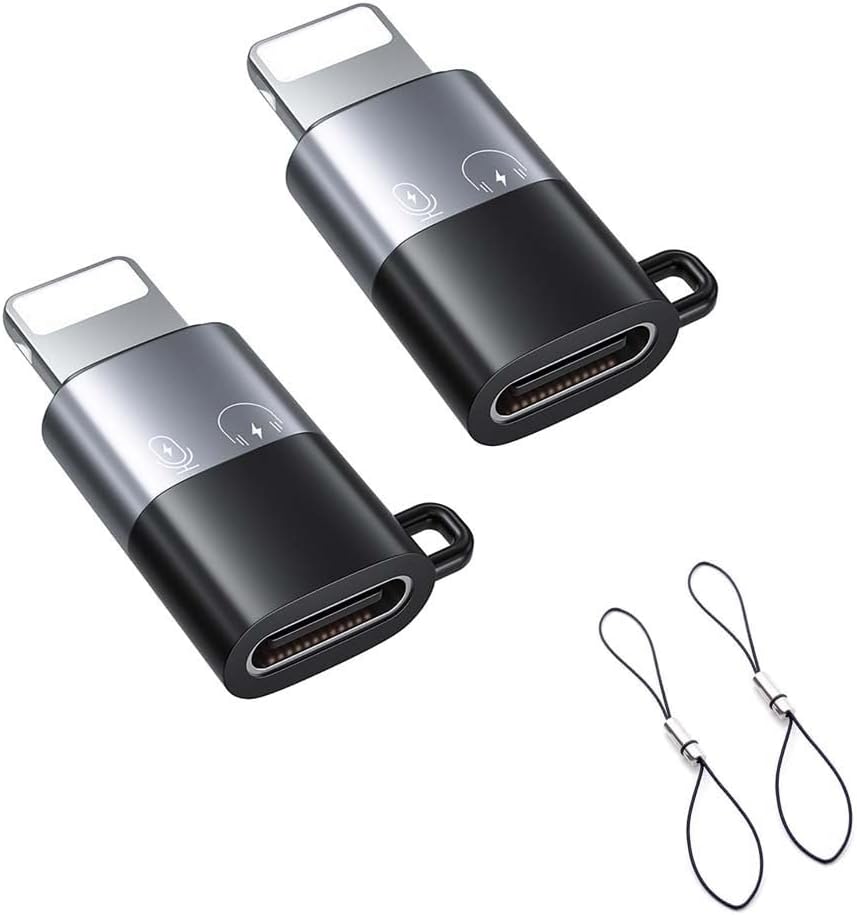
This iMusK two-pack is a budget-friendly choice for creators who want a spare USB-C female to Lightning male adapter. The package contains two connectors and two lanyards, while the listing identifies compatibility with DJI Mic Mini and DJI Mic 3 receivers as well as several third-party systems.
We may earn a commission when you buy through this link, at no additional cost to you.
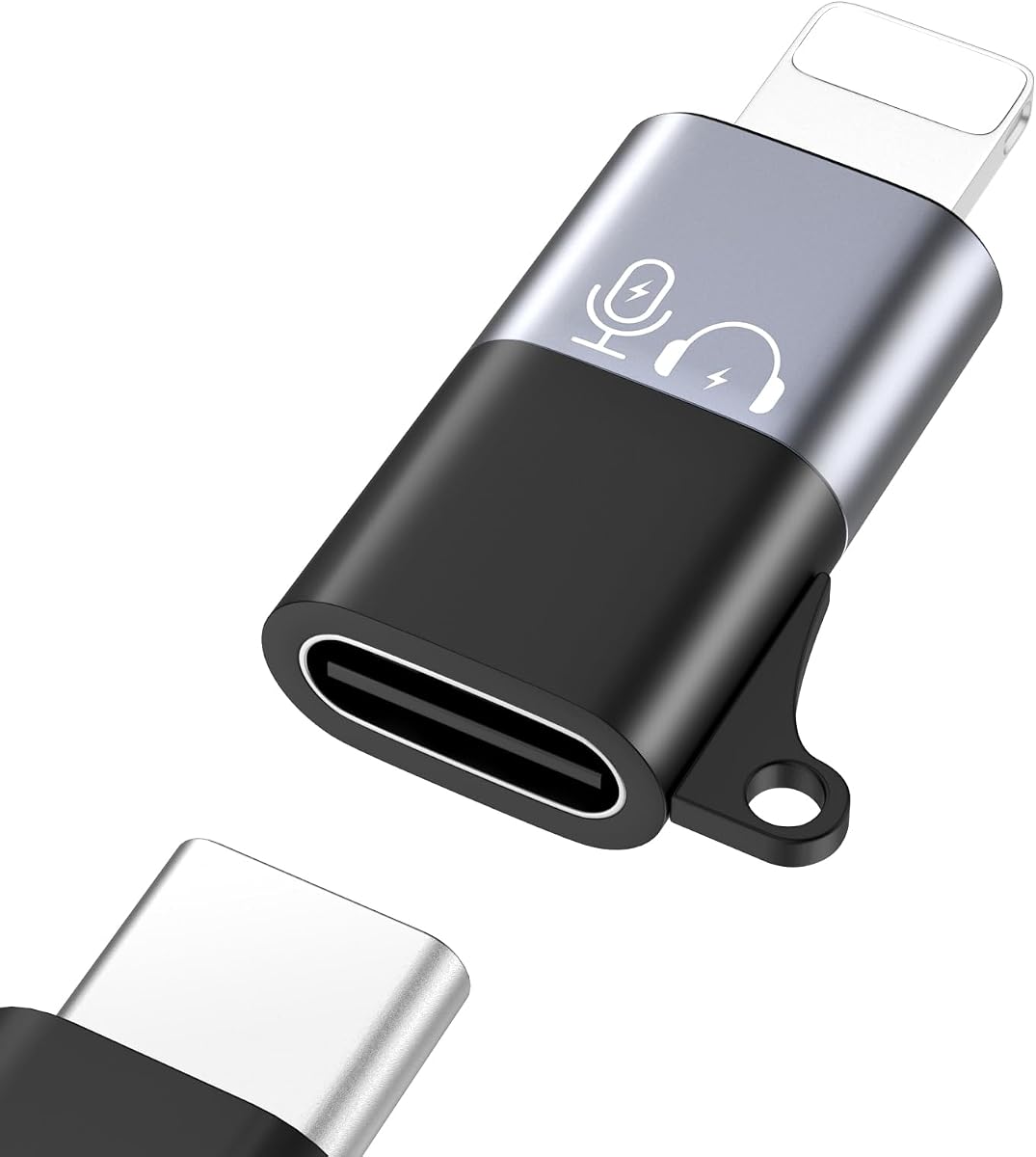
The adapters add useful flexibility. They can support audio recording with a compatible wireless microphone receiver, connect USB-C headphones, and provide a Lightning charging connection. The female Type-C end is designed to pair with the Type-C adapter included with a compatible microphone kit, allowing the user to retain that familiar connection arrangement.
Its main drawback is that it is not a single, purpose-designed DJI accessory. The buyer must already have the appropriate Type-C adapter and ensure that the microphone receiver outputs audio through the expected connection. It also cannot serve as a universal solution for every device, even though it supports more receiver types than the dedicated alternatives.
The package makes this especially appealing to mobile creators who travel frequently, regularly lose small accessories, or use more than one supported microphone system. It is a practical value pick when a backup and two lanyards matter more than having one factory-style adapter.
Two connectors provide immediate redundancy, which is useful during a shoot or trip. The matching lanyards can also be attached to a phone case, reducing the chance that a small adapter disappears inside a bag.
Beyond microphone audio, the listing describes headphone and charging uses. Those extra roles can make the adapters more useful for everyday travel, although each function should be checked against the connected device and cable.
We may earn a commission when you buy through this link, at no additional cost to you.
The MoKo adapter combines USB-C to Lightning conversion with charging support and compatibility with the DJI Mic Mini system. Its 3.8 rating places it below several alternatives, but the breadth of its stated functions makes it worth considering for creators who want one compact accessory to handle more than microphone audio.
We may earn a commission when you buy through this link, at no additional cost to you.
The adapter is designed to work with the Type-C adapter supplied for the DJI Mic Mini receiver, allowing the receiver to connect to a Lightning iPhone. Its charging feature supports up to 15W through a USB-C cable, which can reduce the number of different cables needed while traveling. It can also pair modern USB-C EarPods with a Lightning iPhone for listening.
The listening function has an important limitation: calls and microphone functions are not supported. That distinction matters because a connector may transmit music and video audio while failing to provide a usable microphone input or phone-call function. It is therefore better viewed as a media and creator accessory than a full-featured communication adapter.
This product suits a creator who wants microphone compatibility and basic charging in a small package. The included lanyard is a thoughtful anti-loss addition, and the stated dimensions of approximately 1.02 by 0.57 by 0.23 inches make the adapter easy to carry. Buyers who only need reliable microphone recording may still prefer the dedicated official DJI option.
Combining microphone audio, USB-C earphone listening, and basic charging can simplify a mobile kit. This is particularly helpful for users who already travel with one USB-C cable and want to avoid carrying a separate Lightning charging cable.
The small form factor fits readily into a pocket or small accessory pouch. Its included lanyard can be attached to a charging cable, wallet, or keychain, which is useful given how easily small mobile accessories can be misplaced.
We may earn a commission when you buy through this link, at no additional cost to you.
This Type-C to Lighting converter is a simple, broadly usable option for a DJI Mic Mini or Mic 3 setup. Its 4.3 rating gives it a solid middle position in the comparison, and the no-driver installation process removes a common source of setup friction for mobile creators.
We may earn a commission when you buy through this link, at no additional cost to you.
The adapter is designed to connect to a compatible microphone receiver's Type-C phone adapter. Once the two pieces are joined, the Lightning end can connect to an iPhone or iPad. Compatible iPhone models include the 14, 13, 12, 11, and earlier generations, while the listing also names Mac and PC compatibility.
Compared with a dedicated DJI phone adapter, this option requires an extra component and therefore offers less certainty about fit. Its value lies in flexibility rather than direct integration. It is also not a charging-focused product, so users who need simultaneous power should examine an adapter that explicitly advertises that function.
Choose this converter if you already own a compatible Type-C receiver adapter and value a quick, driver-free setup across phones and computers. It is a sensible middle ground for creators who need the Type-C end but prefer Lightning on the device side.
The adapter is designed to work through a physical connection without installing drivers or specialized software. That makes it convenient for spontaneous interviews, travel recordings, and quick changes between mobile and computer workflows.
Support for iPhones, iPads, Mac systems, and PCs broadens the adapter's potential use. The device still needs the appropriate port and compatible receiver arrangement, but the same Type-C side can serve more than one setup.
We may earn a commission when you buy through this link, at no additional cost to you.
The USB-C to Lightning OTG adapter is intended for creators who move between DJI and third-party wireless microphone receivers. Its 3.8 rating is less impressive than the leading products, but the stated support for DJI Mic Mini, DJI Mic 2, DJI Mic 3, Rode Wireless Go 2 and 3, MOMA, Boya, and other receivers gives it unusual breadth.
We may earn a commission when you buy through this link, at no additional cost to you.
The female Type-C end accepts the Type-C adapter included in a compatible microphone kit. The Lightning end then connects to the iPhone. This arrangement supports microphone audio and can also be used with compatible USB-C headphones or as a phone-charging connector when a suitable cable is available.
The trade-off is that a multi-purpose OTG product cannot offer the same fit certainty as a dedicated accessory. Users need to verify the output arrangement of their own receiver, particularly if it differs from the kit adapter the product description references. The keychain hole is helpful, though the adapter is still small enough to require deliberate storage.
This adapter makes the most sense for a creator who owns several compatible wireless microphone brands and wants a single Type-C female to Lightning male converter. It is less compelling for someone with only a DJI Mic Mini and a Lightning iPhone who values a manufacturer-designed direct connection.
The broad receiver list is the defining feature. Rather than limiting the product to one microphone generation, it can serve multiple compatible systems when the correct Type-C kit adapter is available.
The adapter can also be used to connect USB-C headphones and to support charging in suitable setups. This makes it useful beyond a microphone role, although the connected device and cable must support the intended function.
We may earn a commission when you buy through this link, at no additional cost to you.
This accessory set includes a Type-C adapter and a USB-C female-to-male adapter intended for the DJI Mic Mini. Its 4.2 rating is competitive among multi-adapter packages, and having the two pieces together can make the receiver easier to use with different devices.
We may earn a commission when you buy through this link, at no additional cost to you.
The listing emphasizes plug-and-play operation without drivers or software installation. It is intended to expand the Mic Mini's compatibility across smartphones and PC computers. Rather than providing only the female-to-male connector, the package gives buyers the two components needed for a more complete connection setup.
The product has a strict microphone-system boundary: the title states that it is not compatible with DJI Mic 2 or DJI Mic 3. That limitation may be reasonable for a Mic Mini owner, but it also means the set is not a universal solution for creators accumulating several generations of DJI equipment.
Choose this set if you want a ready combination for a DJI Mic Mini and use both mobile and computer recording. It is less suitable for users who need broad receiver compatibility or already own equivalent adapters and only need one additional connector.
The included Type-C adapter and female-to-male adapter provide a more complete connection path than a single loose OTG connector. This can reduce the need to source a second compatible piece separately.
The adapters are intended for smartphones and computers, making them useful for mobile publishing as well as larger production workflows. The actual connection still depends on the ports available on the destination device.
We may earn a commission when you buy through this link, at no additional cost to you.
This Type-C adapter is designed exclusively for the DJI Mic Mini receiver. It has a 4.5 rating, placing it among the stronger-reviewed choices, and supports connection to smartphones, PCs, and Mac devices that use compatible USB-C ports.
We may earn a commission when you buy through this link, at no additional cost to you.
Its slim profile is a standout practical feature. At approximately 0.8 by 0.15 by 0.3 inches, it is designed to remain unobtrusive when connected to a receiver. The push-button control method requires no batteries, and the product includes a 90-day manufacturer warranty.
This is not the same kind of product as a USB-C to Lightning phone adapter. It provides a Type-C connection and therefore serves USB-C-equipped destinations rather than a Lightning iPhone. It is also expressly incompatible with the original DJI Mic, DJI Mic 2, and DJI Mic 3. Those exclusions should be checked before purchase.
The adapter is an excellent companion for a Mic Mini owner recording into a modern USB-C phone, tablet, or computer. It is less relevant to the specific goal of connecting a receiver to a Lightning iPhone, so buyers seeking that conversion should choose one of the dedicated Lightning options instead.
The adapter's low-profile dimensions make it easier to carry without adding bulk to a compact recording setup. It can remain attached to the receiver or be packed separately, depending on the user's workflow.
The push-button operation and lack of batteries simplify the product. There is no separate power source to charge or carry, making the adapter convenient for travel and fast setup.
We may earn a commission when you buy through this link, at no additional cost to you.
The one-pack USB-C to Lightning OTG adapter offers a low-cost way to connect a compatible DJI receiver to a Lightning iPhone. Its 3.0 rating is the lowest in this comparison, so buyers should weigh the flexibility of its claimed functions against limited customer feedback.
We may earn a commission when you buy through this link, at no additional cost to you.
The adapter supports a Type-C female to Lightning male connection and is listed as compatible with the DJI Mic series, including DJI Mic Mini, DJI Mic 2, and DJI Mic 3. It can also support audio recording, USB-C headphone connections, and charging. The reserved keychain hole offers a basic method of keeping the small adapter attached to a ring or bag.
A notable uncertainty is the packing description. Although the title refers to a one-pack, the supplied product information lists two Type-C female-to-Lightning male OTG connectors in the packing list. Buyers should confirm the quantity and contents on the listing before ordering, especially if they expect a single adapter.
The product can suit a creator seeking broad functionality at the lower end of the market, but it is not the most reassuring choice based on its rating. Those who want fewer compatibility questions should favor the official DJI adapter or a well-reviewed dedicated alternative.
The listed support spans several DJI Mic generations, which can be convenient for creators who own more than one system. It pairs especially well with a receiver kit that already includes the appropriate Type-C adapter.
The product title and packing information appear to describe different quantities. Confirming the included accessories before purchase helps prevent disappointment if a buyer expects a particular number of adapters or lanyards.
We may earn a commission when you buy through this link, at no additional cost to you.
The DJI Mic Mini USB-C OTG converter is a general peripheral adapter rather than a dedicated microphone phone accessory. Its 3.8 rating is moderate, but its support for storage devices, mice, keyboards, MIDI equipment, and other USB peripherals gives it a distinct role for creators who need to connect more than a wireless receiver.
We may earn a commission when you buy through this link, at no additional cost to you.
The product supports a range of accessories, including USB drives, card readers, mice, keyboards, MIDI keyboards, electric pianos, drums, and mixing consoles. It also has a charging function and a compact aluminum shell designed for heat dissipation and durability. A keychain design helps reduce the chance of losing it.
There are important exclusions. It is not for the DJI Mobile Receiver, does not support phone calls, and cannot transfer data between a mobile phone and a computer. The listing also states that NTFS-formatted drives are unsupported, while FAT32 and exFAT are acceptable, and that specific JPG, RAW, H.264, and MPEG-4 formats are supported.
This converter is most useful for a creator who wants an iPhone or iPad to function as a compact workstation for media accessories or instruments. It is less suitable for someone who only needs clean receiver audio and wants a simple, dedicated microphone adapter without peripheral-related limitations.
The strongest use case is extending a phone or tablet with external creative equipment. It can reduce the need to carry multiple dedicated peripherals when working with supported storage, input, or music-production hardware.
The aluminum shell is intended to dissipate heat and withstand regular use, while the integrated keychain design supports portability. These details are valuable for mobile creators who carry their equipment between locations.
We may earn a commission when you buy through this link, at no additional cost to you.
The right adapter depends primarily on your receiver generation, iPhone connection type, required functions, and tolerance for multi-piece setups. Use the following factors to narrow the field before making a purchase.
A connector can support the right phone while still being unable to fit the receiver correctly. The official DJI adapter and the iMusK OEM adapter are both described specifically for the DJI Mic Mini, while several general OTG products are designed to accept the Type-C adapter included with a compatible microphone kit. Check the exact receiver model rather than relying on the broad phrase DJI Mic.
Match the receiver before considering extra features. If you own the original DJI Mic, DJI Mic 2, or DJI Mic 3, verify whether the selected product explicitly includes that generation. The two dedicated options reviewed here do not cover the older or newer DJI Mic models.
A Lightning adapter is intended for Apple devices that use the Lightning port, including the iPhone 14 series and earlier versions according to the supplied listings. Newer iPhones that use USB-C require a USB-C-oriented connection and cannot be made compatible simply by buying a Lightning adapter.
Inspect the charging port on the phone before ordering. The dedicated Lightning choices are appropriate for older and listed mid-range iPhone models, while the Type-C adapter and computer-oriented products suit devices with USB-C. Never assume that a connector's name guarantees compatibility with every current Apple device.
A direct phone adapter creates a shorter connection between the receiver and the phone. The official DJI Lightning adapter and the iMusK OEM adapter follow this focused approach. An OTG design instead uses a female Type-C end that accepts the Type-C adapter supplied with a compatible microphone kit.
Choose a direct design for simplicity and fewer pieces. Choose an OTG design when you want broader receiver compatibility, want to retain the kit's existing adapter, or need functions beyond microphone recording. The extra component in an OTG arrangement should be considered when planning a mobile kit.
Charging support can be valuable during long interviews, livestreams, or travel days, but it is not a standard feature of every adapter. The MoKo product and the iMusK two-pack explicitly advertise charging, and the broader OTG products also list phone-charging functions. The official DJI adapter focuses on audio recording without presenting a charging feature.
If you need to power the phone while connected, choose an adapter that clearly states charging support and confirm its wattage or cable requirements. The MoKo listing specifies up to 15W. Do not assume that a microphone connection will also provide adequate power unless the product description explicitly says so.
Several adapters double as headphone or charging connectors, while one product expands into a general USB OTG converter for storage, keyboards, mice, and musical equipment. These secondary uses can increase value, but they also make the device less narrowly optimized for microphone recording.
Match secondary functions to your actual workflow. A creator who only records DJI audio may prefer a dedicated connector, while a mobile musician or editor may benefit from broad peripheral support. Also note that listening, calling, data transfer, and microphone input are separate functions, and support for one does not imply support for the others.
Small adapters are easy to carry but also easy to lose. The MoKo product includes a lanyard and describes dimensions of approximately 1.02 by 0.57 by 0.23 inches. The iMusK two-pack includes two lanyards, while the broad OTG products feature a reserved keychain hole. The compact Type-C adapter is listed at approximately 0.8 by 0.15 by 0.3 inches.
Choose a connector that includes a way to keep it attached to a case, key ring, or cable. For travel-heavy creators, a two-pack can provide a genuine backup rather than merely a duplicate. For stationary recording, compact dimensions may matter more than the extra attachment method.
Customer ratings offer a useful signal, but they do not replace a compatibility check. The official DJI adapter has the highest rating in this group, while one general OTG adapter has the lowest. A lower-rated product may still be appropriate for a user whose devices fall exactly within its stated support range.
Use the rating alongside construction, included accessories, warranty information, and precise device language. An adapter with clearly documented limitations can be more dependable for a compatible setup than a broadly advertised product with a stronger but less specific claim.
Official DJI hardware provides the clearest association with the microphone system and the simplest dedicated connection. Third-party adapters may be less expensive, include extras, support more receiver brands, or provide charging and peripheral functions. OEM-style third-party replacements offer another middle ground for users who prioritize a dedicated fit.
Choose official or OEM-style equipment when predictable receiver integration is the priority. Choose a general third-party OTG adapter when portability, multi-brand use, or extra functions matter more. In every case, read the exclusions carefully because similar product names can refer to very different connector arrangements.
Begin by identifying the receiver model, the adapter type included with the microphone, and the port on the destination device. For a direct DJI or OEM-style adapter, connect the adapter to the Mic Mini receiver and then insert the Lightning end into a supported iPhone or iPad. For an OTG product, first connect the female Type-C end to the compatible Type-C receiver adapter.
Open the camera or recording application, select the external microphone input, and perform a short monitoring test before the important recording. Confirm that the audio is present, synchronized, and free of interference. If the adapter also advertises charging, connect the appropriate USB-C cable and verify that both audio and power remain stable during use.
To care for the adapter, disconnect it by holding the housing rather than pulling on the cable. Keep the contacts dry and free from dust, and avoid leaving the device attached to a phone while the phone is exposed to rain, excessive heat, or impact. Store it in a labeled compartment, use the included lanyard or keychain hole when available, and inspect the connectors periodically for looseness or debris.
A compatible adapter can connect the DJI Mic Mini receiver to a supported Lightning iPhone, but the connector arrangement must match. Some products connect directly to the receiver, while others use a female Type-C end with the Type-C adapter included in the microphone kit. Always confirm both the receiver model and the adapter's connection method.
The Lightning adapters in this guide are intended for devices with a Lightning charging and accessory port. The listed supported iPhone models include the 14 series and earlier versions, while newer USB-C iPhones are excluded by several product descriptions. A USB-C phone needs an appropriate USB-C connection solution instead.
It depends on the product. The official DJI Lightning adapter and the iMusK OEM replacement connect directly to the Mic Mini receiver, while most general OTG choices are designed to accept the Type-C adapter included with the microphone. Check the product's instructions and package contents to determine which configuration it requires.
Some listed products explicitly advertise charging, including the MoKo adapter and the iMusK two-pack, while others focus only on audio. Even when charging is supported, the output level and compatibility depend on the adapter, cable, phone, and attached microphone receiver. Verify this function before relying on it during a long recording session.
Not necessarily. The MoKo product clearly states that its USB-C earphone function is for listening only and that calls and microphone functions are unsupported. The broader OTG products distinguish among receiver audio, headphone use, charging, and data transfer, so each capability should be checked separately.
Several are. The products from B0G59351RZ, B0FYXQNSS3, and B0G58WCX2R list compatibility with selected Rode, MOMA, and Boya receivers in addition to DJI models. Compatibility is model-specific, so confirm the receiver's output and the required Type-C adapter before ordering.
The official adapter is usually the clearest choice when you own a DJI Mic Mini and a compatible Lightning iPhone and want a direct, purpose-built connection. Third-party options can be preferable when you need a spare, a lanyard, broader receiver compatibility, or additional charging and OTG functions. Compatibility clarity matters more than the brand alone.
That product connects a DJI Mic Mini receiver to USB-C-equipped smartphones, PCs, and Mac devices. It is useful for modern computer and phone workflows, but it does not provide the Lightning conversion required by an older iPhone. The distinction prevents it from being a direct match for the keyword's specific connection need.
The official DJI Mic Mini Mobile Phone Adapter is the strongest all-around recommendation for a dedicated Lightning workflow, combining a 4.7 rating with purpose-built support for the Mic Mini receiver. The iMusK OEM adapter is the premium alternative for buyers who want a similarly focused fit, while the iMusK two-pack offers the best budget-oriented package with a spare connector and two lanyards.
Prioritize exact receiver compatibility, the port on your iPhone, and whether you need simultaneous charging or broad OTG functionality. A dedicated adapter is usually cleaner for simple recording, while a female Type-C to Lightning male connector is more versatile when paired with a compatible microphone kit adapter and several receiver brands.
Before ordering, verify the current product listing, included accessories, and device exclusions. Product ratings can change, and prices and availability fluctuate over time, so the current listing should be the final source for purchasing details.