
Canon MegaTank G3270 All-in-One Wireless Color Printer
4.1Editor score
High-volume ink-tank system
Wireless print, copy, and scan
Documented low ink costs
Includes square LCD display
A photo printer with cheap ink should balance affordable consumables with prints you are proud to display. The right model can handle family snapshots, scrapbook projects, school work, identification photos, and documents without forcing you to choose between image quality and manageable ongoing printing costs.
We compared ten relevant printers and one compatible ink cartridge using the supplied specifications, customer ratings, connectivity options, media support, and documented ink-use claims. The list covers dedicated portable photo printers, wireless all-in-ones, ink-tank models, and a cartridge option for compact Nelko devices.
Each pick reveals the type of buyer it suits best, along with practical limitations to consider before buying. Product ratings and specifications reflect the provided listings, while prices and promotions can change, so compare the current listing details before making a final purchase.
4.1Editor score

4.4Editor score
4.6Editor score
As an Amazon Associate we earn from qualifying purchases.
The comparison below separates dedicated portable photo printers from home-oriented inkjet and ink-tank models, showing the most important differences in format, connectivity, paper support, and documented ink efficiency.



The Liene M100 is a dedicated 4×6-inch photo printer with a 4.4 rating, making it the strongest all-around match for a buyer who wants an appliance built specifically around photographs rather than a general-purpose office printer. Its thermal dye sublimation process is designed to produce vivid color images with a laminated finish, and the package includes 100 sheets of photo paper along with three color cartridges.
We may earn a commission when you buy through this link, at no additional cost to you.
One of the M100's most useful features is its built-in Wi-Fi hotspot. The printer can create its own connection, so phones do not need to join the same home or office network. It also supports up to five simultaneous connections, making it practical for family gatherings or a group project. The Liene app expands the basic print workflow with borders, filters, contrast and brightness adjustments, and ID or visa photo printing.
The trade-off is specialization. The M100 produces 4×6 photographs rather than standard documents, and it depends on compatible color cartridges and dedicated paper. Users are also advised to clean the print head promptly if smudges appear. Those are meaningful constraints, but they are logical for a device designed to turn phone images into durable keepsakes rather than replace a full office printer.
This is the best general recommendation for people seeking a straightforward 4×6 photo printer with a strong package of paper, easy phone connectivity, and creative editing options. It stands out for households that want dedicated photo output without depending on a router, and the included supplies improve its appeal as a ready-to-use gift or family photo center.
Because this model is optimized for 4×6 output, it removes the guesswork from printing wallet-sized and standard snapshot photos. The thermal dye sublimation process embeds color into the paper and creates a surface described as resistant to water, scratches, fingerprints, and fading.
The built-in hotspot is particularly useful when conventional wireless setup feels cumbersome. Connect a phone to the printer's independent network, choose an image in the app, and send it for printing without adding the printer to another network.
We may earn a commission when you buy through this link, at no additional cost to you.
The HP Envy Photo 7975 is a wireless color inkjet and multifunction printer rated 4.0 stars. It is designed for households that need more than a small photo-only device: photos, homework, office documents, copying, scanning, and automatic two-sided printing are all part of its feature set.
We may earn a commission when you buy through this link, at no additional cost to you.
Its main photo advantage is the combination of borderless, true-to-screen output and a separate photo tray. The color touchscreen helps users navigate settings without relying entirely on a computer or phone. Mobile and wireless printing are also supported, while the advertised HP AI formatting can remove unwanted content from web pages and emails so the result looks cleaner.
This is not necessarily the lowest-cost option for extremely high photo volumes because it is a conventional inkjet multifunction and its listing mentions an Instant Ink trial. Buyers should evaluate the full ongoing ink and service terms for their own printing habits. Its larger set of capabilities may nevertheless eliminate the need for a separate scanner, copier, or document printer.
Choose the 7975 when one household printer must serve several purposes. It is well suited to families balancing photo projects with school paperwork, and its touchscreen, automatic document feeder, photo tray, and wireless functions offer a more versatile experience than a compact snapshot printer.
The automatic document feeder, scanner, copier, and automatic two-sided printing make this a practical center for family administration. It can produce borderless photographs while still handling the ordinary documents that accumulate around a home office.
A large color touchscreen provides direct access to printer functions, while the listed AI-assisted formatting helps clean up content copied from web pages and email. These details make the device more approachable for users who do not want to manage complicated print settings.
We may earn a commission when you buy through this link, at no additional cost to you.
The Canon PIXMA TS6520 earns a 4.2 rating and combines compact dimensions with printing, scanning, copying, wireless connectivity, and photo support. It is a good middle ground for users who want a small home printer without giving up borderless letter-size photos or automatic duplex document printing.
We may earn a commission when you buy through this link, at no additional cost to you.
Its two-cartridge hybrid ink system is described as delivering sharp text and vivid colors, making the printer suitable for mixed document and photo workflows. The 1.42-inch monochrome OLED display keeps ink levels and printer status visible without the bulk of a larger touchscreen. Dual-band Wi-Fi can provide a more stable connection than a single-band setup, particularly in busy homes.
The main compromise is the two-cartridge configuration. This simpler arrangement may be less flexible for people who work with a broad color palette or need independent ink management, although the listing emphasizes good results for both documents and photos. The TS6520 also handles borderless photos up to 8.5 by 11 inches, offering more flexible output than a dedicated 2×3-inch model.
This model fits students, hybrid workers, and apartment dwellers who need scanning and copying in a compact footprint. It is a strong recommendation for mixed-use printing where wireless stability, automatic duplexing, and mobile access matter more than having a tank-style ink system.
The printer's small footprint makes it easier to place on a modest desk, yet it retains features commonly found in larger models. Scanning, copying, automatic two-sided printing, and letter-size borderless photos are all useful additions to a compact footprint.
Support for 2.4GHz and 5GHz networks offers flexibility in different homes and offices. The Canon PRINT app, Apple AirPrint, and Mopria Print Service also provide several ways to print from a phone or tablet.
We may earn a commission when you buy through this link, at no additional cost to you.
The Canon MegaTank G3270 has a 4.1 rating and is positioned for people who print frequently enough that conventional cartridge replacement could become inconvenient. Its ink-tank system is documented to print up to 6,000 black-and-white pages or 7,700 color pages using one set of inks.
We may earn a commission when you buy through this link, at no additional cost to you.
Wireless printing, copying, and scanning make it a complete home-office machine, while the square LCD provides basic status and control information. The impressive stated page yields are the main reason it deserves consideration for a photo printer with cheap ink: users who make many small prints, school projects, and color documents can spread the cost of ink over a larger number of pages.
There are some notable restrictions. The supplied specifications list single-sided printing only, and they do not make a specific borderless-photo claim. Buyers whose main goal is dedicated 4×6 or 2×3 photo output may find a more specialized printer more convenient. Refilling also requires attention, even though the tank format is generally intended to reduce cartridge waste.
Despite those limits, the G3270 is the best budget pick here for high-volume households. It suits families, teachers, students, and home businesses that value predictable ink efficiency and wireless multifunction capability more than pocket-sized printing or specialized instant-photo formats.
The stated yields of 6,000 monochrome and 7,700 color pages give buyers a useful reference for estimating how far one set of inks may last. Actual results will vary with the types and coverage of documents and photographs being printed.
Wireless print, copy, and scan functions cover the common needs of a family or home office. The 1.35-inch square LCD keeps basic controls available without requiring the larger screen seen on more advanced multifunction printers.
We may earn a commission when you buy through this link, at no additional cost to you.
The Canon PIXMA TS4320 is a wireless all-in-one with a 3.9 rating. It brings printing, copying, and scanning together in a compact design, and it supports letter-size documents and photos, automatic two-sided printing, and mobile printing through several familiar services.
We may earn a commission when you buy through this link, at no additional cost to you.
Its strongest points for the photo-printer-with-cheap-ink goal are the hybrid two-cartridge system and automatic duplex function. The latter reduces paper consumption for multi-page documents, while the cartridge format keeps the device compact and straightforward to operate. The listing also identifies the printer as EPEAT Silver and ENERGY STAR certified.
Its 3.9 rating is lower than those of several alternatives, so buyers should pay close attention to current customer feedback and their own priorities. The model is also less overtly photo-focused than the dedicated Liene and Nelko products. It does not have the Liene M100's 4×6-only package, the N200 Pro's built-in camera, or the MegaTank's documented high page yields.
The TS4320 is best for a smaller home environment that needs an all-in-one printer, wants wireless access, and values compactness and energy-related certifications. Choose it when document printing is nearly as important as photography and you prefer a straightforward, certified home printer.
Automatic duplexing saves paper by producing two-sided pages without manual sheet changes. That makes the TS4320 useful for school projects, notes, household forms, and other regular document jobs that accompany photo printing.
The printer's small design helps it fit into space-constrained rooms, while its EPEAT Silver and ENERGY STAR certifications make it appealing to buyers who want a more energy-conscious home setup.
We may earn a commission when you buy through this link, at no additional cost to you.
The Nelko 520 is not a printer, but it is relevant to this guide because it is a genuine color ink cartridge for the PP01 and PP03 portable photo printers. Its 4.6 rating is among the highest listed, and the cartridge is described as capable of producing up to 80 full-color photos.
We may earn a commission when you buy through this link, at no additional cost to you.
The cartridge uses dye ink intended to deliver bright, saturated colors and sharp resolution. Once dry, prints are described as water-resistant and smudge-resistant. An intelligent chip is included to support smooth operation in compatible Nelko machines, while the built-in waste ink container is intended to be replaced along with the cartridge.
The limitation is obvious but important: this product cannot print without a compatible printer. A buyer who already owns a PP01 or PP03 may find it a convenient supply option, but someone starting from scratch should select the printer itself. The cartridge also needs care if left unused because ink can dry out; the instructions suggest wiping the print head with a lint-free cloth or cotton pad.
This is a supporting pick for owners of compatible Nelko hardware who prioritize dye color output and a documented yield of up to 80 photos. It can be especially useful for travel journals, scrapbooks, labels, party favors, event giveaways, and other frequent small-photo projects.
The cartridge provides a straightforward refill for compatible PP01 and PP03 devices. Its chip is designed to support stable operation, and the installation process includes removing protective packaging and film before inserting it into the correct slot.
Dye ink is presented as producing saturated color and sharp detail, while the water-resistant finished output is useful for journals, planners, labels, scrapbook pages, and event giveaways that may be handled frequently.
We may earn a commission when you buy through this link, at no additional cost to you.
The Nelko PP01 is a pocket-sized 2×3-inch inkjet photo printer with a 4.3 rating. It weighs 308 grams, supports Bluetooth connections from iOS and Android phones, and produces 600 DPI images with vivid full-color output on sticky-backed photo paper.
We may earn a commission when you buy through this link, at no additional cost to you.
The adhesive backing gives the printer a distinct purpose. Prints can be placed directly into journals, planners, scrapbooks, and craft projects without separate mounting. The Nelko app supports filters, borders, stickers, text, collages, graffiti, and AI image editing, allowing users to prepare more elaborate designs before printing.
This model includes a USB charging cable but not an adapter, so owners need a suitable power source available. Its 2×3 format is ideal for social snapshots and small keepsakes, but it cannot deliver letter-size photos or ordinary documents. The listed cartridge yield of up to 80 full-color photographs also makes cartridge planning relevant for owners.
The PP01 is best for students, travelers, scrapbookers, event photographers, and anyone who wants small adhesive prints almost anywhere. It combines portability, high stated resolution, and creative software in a particularly approachable package for phone-based photo printing.
The backing turns each photograph into a ready-to-place element for scrapbooks, planners, travel journals, and labels. The paper is also described as smudge-proof, water-resistant, and tear-resistant after printing.
Beyond basic printing, the app provides frames, filters, text, stickers, collages, and AI editing features. These options help users create personalized images without moving the workflow to a separate editing application.
We may earn a commission when you buy through this link, at no additional cost to you.
The HP DeskJet 2955 is a wireless color inkjet all-in-one with a 3.7 rating. It falls into the basic-home-printer segment, offering a straightforward way to print color photos and ordinary documents without the more specialized feature sets found in the portable models.
We may earn a commission when you buy through this link, at no additional cost to you.
Wireless connectivity is its standout documented feature, allowing compatible devices to send jobs without a physical cable. The all-in-one format is convenient for users who want a familiar home printer, while the listed weight of 10.45 pounds suggests a relatively manageable unit rather than a large office machine.
The supplied listing information is sparse, however, and does not state supported paper sizes, duplex capability, ink yields, display controls, or scanner specifications. Its 3.7 rating also trails the rest of this list. Those factors make it difficult to recommend confidently for a specific photo format, high-volume workflow, or advanced mobile setup without reviewing the current listing details.
The DeskJet 2955 is best for uncomplicated home printing where wireless access and basic color output are the priorities. Buyers should compare the current product page for media support and consumable details, particularly if photo quality and ongoing ink efficiency are central to the decision.
Wireless connectivity is the clearest convenience in the supplied details. It allows phones, laptops, and other compatible devices to initiate print jobs without running a cable between each device and the printer.
The combination of color printing and all-in-one functionality gives the DeskJet a familiar role in a home. Because the supplied specifications are limited, prospective buyers should verify the exact scan, copy, and media features shown in the current listing.
We may earn a commission when you buy through this link, at no additional cost to you.
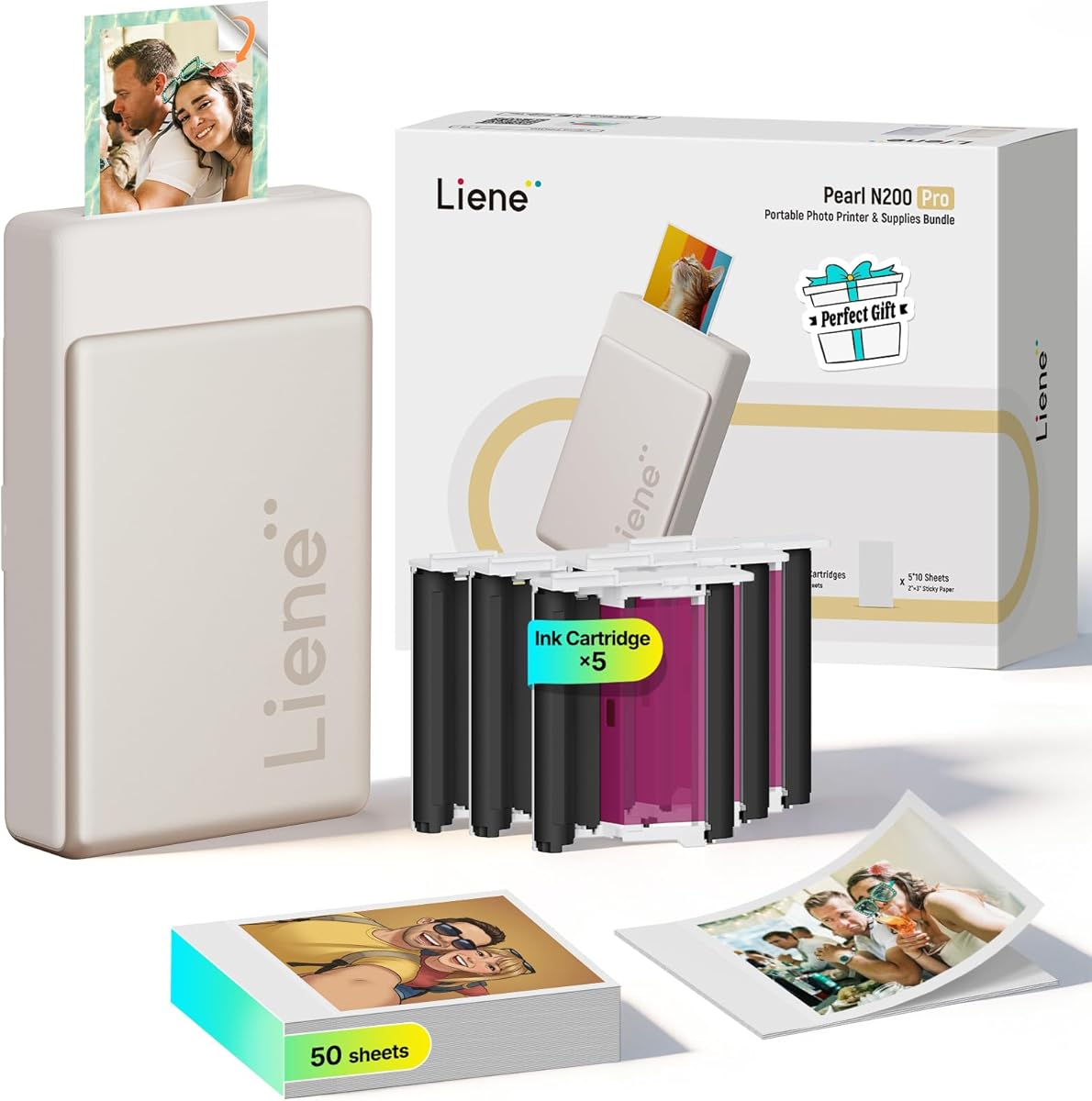
The Liene Pearl N200 Pro is a premium compact photo printer with a 4.6 rating. It uses dye-sublimation technology for 2×3-inch adhesive photos and adds features that go beyond basic phone printing, including a built-in camera, CCD filters, AI portrait styles, and multi-device pairing.
We may earn a commission when you buy through this link, at no additional cost to you.
Its InstaPic Print mode provides a true shoot-and-print workflow. Users can capture a moment directly through the printer, apply one of the built-in camera filters, and print without first moving the image through a phone album workflow. The app also supports AI-generated portraits, background removal, frames, watermarks, timestamps, and official stickers.
The package includes 50 sheets of 2×3 adhesive paper and five cartridges, making it a substantial portable setup. However, it remains dedicated to small photos rather than letter-size printing. Buyers who need documents or larger images should choose a multifunction printer instead. The app's emphasis on AI tools may also be more than some users require, although the core printing function remains accessible through Bluetooth.
The N200 Pro is the best premium pick for parties, gatherings, creative scrapbookers, and families that want spontaneous printing with strong editing tools. Its combination of portable thermal dye-sublimation output, a built-in camera, group printing, and a 4.6 rating gives it the most distinctive feature set in this guide.
The built-in camera and InstaPic mode shorten the path from a spontaneous moment to a physical print. CCD filters add visual variation without requiring the user to complete a separate phone-based selection process.
AI portrait styles, background removal, frames, watermarks, and timestamps create a broad editing suite in one app. Fast Bluetooth pairing and multi-device support also let several attendees print together at parties or gatherings.
We may earn a commission when you buy through this link, at no additional cost to you.
The HP Smart Tank 5003 is an ink-tank all-in-one with a 3.9 rating. It is designed around high-volume, low-cost printing, with the listing advertising up to three years of included HP ink and approximately 6,000 color or black pages out of the box.
We may earn a commission when you buy through this link, at no additional cost to you.
Its cartridge-free tank system is easy to understand. Instead of replacing small ink cartridges, users connect ink bottles to the refill ports and allow the ink to drain into the tanks. The system is described as mess-free, and wireless, mobile, and borderless printing are supported alongside print, copy, and scan functions.
The included ink allowance makes this appealing for frequent users, but actual output depends heavily on what is printed. A page of text uses a different amount of ink than a borderless color photograph, so buyers should not treat the stated page count as a guarantee for photo volume. As with any tank printer, care during filling and storage is still important.
The Smart Tank 5003 suits households and home offices that produce a mix of documents and photos and want to refill supplies in larger quantities. It is particularly useful when minimizing cartridge replacement frequency matters more than having a pocket-sized or dedicated snapshot format.
The cartridge-free design avoids the routine replacement of conventional small cartridges. Users plug compatible bottles into the accessible ports and let them drain, a process presented as straightforward and designed to limit mess.
The listed allowance covers up to 6,000 color or black pages, making the model relevant to busy homes and offices. Borderless output expands its role beyond documents, although photo use will consume ink at a different rate.
We may earn a commission when you buy through this link, at no additional cost to you.
The right choice depends on how often you print, which photo sizes you need, and whether low ongoing ink use matters more than specialized features. Consider the following factors together rather than focusing on purchase cost alone.
Ink-tank printers are the clearest option when the goal is low cost per page over many jobs. The Canon MegaTank G3270 lists yields of up to 6,000 black-and-white pages or 7,700 color pages, while the HP Smart Tank 5003 advertises up to three years of included ink and approximately 6,000 pages. These figures offer a better basis for planning frequent use than a conventional cartridge printer. However, printed coverage, image darkness, borderless photos, and document content can all affect how quickly ink is used.
Choose an ink-tank model when printing frequency is high. A cartridge model may still be economical for occasional use, so compare realistic output rather than relying only on the largest published yield.
A 4×6-inch printer is ideal for traditional snapshot prints, while 2×3-inch models prioritize portability and small adhesive outputs. Letter-size models provide more flexibility for photos, documents, craft paper, and posters. The Liene M100 is dedicated to 4×6 output, the Nelko PP01 and Liene Pearl N200 Pro use 2×3 adhesive paper, and the Canon and HP multifunctions support larger general-purpose media.
Match the format to your typical project. A small portable printer is convenient for journals and events, while a home all-in-one is more useful when you also need full-page documents.
Thermal dye sublimation, as used by the Liene M100 and Pearl N200 Pro, creates color by transferring dye into the paper and produces a laminated surface described as resistant to water, scratches, fingerprints, and fading. Inkjet models such as the Nelko PP01 can offer high resolution, with the PP01 listed at 600 DPI, while the HP and Canon multifunctions are designed for a broader mix of color output and documents.
Choose thermal dye sublimation for durable keepsakes and consistent 4×6 or 2×3 prints. Choose inkjet when a wider range of media, accessible refill options, or a multifunction device matters more.
Convenient connection can make a portable printer much easier to use. The Liene M100 creates its own Wi-Fi hotspot and supports up to five simultaneous connections without requiring an external network. The Liene Pearl N200 Pro uses Bluetooth with multi-device pairing, the Nelko PP01 connects through Bluetooth, and the home-oriented models support wireless and mobile printing through their respective apps and services.
Check the connection method that matches your devices. A built-in hotspot is excellent for gatherings, while standard Wi-Fi is generally better for regular printing from several home devices.
A compact printer is only useful away from an outlet if it can operate where you are. The Nelko PP01 weighs 308 grams and includes a USB charging cable, although an adapter is not included. The Liene Pearl N200 Pro is designed for on-the-go use and is listed as producing up to 27 sticker photos from a full charge. By contrast, the Canon and HP multifunctions are designed primarily for a desk or home-office environment.
For travel, parties, and school projects, prioritize weight, battery life, and included charging accessories. For regular home use, stationary convenience is usually more important than portability.
Dedicated photo printers often include companion apps that add more than a print command. The Liene M100 supports filters, borders, brightness and contrast changes, and ID or visa photo layouts. The PP01 includes collages, stickers, text, graffiti, and AI editing. The N200 Pro adds artistic portrait styles, background removal, watermarks, timestamps, and built-in camera filters. These features can make small-photo printing more creative and convenient.
Choose a rich app if you expect to customize images often. If you mainly print carefully edited photos from your phone, a simpler workflow may be sufficient.
A photo-only device handles snapshots but cannot replace a scanner, copier, or document printer. The HP Envy Photo 7975, Canon PIXMA TS6520, Canon PIXMA TS4320, Canon MegaTank G3270, HP DeskJet 2955, and HP Smart Tank 5003 provide combinations of printing, copying, and scanning. Automatic two-sided printing on the 7975, TS6520, and TS4320 can reduce paper use for multi-page documents.
Choose a multifunction model if one device must handle the entire household workflow. A dedicated photo printer is usually simpler and more portable for photo-only needs.
The included cartridge and paper package can shape the total ownership experience. The Liene M100 includes 100 sheets and three cartridges, the Pearl N200 Pro includes 50 adhesive sheets and five cartridges, and the Nelko 520 cartridge is documented to print up to 80 photos. Replacement availability and device compatibility remain essential, especially with compact dedicated systems.
Check the starter supplies, required cartridge type, paper dimensions, and refill method. Choosing the correct consumables from the start prevents waste and makes ongoing ink-cost comparisons more meaningful.
Begin by unpacking the printer, installing the correct cartridges or filling its ink tanks, and loading the specified photo paper. For cartridge-based portable models, remove all protective packaging and confirm that each cartridge is seated properly. For ink-tank machines, connect the appropriate bottles to the refill ports and allow the ink to drain before printing.
For wireless models, install the manufacturer's app and complete the network or Bluetooth pairing process. Dedicated portable printers may create their own hotspot, while home multifunctions generally connect to an existing Wi-Fi network. Choose the correct paper size, orient the sheet or roll correctly, and use borderless mode when the intended result is an edge-to-edge photo.
To protect print quality, use the inks and paper sizes specified by the manufacturer, avoid touching the print surface immediately after printing, and keep cartridges installed if the printer will be idle for an extended period. If smudges appear, clean the print head promptly using the device's recommended method. A cartridge that has dried out may need the print head wiped vertically with a lint-free cloth or cotton pad before reuse.
An ink-tank printer is usually the strongest choice for high-volume color printing because it is designed to hold a larger amount of ink and avoid frequent small-cartridge replacements. The Canon MegaTank G3270 and HP Smart Tank 5003 are the relevant models in this guide. For a smaller number of dedicated snapshot prints, compare the documented cartridge yield and included paper instead of assuming the largest tank yield is automatically best.
They serve different purposes. Dedicated models such as the Nelko PP01 and Liene Pearl N200 Pro are portable, print small adhesive photos, and often provide playful editing features. Home inkjets can print letter-size photos alongside documents and are more practical for scrapbook pages or larger prints. The better choice depends on whether portability, small-format creativity, or general-purpose media matters most.
The supplied Liene listings describe thermal dye sublimation output as laminated and resistant to water, scratches, fingerprints, and fading. These characteristics can make it attractive for keepsakes and frequently handled prints. The exact level of durability will still depend on storage conditions, paper, and how the print is handled.
With the Liene M100, yes. It creates an independent built-in hotspot, allowing a phone to connect directly to the printer without another network. The Liene Pearl N200 Pro and Nelko PP01 use Bluetooth instead. Canon and HP home printers generally connect to an existing wireless network and provide mobile-printing options through their companion apps and supported services.
Confirm the exact printer model, cartridge number, ink type, and whether the cartridge includes a waste container. For example, the Nelko 520 is listed as compatible with the PP01 and PP03 and includes a built-in waste ink container that should be replaced with the cartridge. Using a cartridge that appears similar but is not explicitly compatible can lead to poor results or installation problems.
The Canon PIXMA TS6520 is a particularly balanced choice because it combines photo and document printing with scanning, copying, automatic two-sided printing, dual-band Wi-Fi, and mobile printing. The HP Envy Photo 7975, Canon MegaTank G3270, Canon PIXMA TS4320, HP DeskJet 2955, and HP Smart Tank 5003 also provide all-in-one functions, but their supplied specifications differ.
The supplied listing for the Nelko 520 states that one color cartridge can print up to 80 photos, and the Nelko PP01 listing makes the same claim for full-color 2×3 photographs. Actual results can vary with image content and cartridge care. The portable Liene products also include multiple cartridges, so buyers should check compatibility and included supplies before mixing systems.
A screen is useful for a stationary multifunction printer, where direct status and settings access matters. The HP Envy Photo 7975 has a color touchscreen, while the Canon TS6520 has a monochrome OLED and the MegaTank G3270 has a square LCD. Portable photo printers generally put most creative controls in their companion apps, which is often more convenient when printing from a phone.
The Liene M100 is the strongest overall option because it combines dedicated 4×6 output, dye-sublimation quality, an independent Wi-Fi hotspot, useful app editing, and a generous starter package. The Canon MegaTank G3270 is the best budget pick for frequent printing and documented high-volume ink efficiency, while the Liene Pearl N200 Pro stands out as the premium portable model with a built-in camera, AI tools, and group printing.
Prioritize the printer category that matches your real workload. Choose an ink-tank system for frequent documents and photos, a dedicated thermal model for durable small keepsakes, and a general-purpose all-in-one when scanning, copying, and larger paper matter. Also check paper dimensions, cartridge compatibility, app features, and refill procedures before purchasing.
Finally, review the current listing for the model you choose, because prices, included accessories, ratings, and promotional details can change. The supplied information offers a strong starting point, but current product details and customer feedback should guide the final decision.