
TI-Nspire CX II Color Graphing Calculator
4.6Editor score
Full-color concept views
Portable rechargeable design
Broad exam approval
A graphing calculator can make algebra, trigonometry, calculus, statistics, and science much easier to explore visually. A strong model should combine accurate calculations with a readable screen, manageable controls, dependable battery life, and software that fits the way students work.
This guide compares ten graphing calculators from Texas Instruments, Casio, HP, ROATEE, and IPepul, with attention to graphing capabilities, displays, exam suitability, programming tools, portability, and classroom readiness. The list includes traditional graphing models, color touchscreen devices, and models that combine calculation with note-taking.
Each review explains the product's strongest features, practical trade-offs, and ideal user. Ratings and product details reflect the supplied listings, while availability and pricing can change at any time. Check the latest listing information before making a final purchase.
4.6Editor score

4.6Editor score
4.7Editor score
As an Amazon Associate we earn from qualifying purchases.
The table below provides a quick side-by-side view of every calculator in the guide, highlighting the main differences in display, graphing, exam support, and included accessories.


The Texas Instruments TI-84 Plus CE Color Graphing Calculator combines a familiar TI-84 workflow with a full-color screen, textbook-style input, and a rechargeable battery. Its 4.6 rating reflects a broadly dependable choice for middle school, high school, and college, particularly where equations need to be entered and interpreted in familiar mathematical notation.
We may earn a commission when you buy through this link, at no additional cost to you.
The clearest advantage is MathPrint, which allows symbols, formulas, and stacked fractions to appear much as they do in textbooks. That makes the calculator especially useful when moving between written work and the display. Vibrant graphing also helps students distinguish curves, intersections, and transformations, while the rechargeable battery can reportedly last up to one month on a single charge.
The trade-offs are practical rather than serious. It does not provide the symbolic computer algebra features found in the TI-Nspire CX II CAS, and the interface is more menu-driven than the icon-based TI-84 Evo. Some students may also prefer a model with a touchpad or touchscreen, especially in geometry-heavy lessons.
This is the strongest general recommendation for a student who wants an established graphing platform, readable notation, and dependable classroom performance. It is particularly well suited to algebra, trigonometry, precalculus, calculus, and standard science courses where a conventional keypad and color display are preferable to a premium CAS system.
MathPrint input and output reduce the gap between classroom notation and calculator display. Stacked fractions, mathematical symbols, and formulas are easier to read while solving and checking work.
The color screen improves the visibility of multiple curves and graphing styles. That helps students compare functions and recognize patterns more quickly than they could on a monochrome display.
We may earn a commission when you buy through this link, at no additional cost to you.
The TI-84 Evo is presented as the newest member of the TI-84 series and emphasizes speed, simplicity, and expanded graph visibility. Its 4.7 rating makes it one of the strongest listings in the group, with particular appeal to students who want a modern interface without leaving the well-known TI-84 product family.
We may earn a commission when you buy through this link, at no additional cost to you.
An icon-based home screen places frequently used math tools near the front, reducing the number of steps required to begin a task. The listed three-times-faster processor supports quicker calculations and smoother graphing, while the screen offers 50% more graphing space so functions, axes, and labels are easier to inspect.
Larger buttons and a less cluttered keypad also make the Evo easier to handle during timed practice. The obvious limitation is that the supplied specifications do not mention a computer algebra system, so students who need symbolic manipulation should examine the TI-Nspire CX II CAS instead.
The Evo is a compelling pick for middle and high school students who want capable graphing, intuitive navigation, and a familiar Texas Instruments workflow. It may be especially attractive for classes where a calculator must be learned quickly, operated during timed work, and carried regularly between school and home.
The improved processor is most useful in ordinary academic workflows: entering functions, switching views, and redrawing graphs. Those improvements can make a busy class period feel less cumbersome without changing the core TI-84 approach.
The larger graph area and simplified keypad complement each other. Students can see more of their work while using larger, more distinct controls, which is useful for both younger learners and anyone working under time pressure.
We may earn a commission when you buy through this link, at no additional cost to you.
The lavender TI-84 Evo offers the same performance-focused feature set as the white edition in a more distinctive enclosure. It carries a 4.7 rating and is built around faster processing, a larger graph area, and icon-based navigation, making it a practical alternative for students drawn to a less traditional appearance.
We may earn a commission when you buy through this link, at no additional cost to you.
Its processor is listed as three times faster than the preceding generation, which supports smoother graphing and quicker calculations. The home screen places popular tools front and center, and the 50% increase in graphing space gives users more room to inspect functions, compare curves, and understand how transformations affect a graph.
The color choice is cosmetic, but it can matter to students who want a personal accessory that feels distinct from a standard classroom model. The main functional limitation is the same one associated with the white Evo: no computer algebra system is identified in the supplied details.
Choose this version if you want the newer Evo interface and processing improvements but prefer a distinctive finish. It is best suited to standard graphing coursework rather than students who need CAS, extensive computer-based experimentation, or a touchscreen workflow.
The lavender enclosure gives the same capable Evo platform a more individualized appearance. It is a simple way to stand out from a classroom full of identical black models without sacrificing familiar TI-84 navigation.
The larger graph area, quicker processor, and icon-led menu are more important than the finish. Together they make the Evo one of the most approachable options for students who want a capable but uncomplicated graphing calculator.
We may earn a commission when you buy through this link, at no additional cost to you.
The Casio Prizm FX-CG50 is the highest-rated product in this comparison, earning a 4.8 rating. It stands out for a high-resolution color screen, advanced graphing functions, built-in MicroPython, and approval for major standardized exams, giving it broad appeal across high school and college mathematics.
We may earn a commission when you buy through this link, at no additional cost to you.
Its large LCD can display more than 65,000 colors and supports up to three 3D functions, including objects such as spheres, cylinders, and planes. Dynamic graphing, statistics, geometry, complex numbers, polar graphing, and simultaneous equations extend its usefulness beyond a single school year. Natural Textbook Display also keeps expressions visually close to standard classroom notation.
The trade-off is that some of the richest features require more learning than a conventional scientific calculator. Python can be excellent for exploration and programming, but instructors may teach a specific platform or syntax. Students whose course explicitly requires a TI-84 or TI-Nspire should verify policy before purchasing.
This Casio is an excellent choice for students who want advanced 3D graphing, coding, dynamic functions, and exam approval in a color device. It is particularly compelling for independent learners, STEM-oriented students, and anyone who values the combination of a calculator and a programmable Python environment.
The Prizm handles standard function graphs, polar plots, and up to three 3D functions. That range makes it useful for multivariable visualization, precalculus exploration, and geometry-oriented projects.
MicroPython runs directly on the calculator, with PC connectivity available for transferring, storing, and sharing programs. It provides a convenient way to begin coding without adding another device to the study setup.
We may earn a commission when you buy through this link, at no additional cost to you.
The HP Prime G2 is built for students who prefer a modern, computer-like graphing experience. Its 4.4 rating reflects a capable package with a 3.5-inch high-resolution multitouch color screen, computer algebra system, dynamic geometry, spreadsheets, advanced graphing, and RPN.
We may earn a commission when you buy through this link, at no additional cost to you.
Touch input supports pinch-to-zoom, interactive graph manipulation, background customization, and finger-based function sketching. Dedicated keys allow movement among symbolic, graphical, and numerical views, while 256MB of flash memory stores programs, images, and exam configurations.
The rechargeable lithium-ion battery, brushed metal design, and included sliding cover make it suitable for regular travel. Wireless and app integration add classroom value through connectivity kits, screen projection, polling, and the HP Prime Mobile App for Windows, iOS, and Android.
The Prime G2 is a strong choice for visual learners, advanced STEM students, and classrooms built around touch-based exploration. Its lower rating than several conventional models does not reflect a lack of capability; rather, the premium feature set and touchscreen workflow make it best for users who value flexibility and screen interaction.
Pinch-to-zoom and direct manipulation can make visual analysis feel immediate. The display also supports backgrounds and sketching, giving students more ways to connect a graph with handwritten interpretation.
CAS, dynamic geometry, spreadsheets, graphing, and RPN provide a broad toolkit. Dedicated view controls help users move between symbolic reasoning, numerical calculation, and visual representation.
We may earn a commission when you buy through this link, at no additional cost to you.
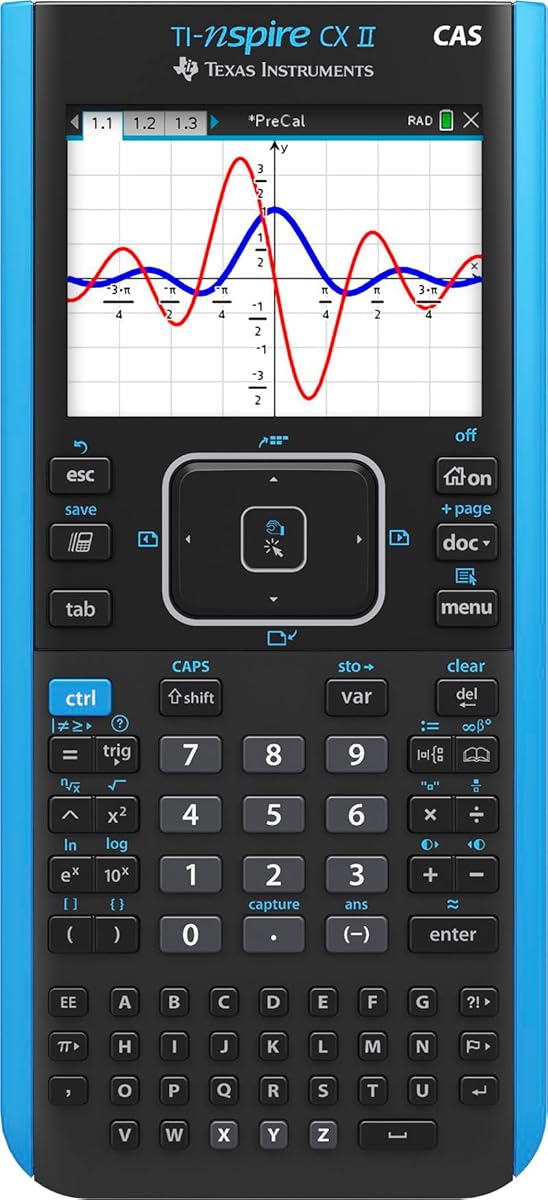
The TI-Nspire CX II CAS is the premium recommendation in this guide, combining a full-color screen with computer algebra capabilities and a PC/Mac student software bundle. Its 4.7 rating reflects a capable device for advanced mathematics, especially for students moving beyond standard graphing exercises.
We may earn a commission when you buy through this link, at no additional cost to you.
CAS functionality allows symbolic expressions to be manipulated in ways a conventional graphing calculator cannot. The 3.5-inch screen offers 320-by-240 resolution at 125 DPI and 16-bit color, while six graph styles and 15 colors help distinguish different functions. The thin, lightweight body uses touchpad navigation and quick alpha keys.
Its rechargeable battery can reportedly run for up to two weeks on one charge, a strong advantage for students who depend on a single device throughout the school year. The included TI-Nspire CX Student Software extends graphing and other functionality on PC or Mac.
This model is most appropriate for students taking advanced algebra, calculus, precalculus, or other courses where symbolic work is important. The premium price and learning curve are justified when CAS is genuinely required; students in standard introductory courses may receive more value from a TI-84 model.
CAS lets users manipulate algebraic expressions rather than only evaluating them numerically. That makes the calculator especially useful for advanced coursework, verification, and exploring how mathematical relationships change.
The included student software creates a connected experience across PC and Mac. Students can move beyond the handheld display while retaining a familiar TI-Nspire interface and advanced graphing tools.
We may earn a commission when you buy through this link, at no additional cost to you.
The ROATEE Rechargeable Graphing Scientific Calculator is unusual because it combines mathematical tools with a detachable LCD notepad and stylus. Its 4.4 rating makes it an intriguing option for students who want graphing, calculation, and scratch-paper-style note-taking in one device.
We may earn a commission when you buy through this link, at no additional cost to you.
The writing tablet charges independently and can attach to either side of the calculator or be removed for separate use. Unlock the lock key before writing and erasing. This flexible arrangement can help with derivations, classroom annotations, or organized problem solving, particularly when paper is not permitted or convenient.
Mathematical tools include complex numbers, base conversion, matrices, vectors, tables, statistics, equations, graphing, and function solving. The screen supports up to 100 characters, offers a full-screen graph display, and stores up to eight variables and 200 bytes of history. Automatic shutoff can be configured from five to 60 minutes.
ROATEE is best for students who prioritize an integrated writing surface and rechargeable operation over a widely established classroom ecosystem. It may be less suitable when a teacher requires a specific approved model, but as a flexible personal study tool, its combination of graphing and detachable note storage is unusually useful.
The detachable LCD tablet provides a reusable writing surface alongside a standard calculator layout. Students can remove it for an exam or keep it attached while working through a longer derivation.
Independent Type-C charging for both modules reduces reliance on disposable batteries. Adjustable contrast and five auto-off intervals provide control over visibility and power use.
We may earn a commission when you buy through this link, at no additional cost to you.
The IPepul Scientific Calculator is a compact scientific calculator with an integrated reusable writing pad, not a full-featured graphing model. Its 4.4 rating reflects a simple, portable design aimed at students, teachers, and everyday users who need calculations and a place to write.
We may earn a commission when you buy through this link, at no additional cost to you.
A blue matte LCD display is used for the writing area, which can be erased and reused, reducing the need for paper. The main calculation screen is a 10-digit LCD, and replaceable button batteries can be changed without screws. At 120 grams and measuring 160 by 78 by 12.8 millimeters, the device is easy to place in a bag, pocket, or wallet.
The limitation is substantial if your coursework requires graphing. This product does not offer the graphing functions, programmable environments, CAS tools, exam approvals, or large color displays found elsewhere in the list. It is better viewed as a scientific calculator and note-taking accessory than a substitute for a graphing calculator.
Choose IPepul for basic school calculations, quick scientific work, or a portable reusable notepad. Middle school students may find it especially approachable, while high school or college students taking graphing-based courses should choose one of the dedicated graphing models in this guide.
The integrated LCD writing surface lets users jot down intermediate steps and clear them when finished. It is simple and compact, making it useful whenever carrying a separate notepad would be inconvenient.
The slim 120-gram body and replaceable batteries prioritize uncomplicated daily use. The ten-digit display is easy to read, although it cannot substitute for a graphing screen when equations must be visualized.
We may earn a commission when you buy through this link, at no additional cost to you.
The original Texas Instruments TI-84 Plus Graphics Calculator remains a familiar and capable traditional graphing option. Its 4.6 rating reflects a well-established platform with a 320-by-240-pixel, 2.8-inch diagonal color screen and the core graphing functions expected from a TI-84.
We may earn a commission when you buy through this link, at no additional cost to you.
It can define, save, graph, and analyze up to ten functions at once, making it useful for comparing several equations in a single view. Advanced functions are available through pull-down menus, while horizontal and vertical split screens allow students to compare calculator pages. Seven graph styles and fourteen interactive zoom features support detailed analysis.
Cabri Jr. interactive geometry software comes preloaded, and an I/O port allows communication with other TI products. Compared with newer TI-84 models, however, this version has a smaller, older display design and the supplied information does not identify a rechargeable battery or MathPrint-focused input.
This calculator is a sensible choice for a student who already knows the classic TI-84 interface, wants a familiar classroom tool, or needs its established menu structure. For new buyers, the TI-84 Plus CE or TI-84 Evo offers a more modern display experience, but the original model can still deliver strong core graphing capability.
Defining and comparing up to ten functions at once is a major practical strength. It reduces screen switching when students investigate intersections, transformations, or related equations.
Fourteen interactive zoom features and seven graph styles help users move from broad visual inspection to focused analysis. Split-screen options add flexibility when comparing graphs with other calculator pages.
We may earn a commission when you buy through this link, at no additional cost to you.
The TI-Nspire CX II is a portable, document-oriented graphing calculator designed to connect multiple views of the same mathematical concept. Its 4.6 rating reflects a capable color device with a rechargeable battery, broad exam approval, and a four-year license of the computer software.
We may earn a commission when you buy through this link, at no additional cost to you.
The high-resolution full-color display can present equations, graphs, tables, geometry, and other visualizations within a document-based environment. This makes the calculator particularly effective for lessons that ask students to build a connected body of work rather than complete isolated calculations.
The device is portable, works without an internet connection, and includes a long-lasting rechargeable battery. It is approved for the PSAT/NMSQT, SAT, ACT, AP, and IB Diploma Programme exams according to the supplied details, although students should still confirm the latest rules for their specific exam or course.
Choose the non-CAS TI-Nspire CX II for graphing coursework, standardized testing, and a visual, computer-like experience without the extra symbolic cost of the CAS version. It is a strong recommendation for students who want portability and connected mathematical documents, especially when paired with the included PC or Mac software.
The document workflow can connect graphs, equations, tables, and related content. That makes it easier to build a coherent solution and see how different representations describe the same concept.
A rechargeable battery, portable body, and offline operation reduce dependence on outlets and internet access. Broad exam approval makes the model suitable for many standardized testing situations, subject to current policy.
We may earn a commission when you buy through this link, at no additional cost to you.
The right graphing calculator depends on your courses, exam requirements, preferred interface, and the amount of advanced functionality you actually need. Use the following factors to narrow the field before comparing models.
Begin with the testing authority, teacher, or program that will accept the calculator. Some standardized exams maintain approved-device lists and prohibit particular features, while instructors may require a specific model. The Casio Prizm FX-CG50, HP Prime G2, and TI-Nspire CX II models listed here have stated exam approvals, but approval can vary by exam year, jurisdiction, and calculator configuration.
Always verify the current requirements directly with the exam provider and your school. Check the model name, color, software version, and feature restrictions rather than assuming that every similarly named calculator is allowed.
Basic graphers generally support functions, tables, zoom controls, and standard graphing styles. Advanced models add dynamic graphing, 3D functions, statistical tools, geometry, spreadsheets, or computer algebra. The Casio Prizm supports up to three 3D functions, while the HP Prime G2 and TI-Nspire CX II CAS provide computer algebra capabilities for more symbolic work.
Choose the simplest model that covers your coursework. Advanced features are valuable when required, but they can add cost, complexity, and restrictions that are unnecessary for a student taking only introductory mathematics.
A larger screen can make equations, labels, intersections, and multi-function graphs easier to inspect. The TI-84 Evo offers 50% more graphing space, the HP Prime G2 has a 3.5-inch multitouch color display, and the TI-Nspire CX II family uses a 3.5-inch diagonal color screen. Smaller screens may still be sufficient for single-function work.
Consider readability as well as size. Textbook-style notation, color differentiation, high resolution, and adjustable contrast can be more valuable than a large display if the interface remains clear and the graph is easy to interpret.
A familiar interface can shorten the adjustment period at the beginning of a school year. TI-84 models use a conventional keypad and menu structure, the TI-84 Evo adds an icon-based home screen, the HP Prime emphasizes touch input, and the TI-Nspire models use a touchpad and document-oriented workflow. No single interface suits every student.
Think about how the calculator will be used rather than choosing on appearance alone. A student who prefers writing and stylus interaction may enjoy the HP Prime or ROATEE, while someone accustomed to classroom TI-84 methods may transition more easily to a related model.
Programming support can help with STEM projects, experimentation, and independent learning. The Casio Prizm FX-CG50 includes MicroPython and can connect to a PC for program transfer, while the HP Prime G2 is programmable, supports apps and wireless classroom integration, and includes 256MB of flash memory. These tools reward students comfortable with software workflows.
Programming is not automatically better than manual mathematical work. Consider the course requirements, your interest level, and the type of program involved. A capable scientific calculator may be more appropriate for learners focused on equations and classroom review.
A calculator that lasts through several classes or a full school week reduces interruptions. The TI-84 Plus CE and TI-Nspire CX II models use rechargeable batteries, with listed runtimes of up to one month and two weeks respectively. The HP Prime G2 also includes a rechargeable lithium-ion battery, while the ROATEE calculator and notepad charge independently over Type-C.
Check whether a model uses replaceable cells, a proprietary connection, or a standard USB-C cable. Battery life figures are useful comparisons, but actual runtime depends on screen brightness, operating features, and how often the device is used.
A graphing calculator should be easy to carry between classes, home, and tutoring sessions. The TI-Nspire CX II is described as thin and lightweight, while the IPepul device is particularly compact at 120 grams. The HP Prime G2 includes a sliding cover, and its metal-style design offers another form of physical protection. The TI-84 Plus CE is also described as lightweight and classroom-durable.
Portability should be balanced against screen size and protection. A larger device may be harder to fit into a small bag, while a compact calculator may offer less room for complex equations. Include a protective case if your school environment involves frequent transport.
Some students need more than a blank paper surface to organize a calculation. The ROATEE combines a detachable LCD writing tablet and stylus with a graphing calculator, while the IPepul offers a compact scientific calculator with an integrated reusable notepad. These designs can reduce clutter and make it easier to preserve intermediate steps without carrying a separate pad.
For schools that prohibit loose paper or require a calculator-only setup, verify the policy carefully. Touchscreen graphing, detachable writing surfaces, and conventional paper are different workflows, and not every exam or classroom permits each one.
Before first use, read the included instructions, install any required operating system updates, and learn the basic navigation, graphing, table, and document controls. Create a short reference for functions, zoom commands, window settings, and how to return to the home screen. This is especially useful for the HP Prime G2, TI-Nspire models, and the icon-based TI-84 Evo.
Use descriptive function names and save useful work in organized files or programs. Keep the screen protected from scratches, avoid pushing calculator keys with excessive force, and use a case during transport. Do not leave a device in extreme heat, direct sunlight, or a damp bag. For models with rechargeable batteries, follow the stated charging guidance and avoid using damaged cables.
Before a test, install the required software, confirm that the calculator is on the exam-approved list, and verify that the battery is charged or that fresh spare batteries are available. If using an LCD writing tablet, remember to unlock it and test the erase function beforehand. Periodic graphing practice is more valuable than memorizing isolated buttons.
It depends on the course and school. Algebra, trigonometry, precalculus, calculus, statistics, and several science courses often require or strongly recommend one. Check your teacher's requirements early because specific models, approved software, and exam rules may apply. A scientific calculator is usually better for general arithmetic, while a graphing calculator is designed to visualize functions and explore relationships.
Many standardized exams allow certain approved graphing calculators, but the rules vary by test, year, and jurisdiction. The Casio Prizm FX-CG50, HP Prime G2, and listed TI-Nspire models have stated approval, though you should verify the exact configuration with the testing organization. Bring a fully charged device, remove any label that could obscure the model, and avoid relying on a newly updated calculator if the exam rules require an older version.
A TI-84 is often more familiar, straightforward, and widely accepted in school settings. A TI-Nspire provides a document-based workflow, connected visualizations, and, in the CAS version, symbolic computation. Choose the TI-Nspire CX II CAS when symbolic algebra or advanced document work is required; otherwise, a current TI-84 model is often the simpler choice.
A computer algebra system can manipulate mathematical expressions symbolically, while a standard graphing calculator usually evaluates expressions and displays numerical results. CAS is useful for advanced algebra, calculus, and symbolic verification, but it is not necessary for every student. In this list, the TI-Nspire CX II CAS and HP Prime G2 include CAS capabilities.
They can be, especially for students accustomed to physical keypads. Touchscreen models offer larger interactive displays, direct graph manipulation, sketching, and clearer visual exploration. The HP Prime G2 compensates with a more advanced feature set, but students should still practice common tasks before an exam because dragging, pinching, and virtual controls differ from traditional calculator operation.
Several models in this guide support programming or coding. The Casio Prizm FX-CG50 includes MicroPython and can connect to a PC for transferring and sharing programs. The HP Prime G2 is programmable, supports apps and classroom connectivity, and provides 256MB of flash memory. The TI-Nspire models also support programmable mathematics and computer-based workflows.
It depends on the model. The ROATEE includes graphing and mathematical tools alongside a detachable LCD writing tablet, so it combines both functions. The IPepul is primarily a scientific calculator with a reusable writing surface and does not offer the graphing capabilities of a dedicated graphing model. Check the function list rather than judging by the physical design.
Install required updates well before the test, confirm the exact model is approved, and charge the battery fully. Learn how to clear previous documents, reset settings, and perform basic graphing tasks without help. If the test restricts software or connectivity, verify that those features are disabled or unavailable under the current rules. Avoid relying on an unfamiliar new device on exam day.
The TI-84 Plus CE Color is the most balanced overall choice for its textbook-style MathPrint, clear color graphing, rechargeable battery, and broad classroom suitability. The TI-84 Evo stands out for faster performance, a larger graph area, and icon-based navigation, while the TI-Nspire CX II CAS is the premium option for symbolic calculation and advanced mathematics.
Prioritize teacher requirements and exam approval first, then choose the level of capability you genuinely need. Simple graphing, CAS, 3D visualization, programming, and note-taking are not interchangeable features. A familiar interface and reliable battery can matter more than a large specification sheet, especially during a full school year.
Finally, check the current listing, included accessories, software terms, exam compatibility, and availability before ordering. Product configurations and marketplace details can change, and current pricing varies. The best graphing calculator is the one that supports your curriculum, feels manageable to operate, and is ready when the school day or exam begins.