
YOTUO 1TB External Hard Drive
4.3Editor score
One terabyte game storage
USB 3.0 and USB-C
Shock-absorbing silicone sleeve
This external hard drive for Xbox game storage guide compares capacity, speed, compatibility, portability, and features for every gaming setup.
An external hard drive for Xbox game storage can give a growing library more breathing room without replacing the console's internal drive. The right unit should balance usable capacity, dependable transfer speeds, quiet operation, and straightforward setup, while also matching how much space your installed games actually require.
We compared ten external HDDs and SSDs using the supplied specifications, compatibility claims, capacity, physical design, and customer ratings. The list covers Xbox-certified gaming drives, general-purpose portable storage, and an external SSD, emphasizing important differences in direct play, game moving, archiving, and overall capacity.
Each review identifies the drive's strongest attributes and practical limitations, helping you decide where it fits in your setup. Ratings and technical claims reflect the available product information, while prices and promotional offers can change, so confirm current details before purchasing.
4.3Editor score

4.7Editor score
4.6Editor score
The table below compares all ten candidates by storage capacity, interface, gaming features, and Xbox use, making it easier to distinguish dedicated game drives from general-purpose backup storage.


The Seagate 2TB Game Drive for Xbox is a purpose-built storage companion with a 4.5 customer rating. Its standout feature is official Xbox certification, covering Xbox Series X, Xbox Series S, and every generation of Xbox One. That broad certification makes it easier to identify as a dedicated option for expanding game storage rather than a general drive that merely happens to connect.
We may earn a commission when you buy through this link, at no additional cost to you.
The drive's 2TB capacity provides enough room for a meaningful collection of installed titles, although it will fill more quickly if you own several large games. It uses USB 3.0 and supports moving games between internal console storage and the external drive. Its bold housing is designed to complement an Xbox setup, while the integrated LED bar adds a green visual accent and makes the unit feel more like a console accessory than routine storage.
The most important limitation is explicit: games cannot be played directly from this drive. The intended workflow is storage management, moving eligible games between locations and freeing internal space for other titles. Seagate also includes three years of Rescue Data Recovery Services alongside a one-year limited warranty, which adds useful support if files need recovery.
This is an attractive choice for Xbox owners who value clear certification, coordinated styling, and a straightforward setup. It is less suitable for someone expecting immediate game launches from the external device or a very large library. For those needs, the WD_BLACK P10 offers substantially more capacity, while the WD_BLACK P40 supplies much faster transfer performance.
Xbox certification across current and earlier console generations provides a clear compatibility advantage. It also communicates that the drive is intended specifically for game storage management on supported Xbox systems.
The refined enclosure and built-in green LED bar make the drive visually cohesive with an Xbox setup. Those details matter most when the drive remains connected beside the console rather than traveling in a bag.
We may earn a commission when you buy through this link, at no additional cost to you.
The WD_BLACK 6TB P10 Game Drive is the strongest all-around recommendation for a large Xbox game collection, combining a 4.7 rating with six terabytes of capacity. The manufacturer positions it as the first 6TB 2.5-inch portable hard drive, and its generous volume can accommodate as many as 150 games based on the stated estimate.
We may earn a commission when you buy through this link, at no additional cost to you.
Transfer speeds reach up to 130MB/s, enough to make substantial game transfers practical while remaining typical of a portable hard drive rather than a gaming SSD. The metal-top enclosure gives the drive a refined appearance and a practical way to access a growing library. It also supports Xbox Series X|S, including playing and storing Xbox One games and archiving Xbox Series X|S games.
Its multi-platform support may be valuable if you also use a PlayStation 5 or PC, because the stated functionality includes playing and storing PS4 games and archiving PS5 games. The tradeoff is that a 6TB drive can be excessive for a smaller library, and transferring a large catalog over a hard-drive interface is naturally slower than using the P40 SSD.
Choose the 6TB P10 when your priority is minimizing future storage upgrades and maintaining one large game vault. It is particularly appropriate for owners of many digital Xbox games, mixed-console libraries, or anyone who dislikes repeatedly moving a smaller collection. Its 4.7 rating and strong capacity-to-feature balance make it an especially confident choice.
A six-terabyte capacity can accommodate up to 150 games according to the product estimate. Actual results depend on title size, save data, system files, and formatting, but the headroom is meaningful for a substantial digital collection.
The drive's stated Xbox and PlayStation compatibility makes it more versatile than a console-exclusive unit. That flexibility is especially useful for shared gaming rooms or users who rotate between current and older game libraries.
We may earn a commission when you buy through this link, at no additional cost to you.
The Seagate Portable 4TB External Hard Drive is a flexible storage option with a 4.6 rating and four terabytes of capacity. Rather than centering its feature set around console aesthetics, it emphasizes straightforward access to files, making it a sensible companion for both game storage tasks and broader personal backups.
We may earn a commission when you buy through this link, at no additional cost to you.
The drive is designed for Windows and Mac computers, with automatic recognition after connection and no required software. Drag-and-drop operation keeps organization straightforward, while the included 18-inch USB 3.0 cable makes it easy to connect to a console, desktop, or laptop. A one-year Rescue service is also listed among the package features.
What it does not offer is explicit Xbox certification or the specialized game-library features found in dedicated gaming drives. Compatibility with a particular Xbox should therefore be confirmed for the exact console and software environment. Its primary appeal lies in dependable, uncomplicated general storage, which can complement a gaming setup without pretending to be a console-first accessory.
This Seagate Portable model makes the most sense for buyers who want one drive for games, documents, photos, and media, or who need generous capacity for a mixed storage strategy. It is less compelling than the dedicated Seagate Game Drive when appearance and clear Xbox certification are priorities, but it delivers a broader role for everyday use.
Automatic recognition and drag-and-drop organization remove much of the friction associated with external storage. The result is a convenient way to manage game files alongside documents, media, and routine backups.
Four terabytes gives considerable room for personal files as well as game content. The included cable and portable enclosure make it practical to use across different computers and locations.
We may earn a commission when you buy through this link, at no additional cost to you.
The YOTUO 1TB External Hard Drive is a budget-oriented storage expansion for Xbox One and older compatible systems. Its 4.3 rating is the lowest among the ten products, but the specification sheet includes useful features such as USB 3.0, USB-C, broad device support, and a protective silicone sleeve.
We may earn a commission when you buy through this link, at no additional cost to you.
One terabyte is enough for a focused collection of older Xbox One games or a selection of offloaded titles, provided you check the space required by the games you own. The stated functionality includes storing and playing PS4 and Xbox One games directly, allowing those titles to be moved away from internal storage and making room for newer games.
There is an important compatibility distinction for current Xbox consoles. The product information states that PS5 and Xbox Series X|S games cannot be run or stored directly from the drive. Its value therefore centers on moving eligible Xbox One games rather than expanding a Series X or Series S library with native next-generation titles.
For an Xbox One owner who wants inexpensive, protected, portable expansion, this is a credible choice. The patented silicone sleeve helps cushion the drive against bumps, and the stated 0.16 kg weight makes it easy to carry. Buyers with a current Series X or Series S should instead favor a drive with explicit current-generation archiving support.
The drive can store and play eligible Xbox One games while helping free internal console space. Users should still confirm game-specific and console-specific support before transferring a large library.
A built-in silicone sleeve adds a layer of shock protection around the portable enclosure. Its light weight and compact dimensions suit gaming sessions away from home or regular transport in a bag.
We may earn a commission when you buy through this link, at no additional cost to you.
The WD_BLACK 5TB P10 Game Drive for Xbox combines a 4.7 rating with a roomy five-terabyte capacity. Its title and core specifications identify it as a portable external hard drive designed for gaming consoles and connected through USB 3.2, covering the fundamental needs of an Xbox game vault.
We may earn a commission when you buy through this link, at no additional cost to you.
Five terabytes places it between the 4TB and 6TB P10 options. That middle position can be useful for owners who want extensive storage without paying for the very largest portable HDD. The drive's portable form factor supports the goal of accessing an Xbox game library in different locations, while its gaming-console positioning gives it a clear intended use.
The supplied information is relatively concise and does not detail supported Xbox generations, direct-play behavior, or exact transfer speed. As a result, it would be prudent to confirm current compatibility for the specific console and games involved. The five-terabyte capacity is also likely to feel more comfortable than a one- or two-terabyte option, but it remains subject to the variable size of installed titles.
This model is a strong middle-ground choice for an Xbox user who values capacity, portability, and a strong rating more than an SSD's faster transfers. It is well suited to building a larger game vault or sharing storage between locations, though buyers requiring immediate loading from an external drive should compare it with the much faster P40 SSD.
The five-terabyte capacity offers a large amount of room for a digital library while remaining an HDD. It is a practical option when affordability and storage volume matter more than rapid transfers.
The enclosure is designed as a portable external drive for consoles. That makes it easy to include in a shared gaming setup, move between rooms, or carry when gaming away from the primary console.
We may earn a commission when you buy through this link, at no additional cost to you.
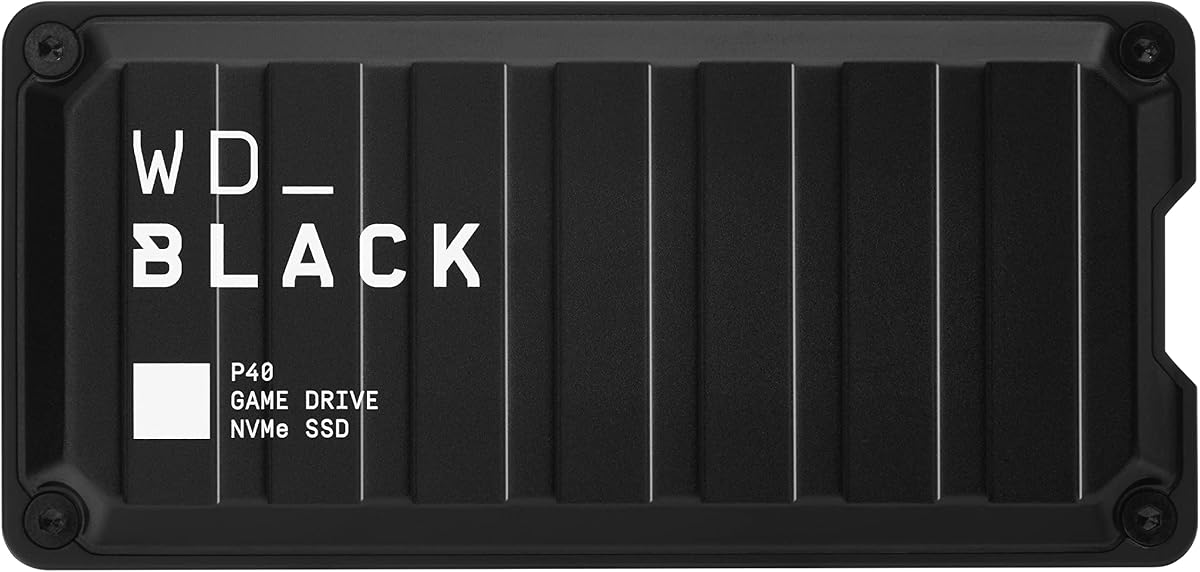
The WD_BLACK 1TB P40 Game Drive SSD is the premium performance option in this guide, earning a 4.6 rating and offering read speeds up to 2,000MB/s. Its USB 3.2 Gen2x2 interface and solid-state construction make it best suited to buyers who prioritize fast file movement and a polished gaming accessory.
We may earn a commission when you buy through this link, at no additional cost to you.
The stated compatibility is extensive. It supports PlayStation 5, Xbox Series X|S, PlayStation 4 Pro, PlayStation 4 with the specified software version, Xbox One, PCs, and Macs. For Xbox Series X|S, the details include playing and storing Xbox One games and archiving Xbox Series X|S games, giving it broader utility than a simple backup drive.
Customizable RGB lighting lets the enclosure match a gaming setup, and the WD_BLACK Dashboard for Windows provides the stated control software. A shock-resistant structure is also claimed to survive drops of up to two meters. The clear tradeoff is capacity: one terabyte is substantially less room than the 4TB, 5TB, or 6TB HDDs in this list.
Choose the P40 when transfer speed, SSD responsiveness, lighting, and premium construction are your main priorities. It is especially appropriate for users who regularly move large files and want a drive that can complement both current and previous-generation consoles. For maximum game-library capacity, a larger P10 HDD is the more logical choice.
A stated maximum read speed of 2,000MB/s is the central advantage of this model. Actual results vary with the host device, usage conditions, capacity, and other factors, but the interface offers a substantial performance ceiling.
Customizable RGB lighting adds a visible premium element, while the shock-resistant structure is rated to survive drops of up to two meters. The drive therefore suits both a display-ready setup and frequent transport.
We may earn a commission when you buy through this link, at no additional cost to you.
The UnionSine 1TB Ultra Slim is a compact portable HDD with a 4.4 rating. Its most compelling qualities are physical rather than console-specific: an ultra-thin shell, quiet operation, a JMicron 578 solution, and an enclosure designed to fit easily in a pocket.
We may earn a commission when you buy through this link, at no additional cost to you.
The drive supports USB 3.0 and USB 2.0, with theoretical read speeds up to 125MB/s and write speeds up to 103MB/s. It works without installed software, and the package includes a USB 3.0 cable, user manual, shell packaging, a three-year manufacturer warranty, and technical support. An aluminum anti-interference layer around the hard-disk chip supports heat dissipation and data protection.
The supplied details do not explicitly identify Xbox compatibility, so the drive should not be assumed to support direct play or current console game management without confirmation. It is better positioned as a lightweight drive for files, backups, and storage tasks that can accompany a console. Its one-terabyte capacity is also modest for a large digital game vault.
Pick this drive when small size, quiet use, and simple portability are more important than gaming-specific certification. It could serve as a compact companion for documents or transferred files, but the dedicated Xbox and WD_BLACK gaming models offer clearer feature alignment for primary console storage.
Rounded corners, a striped nonslip finish, and an ultra-thin profile improve handling and portability. The enclosure is designed to move easily between a console, laptop, and mobile setup without adding bulk.
The JMicron 578 solution is described as noise-free, while the aluminum layer helps dissipate heat. These features support stable transfers without a large desktop-style enclosure.
We may earn a commission when you buy through this link, at no additional cost to you.
The WD_BLACK 4TB P10 Game Drive is a balanced combination of capacity, transfer performance, and multi-platform support. Its 4.6 rating reflects a favorable customer reception, while the portable enclosure and stated 130MB/s maximum speed suit regular game-library management.
We may earn a commission when you buy through this link, at no additional cost to you.
The drive supports Xbox Series X|S, including playing and storing Xbox One games and archiving Xbox Series X|S games. It also works with PlayStation 5 for playing and storing PS4 games and archiving PS5 games. That makes the four-terabyte capacity useful for users who divide time between Xbox and PlayStation or want one portable drive for related game storage.
A sleek metal top provides convenient access to the growing library, and the product comes with a three-year limited warranty. The limitation is inherent to a conventional HDD: even at up to 130MB/s, it is substantially slower than the P40 SSD's stated maximum of 2,000MB/s. Large transfers and repeated reorganizations will take more time.
The 4TB P10 is a good compromise when you need more room than a two-terabyte unit but less than the 5TB or 6TB models. It suits a substantial yet manageable game collection, particularly for multi-console users. If the library is especially large, the 6TB P10 offers the safest capacity margin.
The stated Series X|S functions include playing and storing Xbox One games and archiving Series X|S games. Support for both older playable titles and newer archived content makes it a practical mixed-library drive.
The four-terabyte capacity provides useful breathing room without reaching the footprint of the largest HDD options. A stated speed of up to 130MB/s keeps routine transfers efficient while retaining the lower cost profile of hard-drive storage.
We may earn a commission when you buy through this link, at no additional cost to you.
The WD Elements 2TB is a straightforward portable drive aimed at everyday storage, with a strong 4.7 customer rating. Its small, lightweight design and plug-and-play operation make it useful for expanding a PC or Mac, while two terabytes provides room for documents, photos, videos, music, and a modest selection of game files.
We may earn a commission when you buy through this link, at no additional cost to you.
The connection uses USB 3.2 Gen 1, also identified as USB 3.0, with a stated bandwidth of 5Gbps. Because the available details do not mention Xbox certification, gaming features, direct play, or archiving, this should be considered general-purpose storage rather than a dedicated console accessory. Exact Xbox behavior should be checked for the intended console and software version.
Its primary advantage is simplicity. There are no gaming-specific controls, lighting systems, or specialized firmware features to manage. That makes the drive approachable for users who simply want additional capacity and a familiar plug-and-play experience across Windows and Mac computers.
Choose the WD Elements when you need affordable, portable backup storage and only a limited amount of console-related capacity. It can complement an Xbox setup, but the Seagate Game Drive, WD_BLACK P10, Toshiba Canvio Gaming, and WD_BLACK P40 offer clearer gaming alignment. Those alternatives are better choices when console compatibility is the central requirement.
The small enclosure and straightforward setup make the drive convenient for everyday backups and file storage. It is well suited to moving documents or media between compatible computers without a complex configuration process.
USB 3.2 Gen 1 provides a 5Gbps interface for transferring files to and from PCs and Macs. The interface is also a useful foundation for any compatible console storage workflow, subject to game and system requirements.
We may earn a commission when you buy through this link, at no additional cost to you.
The Toshiba Canvio Gaming 2TB is a compact gaming drive with a 4.7 rating and a distinctive firmware-customized Always-On mode. That feature is designed to provide a more responsive gaming experience, giving the product a clear identity beyond ordinary external storage.
We may earn a commission when you buy through this link, at no additional cost to you.
Toshiba states that the drive is compatible with PlayStation 5, Xbox Series X|S, PCs, and Macs, with the Xbox functionality covering playing and storing Xbox One games and storing Xbox Series X|S games. Its two-terabyte capacity can hold an estimated 50 games using a 36GB-per-game assumption, although the actual number varies with file size, formatting, programs, and other factors.
The drive also has a sleek, compact enclosure intended for portability, and its warranty covers two years. Its main limitation is capacity relative to the 4TB, 5TB, and 6TB HDDs. A modest game library may fit comfortably, but owners of many large titles will need to monitor available space or choose a larger drive.
The Canvio Gaming is a good fit for users who want a portable drive with a game-specific mode and broad device compatibility. It is also a sensible alternative when the distinctive styling matters or when a two-terabyte capacity aligns with the owner's actual library. Buyers planning extensive growth should consider a larger P10 instead.
Firmware customization enables an Always-On mode intended to support responsive gaming. It differentiates the drive from a basic file-storage unit and reinforces its gaming-focused positioning.
The stated compatibility covers current Xbox and PlayStation systems alongside PCs and Macs. Exact behavior varies with hardware configuration and operating system, so users should confirm their particular setup before moving a large collection.
We may earn a commission when you buy through this link, at no additional cost to you.
The right external drive depends on how you play, how many games you own, and whether your priority is large capacity, rapid transfers, portability, or a console-specific feature set. Use the following factors to narrow the field before making a final selection.
Start by confirming that the drive supports your exact Xbox model and the type of content you want to store. Current-generation systems may distinguish between playing and storing Xbox One games and archiving Xbox Series X|S games. Some products also support PS4 or Xbox One titles directly, while the Seagate Game Drive explicitly says that games cannot be played from it. The distinction matters because a connector that physically fits does not necessarily mean every game can run or move as desired.
Capacity is usually the most consequential long-term consideration. The options in this guide range from one to six terabytes, and game sizes can vary dramatically. The 6TB P10 is estimated to hold up to 150 games, while the 2TB Canvio Gaming is estimated to hold as many as 50 based on a 36GB average. Treat those figures as rough estimates because installation files, save data, formatting, and other content affect available space. If you buy games regularly or expect your collection to expand, choosing one capacity step above your current requirement can prevent constant transfers.
An HDD offers substantial capacity at a more economical tier, while an SSD provides dramatically faster transfers and a more premium experience. The WD_BLACK P40 SSD claims read speeds up to 2,000MB/s, compared with up to 130MB/s for the P10 hard drives. That difference is most noticeable when moving large installations, restoring a substantial archive, or repeatedly reorganizing files. If your priority is inexpensive capacity, an HDD is more appropriate; if speed is central, the external SSD is the stronger choice.
A modern USB interface helps prevent the drive itself from becoming the bottleneck. Most models use USB 3.0 or USB 3.2, and the YOTUO drive includes both USB 3.0 and USB-C. The UnionSine drive supports USB 3.0 and USB 2.0, with theoretical read and write speeds of up to 125MB/s and 103MB/s. Actual console performance can vary with the host device, game, cable, and usage conditions, so the advertised maximum is best treated as a ceiling rather than a guaranteed real-world result.
External storage often lives in different places, so portability can be as important as speed. The P10 drives use slim portable enclosures, the Toshiba Canvio Gaming emphasizes a compact travel-ready form, and the UnionSine drive is designed to fit in a pocket. The YOTUO unit adds a patented silicone sleeve for shock absorption. Meanwhile, the Seagate Game Drive and WD_BLACK P40 prioritize a more decorative console-side appearance, with the P40 adding customizable RGB lighting. Choose according to whether the drive stays beside the console or travels regularly.
A game library can represent a significant time and money investment, so physical resilience deserves attention. The YOTUO drive uses a built-in silicone sleeve to cushion bumps and falls, while the P40 SSD has a shock-resistant structure claimed to survive drops of up to two meters. The Seagate Game Drive also includes three years of Rescue Data Recovery Services, and the Seagate Portable 4TB includes one year of Rescue support. Warranty length, recovery service, and enclosure design should be evaluated together rather than treating speed as the only measure of quality.
External hard drives use moving components and generate heat during transfers. The UnionSine drive specifically uses a JMicron 578 noise-free solution and includes an aluminum anti-interference layer for heat dissipation. Compact construction can improve portability, but adequate clearance around the enclosure remains important. For an SSD, cooling concerns differ because it contains no moving disk, yet its controller and interface can also benefit from unobstructed airflow. The practical goal is a stable setup that avoids cramped, stacked, or poorly ventilated positions.
Some drives are tailored to one ecosystem, while others can organize games across Xbox, PlayStation, PC, and Mac. The WD_BLACK P10 models offer stated multi-platform compatibility, and the Toshiba Canvio Gaming supports several console and computer categories. General-purpose options such as the WD Elements and Seagate Portable 4TB can also hold documents, media, and backups. A multi-purpose drive may deliver better everyday value, but a dedicated gaming model offers more relevant console features and clearer compatibility positioning.
Begin by checking your Xbox model, the drive's stated compatibility, and the requirements for the specific games in your library. Connect the drive with a compatible cable, open the console's storage settings, and follow the on-screen prompts to recognize or format it when required. Formatting can erase existing contents, so never perform that step until important files have been backed up elsewhere. If the console does not recognize the drive, try a known-good port, reseat the connection, and confirm that the hardware and software versions support the selected drive.
Use the console's built-in move or transfer commands rather than deleting games and copying folders manually. Moving an eligible game can free internal storage while leaving the external drive organized for later use. Pay attention to whether a game is stored for direct play, archived, or still under transfer. The process can take some time, particularly for large HDDs, so avoid disconnecting the drive or changing console settings until the operation finishes.
Treat the drive as a separate storage location rather than a casual file cabinet. Maintain another backup of irreplaceable data, keep the enclosure away from moisture and excessive heat, and do not unplug it while games are being moved. If performance declines, confirm the cable and port support the drive's full interface, and leave adequate space around the enclosure. Periodically check the drive's condition and the Xbox's storage display, especially if you use it for archiving a large library.
It depends on the drive, console, and game. Some products explicitly support playing and storing Xbox One games on Xbox Series X|S, while other compatible drives are intended for moving games or archiving Xbox Series X|S content. The Seagate 2TB Game Drive, for example, cannot play games directly. Check the product's exact compatibility wording before moving your primary library.
Choose based on the size and number of your games rather than a single universal figure. One terabyte can suit a focused or older collection, while four to six terabytes offers much more room for current titles, archives, and future releases. Game sizes vary considerably, so monitor the console's storage display and leave some free space for updates, save data, and system requirements.
An SSD is better when transfer speed is a priority because it moves files much faster, with the WD_BLACK P40 claiming read speeds up to 2,000MB/s. An HDD remains a strong choice when affordable capacity matters most, since models such as the 6TB P10 offer far more room. Direct game support still depends on the drive's stated Xbox and game compatibility.
Certification is not always mandatory, but it provides clear reassurance that the manufacturer designed the drive for specific console use. The Seagate 2TB Game Drive is explicitly Xbox-certified across current and earlier Xbox generations. Other drives may still work for storage, but their exact game functions and console support should be confirmed before purchase.
Transfer time depends on game size, drive speed, interface, console, and whether the file is being moved or copied. A hard drive rated at up to 130MB/s will be much slower than an SSD rated at up to 2,000MB/s, especially for large installations. Use the console's transfer option and avoid disconnecting the drive until the process is complete.
Several options in this guide advertise broader support. The WD_BLACK P10 models are compatible with Xbox Series X|S and PlayStation 5 within the stated game functions, while the Toshiba Canvio Gaming supports Xbox, PlayStation, PC, and Mac categories. Multi-platform support does not mean every game is directly playable, so confirm the specific console and title requirements.
An external drive usually helps by adding capacity rather than accelerating the console's internal hardware. It can improve convenience by allowing older or less frequently played games to be moved off the internal drive, leaving room for new titles. Actual game performance still depends on the console, the game, and whether the title is loaded directly from compatible external storage.
Keep the drive connected securely during transfers, use a compatible cable and port, and provide airflow around the enclosure. A protective sleeve or shock-resistant structure can help with accidental impacts, while rescue services or a longer warranty add another layer of support. Keep a separate backup of important saves and personal files, especially when using the drive for archiving.
The WD_BLACK 6TB P10 stands out as the most practical choice for a large library, offering the greatest stated capacity, useful multi-platform support, and a strong 4.7 rating. The YOTUO 1TB is a budget-focused option for compatible Xbox One use, while the WD_BLACK 1TB P40 SSD is the premium choice for exceptional transfer speed, solid-state construction, and RGB customization.
Prioritize console and game compatibility before everything else, followed by enough capacity for your present library and expected growth. Then decide whether an HDD's greater space or an SSD's faster transfers better matches your routine. Portability, physical protection, warranty coverage, and recovery support can refine the decision when two drives otherwise meet your basic requirements.
Ratings, specifications, compatibility details, and promotional terms can change, so review the current listing before buying. Compare the drive with the games you own, your specific Xbox model, and the way you plan to use it. With those factors in mind, you can choose external storage that improves game-library management without sacrificing the features you actually need.