
Wireless Ergonomic Mouse
4.1Editor score
Vertical neutral-handshake grip
Three adjustable DPI levels
2.4GHz wireless receiver
Six-button productivity layout
Cheap ergonomic mouse options can be comfortable and versatile; this guide compares wireless connectivity, DPI, grip, battery life, and features for work.
A cheap ergonomic mouse can still provide a noticeably more comfortable grip than a conventional flat mouse, especially during long work sessions. The best options combine a vertical or elevated hand position, smooth tracking, useful wireless connectivity, adjustable sensitivity, and controls that suit both productivity tasks and everyday browsing.
This guide compares ten affordable ergonomic mice using the specifications and product information supplied for each model. The comparison covers grip design, supported operating systems, wireless modes, device switching, DPI options, click noise, battery approach, button layout, and practical compatibility details such as Mac side-button limitations.
The recommendations span simple 2.4GHz models, dual-mode Bluetooth designs, rechargeable options, and multi-device choices. Each review explains who the mouse suits, what makes it stand out, and where compromises may arise. Product listings and prices can change, so readers should confirm current details before purchasing.
4.1Editor score

4.6Editor score
4.4Editor score
The table below compares all ten mice by their core ergonomic design, connectivity, sensitivity, and everyday usability, making it easier to identify the right model for your devices and working style.
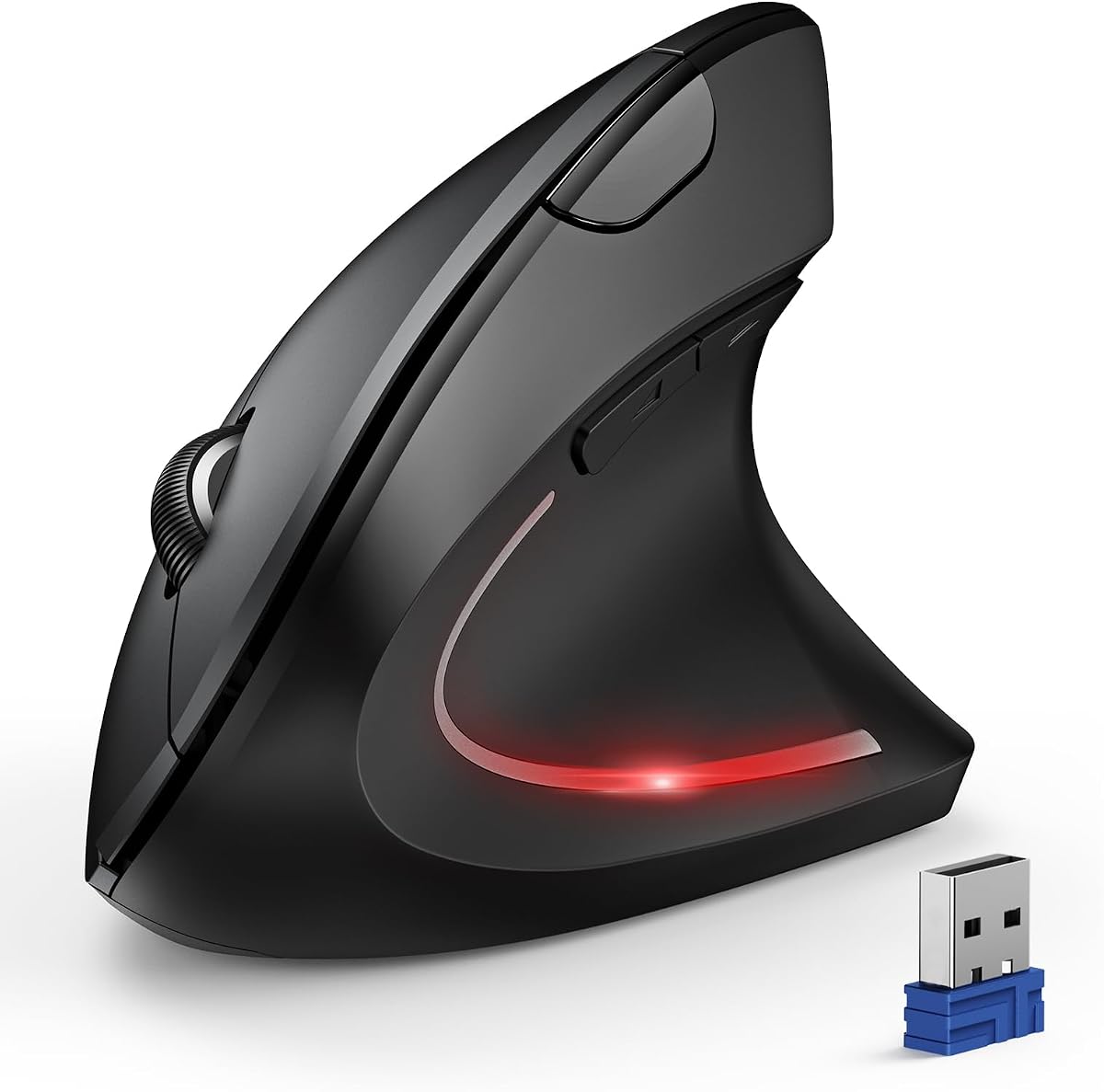


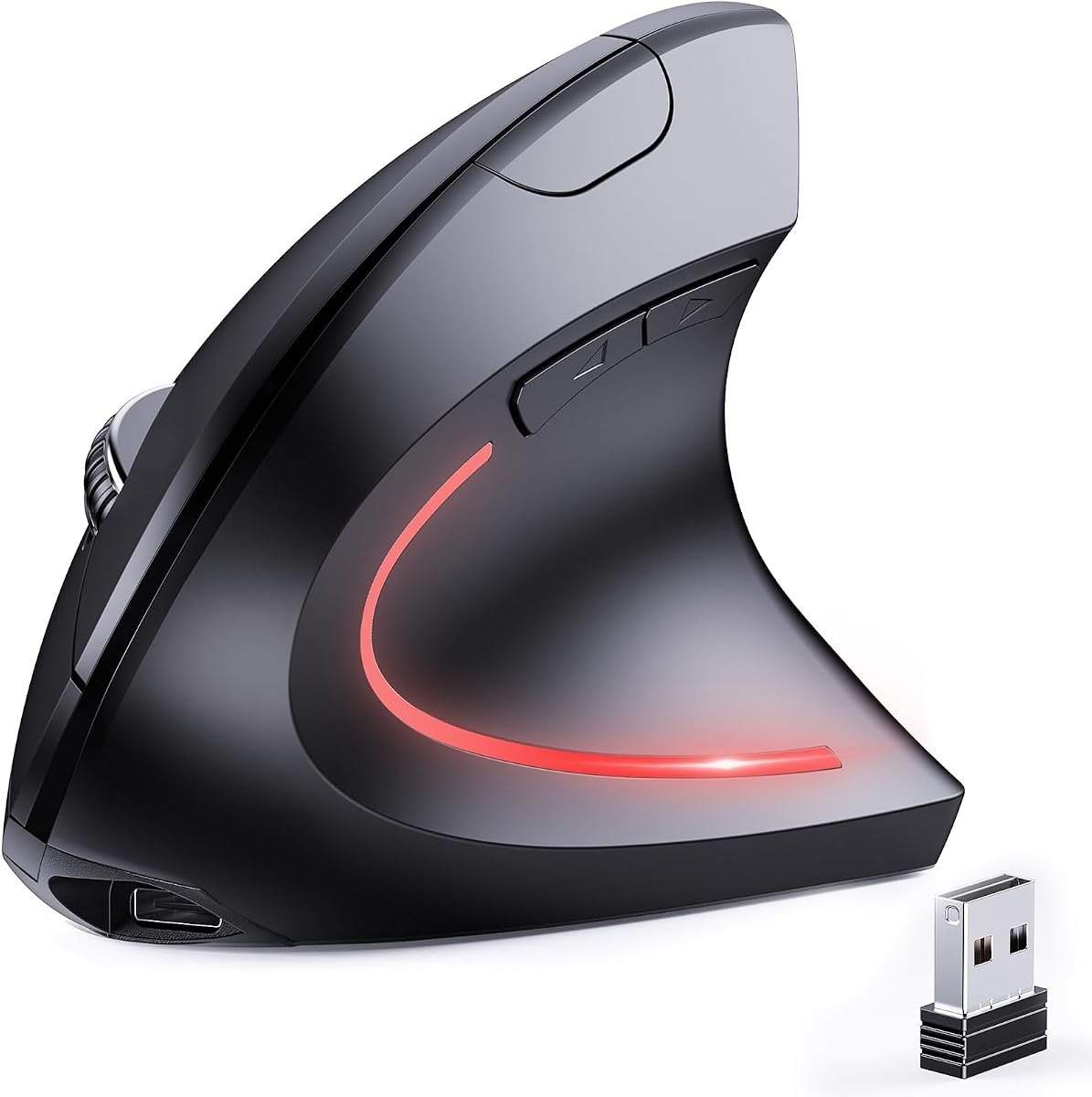


This is the straightforward budget entry in the group, combining a vertical ergonomic shape with a six-button layout and adjustable sensitivity. Its 2.4GHz receiver offers plug-and-play operation with a stated working distance of up to 10 meters, making it suitable for a desk, presentation area, or home office where a conventional USB connection is inconvenient.
We may earn a commission when you buy through this link, at no additional cost to you.
The main attraction is its neutral handshake-style orientation, which positions the hand more upright than a flat mouse. It also includes next and previous buttons for faster movement through webpages, along with 800, 1200, and 1600 DPI options. Those settings cover everyday office work, document navigation, and more precise pointer placement without introducing a complicated control panel.
The compromises are easy to identify. It has no Bluetooth mode, so it cannot pair directly with a tablet or a laptop that lacks a compatible USB receiver connection. Its forward and back buttons do not work in Mac OS, and the mouse requires two AAA batteries, which are not included. Those limitations make it less flexible than several dual-mode alternatives.
It remains a strong pick for buyers who want the main ergonomic benefit of a vertical mouse without paying for multi-device switching or a rechargeable battery. The grip, sensitivity controls, and wireless receiver cover the essentials, while the navigation buttons add value for web-heavy work. For a single-computer setup, it is a sensible ergonomic starting point.
The upright shape gives this mouse one of the most useful features in the category without adding complicated controls. It is particularly appealing for users who spend extended periods at a desk and want the forearm and wrist held in a more natural alignment.
The forward and back buttons can improve productivity when moving through articles, tabs, and web pages. They are not available on Mac OS, however, so Windows and Linux users receive the fuller button experience.
We may earn a commission when you buy through this link, at no additional cost to you.
This TECKNET model is built for people who move between a computer and other devices throughout the day. It supports Bluetooth 5.0 and 3.0 as well as 2.4GHz wireless, and the Bluetooth mode can maintain two simultaneous connections. A short press of the bottom button changes connection modes, while a three-second press initiates pairing.
We may earn a commission when you buy through this link, at no additional cost to you.
Its vertical palm position is intended to reduce the wrist rotation associated with a traditional mouse, although the manufacturer specifically designs it for right-handed use. Sensitivity can be set across six levels from 800 to 4800 DPI, and an indicator light uses a series of flashes to show the selected level. The left and right click buttons are nearly silent, which is helpful in libraries and shared workspaces.
It also includes useful power-management features. After approximately 10 to 30 minutes without activity, the mouse enters deep sleep and wakes with a click. A blinking indicator warns of low battery, and two AAA batteries are required but not included. Compatibility extends across Windows, Mac, Chrome, and Linux, although the side buttons are not compatible with macOS.
The most attractive feature is its ability to pair with up to three devices, reducing the need to move separate mice between a laptop, desktop, and tablet. It is best suited to right-handed users who value quiet primary clicks and detailed cursor control without moving to a rechargeable design. The battery-based operation is the main trade-off, but it keeps routine maintenance simple.
Bluetooth 5.0/3.0 support and a built-in 2.4GHz receiver make this mouse well suited to mixed-device workspaces. The pairing process and mode controls are accessible from the underside for convenient switching.
The nearly silent left and right clicks reduce distraction in libraries, offices, and study areas. Functional side buttons are not silent, and their availability depends on the operating system in use.
We may earn a commission when you buy through this link, at no additional cost to you.
The UGREEN Ergonomic Wireless Mouse offers a balanced feature set for users who need quiet operation, broad compatibility, and the freedom to work across several devices. Its vertical design places the hand in a natural handshake position and is particularly suited to larger hands or long periods of computer use.
We may earn a commission when you buy through this link, at no additional cost to you.
Connectivity is handled through 2.4GHz wireless or Bluetooth, with switching among as many as three devices. The mouse supports Windows, macOS, Linux, ChromeOS, and Android, covering laptops, desktops, tablets, and office workstations. Four DPI settings—1000, 1600, 2000, and 4000—provide a useful balance between document precision and faster cursor travel.
Quiet-click buttons help maintain a peaceful workspace, while PTFE glide feet reduce surface friction for smoother movement. The mouse uses a single AA battery and has a smart sleep mode to extend operating time. A five-button layout adds navigation and control options without becoming visually or physically cluttered, although the supplied information does not describe every button's individual function.
This is a good general-purpose choice for someone who wants a quiet ergonomic mouse without committing to a rechargeable model. The broad system support and three-device switching are especially valuable for hybrid workers. The main limitation is the less granular four-level DPI selection, but most users can find an appropriate setting among the available choices.
Quiet clicks and smooth PTFE glide feet make the mouse well suited to shared offices, libraries, and home workspaces. Its broad operating system support also reduces the likelihood of device incompatibility.
The product information specifically positions the vertical form for larger hands and extended computer sessions. Buyers should assess the grip themselves, since comfort remains dependent on individual hand size and habits.
We may earn a commission when you buy through this link, at no additional cost to you.
The Anker 2.4G Wireless Vertical Ergonomic Optical Mouse uses a scientifically designed structure intended to promote a neutral handshake position for the wrist and arm. It is a focused receiver-based option for users who want a familiar 2.4GHz connection rather than Bluetooth pairing or multi-device controls.
We may earn a commission when you buy through this link, at no additional cost to you.
Sensitivity is available at 800, 1200, and 1600 DPI through optical tracking, allowing use across different surfaces for work or leisure. Next and previous buttons make it easy to move through webpages, and the mouse weighs 3.4 ounces with dimensions listed as 120 by 62.8 by 74.8 millimeters.
Its limitations are equally clear. It does not support Bluetooth, so it cannot switch directly among phones, tablets, and computers. The product information also notes that key click sounds are unavoidable, making it less attractive for buyers who require a nearly silent office mouse. Two AAA batteries are needed and are not included.
After eight minutes of inactivity, the mouse enters a power-saving mode that disconnects power, and a click wakes it. The included USB receiver is stored beneath the mouse, which reduces the chance of leaving it behind. Buyers who prioritize a lightweight vertical design and uncomplicated USB setup will find this model easy to recommend, while multi-device users should look farther down the list.
At 3.4 ounces, the mouse offers a light feel while retaining a pronounced vertical posture. The receiver stored underneath the body makes the package more convenient to keep together.
Forward and back buttons support common webpage navigation, while three DPI levels cover standard office tasks. The absence of Bluetooth keeps the feature set focused rather than multifaceted.
We may earn a commission when you buy through this link, at no additional cost to you.
This TECKNET vertical mouse offers one of the strongest overall combinations of ergonomics, charging convenience, wireless flexibility, and everyday controls. Its 52-degree angle places the hand in a more natural handshake orientation, and the supplied information specifically identifies the shape as a fit for small-to-medium hands.
We may earn a commission when you buy through this link, at no additional cost to you.
Bluetooth 5.0/3.0 and 2.4GHz connectivity allow smooth switching among three devices. The built-in rechargeable battery has a 600mAh capacity, and a Type-C cable is included. The stated charging time is approximately 1.5 hours, with up to two months of use depending on the workload. This removes the recurring expense and inconvenience of finding replacement batteries.
The mouse provides six adjustable DPI levels ranging from 800 to 4800 and uses a design rated for six million clicks. Its click technology is advertised as reducing noise by 99%, making it appropriate for libraries, open-plan offices, and quiet home environments. Side-mounted forward and back buttons aid productivity, although they are not available on Mac systems.
This model is the most versatile recommendation for someone who wants a rechargeable ergonomic mouse with multi-device support and a wide sensitivity range. It is less likely to fit buyers with larger hands, and Mac users lose access to the navigation buttons. Even with those considerations, the balance of features makes it a strong all-around choice for Windows, Mac OS X, laptop, desktop, and tablet workflows.
The 600mAh rechargeable battery and included Type-C cable simplify long-term ownership. A stated 1.5-hour charge can support up to two months of use, though actual battery life depends on activity and habits.
Bluetooth and 2.4GHz modes make it easy to move among a work computer, personal laptop, and tablet. The dedicated forward and back controls are useful on supported systems, but Mac users should verify compatibility before purchasing.
We may earn a commission when you buy through this link, at no additional cost to you.
The JYKEYMOUT mouse combines a rechargeable battery, vertical right-handed shape, and two connection methods in a relatively simple design. Bluetooth 5.2/3.0 can connect to one device while 2.4GHz connects to another, allowing users to switch between them with a button press rather than repeating the pairing process.
We may earn a commission when you buy through this link, at no additional cost to you.
Its three DPI settings cover 1000, 1200, and 1600, which is sufficient for routine document editing, browsing, and general pointer control. The ergonomic body encourages a neutral handshake position for the right hand, while optical tracking is designed to remain smooth across different surfaces.
All six buttons are described as silent, with forward and back controls for faster web browsing. Those navigation buttons do not work on Mac OS. Compatibility includes Windows, Mac, Chrome, Linux, and Android across laptops, desktops, tablets, and smartphones, making the device flexible for mixed personal and professional setups.
The built-in rechargeable battery lasts approximately one to three months depending on usage and recharges through a Type-C interface. The manufacturer advises against fast-charging adapters and prolonged charging after the battery is full. This mouse is a good fit for users who need two-device switching and quiet operation but do not require extensive DPI selection or a three-device workflow.
Using Bluetooth for one device and the USB receiver for another provides a practical balance for laptops and desktops. The built-in receiver avoids carrying a separate accessory.
The rechargeable design eliminates routine battery replacement, while six silent buttons help reduce noise in shared environments. Charging guidance in the product information is worth following to protect the internal battery.
We may earn a commission when you buy through this link, at no additional cost to you.
The Uineer vertical mouse combines a three-device wireless setup with a distinctive seven-color ambient light. Its natural handshake grip is intended to keep the wrist straighter and the forearm more relaxed during prolonged use, giving the device a slightly more decorative appearance than a conventional office mouse.
We may earn a commission when you buy through this link, at no additional cost to you.
Bluetooth 5.0/4.0 and 2.4GHz modes support connections with up to three devices, including laptops, PCs, phones, and tablets. Switching can occur without re-pairing, which is useful for people who regularly alternate between a work computer and personal mobile devices. Four adjustable DPI settings—800, 1200, 1600, and 2400—cover documents, design work, and casual gaming.
The manufacturer recommends the mouse for small-to-medium hands, making hand size an important consideration. It offers crisp left and right clicks, automatic sleep after 10 to 30 minutes of inactivity, one-click wake-up, and an LED low-battery reminder. The USB-A interface works with Windows, Mac OS X, Linux, Android, and iOS 13 or later, but the side buttons do not function in macOS.
This model is most appealing to buyers who want multi-device convenience with visual flair. The lighting differentiates it from plain office mice, while the ergonomic angle and four sensitivity settings keep the focus on practical daily use. The hand-size recommendation and Mac side-button limitation are the principal caveats, so checking fit and operating-system needs before ordering is advisable.
The seven-color ambient light gives the mouse a recognizable look without interfering with its core vertical form. It is a visual feature that may appeal to users who want a little personality in a workstation setup.
The ability to maintain connections with three devices reduces switching friction across computers, phones, and tablets. The USB-A receiver and dual Bluetooth versions cover a broad range of compatible systems.
We may earn a commission when you buy through this link, at no additional cost to you.
This TECKNET model uses a pronounced 57-degree angle to elevate the wrist and align the forearm, hand, and wrist more naturally. It is designed for office work and focused creative sessions, offering a more upright hand position than a standard mouse without moving into the most extreme vertical shapes.
We may earn a commission when you buy through this link, at no additional cost to you.
Bluetooth 5.3/3.0 and 2.4GHz connectivity support switching among three devices, including laptops, tablets, and desktops. A shortcut allows the user to change devices without repeated pairing. The mouse is also rechargeable, with a stated two-to-three-hour charging time and up to three months of use based on two hours of daily activity.
All buttons are designed for quiet operation, with a claimed reduction in button noise of up to 90%. Six DPI levels range from 800 to 4800, and the indicator flashes to correspond with the selected sensitivity. Compatibility includes Windows, macOS, Chrome OS, and Linux, but side buttons are not supported on macOS.
After zero to 60 seconds of inactivity, the mouse enters sleep mode to conserve power, while a flashing LED provides a low-battery warning. The combination of a 57-degree grip, modern Bluetooth, quiet controls, and rechargeability makes this a compelling all-round option. Buyers should verify the angled shape against their hand size, since the product information does not specify a recommended range.
The 57-degree geometry offers a clear ergonomic change from a flat mouse and is intended to reduce stiffness during extended sessions. Comfort will vary by hand size and personal preference, so gradual adjustment is important.
Bluetooth 5.3 provides a current wireless standard, while the rechargeable design avoids disposable battery changes. The mouse can move among three saved devices with minimal re-pairing effort.
We may earn a commission when you buy through this link, at no additional cost to you.
This mouse prioritizes a quiet, supportive vertical design with a 57-degree angle. The product information highlights click noise at 18dB and a magnetic scroll wheel that is 90% quieter, positioning it for shared rooms where even ordinary mouse sounds can be disruptive.
We may earn a commission when you buy through this link, at no additional cost to you.
Bluetooth 5.0 and 2.4GHz dual-mode connectivity offer a choice between direct pairing and receiver-based operation. The stated response time is 1ms, and the product is advertised as maintaining a stable connection in crowded wireless environments. Three adjustable DPI levels—1000, 1600, and 2400—cover precision work and faster navigation.
A textured thumb groove and widened base help prevent slipping and support the little finger. The design is compatible with Windows, Mac, Linux, iOS, and Android, and its plug-and-play setup is intended to simplify connection. Its feature set is comparatively simple, but it addresses the core needs of users who care most about reduced noise.
The mouse is a good match for shared offices, libraries, late-night work, and home environments. It offers more polished connectivity than a basic receiver-only model while remaining focused rather than overloaded. The main trade-off is the limited DPI range, and the supplied product information does not specify a rechargeable battery or detailed device-switching arrangement. It remains a compact, practical quiet option.
The 18dB clicks and quieter magnetic wheel are the defining features for shared spaces. This focus on noise reduction makes the mouse especially relevant to offices, libraries, and homes with light sleeper sensitivity.
A widened base and textured thumb groove support control and reduce slipping. These details complement the 57-degree shape by making the mouse feel more deliberate during lateral movement.
We may earn a commission when you buy through this link, at no additional cost to you.
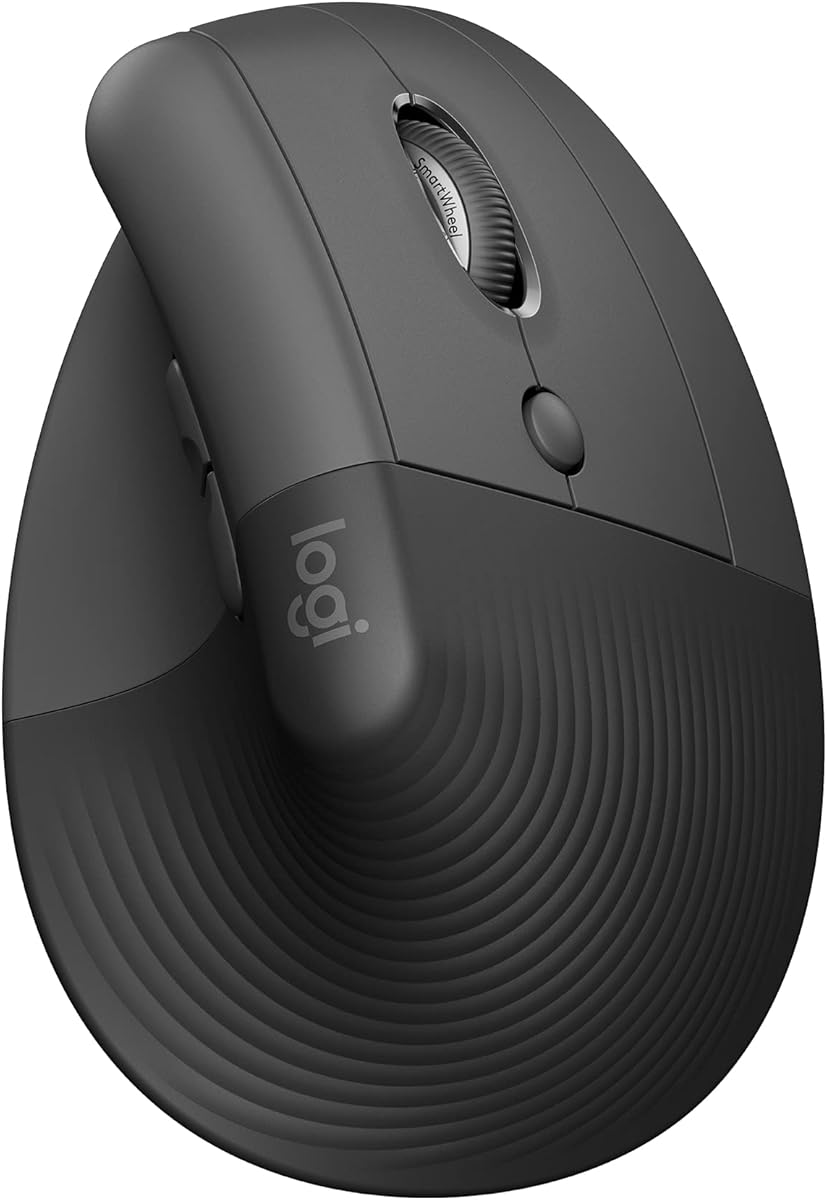
The Logitech Lift is the premium selection in this roundup, combining a 57-degree vertical shape with a softly textured grip and snug thumb rest. The design is specifically intended for small-to-medium right hands, giving it a more compact profile than many of the larger vertical alternatives.
We may earn a commission when you buy through this link, at no additional cost to you.
Its standout qualification is the ergonomic certification. Logitech states that the Lift was designed, developed, tested, and approved according to criteria established by leading ergonomists. The vertical form is intended to promote a more natural forearm posture, while the thumb rest and textured surface help keep the hand comfortably placed.
Wireless connectivity covers Bluetooth Low Energy and Logi Bolt USB, with support for Windows, macOS, iPadOS, Chrome OS, and Linux, including Apple devices. Easy-to-reach customizable buttons support productivity, whisper-quiet clicks help manage noise, and the SmartWheel transitions between smooth and precise scrolling according to the task.
The stated battery life is up to two years, and the Graphite version uses plastic parts containing 70% certified post-consumer recycled plastic. Compared with the other selections, Lift is a more refined, established ergonomic option with strong cross-platform support. Its principal limitation is fit: buyers with larger hands may prefer a model designed around a bigger grip. For small-to-medium right hands, it is the strongest premium choice.
The 57-degree shape, snug thumb rest, and softly textured grip work together to support a natural hand position. Unlike models that rely on a steep angle alone, Lift also considers texture and resting contact points.
Customizable buttons, quiet clicks, and the SmartWheel make the mouse suitable for productivity, document review, and general browsing. Bluetooth and Logi Bolt provide flexible connections across major operating systems.
We may earn a commission when you buy through this link, at no additional cost to you.
The most useful ergonomic mouse is one whose shape, controls, connectivity, and power design suit your hands, devices, and routine. Compare these factors before choosing, because a vertical form alone does not guarantee comfort or practical daily performance.
A vertical mouse holds the hand closer to a handshake position than a flat mouse, which can reduce wrist rotation during extended work. The models in this guide use angles ranging from approximately 52 to 57 degrees, but angle alone does not determine fit. Some products are specifically intended for small-to-medium hands, while the UGREEN is described as particularly suitable for larger hands. Consider both palm length and finger placement before purchasing.
A 2.4GHz receiver offers a straightforward connection and broad desktop compatibility, while Bluetooth allows direct pairing with compatible laptops and tablets. Dual-mode mice provide both options and can be particularly useful for users who alternate between a USB-equipped computer and a modern portable device. Look for included receivers, receiver storage, supported Bluetooth versions, and any USB-A requirements.
Multi-device support is valuable when you regularly work across a desktop, laptop, and tablet. The ability to store several Bluetooth connections allows switching without repeatedly entering pairing mode, while 2.4GHz can serve as a separate connection. Models supporting three devices provide more freedom, but two-device configurations may be sufficient for a simpler setup. Confirm whether connections are simultaneous and how the device-switch control works.
DPI controls cursor sensitivity, influencing how far the pointer travels for a given hand movement. Three levels around 800 to 1600 are generally practical for standard office tasks, while broader sets reaching 2400, 4000, or 4800 offer more choice for detailed work, large displays, or fast navigation. A button-based adjustment system is convenient, but buyers should confirm how the selected level is indicated.
Quiet clicks can make a large difference in libraries, shared offices, and homes. Some models silence only the main left and right buttons, while others advertise quiet operation across every button. A quieter wheel is also valuable for long documents. If colleagues or family members are sensitive to noise, prioritize models with explicit click and scroll sound information rather than assuming all vertical mice are silent.
Rechargeable mice remove the need for disposable batteries but require regular charging and careful handling. The listed rechargeable options use Type-C charging, while several battery-powered models require AAA or AA cells. Automatic sleep modes and low-battery indicators help extend runtime. Buyers should consider charging access, expected usage, and whether they prefer a sealed rechargeable design or easily replaceable batteries.
Forward and back buttons are useful for browsing, document review, and productivity software, but they are not universally supported. Every Mac side-button limitation in this guide should be considered before buying. Mouse layouts range from five to six buttons, and silent operation may differ by control. The best choice offers the shortcuts you use regularly without forcing unnecessary features on your desk.
A mouse can appear universal while still having device-specific limitations. The models here support combinations of Windows, macOS, Linux, ChromeOS, Android, and iOS, but that does not guarantee every function works identically. Side buttons, device switching, receiver compatibility, and Bluetooth pairing can behave differently by platform. Check the full compatibility statement rather than relying only on the operating-system icons shown in a listing.
Begin by charging a rechargeable model fully or installing the specified batteries, then connect the mouse using its 2.4GHz receiver or Bluetooth pairing control. Place the receiver in a convenient location if using 2.4GHz, and learn the DPI button before beginning a long session. For multi-device models, save each permitted device and test the switching shortcut.
Adjust the DPI setting to match the task on screen, choosing a lower level for detailed editing and a higher level for rapid movement across a large display. Use the forward and back controls for supported applications, but avoid relying on side buttons in Mac environments. A short daily session can also help identify whether the vertical angle, hand placement, and button reach feel natural.
Keep the mouse and glide surface clean, and avoid operating it on wet or unstable surfaces. Rechargeable models should use the supplied charging guidance and a compatible Type-C connection. Battery-powered mice should be stored with batteries removed during long periods of non-use, while automatic sleep and low-battery indicators can help prevent unexpected shutdowns.
They can be, because their elevated shape encourages a more natural handshake posture and reduces wrist rotation compared with a flat mouse. Comfort still depends on hand size, grip, desk height, and how consistently you use the mouse. Try the model gradually and adjust your seating and screen position rather than expecting a vertical design to correct an unsuitable workstation setup.
A 2.4GHz mouse uses a small USB receiver to create a wireless connection and generally offers straightforward setup for a single computer. Bluetooth connects directly with compatible devices and can make it easier to move between laptops or tablets. Dual-mode mice combine both approaches, often adding a convenient way to switch among several saved devices.
The operating system may not recognize the custom commands assigned to those buttons, even when basic pointing and clicking work normally. Several products in this guide specifically warn that forward and back functions are unavailable on macOS. If browser navigation is essential, check the product's platform notes and consider using keyboard shortcuts or choosing a model that explicitly supports the required commands.
Most office users can begin with a middle setting around 1200 or 1600 DPI, then adjust according to display size and personal preference. Lower settings offer finer cursor placement, while higher settings reduce the hand movement required to cross a screen. Models with more levels allow finer experimentation than a mouse limited to three choices.
Rechargeable models are convenient because they do not require routine battery replacement and usually charge through USB-C. Battery-powered mice remain practical for people who prefer replaceable cells or want to keep a spare set on hand. The better choice depends on charging access, travel habits, and how consistently the device is used.
The Logitech Lift and the TECKNET model with a 52-degree angle are explicitly designed with small-to-medium hands in mind. The Uineer also recommends its vertical shape for small-to-medium hands. Hand size is personal, so checking product dimensions and comparing the grip with a familiar mouse can prevent an uncomfortable purchase.
Yes, particularly models that quiet the main click buttons and scroll wheel. The level of silence varies: some designs make only the left and right clicks nearly silent, while others claim quiet operation across all buttons. For libraries, call centers, and open offices, check the specific noise claims before buying.
Yes, if the model supports saved Bluetooth connections and a switching control. The featured mice range from two-device to three-device configurations, sometimes combining one Bluetooth link with a 2.4GHz receiver. MacOS may also limit some side-button functions, so multi-device support does not guarantee identical feature behavior across every platform.
The Wireless Ergonomic Mouse is the clearest budget choice, offering a vertical grip, 2.4GHz connectivity, and three DPI settings without the complexity of rechargeable multi-device hardware. The TECKNET Rechargeable Vertical Mouse stands out as the strongest all-around option thanks to its 52-degree angle, rechargeable battery, three-device switching, quiet clicks, and broad DPI range.
For buyers willing to choose a more premium option, the Logitech Lift offers refined ergonomics, an ergonomist-approved design, comfortable textured surfaces, cross-platform wireless support, and mature productivity features. The remaining models provide useful alternatives for people who prioritize large-hand comfort, three-device operation, ambient lighting, specific 57-degree angles, or a two-device rechargeable setup.
Before purchasing, check hand fit, operating-system support, side-button behavior, connectivity, battery method, and the exact features you will use every day. Product listings and prices can change over time, so review the current seller information and specifications at the time of purchase to confirm that the chosen mouse still meets your needs.

