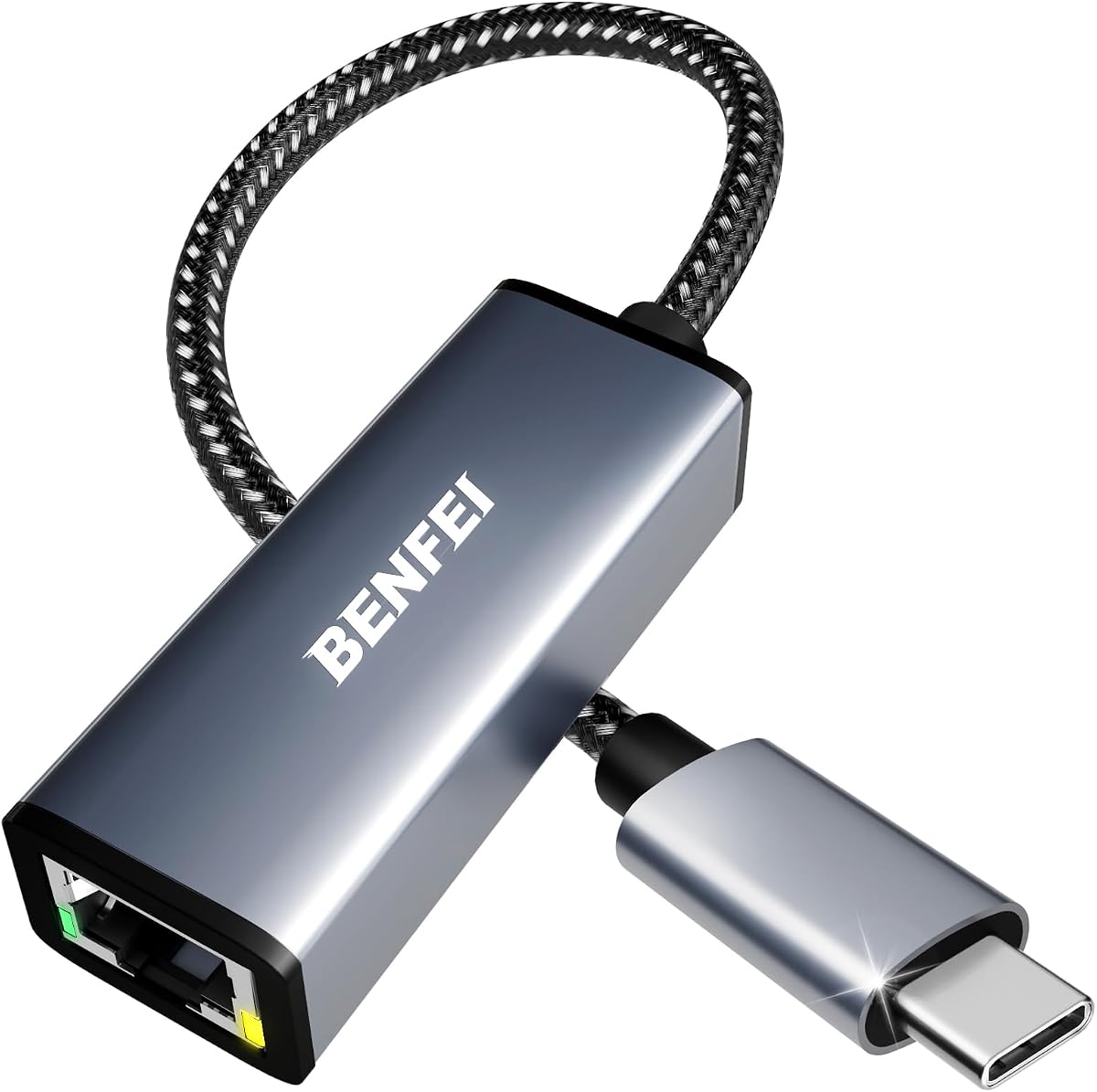
TP-Link UE300C USB C to Ethernet Adapter
4.6Editor score
Compact travel-friendly design
Driver-free operation
Up to 1Gbps connection speed
Our Ethernet Laptop Adapter guide compares 10 wired network adapters for speed, USB compatibility, portability, reliability, and use at home or away.
An Ethernet laptop adapter adds a wired RJ45 connection to computers that lack a built-in Ethernet port or have one that no longer works. The right model can provide stable internet, fast file transfers, and dependable access in offices, hotels, conference rooms, or busy homes where wireless service is inconsistent.
We compared all 10 adapters by examining their connection types, maximum network speeds, supported operating systems, physical design, compatibility claims, and practical features. The list covers USB-C and USB-A models, standard gigabit options, and higher-speed 2.5Gb adapters suited to compatible networks and demanding workflows.
Each review identifies the adapter's strongest qualities and practical limitations, helping you choose according to your laptop, router, cable, and portability needs. Ratings and specifications reflect the supplied product information, while current prices and availability can change over time.
4.6Editor score

4.6Editor score

4.6Editor score
This side-by-side comparison highlights each adapter's connector type, maximum network speed, key compatibility advantages, and portability, making it easier to match an adapter to your laptop and network.


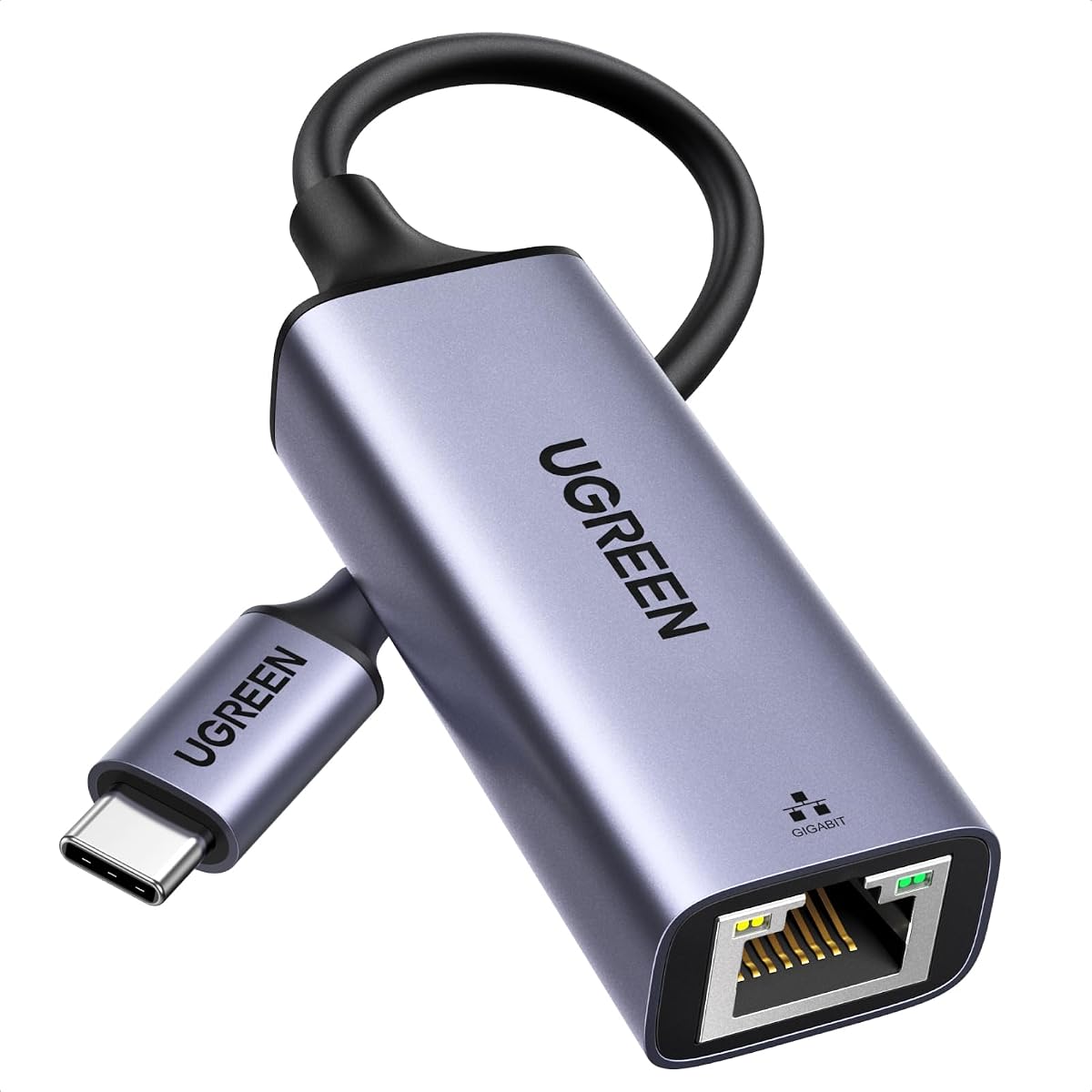


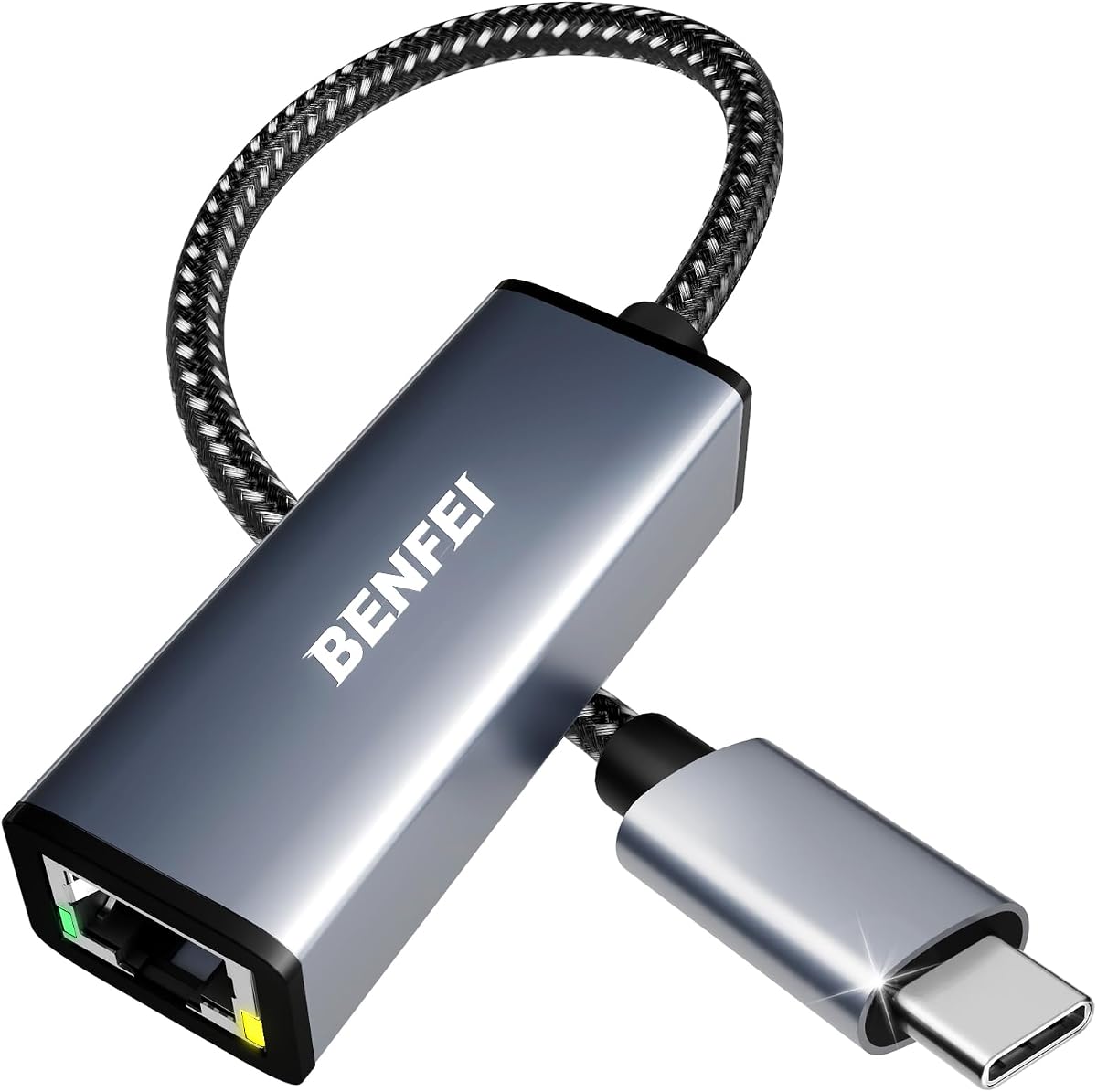
The BENFEI USB 3.0 to Ethernet Adapter is a particularly flexible option because it supports both USB-A and USB-C devices through one product listing. It carries a 4.6 rating and supports gigabit Ethernet at up to 1,000Mbps, making it well suited to laptops that need a reliable wired connection for transfers, gaming, conferencing, and HD streaming.
We may earn a commission when you buy through this link, at no additional cost to you.
Its strongest feature is compatibility. The adapter works with Windows versions from 7 through 11, macOS, Linux, Chrome OS, and Android, while the listing notes driver-free installation and native driver support. A built-in network chip supports Wake-on-LAN, full- and half-duplex operation, crossover detection, backpressure routing, and Auto-MDIX, covering practical functions users often expect from a wired connection.
The aluminum shell and nylon cable make it suitable for travel as well as stationary use. It draws power through USB, includes link and activity indicators, and remains backward compatible with older USB versions. The main compromises are equally clear: it is not compatible with Nintendo Switch, and reaching the full gigabit rate requires CAT6 or better cabling rather than an older Ethernet cable.
This is the strongest general recommendation for people who want one adapter that can serve both USB-A and USB-C equipment. Choose it if your setup includes older accessories or you need broad system support. If you work with a 2.5Gb network, own only modern USB-C devices, or want the smallest possible dongle, one of the more specialized alternatives may fit better.
The combined USB-A and USB-C design reduces the need to carry separate adapters for older and newer computers. That flexibility is especially useful for offices where you may switch between a modern laptop and a system with legacy USB ports.
Wake-on-LAN, duplex modes, crossover detection, backpressure routing, and Auto-MDIX make this more than a basic port converter. These functions support stable communication with routers, switches, and varied network equipment.
We may earn a commission when you buy through this link, at no additional cost to you.
The uni USB C to Ethernet Adapter delivers a standard RJ45 port through a USB-C connector and supports network rates up to 1Gbps. Its 4.6 rating reflects a well-regarded option for people who want a stable wired alternative on newer laptops, tablets, and compatible smartphones.
We may earn a commission when you buy through this link, at no additional cost to you.
Compatibility is the defining strength of this model. The supplied information lists support for recent MacBook Pro and Air models, iPads, Dell XPS systems, Surface Book 2, Google devices, ASUS ZenBook, and numerous Samsung phones and tablets. The compact body, non-slip design, braided nylon cable, and aluminum casing are intended to withstand frequent plugging and unplugging while remaining easy to store.
The adapter is designed for plug-and-play use and supports 100Mbps and 10Mbps networks when gigabit infrastructure is unavailable. Its connector is positioned so it does not block adjacent USB-C ports, a meaningful advantage on devices with tightly arranged ports. As with other adapters, CAT6 or newer cabling is needed to reach the advertised gigabit rate.
This model is a good choice when you own several USB-C devices and want a single adapter with a wide compatibility list. It is less appropriate for older USB-A computers or a 2.5Gb network. Its documented support makes it especially attractive for users who want more flexibility than a narrow, laptop-only compatibility list provides.
The listed support covers laptops, tablets, and phones from major device families. That broad range gives the adapter more utility than a model designed solely around one computer brand or a particular operating system.
A braided cable and aluminum casing address two common weak points of portable adapters: cable strain and heat. The non-slip shape also helps make repeated connections quicker and more dependable.
We may earn a commission when you buy through this link, at no additional cost to you.
The UGREEN USB C to Ethernet Adapter 2.5G is the option to consider when your wired network can operate beyond standard gigabit speeds. It supports rates up to 2.5Gb, giving compatible laptops and tablets additional headroom for NAS transfers, high-resolution streaming, gaming, and other bandwidth-intensive activities. Its supplied rating is 4.6.
We may earn a commission when you buy through this link, at no additional cost to you.
At the center of the design is an updated RTL8156BG chipset, described as supporting stable performance with lower power consumption and reduced heat generation. The aluminum housing helps with heat dissipation, while reinforced construction and wear-resistant ports are intended to tolerate regular use. Indicator lights make transmission status visible at a glance.
A 2.5Gb adapter only delivers its full potential when the router, switch, cable, and connected device all support the same standard. On an ordinary 1Gb network, it remains a capable gigabit-class connection, but users should not expect 2.5Gb results from older infrastructure. The product also depends on the host device supporting USB-C data rather than power-only functionality.
This is the most compelling choice for a compatible modern setup that wants room for faster local networking. It is unnecessary for basic browsing on a 1Gb connection, but it offers a meaningful upgrade path for compatible devices and 2.5Gb infrastructure. Check your router, switch, cable category, and USB-C port specifications before purchasing.
Pairing the adapter with a 2.5Gb router or switch can give an older compatible computer access to faster local transfers. That makes it useful for users building toward newer networking equipment without abandoning an existing laptop immediately.
The specified chipset and aluminum enclosure are especially relevant at 2.5Gb, where heat management matters. Low power consumption and effective dissipation can support steadier operation during sustained transfers.
We may earn a commission when you buy through this link, at no additional cost to you.
The Amazon Basics USB 3.0 to Gigabit Ethernet Internet Adapter is a practical choice for computers with USB-A ports. It connects to a router, modem, or network switch and supports 10, 100, and 1,000Mbps Ethernet. Its 4.5 rating reflects a straightforward adapter designed for core networking tasks.
We may earn a commission when you buy through this link, at no additional cost to you.
The product includes useful protocol and power-management features. Wake-on-LAN can support remote wake behavior, Green Ethernet and IEEE 802.3az-2010 help reduce energy use, and IPv4 and IPv6 checksum offload can lower central processing unit loading. These details make the adapter relevant to users who want more than basic plug-in connectivity.
Compatibility is narrower than some alternatives because the supplied information specifically identifies Windows 8.1 or higher and Mac OS. It also does not support smart TVs or gaming consoles such as Nintendo Switch. A USB-A connector also makes it less relevant for modern laptops that have removed both Ethernet and legacy USB ports.
Choose this adapter when you want a familiar USB-A gigabit solution without an extended device-compatibility list. It is well suited to desktop PCs, older laptops, and straightforward office or home networking. Users who need broader operating system support, USB-C, or console compatibility should consider another model from the list.
IPv4 and IPv6 checksum offload can reduce CPU demand during network activity. That is useful for computers that handle background synchronization, browsing, and file transfers at the same time.
Green Ethernet and Energy Efficient Ethernet are helpful for an adapter that may remain connected throughout the workday. Wake-on-LAN adds remote-access potential for compatible systems.
We may earn a commission when you buy through this link, at no additional cost to you.
The UGREEN USB C to Ethernet Adapter combines a 4.7 rating with a 1Gbps ceiling and straightforward setup. It is a natural all-rounder for a modern USB-C laptop that needs a permanent or temporary wired connection without complicated configuration.
We may earn a commission when you buy through this link, at no additional cost to you.
The adapter supports plug-and-play operation on Windows 11, 10, 8.1, and 8, macOS, Chrome OS, and Android. Drivers are required for Windows XP, 7, and Vista as well as Linux. An LED indicator shows operating status, while the compact aluminum alloy case is designed for heat dissipation and durability.
Its reinforced cable tail and wear-resistant RJ45 port are practical details for equipment that travels between desks, homes, and meeting rooms. The stated compatibility is extensive, including MacBook Pro and Air, Dell XPS, iPhone models, Mac Mini, Chromebook, and iPad. The listing also identifies compatibility with Nintendo Switch and Steam Deck devices equipped with suitable USB-C or Thunderbolt ports.
This UGREEN model is best when you want a conventional gigabit connection, modern plug-and-play behavior, and broad device support. It also has the highest rating in the supplied group. Choose the 2.5Gb UGREEN options instead if your network and workloads justify the added capability; otherwise, this model offers the more versatile everyday package.
Driver-free support covers the most common modern operating systems, so most users can connect and begin using the adapter immediately. Older Windows and Linux systems need an additional installation step.
The reinforced cable tail and durable port target repeated plugging, while the compact case is easy to carry. These qualities make the adapter suitable for hybrid workers and students.
We may earn a commission when you buy through this link, at no additional cost to you.
The uni USB 3.0 to Gigabit Ethernet Adapter is a well-equipped USB-A option with a 4.6 rating. It supports 10, 100, and 1,000Mbps networks, works with older USB versions, and is designed to bridge an RJ45 Ethernet cable to a laptop or desktop.
We may earn a commission when you buy through this link, at no additional cost to you.
Its supplied feature list is extensive. Wake-on-LAN, crossover detection, timing recovery, IEEE 802.3az Energy Efficient Ethernet, and IPv4 and IPv6 protocol support cover both convenience and network-management considerations. An RTL8153 chipset, snug-fitting connector, braided nylon cable, LED indicator, and aluminum case add to the practical design.
Compatibility includes Chrome OS, multiple Windows versions, Mac OS X 10.5 or later, and Linux. One important exception is Windows 11, for which the listing says a driver is required and directs users to the product guides. The adapter can also be connected through a USB 3.0 hub, although doing so adds another variable that should be considered carefully.
This model is a solid choice for USB-A computers that need more than basic Ethernet conversion. Its support for both modern and older Windows environments, Mac OS X, Linux, and Chrome OS gives it useful breadth. It is less suitable for a Nintendo Switch and requires extra setup on Windows 11, but many laptop and desktop users will appreciate its feature set.
Wake-on-LAN, crossover detection, timing recovery, and Energy Efficient Ethernet make this adapter useful in both home and professional network environments. The exact feature support may vary with the connected operating system and device.
The aluminum enclosure supports heat dissipation, while the braided cable is intended to tolerate bending and everyday transport. An LED provides a quick visual indication of network activity.
We may earn a commission when you buy through this link, at no additional cost to you.
The TP-Link UE300C is a compact USB-C Ethernet adapter with a 4.6 rating. It supports 10, 100, and 1,000Mbps connections and is designed for users who want a dependable wired option in a laptop bag without carrying a bulky converter.
We may earn a commission when you buy through this link, at no additional cost to you.
Its compact dimensions of 2.8 by 1.0 by 0.6 inches make portability a central advantage. Plug-and-play support covers Windows 11, 10, 8.1, 8, and 7, macOS, Chrome OS, and Linux through Ubuntu. The listing identifies common USB-C devices such as MacBook Pro and Air, iPad Pro, Dell XPS, Surface Laptop, and Chromebook as compatible.
Gigabit performance depends on appropriate infrastructure. A USB-C 3.0 port and CAT6 or better Ethernet cable are needed to reach the full 1Gbps rate, while the adapter can still connect to slower networks. The compact shell may also offer less room for hands than a larger adapter with an extended cable.
Choose the UE300C when portability and immediate setup matter most. It offers fewer visible extras than some competing models but covers the essentials cleanly: broad system support, a full gigabit rating, and a body designed to slide easily into a pocket or laptop case. It is a particularly sensible choice for frequent travelers and remote workers.
The adapter's low-profile body reduces the space it occupies in a bag. That is particularly valuable for users who carry only one small pouch for essential computer accessories.
Support for Windows, macOS, Chrome OS, and Ubuntu means most users can connect without an installation routine. A suitable USB 3.0 port and network cable determine the speed you actually receive.
We may earn a commission when you buy through this link, at no additional cost to you.
The UGREEN USB to Ethernet Adapter 2.5Gb gives USB-A computers access to a higher-speed wired network. Its 4.4 rating is slightly below the leading products, but the 2.5Gb capability makes it distinctive for compatible desktop and laptop setups that want more than a standard gigabit ceiling.
We may earn a commission when you buy through this link, at no additional cost to you.
Like the USB-C version, it uses an RTL8156BG chipset described as providing lower power use, reduced heat, and stable performance. Its aluminum construction, reinforced design, wear-resistant ports, and status lights are well suited to an adapter that may remain connected for long periods or move regularly between locations.
The adapter can connect to compatible 2.5Gb switches and routers, allowing an existing computer to participate in a faster local network. The supplied compatibility information includes MacBook Air and Pro, Dell XPS, iMac, and Mac Mini. It specifically warns that it is not compatible with all Nintendo Switch, television, Synology NAS, and Wii setups, so device-specific checking remains important.
This is a strong option for a USB-A workstation with 2.5Gb network equipment. Choose it when large local transfers or sustained network demand justify the extra speed. If your infrastructure only supports 1Gb, or your priority is console or TV use, a standard gigabit adapter with broader device support may be a better match.
A 2.5Gb connection can materially improve transfers between a computer and compatible storage or another device on the same network. The actual benefit depends on every device and cable involved in the path.
The aluminum enclosure and low-power chipset support cooler sustained operation. Reinforced ports are also valuable in an adapter expected to withstand repeated connector changes.
We may earn a commission when you buy through this link, at no additional cost to you.
The UGREEN USB to Ethernet Adapter is a straightforward gigabit adapter for USB-A devices. It supports rates up to 1,000Mbps and carries a 4.6 rating. Its plug-and-play behavior on major desktop operating systems makes it convenient for users who want a wired connection without a lengthy setup process.
We may earn a commission when you buy through this link, at no additional cost to you.
The listed systems include Windows 11, 10, 8.1, and 8, macOS, and Chrome OS without requiring drivers. Compatibility also extends to a broad collection of desktop PCs, laptops, USB-A television boxes, and other devices. Importantly for some users, the product description states that it is driver-free and compatible with Nintendo Switch and Switch OLED models.
Its small design is intended for easy transport in a briefcase or pocket. The adapter supports standard Ethernet functions and provides the expected 1Gbps ceiling, although older Ethernet cables and slower networks will reduce the available rate. Compatibility should still be checked for specific television boxes and other specialized peripherals.
Choose this UGREEN when you need a portable USB-A gigabit adapter for ordinary computing and want easy operation. It stands out for its stated console compatibility, but it does not offer the 2.5Gb potential of UGREEN's newer models. For modern USB-C-only systems, consider the matching USB-C version instead.
Driver-free support across major desktop systems removes a common source of friction. Users can focus on connecting the Ethernet cable rather than navigating installation steps.
The compact size makes it easy to keep an Ethernet option available without giving up much bag space. It is a practical accessory for offices and shared workspaces where Wi-Fi quality varies.
We may earn a commission when you buy through this link, at no additional cost to you.
The BENFEI USB-C to Ethernet Adapter adds a gigabit RJ45 port to USB-C and Thunderbolt 3 or 4 devices. It has a 4.5 rating and supports speeds up to 1Gbps, with downward compatibility for 100Mbps and 10Mbps networks.
We may earn a commission when you buy through this link, at no additional cost to you.
Its listing includes support for iPhone 15-series devices, MacBook Pro and Air models, iPads, Dell XPS systems, Google devices, ASUS ZenBook, and numerous Samsung phones and tablets. That broad list makes it useful for users who move between different modern platforms and need one consistently shaped adapter.
The compact aluminum casing and braided nylon cable focus on portability and durability. A non-slip design supports easier insertion and removal, while the snug USB-C fit is intended to maintain a reliable connection. To achieve the full gigabit rating, users need CAT6 or newer Ethernet cabling rather than an older cable category.
This adapter is a sensible choice for USB-C-centric setups that value broad compatibility and a durable, compact form. It is not compatible with Nintendo Switch, and a 2.5Gb model is preferable when the entire network supports that faster standard. For ordinary gigabit networking, however, it covers the essential requirements well.
Support for Mac, iPad, iPhone, Dell, Google, ASUS, and Samsung devices makes the adapter useful for people whose computing setup changes. Verify the specific model and port version when compatibility is uncertain.
The lightweight body and braided cable balance protection with easy storage. A snug connector and non-slip surface make the adapter convenient to use in repeated work-and-travel situations.
We may earn a commission when you buy through this link, at no additional cost to you.
The right Ethernet laptop adapter depends on your computer's connector, the network speed available at both ends, the operating systems you use, and how often you will carry the device.
Begin with the port your computer actually provides. Most modern laptops use USB-C, although some models include a full-size USB-A port and others rely entirely on USB-C. The BENFEI USB 3.0 to Ethernet option supports both styles, while most competing adapters specialize in one connector. Check the shape and physical size of the port rather than assuming every USB-C connection supports the same features.
A 1Gbps adapter is sufficient for ordinary internet access, HD streaming, large downloads, video calls, and most gaming. A 2.5Gb adapter offers additional headroom for NAS transfers, local file sharing, and other demanding workflows, but the router, switch, cable, and computer must support the higher rate. A faster adapter does not automatically make a slower network faster, so identify the fastest link available throughout your setup.
The adapter and network card are only part of the connection. The supplied information repeatedly notes that CAT6 or newer Ethernet cable is needed to reach 1Gbps, and a 2.5Gb network also demands appropriate high-quality cabling. An older CAT5 or CAT5e cable may work at reduced speeds. This factor is particularly important when reusing cables found in drawers, conference rooms, or travel kits.
Most current adapters provide driver-free operation on Windows, macOS, Chrome OS, and often Linux. Older Windows editions may require drivers, and the uni USB 3.0 model specifically identifies Windows 11 as needing installation. Review both the computer's operating system and any secondary systems you plan to use. Drivers should be obtained from the manufacturer's supplied instructions rather than unrelated software sources.
Compatibility extends beyond the physical connector. Some adapters support specific tablets, smartphones, game consoles, television boxes, and NAS devices, while explicitly excluding others. The Nintendo Switch appears across several descriptions with different outcomes, which demonstrates why you should check the exact adapter rather than relying on a general device name. Also confirm that a USB-C port supports data, since some ports are designed only for charging or docking.
Travelers should consider total size, cable flexibility, connector grip, and housing material. The TP-Link UE300C is exceptionally compact, while adapters with braided nylon cables and aluminum shells are better positioned for repeated handling. A longer cable may be easier to plug into awkward ports, but it also takes more space. Select the level of durability that matches how often the adapter will be moved and connected.
Link and activity LEDs make troubleshooting easier because they show whether the adapter has established a connection and whether traffic is moving. This is particularly helpful in offices where users need to distinguish a cable problem from a disabled network port. It is a modest feature, but one that can save time during setup and daily operation.
Some adapters include Wake-on-LAN, Energy Efficient Ethernet, IPv4 and IPv6 support, checksum offload, crossover detection, and backpressure routing. These features can improve convenience, power efficiency, and network-management readiness. Their usefulness depends on your operating system and network equipment. They are worthwhile differentiators when comparing otherwise similar adapters, but they should not replace checks for basic connector and speed compatibility.
Start by identifying your computer's connector and your network's required speed, then connect the appropriate end of the adapter to the laptop. Plug the Ethernet cable into the RJ45 port and connect the other end to a router, modem, or network switch. On systems with automatic network selection, allow the operating system to recognize the new wired connection. If the network does not appear, inspect the cable, try another network port, and confirm that the adapter's compatibility list includes your device.
Most supported systems do not require additional software, but older Windows versions, some Linux configurations, and the listed Windows 11 exception for one uni adapter may require a driver. Follow the manufacturer's instructions for installation and restart if prompted. When connected to an unfamiliar network, follow the same sign-in and security practices you would use with Wi-Fi, including avoiding untrusted services and keeping the operating system updated.
To care for the adapter, unplug it before moving it between USB-C or USB-A ports. Avoid sharply bending the cable near its connection points, and do not pull the adapter out by the cord. Keep the RJ45 opening and connector free from dust and debris. For travel, coil the cable loosely or use a small protective pouch. If performance declines, test a known-good CAT6 cable, inspect both connector ends, and confirm that the router or switch is operating at the expected link rate.
Many modern adapters are driver-free on current Windows, macOS, Chrome OS, Android, and Linux versions. Older operating systems may require manufacturer-provided drivers, and the uni USB 3.0 model specifically lists Windows 11 as requiring installation. Check the product's compatibility instructions and download drivers only from the manufacturer or supplied guide.
A USB-C shape alone does not guarantee full compatibility. The port must support data, and some laptops or tablets may restrict features or provide different levels of power and data support. The adapter should also match your operating system. Check the listed model support and connection requirements before purchasing.
No. The supplied product information specifies CAT6 or newer cabling for full gigabit performance. Older cable categories may connect successfully but operate at a lower speed. The network port, router, switch, and internet plan can impose additional limits, so cable quality is only one part of the complete connection.
A 2.5Gb adapter is worthwhile when your router or switch, Ethernet cable, and computer all support that standard. It can improve local transfers and provide more bandwidth headroom for demanding use. On an ordinary 1Gb network, it will not create faster internet service, so a standard gigabit model is the more practical choice.
It can improve the quality and consistency of the connection, especially when Wi-Fi is crowded, obstructed, or unstable. It does not exceed the speed limit supplied by your internet service or local network equipment. A gigabit or 2.5Gb adapter also cannot make a slower router or cable perform faster.
They are not physically interchangeable. A USB-C adapter requires a USB-C data port, while a USB-A adapter requires a full-size USB-A port. Some adapters support both connector styles or include separate USB-A and USB-C plugs, which can be useful when managing several generations of equipment.
Compatibility depends on the exact adapter and device. The UGREEN 1Gbps USB-A model lists Nintendo Switch and Switch OLED support, while several BENFEI and uni products explicitly exclude Nintendo Switch. The UGREEN 2.5Gb USB-A option also notes exclusions involving some televisions, consoles, and NAS devices. Verify the specific model rather than assuming all laptop adapters work.
Common causes include an older Ethernet cable, a router or switch limited to 100Mbps, a USB port operating at USB 2.0 speeds, network congestion, or an adapter that is connected through an unsuitable hub. Test with CAT6 cabling, confirm the USB port version, and check the negotiated link rate on the computer to identify the limiting component.
The BENFEI USB 3.0 to Ethernet adapter is the most versatile general choice because it supports both USB-A and USB-C, broad operating systems, and a gigabit connection. The TP-Link UE300C stands out for its exceptionally compact travel design, while UGREEN's USB-C 2.5Gb model provides the highest speed ceiling for compatible modern networks.
Prioritize the connector your laptop actually has, the speed supported by your router and switch, and the quality of your Ethernet cable. For ordinary internet and office use, a 1Gbps adapter is generally sufficient. For NAS transfers and fast local networks, choose a 2.5Gb model only after confirming that the complete network path supports it. Console, television, tablet, and smartphone compatibility also requires specific verification.
Ratings provide a useful indication of customer reception, but they do not guarantee identical results for every setup. Current prices and product availability may change, so check the latest listing information and the included manufacturer support before making a final purchase.