
Akai Professional LPK25
4.7Editor score
Responsive 25-key mini keyboard
Eight programmable preset slots
Arpeggiator and clock controls
Broad Mac and PC compatibility
Our 25 Key MIDI Controllers guide compares ten compact keyboards for portability, key response, DAW integration, pads, knobs, wireless control, and creative
A 25-key MIDI controller is a compact bridge between musical ideas and software instruments, offering enough range for melodies, chords, bass lines, and drum programming without occupying a full-size keyboard. A strong model should combine responsive keys, dependable connectivity, useful controls, and an intuitive layout that suits both first-time users and experienced producers.
We compared the ten featured controllers across the dimensions that most affect everyday use, including velocity sensitivity, octave control, drum pads, assignable knobs, wireless connectivity, DAW integration, portability, and bundled creative tools. The list includes straightforward USB keyboards, mobile-friendly models, Ableton-focused controllers, and feature-rich options for beat making.
Each pick reveals which type of musician may benefit most from it, from beginners learning fundamentals to producers who want a portable command surface. Ratings and product availability can change over time, and prices fluctuate, so readers should confirm the latest specifications, software inclusions, and current cost before making a purchase.
4.7Editor score

4.6Editor score

4.6Editor score
The following comparison highlights the key differences among ten 25-key MIDI controllers, including their keybeds, performance controls, connectivity approaches, and creative strengths.




The Akai Professional LPK25 is a 25-key USB MIDI keyboard controller designed for musicians who want a straightforward way to play software instruments and produce ideas without a large control surface. Its 4.7 rating is the highest among the controllers in this comparison, and its combination of mini keys, octave controls, an arpeggiator, and programmable presets makes it a notably well-rounded starting point.
We may earn a commission when you buy through this link, at no additional cost to you.
The responsive mini keys support melodic playing, songwriting, chord work, bass lines, and general composition. Dedicated octave-up and octave-down buttons broaden the usable range, while the sustain control adds a familiar performance tool. For electronic producers, the built-in arpeggiator and clock are especially useful because they can shape repeating patterns and synchronize ideas with a DAW or another compatible source.
Eight programmable preset slots distinguish the LPK25 from many basic competitors. A producer can save mappings for software instruments, DAWs, and other parts of a project, then recall them without rebuilding the setup each session. The controller also supports numerous popular applications, including GarageBand, Logic, Studio One, Cubase, Ableton Live, Pro Tools, FL Studio, Digital Performer, and Adobe Audition.
Its main compromise is that it does not include drum pads or wireless connectivity. Users focused primarily on clip launching, sample triggering, or mobile performance may prefer a more specialized controller. Even so, the LPK25 is a strong recommendation for beginners, songwriters, and desktop producers who prioritize a clear, dependable, compact workflow over a large collection of performance features.
The LPK25 keeps its layout simple, putting the keybed, octave controls, sustain function, arpeggiator, and clock close at hand. That makes it approachable for new users while remaining efficient for quickly developing melodies and song ideas.
Eight programmable slots allow users to store and recall mappings for different software instruments or DAW tasks. For users who regularly move among several sounds, this saves time and reduces the need to adjust controls manually.
We may earn a commission when you buy through this link, at no additional cost to you.
The Akai Professional MPK Mini MK3 is a complete production controller in a compact 25-key format. Its 4.6 rating reflects a balanced feature set that covers performance, beat programming, virtual instrument control, and workflow customization. It is particularly attractive to musicians who want one device to handle both melodic ideas and rhythmic production tasks.
We may earn a commission when you buy through this link, at no additional cost to you.
The velocity-sensitive mini keys are paired with eight backlit, velocity-sensitive MPC-style beat pads. Note Repeat and Full Level functions make the pads useful for drum programming, sample triggering, and DAW or virtual instrument control. An arpeggiator with adjustable resolution, range, and modes supports melodic patterning, while a four-way thumbstick provides pitch and modulation control that can be difficult to reproduce comfortably with a mouse.
Eight 360-degree knobs extend the controller beyond note entry. Users can assign them to plugin parameters, mixing functions, synth controls, and other frequently used destinations. The included Editor adds another layer of flexibility by supporting manual mappings, joystick configuration, arpeggiator settings, keyboard behavior, and custom programs. Native Kontrol Standard integration also improves control over compatible Native Instruments presets and libraries.
The supplied production resources add further appeal, including MPC Beats, virtual instruments, sound content, a choice among three curated Komplete 15 Select bundles, and two months of Splice access following registration. New users may find the number of features intimidating, and the controller depends on a computer for its full production role. Experienced producers and beat makers, however, will find a highly capable and adaptable tool in an extremely compact format.
The eight MPC-style pads turn the controller into more than a miniature keyboard. Their velocity sensitivity, illumination, Note Repeat, and Full Level options support rhythm programming, sample launching, and hands-on control of virtual instruments.
Eight assignable knobs, a four-way thumbstick, and the bundled Editor provide numerous ways to tailor operation. This configurability is valuable for producers who want direct access to parameters without repeatedly reaching for a mouse.
We may earn a commission when you buy through this link, at no additional cost to you.
The Arturia MiniLab 3 is a universal MIDI controller built around fluid, hands-on production. It carries a 4.7 rating and stands out for its combination of premium velocity-sensitive keys, eight pads, and four faders. Rather than concentrating on a single application, it is designed to adapt to a producer's changing needs and preferred working style.
We may earn a commission when you buy through this link, at no additional cost to you.
The controller can operate virtual instruments, mute tracks, punch into parts, trigger its eight drum pads, and adjust four faders. That combination makes it useful at several points in the production process. A musician can use the keybed to compose a melody, the pads to lay down percussion, and the faders to shape the mix without switching among separate devices.
Arturia's focus on workflow is the MiniLab 3's defining quality. The controls are arranged to encourage a direct relationship with the software, while velocity sensitivity gives the compact keybed a more expressive response. Its universal designation also suggests that it is not restricted to one narrowly defined production style, which can be helpful for musicians working across multiple genres or applications.
The supplied product information is intentionally concise and does not enumerate every software, routing, or connectivity detail, so prospective buyers should verify those specifications for their own setup. Some beginners may initially find the number of modes and controls less straightforward than that of a basic keyboard. For users who value fluid, tactile DAW operation and can make use of pads and faders, the MiniLab 3 remains one of the most compelling choices in the group.
Four faders make common mix and transport actions available directly beneath the playing area. The result is less reliance on pointer-based editing and a more immediate connection between physical gestures and software functions.
The MiniLab 3 can move from instrument performance to track control, drum triggering, and fader-based adjustments. That flexibility makes it useful for both focused composition sessions and broader production work.
We may earn a commission when you buy through this link, at no additional cost to you.
The Novation Launchkey Mini 25 MK4 is an all-in-one DAW controller with a 4.6 rating and a notably ambitious feature set. Its 16 responsive FSR pads distinguish it from the eight-pad configurations common among compact keyboards, while the premium keybed and support for polyphonic aftertouch target musicians who want more expressive control from a portable instrument.
We may earn a commission when you buy through this link, at no additional cost to you.
The pads are not limited to basic finger drumming. They can operate as step sequencers, clip launchers, and chord triggers, giving the controller value during composition, beat construction, and performance. Their poly aftertouch support adds another dimension to expression, particularly for users working with software instruments that respond to per-note pressure.
Novation emphasizes integration with major DAWs, including Ableton Live, Logic, Cubase, Reason, Reaper, FL Studio, and Ardour. Scale Mode helps users avoid unwanted notes, while chord and arpeggio tools can generate richer harmonic ideas from a single input. The package also includes Ableton Live Lite, Cubase LE, Novation Play, sounds from several named developers, and free Melodics lessons.
The product is best suited to a producer or performer willing to invest time in learning its deeper capabilities. It may feel oversized for someone who only wants to type melodies into a software piano, and its advanced feature set is more than a beginner strictly requires. For musicians seeking a single controller that can cover playing, sequencing, clip launching, chords, and DAW navigation, however, it offers exceptional versatility.
Sixteen FSR pads can shift among finger drumming, step sequencing, clip launching, and chord triggering. This makes the controller useful across the stages of a project rather than limiting it to a single performance role.
Scale Mode, single-key chord triggering, and arpeggio creation tools can help users explore ideas without interrupting the creative flow. They are especially useful for players who understand musical structure but want to test variations quickly.
We may earn a commission when you buy through this link, at no additional cost to you.
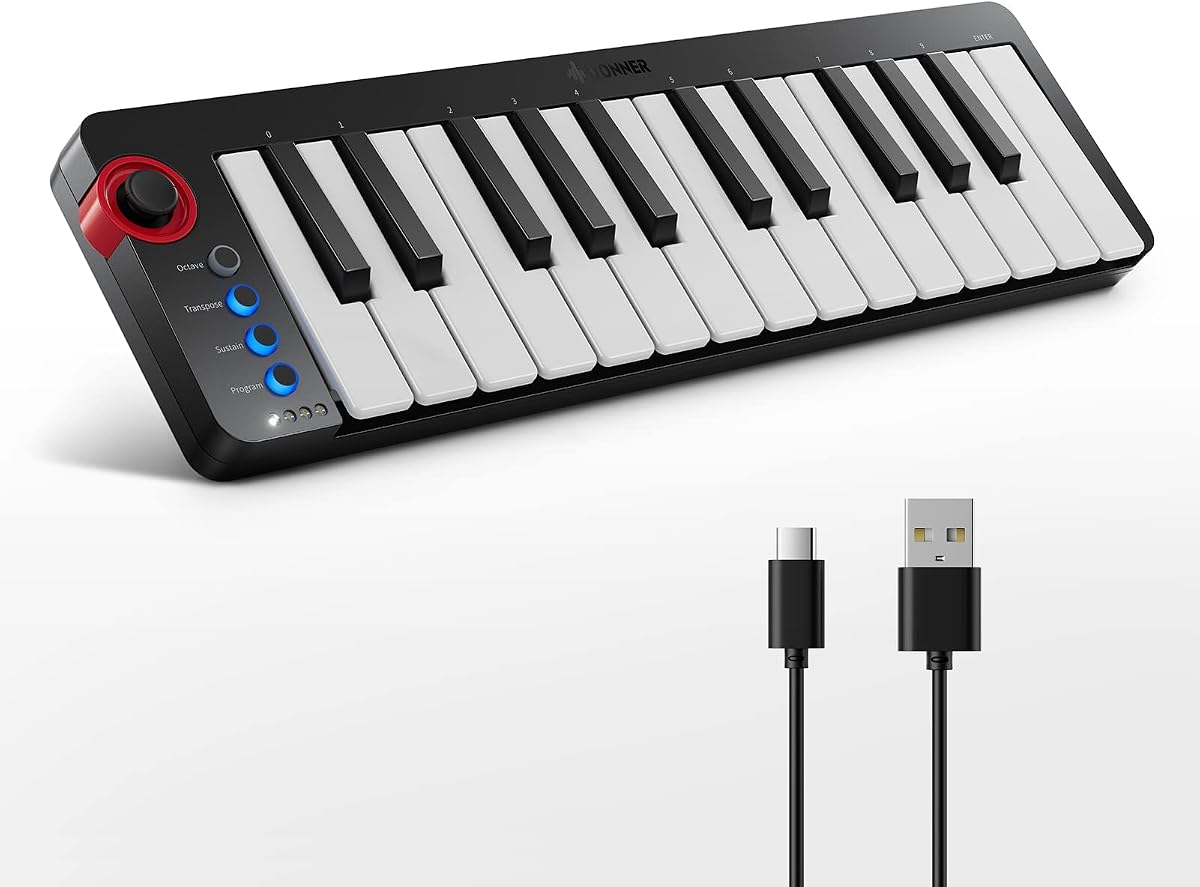
The Donner N-25 is explicitly designed with beginners in mind, offering a simple layout, velocity-sensitive mini keys, and 40 teaching courses. Its 4.1 rating places it behind the more highly rated models in this guide, but the emphasis on instruction and accessible controls gives it a clear purpose for new keyboard players and arrangement learners.
We may earn a commission when you buy through this link, at no additional cost to you.
Its 25 scaled-down keys support melodic playing and riffs, while a pitch-bend wheel contributes expressive timbral changes. The light-up rocker provides a visual performance element, and four user-programmable banks let users retain different control configurations. Core functions such as sustain, octave, arpeggiator, and tap tempo cover common needs without turning the surface into a complicated command center.
The N-25 connects to Mac and PC through USB-MIDI without requiring extra drivers. It can also work with iPhone and iPad music applications when paired with an OTG adapter, making it relevant to musicians who use mobile devices. Compatibility with Cubase LE, Live, Logic Pro, Pro Tools, Studio One, and other DAW software broadens its practical use.
Its educational bundle of 40 courses is a major reason to consider it. The material progresses from beginner instruction to more advanced arrangement concepts, which may be more valuable than extra pads or knobs to someone building foundational skills. It lacks drum pads and wireless operation, and the 4.1 rating suggests it is not the strongest option for every experienced producer. For learners seeking structured guidance, it is a focused and practical choice.
The 40 teaching courses cover arrangement essentials for users moving from beginner toward more advanced keyboard work. This adds educational value beyond the immediate hardware and makes the controller more approachable for new musicians.
Four programmable banks and familiar performance functions give beginners meaningful control without requiring a steep learning curve. The layout keeps essential actions visible and understandable during practice or recording.
We may earn a commission when you buy through this link, at no additional cost to you.
The Rhymo 25-Key Controller is built for highly portable production, with a slim USB-C design and support for Mac, PC, iOS, and major DAWs. Its 4.1 rating is modest relative to the alternatives, but its mix of USB-C power, Bluetooth MIDI, a 3.5mm TRS MIDI output, and mobile compatibility makes it distinctive for musicians working across different devices.
We may earn a commission when you buy through this link, at no additional cost to you.
Its 25 velocity-sensitive keys provide the expressive foundation for melodies, chords, and bass parts. The X-Y joystick handles pitch bend and modulation, while the arpeggiator includes latch and multiple modes alongside a loop function, tap tempo, and transpose control. Octave buttons expand the available melodic range by as much as ten octaves, offering a useful bridge between the compact keybed and larger musical ideas.
Full Level mode, 16 selectable MIDI channels, and a 6.35mm sustain-pedal interface add practical production and performance features. The controller operates through class-compliant USB-MIDI or Bluetooth MIDI without extra drivers, and indicator lights make active functions easier to identify. Its USB-C connection also eliminates the need to carry batteries or a separate power adapter for typical computer or tablet use.
The most obvious omission is a set of drum pads, which could limit its appeal to beat makers seeking a more complete finger-drumming surface. The 4.1 rating also indicates that it may not offer the same refinement or consistency as the most highly regarded models. For a musician who values mobility, broad platform support, and external MIDI connectivity, though, it is a capable and unusually flexible travel controller.
Class-compliant USB-MIDI and Bluetooth MIDI make the controller convenient for both desktop and mobile workflows. It can connect to Mac, PC, and iOS systems without requiring a separate driver installation.
Although the keybed contains only 25 mini keys, octave controls expand the available pitch range by as much as ten octaves. This lets a compact controller cover both bass notes and higher melodic material.
We may earn a commission when you buy through this link, at no additional cost to you.
The M-VAVE 25-Key Controller combines a compact performance keybed with wireless operation, eight RGB drum pads, and eight assignable encoders. Its 4.5 rating places it in the middle of the group, while the built-in rechargeable battery and broad device support make it a practical option for mobile musicians, studio producers, and performers.
We may earn a commission when you buy through this link, at no additional cost to you.
The 25 velocity-sensitive keys handle melodic playing, virtual instrument control, and basic beat production. Eight RGB backlit, velocity-sensitive pads expand the controller into a more versatile rhythm tool, while eight assignable rotary encoders provide direct control over plugin parameters and mixing functions. Two capacitive touch strips handle pitch bending, adding another method for expressive control.
Bluetooth operation sets it apart from basic wired mini keyboards. The built-in 2,000mAh battery is stated to work for approximately 16 hours, allowing users to carry the controller to a studio, cafe, hotel, or rehearsal space without relying on a cable. Compatibility with Windows, macOS, Android, and iOS extends that flexibility, while listed DAW support includes Ableton Live, FL Studio, Cubase, Logic Pro X, Bitwig, Reason, Studio One, and GarageBand for iOS.
Smart chord and smart sound functions allow users to navigate choices through the keys, which can be helpful for performance and practice. The tradeoff is that a control surface with pads, encoders, touch strips, and smart functions requires more deliberate configuration than a basic keyboard. Battery-dependent wireless operation also needs regular charging. For someone who wants a portable, cable-free controller with meaningful performance controls, this model offers a particularly strong combination.
Bluetooth connectivity and the internal battery allow the controller to travel easily between locations. Users can work wirelessly on compatible systems without packing a separate power adapter for every session.
The illuminated pads, assignable encoders, and capacitive pitch strips place several common production actions within reach. This makes the model more useful for complete beat-making tasks than a standard two-octave keyboard.
We may earn a commission when you buy through this link, at no additional cost to you.
The Akai Professional MPK Mini Play MK3 is a portable standalone mini keyboard as well as a USB MIDI controller. Its 4.5 rating and built-in speaker set it apart from most 25-key competitors, which generally require a connected computer to generate sound. With an OLED display, internal sounds, and battery power, it is designed for practicing, sketching ideas, and performing away from a studio.
We may earn a commission when you buy through this link, at no additional cost to you.
The 25-key Gen 2 dynamic keybed supports expressive melodic playing, while an OLED display provides visual information and four encoder knobs offer additional control. Eight velocity-sensitive, backlit MPC drum pads, an arpeggiator, and Note Repeat make it suitable for both melodic and rhythmic work. More than 100 internal drum and instrument sounds include acoustic and electric pianos, synth leads, pads, and other basic timbres.
It can operate with batteries for portable use, although batteries are not included, or be connected by USB. The supplied USB Type-B-to-A cable supports that wired mode. Included materials include MPC Beats, MPC expansion packs, Hype, AIR Essential Keyboards, Electric from AIR Music Tech, and Melodics educational software with 60 free lessons. Native Kontrol Standard support and a choice of three Komplete 15 Select bundles expand its software-oriented capabilities.
The trade-offs are its greater bulk relative to a pure controller and the need to supply batteries separately for untethered operation. A producer whose only goal is controlling software may find the internal sounds and speaker unnecessary. For a musician who wants one portable device for learning, improvisation, and connected production, however, the MPK Mini Play MK3 offers a uniquely versatile combination of standalone instrument and USB controller.
The built-in speaker and internal drum and instrument sounds allow the keyboard to produce music on its own. This makes it useful for practice, travel, and spontaneous ideas even when no computer is available.
The included MPC software, virtual instruments, sound libraries, and 60 Melodics lessons give new owners more than a basic controller. It combines hardware performance with structured educational and creative resources.
We may earn a commission when you buy through this link, at no additional cost to you.
The black Akai Professional MPK Mini MK3 offers a 4.6 rating and a mature combination of mini keys, pads, knobs, and software integration. It shares the core production design of the broader MPK Mini MK3 family but gives shoppers a distinct finish choice. For producers who want a compact, understated controller, it remains one of the most balanced options in the guide.
We may earn a commission when you buy through this link, at no additional cost to you.
The velocity-sensitive 25-key keybed is suitable for melodies, chords, bass lines, and virtual instrument performance. Eight backlit MPC-style pads bring velocity-sensitive rhythmic control, Note Repeat, and Full Level, while eight 360-degree rotary knobs can be assigned to mixing, synth parameters, and plug-ins. A four-way thumbstick handles pitch and modulation, and the arpeggiator includes adjustable resolution, range, and modes.
Native Kontrol Standard integration lets the controller work directly with compatible Native Instruments software, and users can select one of three curated Komplete 15 Select bundles. The included starter content contains MPC Beats, three virtual instruments, and 2GB of sounds. The Editor supports custom mappings for knobs and the thumbstick, along with adjustments to keyboard behavior, arpeggiator settings, and stored programs.
As with the other MPK Mini MK3 listings, the controller requires a computer to realize its full USB MIDI role, and some users may find the amount of bundled software or customization too involved. The small keybed is also inherently less suited to pianists accustomed to full-size keys. Nevertheless, the MPK Mini MK3 Black balances expressive input, physical controls, and creative software unusually well for a compact production controller.
The thumbstick, knobs, pads, and keybed cover several distinct control needs. This makes the controller effective for instrument performance, mixing, sound design, and beat programming in a single compact device.
NKS support, the Editor, MPC Beats, virtual instruments, and a curated Komplete bundle give the controller immediate creative context. Owners can begin with supplied content and then customize mappings as their workflow develops.
We may earn a commission when you buy through this link, at no additional cost to you.
The Akai Professional APC Key 25 MK2 is a USB MIDI controller built around Ableton Live. Its 4.4 rating reflects a focused design that may be less universally useful than a neutral controller, but for an Ableton user, the pre-mapped relationship between its hardware and software can provide a more immediate and fluid working method.
We may earn a commission when you buy through this link, at no additional cost to you.
Its most prominent feature is the 5-by-8 RGB pad matrix, providing 40 illuminated pads for launching clips and receiving visual color feedback. The matrix can also trigger loops, vocals, and melodic samples. Four directional arrow buttons help users navigate groups of clips, tracks, and scenes, while eight assignable rotary knobs handle volume, panning, insert sends, automation, and Ableton macro controls.
The 25 responsive mini keys cover two octaves with velocity sensitivity for chords, bass lines, synth leads, and other melodic parts. Dedicated octave buttons expand access beyond the physical range. USB power and plug-and-play connectivity for Mac and PC simplify setup, and Ableton Live Lite is included for users who need a DAW or want to experiment with the mapping system.
This is primarily an Ableton Live controller rather than a universal choice for every software platform. A musician working in Cubase, Logic, FL Studio, or another DAW may receive less benefit from the specialized clip-launching layout, and the model does not offer wireless operation. For Ableton Live producers who regularly perform, arrange, and trigger clips, however, the combination of 40 RGB pads, dedicated navigation, knobs, and keys delivers a purpose-built and efficient performance surface.
The 40-pad RGB matrix provides both tactile triggering and visual feedback. Producers can launch clips, trigger loops, and identify material through color without navigating menus for every action.
Directional buttons and one-to-one mapping for supported Ableton Live versions keep the hardware closely aligned with the software. Dedicated control of tracks, scenes, macros, and parameters reduces the friction of mouse-based navigation.
We may earn a commission when you buy through this link, at no additional cost to you.
The right 25-key MIDI controller depends on how you create music, which software you use, and whether portability or hands-on control matters more than a simple layout. The following factors are the most important to evaluate before choosing a model.
Even a compact 25-key controller should support expressive playing rather than behaving like an on-off input device. Velocity sensitivity is the central feature to look for because it lets the controller communicate how firmly a key is pressed, allowing software instruments to respond with different levels of volume, brightness, and attack. The Akai LPK25, MPK Mini MK3, Arturia MiniLab 3, Donner N-25, Rhymo, M-VAVE, MPK Mini Play MK3, and APC Key 25 MK2 all include velocity-sensitive keys.
Key size is another important preference. Mini keys save space and make the controller more portable, but pianists accustomed to standard-sized keys may find the reduced dimensions uncomfortable. Arturia and Novation describe their respective keybeds as premium, which may be appealing to users who prioritize a more refined playing experience. Always consider the size of the space where the controller will be used.
A controller is only as useful as its connection to the software in your workflow. The Akai APC Key 25 MK2 is purpose-built for Ableton Live, while the Novation Launchkey Mini 25 MK4 supports major DAWs including Ableton Live, Logic, Cubase, Reason, Reaper, FL Studio, and Ardour. The Arturia MiniLab 3 is presented as a universal controller, and the remaining choices list broad compatibility with established music applications.
Beyond ordinary DAW use, Native Kontrol Standard support can improve control over compatible Native Instruments presets. The MPK Mini MK3 and MPK Mini Play MK3 include NKS integration, while the Novation model is also described as NKS-ready. Check whether your most-used virtual instruments support the controller's specific integration rather than assuming every function will map automatically.
Drum pads can turn a 25-key keyboard into a much broader beat-making instrument. The Akai MPK Mini MK3 includes eight backlit, velocity-sensitive MPC-style pads, the M-VAVE offers eight RGB backlit velocity-sensitive pads, and the Arturia MiniLab 3 includes eight pads. The Novation Launchkey Mini 25 MK4 goes further with 16 responsive FSR pads that can also function as step sequencers, clip launchers, and chord triggers.
Buyers should distinguish between basic finger-drumming and deeper rhythmic control. Note Repeat and Full Level features on the MPK Mini family support drum programming, while a larger FSR matrix can serve arrangement functions. If your work centers on beat production, percussion triggering, or sample launchers, a model with dedicated pads is likely a better fit than a basic keyboard-only design.
Knobs and faders let a producer adjust plugin parameters, mixer settings, and effects without continuously using a mouse. Eight assignable rotary knobs appear on the Akai MPK Mini MK3, its black version, and the APC Key 25 MK2. The M-VAVE also provides eight assignable rotary encoders and two capacitive pitch-bend touch strips, while the Arturia MiniLab 3 uses four faders for fluid track and workflow control.
The number of physical controls matters, but so does their assignability. Direct DAW functions can be valuable on a specialized controller, while user mapping offers broader flexibility across instruments. Consider whether you need primarily mixer control, sound-design parameters, clip navigation, or a general-purpose set of assignments. More controls can be powerful, but they also require more learning and setup.
USB MIDI remains the most direct connection for a computer-based studio, and every controller in this guide supports that approach. Mac and PC compatibility is widely available, while the Donner N-25 can also connect to compatible iPhone and iPad music apps through an OTG adapter. The Rhymo controller supports Bluetooth MIDI, and the M-VAVE includes a built-in rechargeable battery for wireless operation.
Portability includes more than dimensions. Consider the controller's weight, power requirements, cable style, and whether it can operate away from a computer. The Akai MPK Mini Play MK3 is unusual because it includes a speaker and internal sounds, allowing standalone play, although batteries are not supplied. If wireless freedom is the priority, compare Bluetooth support, battery endurance, and platform compatibility before selecting a model.
Arpeggiators, scale functions, chord tools, and note-repeat controls can accelerate both composition and live performance. The Akai LPK25 and MPK Mini MK3 include arpeggiators, the Donner N-25 offers beginner-oriented arpeggiator and scale tools, and the M-VAVE includes smart chord and smart sound functions. Novation adds Scale Mode, single-key chord triggering, and arpeggio mutation tools.
These features are particularly valuable for players who want to experiment quickly or who are still developing keyboard skills. They are not substitutes for musical understanding, and they may even encourage an overly preset-based approach if used constantly. The best choice is the one that supports your creative process while still allowing direct control over notes, velocity, and timing.
Software bundles can determine how quickly a new controller becomes useful. The Akai MPK Mini Play MK3 includes MPC software, virtual instruments, expansion packs, and 60 Melodics lessons. The Donner N-25 offers 40 teaching courses, while the Novation Launchkey Mini 25 MK4 includes Ableton Live Lite, Cubase LE, Novation Play, sounds from several developers, and free Melodics lessons.
Some models also provide NKS-compatible bundles or sample-service access following registration. These extras can be valuable, but users should distinguish between genuinely useful resources and simply promotional extras for their own setup. Verify compatibility, download requirements, redemption steps, and operating system support before purchasing, especially if you already own overlapping software.
A specialized controller can be more efficient than a universal one when it closely matches your primary DAW. The APC Key 25 MK2's 40 RGB pads, directional navigation, and Ableton Live pre-mapping form a complete clip-launching system. The Arturia MiniLab 3 emphasizes a fluid workflow spanning instruments, tracks, pads, and faders, while Novation's model supports both performance and arrangement across several DAWs.
Specialization should be matched to actual usage rather than brand reputation. A dedicated Ableton controller may be ideal for a live performer but redundant for someone who only opens one software instrument. A more general controller may be wiser for students, composers, or musicians who regularly change applications. The right choice reduces friction without locking creative work into unnecessary limitations.
Begin by connecting the controller with USB and confirming that the computer recognizes it as a MIDI input. Open the intended DAW or virtual instrument, select the controller in the MIDI settings, and test a few keys at different velocities. Assign only the controls you expect to use at first, then add mappings gradually so that accidental knob movements or pad presses do not interrupt your workflow.
For mobile use, verify the required connection method before leaving the studio. The Donner N-25 uses an OTG adapter with compatible phones or tablets, while the Rhymo supports USB-C and Bluetooth MIDI. Confirm that the target app can receive external MIDI input, and use the controller's octave, transpose, or channel controls to place notes where they belong without altering the sound inside the app.
Care for the controller by keeping it on a stable surface, avoiding moisture and extreme heat, and connecting removable cables by the plug rather than the cable. Charge wireless models regularly and keep their ports free from dust. Clean the keybed and controls with a soft, dry cloth, and preserve preset or mapping files in software backups so that valuable configurations are not lost after an update.
A 25-key MIDI controller sends musical performance data to a computer, DAW, or software instrument rather than producing sound by itself in most configurations. Its keys can trigger melodies, chords, bass lines, and virtual instruments, while additional buttons, pads, and knobs may control effects, mixing, or clip launching. It is especially useful for portable composition, beat making, and performances that require direct control of software.
Twenty-five keys cover two octaves and are sufficient for many melodies, chord progressions, bass lines, and electronic music patterns. The included octave controls let users move the playable range to higher or lower notes, effectively extending the instrument. Players accustomed to full-size piano keys may find the smaller dimensions less comfortable, but the format is highly portable.
Velocity sensitivity is highly desirable because it communicates how hard each key is pressed, allowing software instruments to vary volume, brightness, and articulation. A controller without it can still send note and pitch information, but it may feel less expressive and limit the behavior of realistic virtual instruments. Most of the highlighted models include velocity-sensitive mini keys.
Most 25-key MIDI controllers require a computer or mobile device to host the software instrument or DAW. The Akai MPK Mini Play MK3 is an exception because it includes a built-in speaker and more than 100 internal sounds, allowing standalone playing and recording without a connected computer. Other models primarily function as control devices even when they include bundled software.
Yes, and several models are specifically designed for learning. The Donner N-25 includes 40 teaching courses, while the Akai MPK Mini Play MK3 provides 60 Melodics lessons along with a simple keybed and pads. The Akai LPK25 also has a straightforward layout with octave, sustain, arpeggiator, and programmable preset controls, making it approachable for new users.
USB MIDI is generally the most direct option for a desk-based studio because it powers the controller and avoids pairing or battery concerns. Bluetooth is preferable when mobility, a cleaner stage setup, or connection to a compatible mobile device matters. The M-VAVE and Rhymo provide wireless options, while users should verify that their computer, tablet, phone, and software all support the relevant connection method.
Drum pads are not required, but they make rhythm programming and sample triggering faster and more intuitive. A keyboard can be used through a DAW's piano-roll editor, yet dedicated pads provide a more tactile performance method. The Arturia, Akai MPK Mini, M-VAVE, and Novation models are particularly suitable for users who want to combine melodic playing with beat production.
Confirm that your preferred DAW and virtual instruments are supported, then evaluate key response, available controls, connection method, and platform compatibility. Consider whether you need drum pads, assignable knobs, wireless operation, a built-in speaker, or bundled lessons. Also verify the controller's physical dimensions, included software, and operating-system requirements so it suits your workspace and workflow.
The Akai Professional LPK25 is the most balanced budget-oriented choice, offering responsive mini keys, programmable presets, an arpeggiator, and broad application support. The Akai MPK Mini MK3 stands as the strongest all-round production option, with pads, knobs, a thumbstick, NKS integration, and substantial creative software. For a premium and highly versatile workflow, the Novation Launchkey Mini 25 MK4 offers 16 FSR pads, poly aftertouch, creative music-theory tools, and major DAW integration.
Prioritize the features you will actually use. Beginners may value clear layouts and teaching materials, mobile musicians should examine USB-C and Bluetooth support, and beat makers should look for responsive drum pads. Experienced producers may prefer assignable controls, software integration, and direct workflow mapping, while pianists should assess whether mini keys satisfy their comfort and playing expectations.
Ratings, software bundles, and availability can change, and product prices fluctuate over time. Before purchasing, confirm the current specifications, compatibility requirements, and latest cost directly from the product listing. That final check helps ensure that the selected controller matches your software, playing style, and intended creative environment.