
SilverStone RM44
4.3Editor score
Up to 360mm radiator support
SSI-EEB motherboard compatibility
Eight expansion slots
USB Type-C front connectivity
A 4U server chassis cabinet case is designed to fit a standard 19-inch rack while providing the space, airflow, and expandability required by servers, workstations, and high-capacity storage systems. The right enclosure must align with your motherboard, power supply, drives, cooling hardware, expansion cards, and operating environment.
We compared all ten products by their listed storage capacity, motherboard support, expansion slots, included fans, cooling options, front connectivity, security features, and rack compatibility. The list covers ATX, E-ATX, CEB, and specialized server configurations, from compact general-purpose cases to high-density hot-swap systems.
Each review identifies the configuration best suited to that chassis and its most important trade-offs. Customer ratings and product details can change over time, and current prices, availability, component support, and retailer policies should always be confirmed before purchasing.
4.3Editor score

4.6Editor score
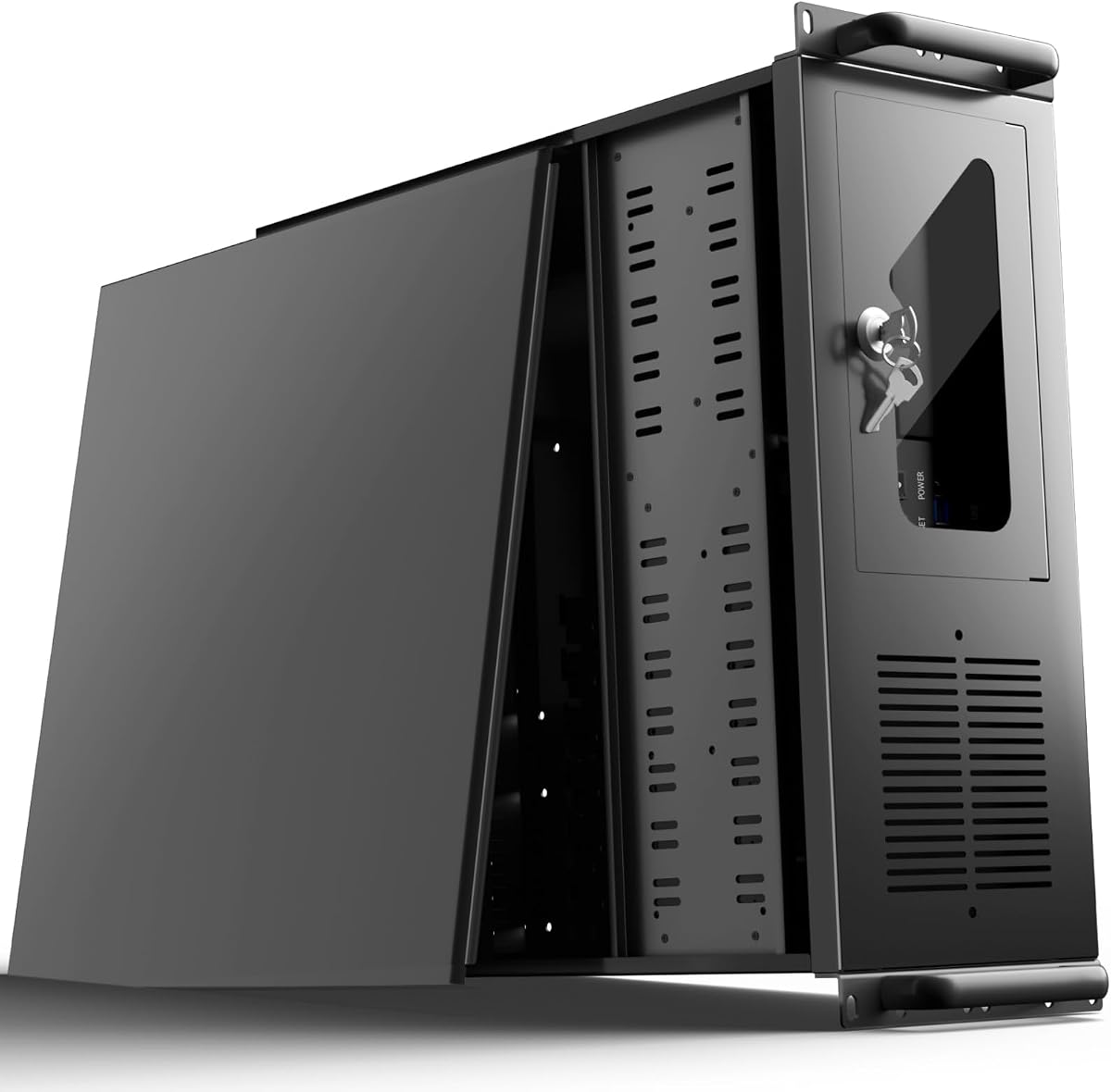
4.0Editor score
As an Amazon Associate we earn from qualifying purchases.
The comparison below highlights the major differences in drive capacity, motherboard support, cooling, and connectivity. It is designed to help builders identify a suitable 4U enclosure without overlooking rack, expansion, or thermal requirements.


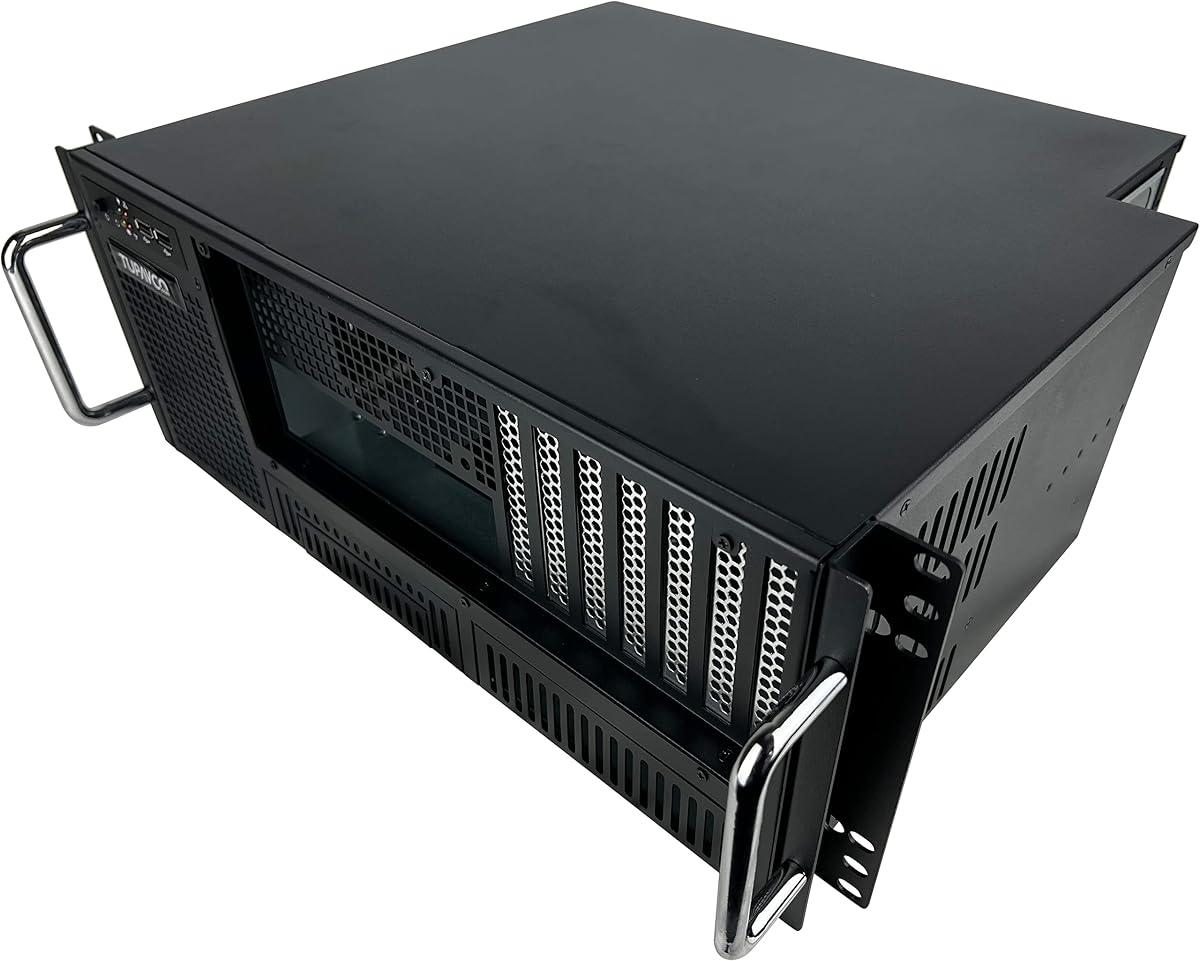


The Rosewill RSV-L4500U combines a 4U rackmount format with 15 internal 3.5-inch HDD bays, giving it one of the highest conventional drive counts in this roundup. Its 4.2 rating reflects a broadly capable design, while the generous storage area makes it especially relevant to home labs, NAS-style builds, backup systems, and small data centers that need many conventional hard drives.
We may earn a commission when you buy through this link, at no additional cost to you.
Its strongest supporting feature is the included cooling arrangement. Three front 120mm PWM fans and three middle 120mm PWM fans move air through the densely populated drive area, while two rear 80mm fans help exhaust heat. The chassis also supports E-ATX motherboards and provides seven PCI expansion slots, giving a builder room for networking, storage controllers, and other add-in equipment.
Front-panel conveniences add practical value. Two USB 3.0 ports support fast peripheral connections, and LEDs for power, HDD, and LAN activity provide quick status checks without opening the cabinet. A front lock and key improve physical security, although the extensive drive layout and lack of stated 360mm radiator support should be considered if liquid cooling or unusually flexible expansion is the priority.
This is a compelling choice when storage capacity comes first and a conventional multi-fan air-cooled server is preferable to a specialized liquid-cooled platform. Buyers should verify power requirements, backplane or connector details, and exact drive arrangement for their intended hardware. For high-drive-count systems that do not require hot-swap trays, it offers an unusually balanced and expandable foundation.
Fifteen internal 3.5-inch bays provide a substantial advantage for bulk-storage configurations. This capacity is useful when a project depends on many individually mounted drives rather than a small number of high-capacity external enclosures.
Six 120mm PWM fans address both the front and middle of the chassis, reducing the need to add cooling immediately. The two rear exhaust fans complete a substantial baseline configuration, although exact airflow direction should be verified during installation.
We may earn a commission when you buy through this link, at no additional cost to you.
This 4U rack-mount ATX case offers a straightforward enclosure for builders who need standard rack integration without a large collection of specialized features. It carries a 4.0 rating and supports ATX, Micro-ATX, and Mini-ITX motherboards, making it a broad fit for conventional custom servers and rack-mounted workstations.
We may earn a commission when you buy through this link, at no additional cost to you.
Its seven PCI slots create useful room for network adapters, storage controllers, and other expansion hardware. The combined internal architecture is intended to provide space for a range of server, network, and audio/video accessories. Two front USB 3.0 ports cover common connectivity needs, while a keyed lock and foam-filtered front door help limit unauthorized access and dust ingress.
The principal trade-off is cooling. Only one fan is specified in the supplied information, so a serious build may require additional case fans, careful cable management, and deliberate positioning of intake and exhaust. The listing also gives less detail about the number and arrangement of 3.5-inch bays than the more storage-focused products, making physical fitment especially important to confirm.
This case makes the most sense for a straightforward first rack server, a lightly loaded network appliance, or a builder who already has a cooling plan. It may be less suitable for densely packed multi-drive systems requiring substantial airflow. Before ordering, check the internal dimensions, drive connectors, power-supply clearance, and whether the included cooling arrangement is adequate for the intended processors.
Compatibility with ATX, Micro-ATX, and Mini-ITX boards gives the enclosure broad appeal. A smaller board can also create more open space, but component depth and expansion clearance still need to be checked against the installed hardware.
A key lock and front foam filter provide two useful protections for a shared or unattended installation. The filter should be cleaned regularly, because restricted intake airflow can quickly reduce the effectiveness of otherwise modest cooling.
We may earn a commission when you buy through this link, at no additional cost to you.
The SilverStone RM44 is built for demanding rack systems that need more thermal headroom and a broader motherboard platform than a basic ATX enclosure. Its 4.3 rating and stated support for radiators as large as 360mm distinguish it as one of the most capable cooling-oriented cases in the list.
We may earn a commission when you buy through this link, at no additional cost to you.
Support for SSI-EEB and Extended ATX motherboards makes the RM44 appropriate for specialized server boards and larger workstation-class platforms. Eight PCIe or PCI expansion slots offer room for network interfaces, controllers, and accelerators, while sliding rail mounting holes can simplify installation in a compatible rack. A front USB Type-C interface adds convenient modern connectivity.
Its premium position comes with the usual need for careful configuration. Liquid-cooling hardware is not necessarily included, and radiator placement must be coordinated with the rest of the build. The supplied information does not detail a specific drive-bay count, so buyers with substantial storage requirements should confirm the internal layout rather than assuming a hot-swap or high-density configuration.
For a workstation or server combining extended motherboard support, several expansion devices, and a 360mm liquid cooler, the RM44 is the strongest specialized option here. It is less compelling for a simple NAS with few drives, where those advanced capabilities may remain unused. Confirm rail compatibility, cooler mounting geometry, and drive requirements before finalizing the purchase.
Up to 360mm radiator support offers meaningful flexibility for processors expected to sustain heavy workloads. This capability is especially useful when a rack enclosure's shallow depth makes compact air coolers less practical.
SSI-EEB and Extended ATX support expands the available motherboard choices beyond standard ATX. The eight expansion slots and sliding rail holes are valuable when a build combines specialized server components with rack deployment.
We may earn a commission when you buy through this link, at no additional cost to you.
The Tupavco TP1842 focuses on serviceability in a standard 19-inch, 4U rack enclosure. Its 3.9 rating places it among the lower-rated choices, but the feature set is well suited to users who regularly need access to ports, drives, and expansion components without repeatedly removing the case from the rack.
We may earn a commission when you buy through this link, at no additional cost to you.
Front-accessible expansion-slot card ports and I/O components are the defining advantages. The enclosure supports full-size ATX, microATX, and miniATX motherboards, along with PS-2 ATX power supplies or a mini-redundant PSU that is not included. Seven full-height expansion slots provide room for network cards, storage controllers, and other rack-oriented hardware.
Storage consists of two 5.25-inch and six 3.5-inch internal bays, giving it more flexibility than a minimal workstation case but less density than the Rosewill and 24-bay designs. One 120mm fan and two 80mm fans are included, while power and reset switches, two USB ports, and power and HDD LEDs support routine administration.
The TP1842 is well suited to service-heavy custom servers and rack-mounted workstations where front access matters. Its heavy-duty steel construction and aluminum handles support regular handling, though the enclosure still needs suitable rack hardware. Confirm the exact power-supply format, drive connections, and expansion-card dimensions before assembling the system.
Bringing expansion ports and I/O components to the front reduces the time required for routine checks. It also lowers the chance of needing to move a heavily equipped enclosure deeper into a crowded rack.
Seven full-height slots and a mixed set of seven drive bays cover many conventional server designs. The included fan set provides a useful foundation, though thermally demanding processors may justify additional cooling.
We may earn a commission when you buy through this link, at no additional cost to you.
The SilverStone RM4A is a 4U rackmount chassis that combines server-oriented motherboard support with room for a large liquid-cooling radiator. Its 3.6 rating is the lowest among the ten products, so the rating alone should not be treated as a guarantee of broad customer satisfaction.
We may earn a commission when you buy through this link, at no additional cost to you.
Support for up to 360mm radiators and two 80mm fans gives builders a flexible thermal foundation. The case also supports SSI-EEB motherboards and eight PCI expansion slots, making it a viable option for systems based on larger server boards and several add-in devices. A front USB Type-C interface provides convenient peripheral access.
One distinctive feature is the ability to mount a hard drive on the expansion-card retainer. That can create additional flexibility where normal bay space is limited, although the arrangement requires careful consideration of airflow, cable routing, and the dimensions of the selected card. Detailed information about conventional drive-bay quantity is not provided in the supplied specifications.
The RM4A is most attractive to a builder who values a large radiator option and specialized motherboard support but does not need a high-density hot-swap layout. Its lower rating calls for extra attention to recent customer feedback and warranty terms. Verify the expansion-card clearance, available drive positions, and rack hardware before ordering.
The 360mm radiator allowance creates an upgrade path for sustained computational workloads. It should be matched with a pump and radiator assembly that physically fits the chassis, and the mounting pattern must be confirmed.
Expansion-card drive mounting can make a drive available when standard bays cannot satisfy the design. It is a specialized solution rather than a replacement for a carefully planned high-density storage layout.
We may earn a commission when you buy through this link, at no additional cost to you.
The RackChoice 4U chassis prioritizes expansion and cooling over dense internal storage. It supports E-ATX, ATX, Micro-ATX, and Mini-ITX motherboards, giving it broad applicability across workstation and server platforms, while its listed 4.0 rating reflects a generally balanced feature set.
We may earn a commission when you buy through this link, at no additional cost to you.
Liquid-cooling compatibility up to 360mm is the central attraction. The enclosure can therefore accommodate a larger AIO radiator than many conventional 4U cases, which is useful for powerful CPUs or systems expected to run continuously. Eight full-height PCI and PCIe expansion slots also provide ample room for networking, storage, and accelerator cards.
The principal limitation is storage. Just two internal 3.5-inch bays are listed, so this is not a suitable core enclosure for a many-drive NAS unless drives are mounted externally or through additional equipment. The chassis does not support sliding rails, and the manufacturer suggests using a rack shelf, which should be considered when planning installation and cable access.
RackChoice is a good match for a compute-focused rack build with several expansion cards, a 360mm AIO cooler, and modest internal storage needs. Its stated dimensions are 438 millimeters wide, 178 millimeters high, and 465 millimeters deep, so installers should confirm the available rack depth. It offers less drive flexibility than most alternatives but plenty of room for a powerful, card-heavy configuration.
Eight full-height slots create a strong foundation for servers using multiple network interfaces, controllers, or accelerators. Physical card length and power requirements should still be checked before selecting components.
Because sliding rails are not supported, a suitable rack shelf is the recommended mounting method. This can simplify some chassis handling tasks, but it adds another installation part that must fit the available rack depth.
We may earn a commission when you buy through this link, at no additional cost to you.
The UTLGAMENG 4U server chassis is an appealing value-oriented option for storage-heavy builds. It offers 12 dedicated hard-drive bays, seven PCI slots, front USB 3.0 connectivity, and a key-lock mechanism, giving it a versatile feature set for home servers, office systems, and dedicated data-storage installations.
We may earn a commission when you buy through this link, at no additional cost to you.
Its motherboard compatibility includes ATX, Micro-ATX, and Mini-ITX, while standard ATX power supplies are supported. The case accommodates CPU coolers up to 125 millimeters, or 153 millimeters when the relevant bracket is removed. Graphics-card clearance is listed as 230 millimeters, extending to 330 millimeters after the hard-drive bay assembly is removed.
That conditional graphics-card clearance is particularly important for builders using a rack server as a workstation. The generous drive layout is a strength, but removing the bay assembly may be necessary for long cards. The supplied details do not state a radiator size, so liquid-cooling compatibility should be verified directly rather than inferred from the 4U format.
This chassis suits users who want a high number of conventional storage drives without moving to a specialized hot-swap system. The 4.0 rating and broad compatibility make it a practical starting point for a custom home server. Confirm PSU dimensions, drive connectors, CPU cooler height, and cable routing before purchasing, and ensure the final arrangement does not block the stated filter.
Twelve dedicated drive bays provide substantial storage flexibility for projects that need numerous conventional disks. The enclosure does not claim hot-swapping, so each drive's connection method should be planned before installation.
Standard clearance supports graphics cards up to 230 millimeters. Removing the hard-drive bay assembly increases the allowance to 330 millimeters, giving workstation builders a practical way to accommodate longer cards.
We may earn a commission when you buy through this link, at no additional cost to you.
The 24-bay hot-swap chassis is the clear high-density option in this roundup. It supports 24 hot-swappable SATA II or III and SAS 6G drives, making it suited to data-center-inspired storage arrays, virtualization hosts, and other systems where replacing or expanding disks without opening the case is valuable.
We may earn a commission when you buy through this link, at no additional cost to you.
Six internal SFF-8087 Mini SAS backplanes provide the infrastructure for multi-drive connectivity. A 4U rackmount design accommodates the tray density, and the cooling package consists of three 120mm middle fans and two 80mm rear fans. This is a more specialized enclosure than general-purpose server cases because storage controllers, compatible backplanes, and suitable cabling must work together.
The trade-offs are power draw, heat, and complexity. Twenty-four spinning or high-performance solid-state drives can consume substantial power and generate enough heat to demand disciplined airflow. The five included fans are a starting point rather than evidence that every possible drive density will run cool, and noise will depend heavily on the selected media.
This chassis earns its place for builders who genuinely require 24 hot-swappable bays and Mini SAS support. It is unnecessary for ordinary desktops and less economical for small personal servers, but it provides a purpose-built path to a high-capacity, serviceable storage node. Confirm the exact backplane connectors, drive controller requirements, power supplies, and operating temperature expectations before buying.
Hot-swappable trays make failed disks easier to replace and allow storage to be expanded in a controlled format. The system still requires compatible controllers, cabling, and a power design suited to 24 drives.
Six internal Mini SAS backplanes create a foundation for dense storage arrays. Their exact division of drive channels should be confirmed with the listing or manufacturer before connecting a particular controller.
We may earn a commission when you buy through this link, at no additional cost to you.
The 4U 19-inch industrial case is built around ventilation and compatibility with modern liquid-cooled processors. Its 4.3 rating is among the strongest in the list, and the specified 19-inch width and 440-millimeter depth position it as a conventional industrial rack enclosure.
We may earn a commission when you buy through this link, at no additional cost to you.
The chassis supports a 360mm AIO liquid-cooling radiator, although the radiator is not included. This allowance suits powerful CPUs and sustained workloads that might otherwise strain a compact 4U air-cooling arrangement. Extensive mesh on the front panel supports airflow into the enclosure and works alongside the liquid-cooling option rather than serving merely as decoration.
Front-mounted USB 3.0 ports, along with accessible power and reset buttons, improve daily operation in a rack where reaching the rear or opening the enclosure is inconvenient. The supplied product information does not specify drive-bay count, expansion-slot quantity, motherboard form factors, or included fans, so those details are important to confirm before selecting it for a complex server.
This case is a logical candidate for an industrial workstation or compute-oriented rack system with a 360mm AIO cooler. It is less suitable as a turnkey choice for a storage server because the necessary drive information is absent. Measure the available rack depth, confirm the motherboard and expansion layout, and verify the liquid-cooling mounting arrangement before ordering.
The mesh front panel is designed to promote airflow through the chassis. It can help maintain pressure and reduce recirculation, especially when paired with an appropriately configured intake and exhaust arrangement.
Front USB 3.0 connectivity and accessible power and reset controls reduce the need to work behind a rack. These everyday usability details can matter as much as raw expansion in an installation maintained by multiple administrators.
We may earn a commission when you buy through this link, at no additional cost to you.
The Rackowl 4U server chassis stands out as the most balanced general-purpose enclosure in the roundup. It has the highest listed customer rating at 4.6, while combining room for up to 10 3.5-inch drives, three 5.25-inch devices, seven PCIe slots, seven fans, and support for E-ATX, CEB, and ATX motherboards.
We may earn a commission when you buy through this link, at no additional cost to you.
Its dimensions are listed as 16.8 by 7.0 by 25.0 inches, giving it enough depth for many conventional server components. PS-2 and mini-redundant power supply support adds useful flexibility. The cooling arrangement includes two 120mm front fans, three 120mm middle fans, and two 80mm rear fans, providing a much stronger baseline than cases that include only one fan.
Physical security and monitoring are handled through a front-panel lock, dust filter, and LEDs for power, HDD, and LAN status. The only notable compromise is that the two front USB ports are USB 2.0 rather than USB 3.0. That limitation is relevant for transferring large files directly from fast external media, though it does not affect the internal data connections of the server.
This chassis is the strongest recommendation for home-server, small-business, and studio users who want a broad mix of storage, cooling, and expansion. It suits both conventional hard drives and 5.25-inch equipment, while the motherboard range accommodates more specialized server boards. Confirm the installed power supply format, drive backplane or connector requirements, and available rack depth before ordering.
Up to ten 3.5-inch HDD bays and three 5.25-inch device positions make the chassis unusually flexible. The 5.25-inch areas can support appropriate equipment, but their exact brackets and connectors should be confirmed for the intended use.
Seven fans create a deliberate front-to-middle-to-rear cooling path. Front status LEDs provide quick checks of power, drive activity, and network status, while the dust filter helps protect the internal components.
We may earn a commission when you buy through this link, at no additional cost to you.
A 4U chassis should be selected as part of a complete rack system rather than by capacity alone. Motherboard, power, storage, cooling, expansion, and serviceability requirements must align with the hardware and the available rack space.
A standard 4U enclosure normally has a 19-inch rack-facing width, but its depth can differ substantially between models. The Rackowl is listed at 16.8 by 7.0 by 25.0 inches, while the RackChoice chassis measures 438 millimeters wide, 178 millimeters high, and 465 millimeters deep. These figures should be compared with the rack's usable depth, door clearance, cable space, and the length of installed expansion cards and power supplies.
Check the rack mounting method as carefully as the case dimensions. Some chassis include sliding mounting holes, while the RackChoice model does not support sliding rails and recommends a rack shelf. Also consider whether front doors, fans, cable arms, or neighboring equipment can obstruct the enclosure.
In short, verify exact depth and mounting hardware before buying.
Motherboard support should be matched to the board already purchased or the board you expect to use. Most general-purpose cases accept ATX, Micro-ATX, and Mini-ITX, while premium server enclosures may also support Extended ATX, SSI-EEB, or CEB. A case that accepts ATX does not automatically support every larger server board.
Pay attention to the distinction between E-ATX, CEB, and SSI-EEB because their dimensions and mounting requirements differ. Component clearance, rear-panel alignment, and the number and position of expansion slots can be just as important as the nominal form-factor label. Review the chassis dimensions and motherboard specification together.
In short, choose a case explicitly compatible with your exact motherboard.
The number of drive bays indicates capacity potential, but it does not reveal whether drives are hot-swappable, tool-less, connected by SATA, or controlled through a Mini SAS backplane. The Rosewill provides 15 internal 3.5-inch bays, the Rackowl supports up to 10, and the 24-bay model uses hot-swappable SATA or SAS carriers with six Mini SAS backplanes.
Match the enclosure to the intended storage controller. Internal 3.5-inch bays may require separate cables, a backplane, or a drive sled, and the number of available data connectors can limit the usable drive count. For high-density systems, airflow and power requirements deserve equal attention to raw bay count.
In short, confirm bay quantity, connector type, and hot-swap behavior together.
The included fan configuration gives a useful indication of the enclosure's thermal baseline. One-fan cases generally need additional airflow for sustained processor loads, while the Rosewill includes eight fans and the Rackowl includes seven. Larger 120mm fans can move substantial air with less rotational noise than multiple small exhaust fans, but their positions must create a coherent intake and exhaust path.
Liquid cooling adds another dimension. The SilverStone RM44 and RM4A, the RackChoice chassis, and the industrial 360 case support radiators up to 360mm. A radiator listing does not guarantee that every pump, tubing route, and mounting point will fit, so check the complete cooler dimensions and chassis mounting pattern.
In short, match cooling to processor load and confirm physical fit.
A 4U chassis can offer several power-supply formats, and compatibility depends on both the form factor and the physical space. The Tupavco TP1842 supports PS-2 ATX power supplies or a mini-redundant PSU, while the Rackowl also lists PS-2 and mini-redundant support. Other cases may be designed around standard ATX supplies. Redundant power options may also require specific wiring, controllers, or backplane support.
Expansion slots matter just as much. Fourteen expansion slots can be found across models with seven or eight physical positions because some chassis count connector sections differently. Verify the number of usable full-height slots, maximum card length, and any shared lane relationships before adding a network card, RAID controller, GPU, or accelerator.
In short, validate PSU format, card length, and usable slots.
Front USB 3.0 is useful for rapid peripheral transfers, while USB Type-C adds compatibility with modern phones, tablets, and some high-speed storage devices. The Rackowl's two USB 2.0 ports are the main drawback of an otherwise well-balanced design. USB Type-C support does not always mean that every USB-C peripheral will operate at the expected speed, so confirm the interface version and intended use.
Service-oriented features include front-accessible expansion ports on the Tupavco, front power and reset controls on the industrial chassis, and status LEDs on several models. A keyed front lock and removable or dedicated dust filter are particularly valuable in shared rooms where equipment may be unattended.
In short, prioritize connectors and access that suit routine maintenance.
A front lock helps deter unauthorized access, but it should not be treated as complete protection for valuable data. In a controlled data center, the rack environment, operating permissions, backup strategy, and physical access policy remain essential. A lock is most useful in offices, studios, and home labs where the rack is accessible to more people.
Dust filters deserve regular attention because a clogged filter restricts intake airflow. The generic rack case uses a foam front filter, the Rackowl provides a front dust filter, and the UTLGAMENG has a side-panel filter. Cleaning intervals should reflect the surrounding environment, with more frequent inspections in dusty locations.
In short, use locks sensibly and maintain filters to preserve airflow.
Before installing components, confirm that the rack has enough depth and that the chosen mounting method is appropriate for the chassis. Attach the required shelf, ears, rails, or hardware, and leave enough working room at the front and rear for connectors, fans, and cables. A dry, stable installation area makes it easier to inspect the enclosure before it carries heavier components.
Install the power supply, motherboard, processor, memory, and expansion cards according to their manufacturers' instructions. Connect drives using the exact cables or backplane specified for the case, keep power and data leads separated where practical, and route cables away from intake and exhaust fans. Confirm that every installed card is supported by its slot and that no obstruction blocks the stated cooling path.
Operate the enclosure with its front door, filter, and panels properly installed, and check temperatures and fan operation after the first substantial workload. Clean dust filters on a regular schedule, inspect drive activity and status LEDs, and keep unused expansion slots covered. Any unusual noise, stalled fan, repeated connection issue, or rising temperature should be investigated before the system is returned to service.
A 4U chassis is designed to occupy four rack units, where one rack unit is 1.75 inches. It is tall enough for many rackmount motherboards, power supplies, and expansion cards while remaining shallower than larger 5U or 6U enclosures. Always verify the case's exact depth and mounting method against the rack.
No. A chassis must explicitly support the motherboard's exact form factor and size. Standard ATX boards fit in many models, but E-ATX, CEB, and SSI-EEB boards require larger or specifically compatible cases. Expansion-card clearance and rear-panel alignment also need to be checked.
No. It depends on the processor, workload, ambient temperature, fan configuration, and case airflow. Some 4U cases support 360mm radiators for demanding builds, while other dense-storage systems are better served by a well-directed air-cooling arrangement. Confirm the complete cooler dimensions, not just the radiator size.
Internal bays require cables to be connected and disconnected while the case is open. Hot-swap bays use carriers and compatible backplanes, allowing a supported drive to be replaced more quickly. The 24-bay chassis in this guide provides hot-swappable SATA and SAS positions, while many other cases offer conventional internal mounting.
Capacity varies widely among the models reviewed, ranging from two internal 3.5-inch bays to 24 hot-swappable positions. Some cases also offer 5.25-inch areas for larger devices. The final usable count depends on the backplane, cable set, controller, power connections, and whether additional cooling or adapter hardware is required.
Not always. Some models have sliding rail mounting holes, while others are intended for rack ears or a shelf. The RackChoice chassis explicitly does not support sliding rails and recommends a rack shelf. Follow the supplied mounting instructions and ensure the chosen hardware maintains proper alignment and grounding.
A removable or easily accessible filter is preferable because it must be cleaned regularly. Check how it seals around the intake opening and whether the case directs air through it. In dusty environments, a clogged filter can restrict intake airflow enough to increase component temperatures and fan noise.
It depends on the devices and speed requirements. USB Type-C provides a convenient, widely used connector, while USB 3.0 may be more relevant for legacy storage devices. Confirm the port specification and the accessories you intend to connect rather than judging the label alone.
The Rackowl 4U server chassis is the strongest all-around choice because it combines the highest listed rating with broad motherboard support, ten 3.5-inch drive bays, three 5.25-inch positions, seven expansion slots, and seven fans. The SilverStone RM44 stands out for premium liquid-cooling and specialized motherboard support, while the UTLGAMENG chassis delivers notable drive capacity and expansion at a value-oriented level.
For high-density storage, the 24-bay hot-swap chassis is the purpose-built choice, while the Rosewill RSV-L4500U serves conventional multi-drive builds with 15 internal bays. The Tupavco emphasizes front access, the RackChoice prioritizes expansion and 360mm cooling, and the SilverStone RM4A offers a specialized drive-mounting option. Choose around the workload rather than on expansion alone.
Before purchasing, confirm rack depth, mounting hardware, power supply format, motherboard support, drive connectors, and cooler clearance. Product specifications, customer ratings, availability, and prices can change, so review the current listing and manufacturer information at the time of purchase to ensure the selected chassis still matches the planned system.