California JOS GPU Support Bracket
4.7Editor score
All-aluminum construction
Adjustable case compatibility
Tool-free stable base
Anti Sag GPU Support Brackets help keep heavy graphics cards level, reduce strain on the motherboard slot, and preserve clearance around fans and other components. A useful bracket should combine a stable base, smooth height adjustment, protective padding, and a fit that suits your case and graphics card.
We compared ten brackets using the specifications and construction details supplied for each model, focusing on adjustment range, support method, material, installation method, case compatibility, and intended graphics card size. The list covers magnetic, adhesive, and fan-mounting designs alongside compact stands and taller adjustable braces.
Each pick highlights a different practical advantage, from a budget all-aluminum support to a premium bracket designed for a 12 cm case fan. Ratings and product details reflect the supplied listing information, while prices and availability can change, so check the current product page before making a final choice.
4.7Editor score

4.8Editor score
4.7Editor score
As an Amazon Associate we earn from qualifying purchases.
The comparison below places all ten brackets side by side, showing their support methods, adjustment ranges, key materials, and intended installations. This makes it easier to identify the option that matches your case layout, graphics card clearance, and preferred setup process.
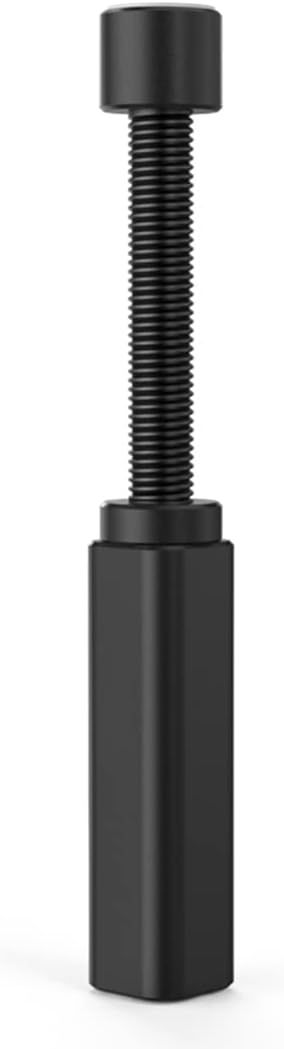
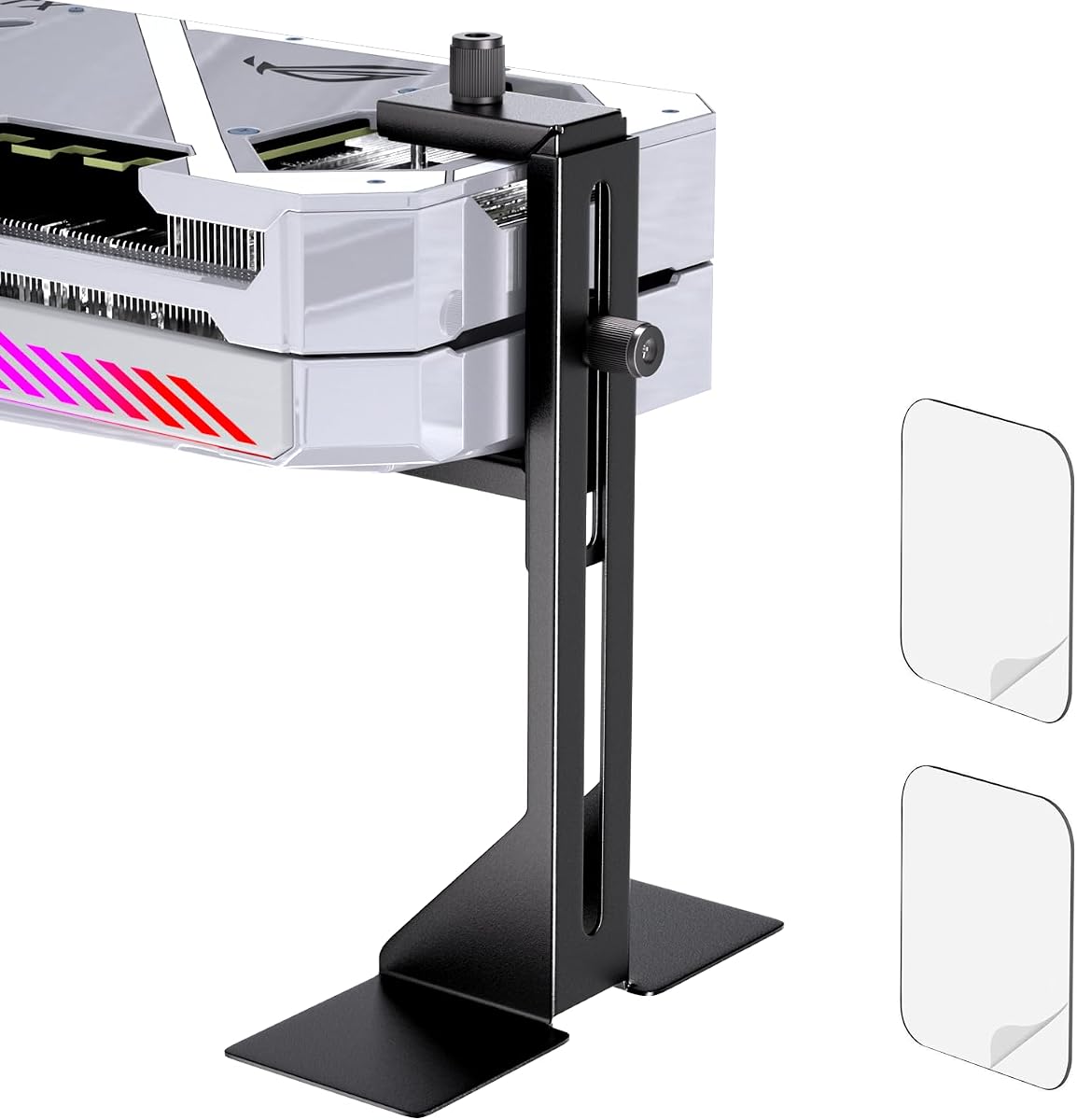


The Graphics Card GPU Brace Support is a compact L-shaped bracket rated at 4.7 out of 5 in the supplied data. Its defining feature is an all-aluminum body, a hidden magnetic base, and an adjustment range of 74–120 mm. That combination makes it a practical choice for builders who want dependable support without a complicated installation.
We may earn a commission when you buy through this link, at no additional cost to you.
The bracket uses a screw-adjustment design intended to work with traditional and long power supply bay configurations. A cushioning anti-scratch pad helps protect the contact point, while the magnetic base is intended to keep the stand stable on a compatible metal chassis floor or shroud. Multi-stage anodizing, sandblasting, polishing, and CNC edge finishing contribute to the stated durability and appearance.
The main limitation is its fixed adjustment range. Builders with unusually shallow clearance or a very tall power supply shroud should measure before installation. The magnetic base also needs a suitable ferrous surface; it may not behave as intended on every nonmetallic floor. Even so, the combination of metal construction, cushioning, and a concealed base makes this a well-rounded general-purpose option.
This is a strong recommendation for a standard desktop build with a large graphics card and a conventional ATX, M-ATX, or ITX case. Choose it when you want a discreet support that can be installed without tools and adjusted to a precise height. Verify the dimensions and surface type first, and it should provide a tidy, durable answer to recurring GPU sag.
The hidden magnetic base keeps the support footprint visually restrained while helping the bracket resist sliding. It is particularly useful where a tall support would otherwise dominate the interior of the case.
Using aluminum rather than plastic addresses common concerns about aging and wear. The stated anodized finishes also add corrosion resistance and help preserve the bracket's appearance over time.
We may earn a commission when you buy through this link, at no additional cost to you.
The acer GPU Support Bracket holds a 4.8 out of 5 rating in the supplied information, making it the highest-rated option in this roundup. It combines a 70–120 mm adjustment range with 0.5 mm increments, allowing the support to be aligned more precisely than a simple screw-and-nut design.
We may earn a commission when you buy through this link, at no additional cost to you.
Its 14.7 mm support rod is stated to be thicker than those used by many competing supports, while the aluminum alloy body and anodized finish provide rigidity and rust resistance. Silicone pads protect the graphics card and chassis contact areas, and the magnetic base is designed to hold the bracket firmly in place. The tool-free structure is advertised as capable of height calibration in about 30 seconds.
Some trade-offs remain. The adjustment range is narrower than that of the TEAMOLA and fan-mounted designs, so it is not intended for every unusually tall case configuration. The magnetic base also depends on a suitable metal surface. The detachable design and protective pads nevertheless make it especially approachable for first-time builders who want straightforward installation.
This is the strongest all-around recommendation for a typical gaming or workstation PC with a conventional case layout. It is especially attractive if precise alignment, fast setup, and a high customer rating matter most. Confirm that the available case clearance falls within 70–120 mm and that the mounting surface can accept the magnetic base.
The 0.5 mm increments make small corrections easier than coarse adjustment systems. This helps the support meet the graphics card at the correct angle without forcing the card into an unnatural position.
Silicone pads on the top and bottom reduce the chance of scratching the graphics card or chassis. They also add grip, helping the support remain stable during installation and use.
We may earn a commission when you buy through this link, at no additional cost to you.
The California JOS GPU Support Bracket is the Best Budget selection in this guide, with a supplied rating of 4.7 out of 5. It offers the essential elements of a useful anti-sag solution: an all-aluminum body, adjustable height, a stable base, and a tool-free installation process.
We may earn a commission when you buy through this link, at no additional cost to you.
Its main appeal is simplicity. The large black support is designed for different GPU sizes and case configurations, with stated compatibility across ATX, M-ATX, and ITX cases. The package includes one bracket in an ESD bag, and the listing emphasizes easy installation without complicated assembly or additional tools.
The listing does not provide a precise numerical adjustment range, so buyers should confirm fit by measuring the space between the graphics card and the intended support surface. It is also a single-bracket package, which is reasonable for most builds but may not suit someone wanting multiple supports. Even with these caveats, the straightforward design and aluminum construction make it a sensible starting point.
This support is a good match for builders who want to resolve moderate sag without investing in a complex mounting system. It works particularly well for standard desktop cases with an adjustable support surface. Measure first, compare the clearance with the product diagram, and favor this option when simple operation and a restrained appearance are the priorities.
The support focuses on the essential task of holding a graphics card level. Its uncomplicated setup is useful for new builders who may prefer avoiding brackets that require case-specific screws or extensive routing.
The all-aluminum alloy construction offers a more durable alternative to a simple plastic prop. It is intended to resist wear while maintaining a clean, understated appearance inside the chassis.
We may earn a commission when you buy through this link, at no additional cost to you.
The Adhesive GPU Support Bracket stands out for its unusually broad 35–120 mm adjustment range and support for graphics cards up to 75 mm thick. Its 4.6 out of 5 supplied rating reflects a versatile design intended for different card sizes, chassis layouts, and mounting orientations.
We may earn a commission when you buy through this link, at no additional cost to you.
Double-sided adhesive provides the attachment between the bracket and chassis, avoiding visible screws while helping resist movement and wobbling. The support may be used horizontally or vertically, giving builders flexibility in unusual layouts. A cushioning layer and adjustable frame are designed to keep the graphics card supported without concentrating damaging contact.
The adhesive method is the central trade-off. A clean, firm mounting area is important, and repositioning the bracket can be less convenient than working with a magnetic base. The listing says the adhesive leaves minimal to no residue and can be reused when cleaned, but surfaces should still be checked before attachment. The broad adjustment range and thick-card compatibility offset this limitation.
This bracket is a good candidate for a build with unusual clearance requirements, especially a thick graphics card that needs support farther from the motherboard. It is also useful when drilling or using internal screws would be inconvenient. Clean the target surface, confirm the card thickness and available height, and test the adhesive on an inconspicuous area before final placement.
The 35 mm minimum is substantially lower than the ranges of many magnetic stands in the roundup. This gives the bracket more freedom to fit cases with compact power supply shrouds or unconventional clearances.
Compatibility up to 75 mm thickness makes this one of the more relevant choices for large modern graphics cards. Buyers should still check the exact shape and underside clearance of their specific card.
We may earn a commission when you buy through this link, at no additional cost to you.
The Magnetic Anti Sag GPU Bracket combines a 74–120 mm adjustment range with a concealed magnetic base and a non-slip sheet. Its supplied 4.6 out of 5 rating reflects a practical middle ground for ATX, M-ATX, and ITX cases that use standard GPU support positioning.
We may earn a commission when you buy through this link, at no additional cost to you.
The anodized aluminum alloy body is designed to resist rust and provide long-term structural support. Polished anodizing, sandblasted anodizing, and CNC edge finishing contribute to its stated workmanship. A cushioning anti-scratch pad protects the card, while the magnetic base makes placement and repositioning straightforward without adhesive or case screws.
As with other magnetic supports, the base must have a magnetic surface and enough room to sit flat. The 74–120 mm range is less flexible than the adhesive model but still covers common case layouts. A level is included according to the supplied description, which is helpful for confirming that the graphics card sits evenly after the height is set.
This is a strong fit for builders who want metal durability and easy repositioning without committing an adhesive base. Choose it for a standard case with a steel floor or power supply shroud and a graphics card in need of moderate reinforcement. Measure the case clearance and confirm magnetic contact before ordering.
The multi-stage anodized finish is intended to provide durability and resist corrosion. It suits builders who prefer a metal support over a plastic prop and want a refined finish inside the chassis.
A hidden magnet keeps the base attached while leaving the support visually clean. It also makes it easier to remove the stand for cleaning or access to the case interior.
We may earn a commission when you buy through this link, at no additional cost to you.
The TEAMOLA Tall GPU Support Bracket is designed for cases where conventional GPU supports cannot reach the underside of the graphics card. Its height extends from 11.5 to 21 cm, the tallest listed range in this roundup, and it carries a supplied rating of 4.5 out of 5.
We may earn a commission when you buy through this link, at no additional cost to you.
An all-aluminum body provides the primary strength, while a hidden magnetic base helps the bracket remain stable without visible fasteners. Height is changed by twisting the adjustment nut, so no separate tools are needed. The design specifically aims to keep the graphics card parallel and provide additional support for big, heavy cards.
The extended height is also its chief drawback. In a compact case, the stand may look disproportionately tall or be unnecessary. Its supplied rating is also the lowest among the ten products, although rating alone should not outweigh fit and construction. The base still requires a suitable magnetic surface, and the support must be measured carefully before drilling or installation.
This is the most practical choice for a roomy chassis with a high power supply shroud, a bottom-mounted fan, or unusually deep space beneath the graphics card. It is less attractive for a compact ITX build where a short bracket would be more discreet. If the available clearance reaches the upper part of its range, the tall design offers valuable flexibility.
A 21 cm maximum height gives the stand exceptional flexibility beneath a raised card. This is valuable in cases where the power supply shroud sits far below the graphics card's mounting slot.
The twist-nut mechanism allows the height to be changed by hand. Builders can fine-tune the contact point without adding a wrench to the installation process.
We may earn a commission when you buy through this link, at no additional cost to you.
The GPU Support Bracket Stand emphasizes a clean, understated appearance and quick magnetic installation. Its supplied 4.6 out of 5 rating places it among the stronger general-purpose choices, and the listing says it works with major graphics card brands including ASUS, MSI, Gigabyte, NVIDIA, and AMD.
We may earn a commission when you buy through this link, at no additional cost to you.
The magnetic base is designed to attach to a case's power supply shroud or floor without slipping. Installation is tool-free and described as a simple place-adjust-lock process, with a stated setup time of under a minute. Its minimal visual treatment keeps attention on the build rather than the support itself.
The supplied information contains some internal inconsistency: the feature text mentions both a white finish and a matte black finish. Exact dimensions and a numerical adjustment range are also not provided, so physical fit should be confirmed from the listing. Despite that ambiguity, the advertised magnetic installation, broad card compatibility, and minimal styling are appealing.
This stand suits builders who want quick support without a conspicuous bracket dominating the case. It is particularly useful for standard builds where a clean magnetic base can rest on a metal shroud or floor. Check the available clearance and finish shown on the listing before purchase, and ensure the mounting surface is suitable for the magnet.
A simple profile and understated finish help the support blend into a finished build. This matters to users who want functional hardware without adding visual clutter to the case interior.
The base can be placed and adjusted without tools, making this a practical option when the case is already assembled. Magnetic attachment also simplifies removal during future component maintenance.
We may earn a commission when you buy through this link, at no additional cost to you.
The X-Protector GPU Support Bracket is a straightforward anti-sag stand with an adjustable height of 2.9 to 5 inches. Its supplied 4.6 out of 5 rating reflects a design centered on stable support, protective contact, and simple installation.
We may earn a commission when you buy through this link, at no additional cost to you.
The bracket is made from solid aluminum and includes a soft rubber pad. That pad is intended to reduce vibration and prevent direct metal contact with the graphics card, while the adjustable frame allows the support to meet the underside at a suitable height. No tools are needed to adjust the support or place it under the video card.
The main uncertainty is how the base is secured. Unlike products that explicitly identify a magnetic or adhesive mechanism, the supplied description focuses on placing the holder beneath the card. Builders should review the product images and listing details to confirm how it remains stable. The 5-inch maximum is also shorter than the TEAMOLA and fan-mount models, limiting use in very tall configurations.
This is a good option for a standard case with moderate clearance and a builder who values a soft protective contact point. It is also useful when a removable, uncomplicated support is preferred over one permanently attached to the chassis. Confirm base stability, available height, and the position of the rubber pad before installing it beneath a large card.
The rubber pad helps isolate the graphics card from the hard aluminum frame. This is a thoughtful feature for owners who want to reduce vibration and avoid direct scratch-prone contact.
The 2.9–5 inch range covers many conventional desktop installations. The no-tools approach makes it easy to reposition the support if the card or case layout changes.
We may earn a commission when you buy through this link, at no additional cost to you.
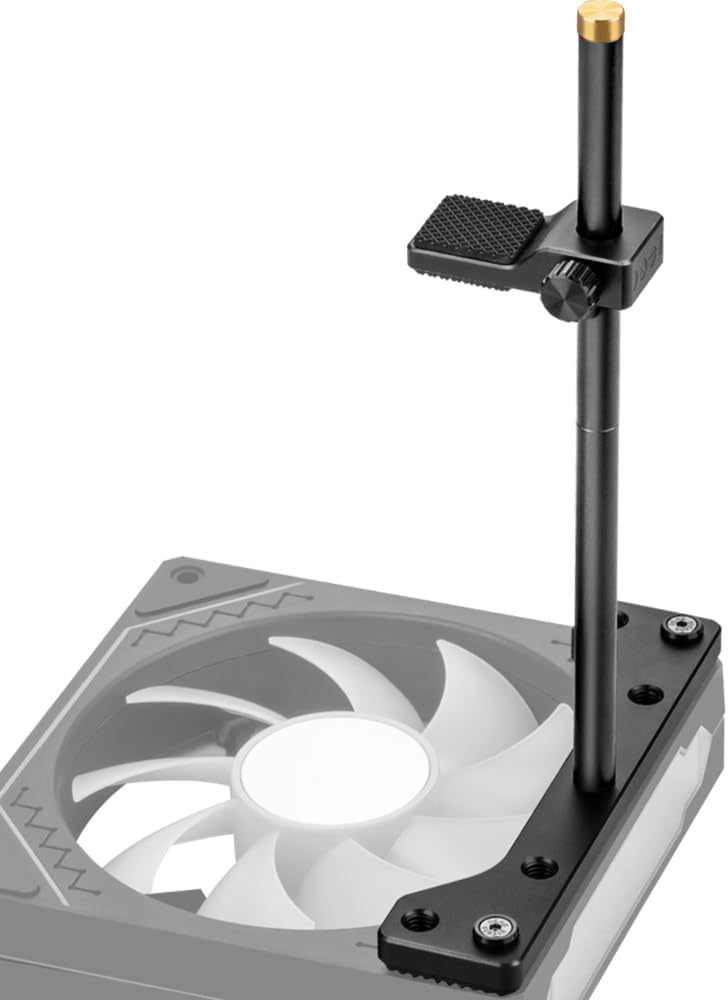
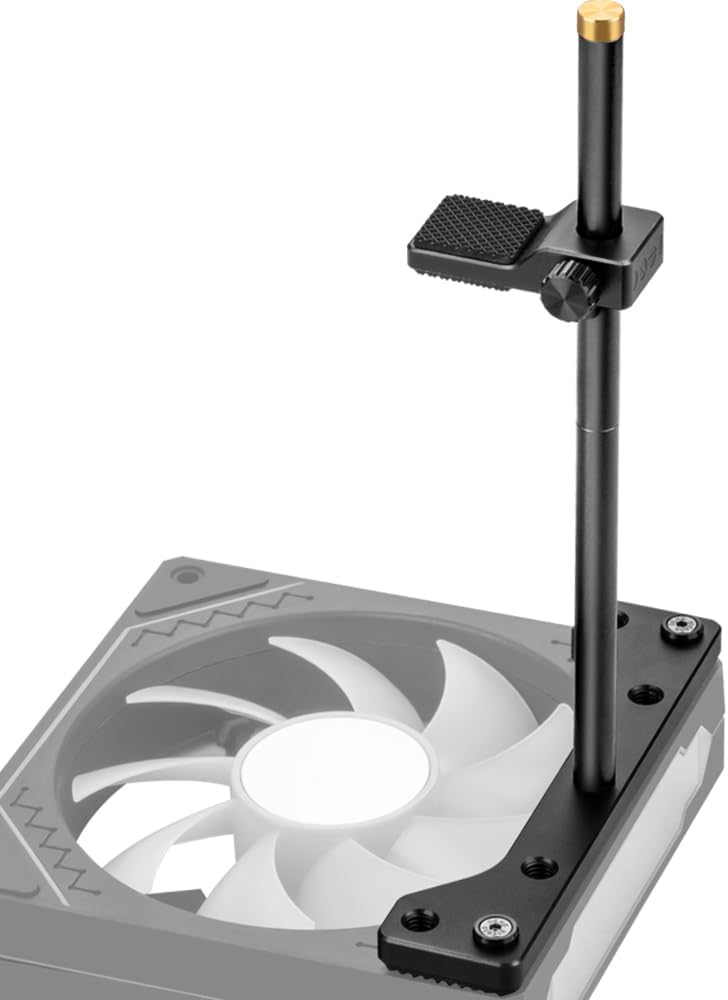
The 12cm Fan Mount GPU Support Bracket is the Best Premium pick because it offers a more specialized mounting solution than a conventional floor or shroud stand. It carries a supplied rating of 4.7 out of 5 and uses a full CNC aluminum design intended to support heavy graphics cards.
We may earn a commission when you buy through this link, at no additional cost to you.
Its standout feature is an adjustable height of 0.63 to 6.3 inches. The bracket separates into two 3.1-inch sections, allowing installation on either the bottom or top fan according to the case layout. It includes screws for 12 mm fans and is stated to fit most 12 cm fans across ITX, MATX, and ATX cases.
Because it is tied to a 12 cm fan, it is not a universal stand for arbitrary case surfaces. The mounting screws must align with the fan frame, and adequate spacing between the graphics card and the selected fan is essential. Non-slip rubber pads on the base and both sides of the arm improve grip and help protect the graphics card from scratches.
This is an excellent choice for builders who already use 12 cm fans and want the support integrated with an existing component. The detachable design also makes it versatile across different fan positions. Before buying, confirm the fan size, screw locations, graphics card clearance, and the room available around the intended mounting point.
Mounting to a 12 cm fan can save dedicated floor space and create a more integrated support. The included screws make the approach practical for builders comfortable attaching hardware inside the chassis.
The 0.63–6.3 inch range can accommodate a wider variety of vertical positions than most floor stands. The detachable two-part construction also allows either fan to act as the mounting point.
We may earn a commission when you buy through this link, at no additional cost to you.
The Aivalas GPU Support Bracket provides a practical combination of magnetic attachment, rubber contact, and hand-adjusted height. It has a supplied rating of 4.7 out of 5 and is intended for a broad range of ATX, M-ATX, and ITX chassis configurations.
We may earn a commission when you buy through this link, at no additional cost to you.
The aluminum body is designed to resist deformation while keeping the support visually unobtrusive. Its magnetic base attaches to a case's power supply shroud, while rubber at the contact ends adds grip and helps prevent sliding. Height is adjusted by twisting the nut, allowing the bracket to be set between the case and graphics card without extra tools.
The listed adjustment range is 2-7/8 to 4-3/4 inches. Builders accustomed to metric measurements should convert these dimensions or use the listing's visual guide, and they should measure the case before ordering. The magnetic base also requires an appropriate metal surface and enough room for the complete base to sit flat.
This is a well-rounded recommendation for a conventional gaming PC where the graphics card needs a clean, removable support. It suits builders who want magnetic convenience without sacrificing an aluminum frame or protective rubber contact. Measure the available clearance and confirm that the shroud or floor will hold the magnet securely.
The magnetic base provides a convenient way to keep the support attached to a metal shroud. Rubber at the contact points adds traction and reduces the chance of movement.
The support is stated to suit ATX, M-ATX, and ITX case structures. Its unobtrusive black body and moderate height make it adaptable to many traditional tower layouts.
We may earn a commission when you buy through this link, at no additional cost to you.
The right anti-sag bracket depends less on the product name and more on the distance between your graphics card and the nearest stable mounting surface. Measure first, then compare attachment methods, adjustment precision, protective materials, and case compatibility.
Start by measuring from the underside of the graphics card to the power supply shroud, case floor, or fan mounting position. The required distance can differ from the graphics card's total height because its PCB, cooler, connectors, and bracket may sit at different levels. Compare that measurement with every part of the support, including its base thickness, rather than relying only on the advertised maximum height.
Magnetic bases are fast to install and easy to reposition, but they need a ferrous metal surface. Adhesive supports can mount to more varied surfaces, although the bond depends on cleaning and surface texture, and removal may require care. Fan-mounted brackets can integrate with an existing fan but require compatible screw positions and nearby clearance. Choose the method that matches the materials and layout of your case.
A useful bracket should reach the measured gap without forcing the graphics card out of position. Wide ranges offer greater case compatibility, while fine increments can make alignment easier. Pay attention to whether the quoted range represents the arm alone or the complete installed height. Very tall models are useful in spacious cases but can look excessive in compact builds.
Not every large card has a flat, reinforced area suitable for a support. Look for a solid section that can receive the contact pad without covering a connector, fan opening, RGB element, or removable power connector. Also check the graphics card's thickness, especially for models with large coolers or backplates. The bracket should support the card evenly rather than pressing on a fragile component.
Aluminum is the most common material in this roundup and provides rigidity without adding unnecessary bulk. A metal frame can resist creeping, while padding helps prevent scratches and reduce vibration. A soft rubber or silicone contact pad is particularly useful when the bracket must contact a finished or painted graphics card. Check whether the base and upper contact area both include protective material.
A stable support should resist sliding and maintain the card at a consistent angle. Magnetic bases need enough surface area and a reliable grip, while adhesive bases need a flat, clean section. Taller brackets have a greater turning effect if the base is narrow, so consider both the support height and base width. The included level or a simple visual check can confirm that the card is not sitting at an angle.
Tool-free magnetic and adhesive designs are convenient for builds that may need frequent access. Fan-mounted hardware can be less intrusive but may require more careful screw placement. Think about whether the graphics card, power supply, or fans will need to be removed during future maintenance. A removable magnetic support often makes servicing the rest of the system easier.
Most products in this guide are intended for ATX, M-ATX, and ITX cases, but the statement does not guarantee every layout. Large power supply shrouds, raised cable covers, bottom fans, and compact SFF chassis can all change the required geometry. The 12 cm fan-mount design is specialized, while very tall braces suit cases with deep clearance. Always compare the product's dimensions and mounting method with the case design.
Begin with the PC powered off, then identify a stable location beneath the graphics card. Remove the side panel, avoid obstructing power cables, and clear any components around the intended base or mounting point. Use the product's measurements to confirm that the support can reach the card without pushing it upward or forcing the rear of the case.
Install the support according to its method. For a magnetic base, place it on a clean steel floor or shroud and confirm that it grips firmly. For an adhesive base, clean the target area before attaching the support. For a fan-mounted design, align the included screws with the fan frame and tighten them evenly. Then adjust the height until the protected contact surface meets a solid section of the graphics card.
Check that the graphics card is level and that the support is not contacting a connector, fan, or moving component. Power the system on and watch the card during startup, especially when the graphics driver loads. Periodically inspect the base for looseness, the pad for trapped dust, and the contact area for marks. Clean with a dry soft cloth and keep liquids away from the chassis and electrical components.
A bracket is not always essential, but it can be useful for large or heavy cards, particularly in cases with a deep gap beneath the card. A support reduces the load carried by the motherboard's PCIe slot and helps maintain airflow and alignment. A compact card in a case with little clearance may not need one, so measure before buying.
Measure the distance from the graphics card's underside to the floor, power supply shroud, or fan mounting position. Include the thickness of the support's base and check whether the mounting area is metallic, clean and adhesive-friendly, or compatible with a 12 cm fan. Compare those measurements with the product's full dimensions rather than its maximum arm length alone.
A properly seated magnetic support should remain stable on a suitable steel surface, but performance depends on the magnet, surface, cleanliness, and available space. Ensure the base lies flat and cannot be pulled sideways by a cable. Magnetic stands are not appropriate for every nonmetallic or textured surface, so check the contact area carefully.
A bracket can scratch or stress a card if it contacts a fragile area or is adjusted too tightly. Use a support with a rubber or silicone pad and place it under a flat, reinforced section away from connectors, fans, and RGB elements. The card should rest without bending or visible pressure, and the support should not force the card out of its normal position.
No. A taller bracket is useful when there is significant clearance beneath the graphics card, but it can be unnecessary or visually awkward in a compact case. A shorter stand may be more discreet and stable when the available gap is small. Match the support to the case geometry and the graphics card's actual support point rather than choosing by maximum height alone.
Many magnetic or screw-adjusted supports can be installed with the graphics card already mounted, provided there is enough hand access. The frame can often be adjusted around the card and tightened afterward. An adhesive base or fan-mounted bracket may be easier to position before final assembly. Follow the product instructions and avoid forcing the card out of its slot.
A fan-mounted bracket is advantageous when you already have a compatible 12 cm fan and want the support integrated into the existing layout. A magnetic stand is more versatile because it can often be placed on a shroud or floor without screws. The better choice depends on case geometry, fan placement, and whether you prioritize simple repositioning or a dedicated mounting point.
The card should look level and should not visibly dip toward the front of the case. The contact pad should rest on a solid section of the card without overlapping a connector or fan. After installation, check the support during startup and under normal operation. If the card moves, the pad is on an unstable area, or the base can shift, readjust the bracket before continuing.
The acer GPU Support Bracket is the strongest all-around choice because of its precise 0.5 mm adjustment, protective silicone pads, magnetic base, and strong supplied rating. The California JOS GPU Support Bracket is a straightforward budget option with an aluminum body and simple tool-free setup, while the 12cm Fan Mount GPU Support Bracket stands out for its premium CNC construction and exceptional height flexibility.
For most builders, prioritize the measured case clearance, the stability of the attachment method, and a protected contact point on the graphics card. Magnetic models suit conventional steel cases, adhesive models offer broader surface placement, and fan-mounted brackets are worth considering when a compatible 12 cm fan is already part of the build.
Product details, customer feedback, and shopping conditions can change, so review the current listing before ordering. Confirm the exact dimensions, mounting requirements, graphics card clearance, and included components to ensure that your chosen anti-sag bracket integrates cleanly with your build.