
CORSAIR RS120 ARGB 120mm PWM Fans – Daisy-Chain Connection – Low-Noise – Magnetic Dome Bearing – Triple Pack – Black
4.6Editor score
72.8 CFM maximum airflow
2,100 RPM PWM control
Five-volt ARGB daisy chaining
Explore the best Corsair case fans for quiet cooling, RGB control, airflow, and radiator setups in this practical 2026 buying guide comparison.
Corsair case fans cover an unusually broad range of cooling needs, from compact 120mm airflow to 140mm radiator pressure, reverse-rotor styling, and coordinated RGB lighting. A strong choice should move enough air for the intended components, remain controllable, and fit the visual design of the build without creating unnecessary cable clutter.
This guide compares ten Corsair fans using the supplied specifications, including airflow, static pressure, maximum RPM, fan thickness, bearing design, lighting, speed control, and connector arrangement. It covers standard and reverse-rotor models, single fans and multipacks, conventional 5V ARGB systems, and iCUE LINK builds that may require additional hardware.
Each review highlights the role a fan is best suited to, from affordable high-pressure cooling to premium synchronized lighting and large 140mm airflow. The top three picks represent the strongest balance of value, capability, and features, although the right choice depends on radiator size, case clearance, motherboard lighting support, and noise priorities. Prices and availability can change.
4.6Editor score

4.6Editor score

4.7Editor score
The comparison below organizes all ten models by size, airflow, static pressure, lighting, controls, and package contents, making it easier to identify the right fan for a case, radiator, or coordinated iCUE LINK system.


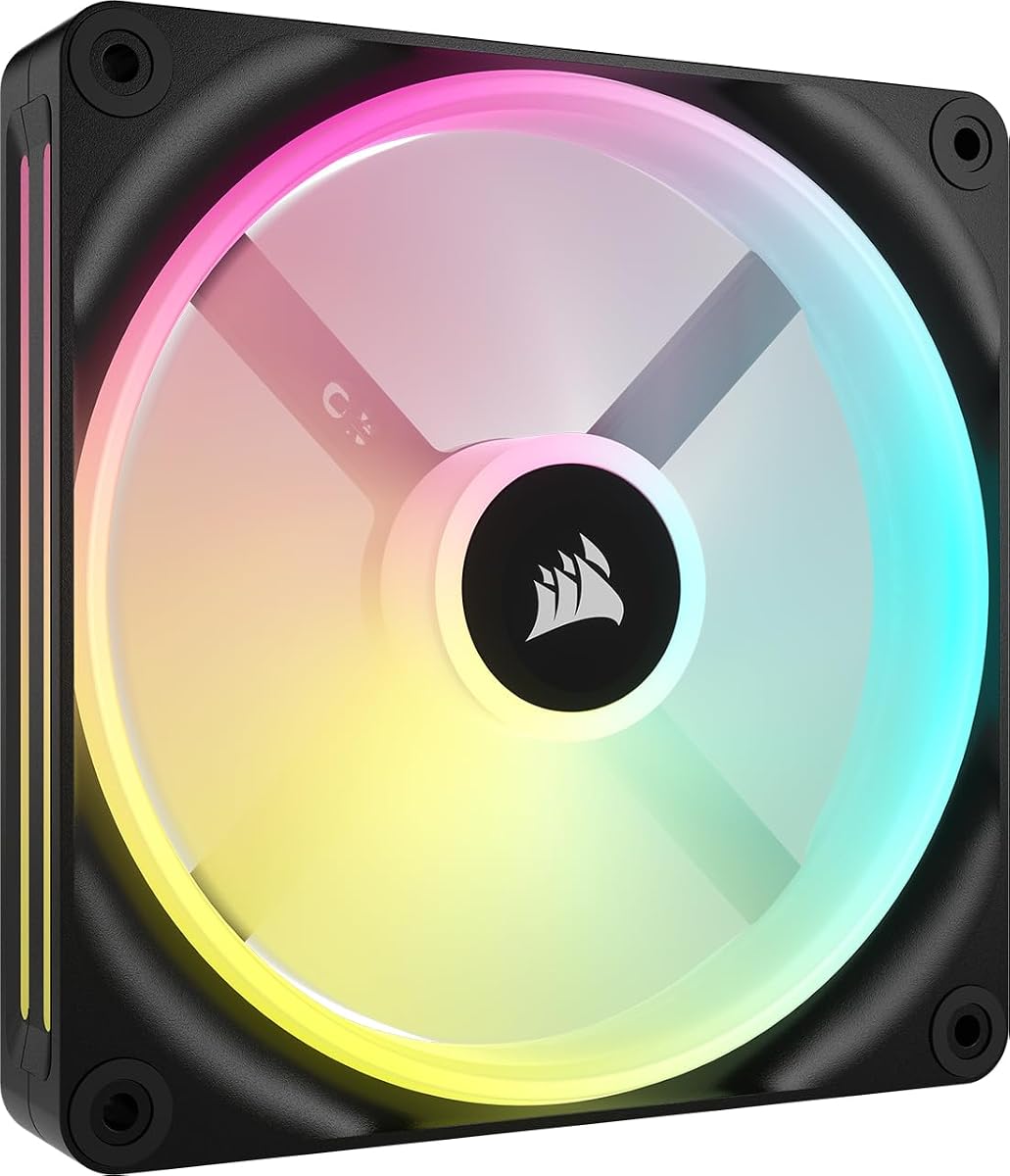


The CORSAIR RS120 ARGB triple pack is a compelling all-around option for builders who want recognizable lighting, flexible speed control, and a useful set of three fans in one package. Its 4.6 rating reflects broad appeal, while the listed specifications include up to 72.8 CFM of airflow, speeds as high as 2,100 RPM, and 2.8 mmH2O of static pressure. Those figures make it more versatile than a decorative case fan.
We may earn a commission when you buy through this link, at no additional cost to you.
The most convenient feature is its daisy-chain arrangement. Multiple RS120 fans can share one 4-pin PWM connection and one 5V ARGB connection, reducing the number of headers required from the motherboard. Each fan contains eight ARGB LEDs, and lighting can be customized through a compatible motherboard controller. The AirGuide anti-vortex vanes help concentrate airflow toward components, while the magnetic dome bearing is designed to reduce friction and support quieter operation at suitable speeds.
The main limitation is that this is a standard 5V ARGB system rather than an iCUE LINK ecosystem product. It does not include a LINK system hub, and coordinating its lighting with other addressable devices depends on the motherboard and its software. Its 2.8 mmH2O static pressure is also below that of the LX120, though it remains sufficient for many radiators and restrictive intake positions. Buyers should also verify case clearance for the standard 120mm frame.
This pack is a strong recommendation for new PC builders, system integrators, and anyone replacing several case fans at once. It offers particularly good value when the goal is dependable cooling performance, tidy daisy-chained wiring, and customizable lighting without committing to the extra hub required by iCUE LINK. It is not the absolute specialist choice for the largest radiators, but for many balanced builds it delivers the most practical combination of features.
Connecting several RS120 fans through shared PWM and 5V ARGB connections keeps the rear of a motherboard comparatively uncluttered. This is especially useful in compact cases where every header and cable matters, although the motherboard must provide the appropriate lighting control.
Up to 72.8 CFM and 2.8 mmH2O give the fans enough specification for general case cooling and many radiator applications. PWM control also allows the curve to be lowered when temperatures and noise priorities permit.
We may earn a commission when you buy through this link, at no additional cost to you.
The CORSAIR iCUE LINK LX120 RGB triple pack stands out as the editor's choice because it combines capable cooling, polished dual-loop illumination, and the system hub needed to organize compatible fans. It carries a 4.6 rating and is specified to deliver up to 69.9 CFM at speeds reaching 2,400 RPM. Most importantly for radiator installations, its listed static pressure reaches 5.22 mmH2O.
We may earn a commission when you buy through this link, at no additional cost to you.
Eighteen LEDs are split across inner and outer light loops, creating a layered appearance that can be synchronized with other compatible iCUE RGB devices. Bridge connectors allow the three fans to connect directly to one another, while the included iCUE LINK system hub connects the bank to the PC with a single cable. AirGuide vanes direct airflow, and the magnetic dome bearing is designed to minimize friction for quieter operation and improved longevity.
This package is less universal than a standard 5V ARGB triple pack. Its hub adds a dedicated component, and the ecosystem is intended for users who already use iCUE or are prepared to standardize on it. The fan remains a standard-thickness 120mm design, so unusually tight radiators should be checked for clearance. Its 69.9 CFM airflow is slightly below that of the RS120, but the substantially higher static pressure better suits restrictive mounting locations.
The LX120 is an excellent fit for a polished gaming build, a color-coordinated workstation, or a system where radiator fans and case fans should share one managed network. It is less appropriate for a simple, budget-conscious installation with no iCUE hardware, but when that ecosystem is wanted, the included hub removes a common setup complication and makes the three-fan package especially convenient.
A rated 5.22 mmH2O static pressure helps the LX120 move air through radiator fins and other obstructions. The high maximum RPM of 2,400 gives installers additional room to tune the balance between cooling output and acoustics.
The included system hub and bridge connectors make a bank of LX120 fans manageable. Rather than routing separate lighting leads to every position, compatible fans share the hub and can be synchronized through the iCUE ecosystem.
We may earn a commission when you buy through this link, at no additional cost to you.
The white CORSAIR RS120-R ARGB triple pack combines a high 4.7 rating with a reverse-rotor design that keeps the illuminated face visible during intake placement. It supplies three 120mm PWM fans with eight ARGB LEDs each, reaches up to 2,100 RPM, and is listed at up to 65.8 CFM. For builders prioritizing appearance alongside practical cooling, this is one of the most approachable reverse-fan packages in the group.
We may earn a commission when you buy through this link, at no additional cost to you.
Daisy-chaining allows the fans to use one PWM connection and one 5V ARGB connection, while the magnetic dome bearing supports smooth, low-friction operation. The stated static pressure of 2.81 mmH2O is close to that of the standard RS120 and makes the set viable for many radiators. Lower PWM speeds can be used for quieter everyday operation, and the specifications also list support for zero RPM mode.
There are some compromises. The 65.8 CFM figure trails the standard RS120, and 2.81 mmH2O is considerably below the LX120's 5.22 mmH2O. Reverse fans are usually chosen for visual presentation rather than a specification advantage, and buyers should confirm that their case or radiator mounting position is appropriate. The lighting also requires a compatible motherboard controller rather than including an iCUE LINK hub.
This white triple pack is especially appealing for a light-themed build where front intake fans would obscure their light rings. It is also a strong option for creators who want three matching fans without assembling a full iCUE LINK system. For the best balance of reverse aesthetics, straightforward wiring, and a strong customer rating, it earns a place among the guide's leading recommendations.
The reversed rotor changes the face presented to the viewer, allowing the RGB illumination to remain visible when the fan is mounted as an intake. This makes the set particularly effective at the front of a showcase case.
A 2,100 RPM maximum provides a useful ceiling for cooling, while the stated zero RPM mode can eliminate fan movement during appropriate low-load periods. The magnetic dome bearing is also designed to reduce friction at lower operating speeds.
We may earn a commission when you buy through this link, at no additional cost to you.
The black RS120-R ARGB triple pack offers the same reverse-rotor approach as the white version, but it fits naturally into a dark gaming case or a build with black hardware accents. Its 4.6 rating, three-fan format, and 65.8 CFM maximum airflow make it a broadly practical choice for intake, exhaust, or compatible radiator positions.
We may earn a commission when you buy through this link, at no additional cost to you.
The reversed rotor keeps the eight-LED lighting face visible from the front of the case. A daisy-chain layout reduces wiring demands by sharing a 4-pin PWM connection and a 5V ARGB connection across the set. Maximum speed is 2,100 RPM, and listed static pressure reaches 2.81 mmH2O, giving the fans enough force for many conventional radiator and heatsink installations.
Its limitations mirror those of the white RS120-R. There is no iCUE LINK hub in the package, and lighting coordination depends on a compatible motherboard's 5V ARGB system. The 65.8 CFM airflow specification is not the highest in this comparison, while 2.81 mmH2O is less than the pressure offered by the LX120 and LX120-R. The black finish also naturally shows less of the illuminated surface than a contrasting white model.
This set is a good fit for builders who want an understated black appearance but still want the front face of an intake fan to glow. It avoids the hub requirement of an iCUE LINK package and provides enough cooling and static pressure for many standard builds. Those who need maximum pressure for a dense radiator should consider the LX120-R instead, while those prioritizing large-airflow cooling may favor a 140mm model.
The black frame and reverse rotor suit builds that emphasize a continuous dark appearance. With the fans facing inward as intake, the visible lighting side creates a cleaner front panel than a conventional rotor orientation.
Daisy-chaining shares the PWM and ARGB connections among all three fans. This reduces motherboard header competition and is a major convenience in cases with a limited number of available headers.
We may earn a commission when you buy through this link, at no additional cost to you.
The CORSAIR iCUE LINK QX140 RGB is a large 140mm fan aimed at builders who want substantial airflow, distinctive lighting, and a flexible connection system. It has a 4.4 rating, reaches up to 2,000 RPM, and is specified to push as much as 82.5 CFM. The static-pressure figure of 3.5 mmH2O gives it a reasonable foundation for radiators and other obstructed airflow paths.
We may earn a commission when you buy through this link, at no additional cost to you.
Thirty-four RGB LEDs are spread across two zones on either side of the fan, allowing dedicated effects such as the stated Time Warp strobing mode. That mode requires a compatible iCUE LINK system hub, which is sold separately for this listing. Bridge connectors are included, so additional QX140 fans can be connected without individual lighting wires and then linked to the hub with a single cable.
The magnetic dome bearing is intended to reduce friction and noise at low speeds, while zero RPM PWM support can stop the fan during suitable low-load conditions. As a single-fan package, however, it does not provide the convenience of a three-fan kit. The 140mm size also requires confirmation that the case or radiator can accommodate it. Buyers planning several matching fans should account for the cost and space of additional units and the required hub.
The QX140 RGB is a compelling centerpiece for a 140mm-based gaming or creator system, particularly when its two-zone lighting is central to the build's appearance. It is less convenient for a quick drop-in upgrade because of the separate hub requirement, but its airflow, zero RPM behavior, and extensive lighting make it a strong feature-oriented choice within the iCUE LINK range.
Thirty-four LEDs divided between two distinct side zones create effects that are more elaborate than a conventional single ring. The available illumination depends on iCUE LINK hardware and compatible software, with the system hub required for the stated special modes.
The QX140 combines 82.5 CFM with a broad 400 to 2,000 RPM PWM range. That range permits relatively low speeds for quiet operation and higher speeds when more cooling is required.
We may earn a commission when you buy through this link, at no additional cost to you.
The CORSAIR iCUE LINK LX120-R triple pack is the premium recommendation in this group, combining reverse-rotor presentation with strong radiator-oriented specifications. Its 4.7 rating is among the highest listed. The fans reach 2,400 RPM, deliver up to 66.7 CFM, and are rated at 4.72 mmH2O static pressure, placing them close to the standard LX120's pressure performance.
We may earn a commission when you buy through this link, at no additional cost to you.
Eighteen LEDs form inner and outer light loops that can be synchronized with compatible iCUE RGB devices. Bridge connectors allow the fans to form a connected bank, while the system hub connects that bank using a single cable. Reverse rotors keep the illuminated face visible when the fans are mounted for intake, and the magnetic dome bearing is designed to lower friction and support quiet operation. CORSAIR QuikTurn screws are another practical installation detail.
This package is aimed at enthusiasts rather than basic upgrades. The price positioning is higher than conventional 5V ARGB multipacks, and the system hub must be considered if a system is not already equipped with iCUE LINK. Its 66.7 CFM airflow is not the highest available here, but 4.72 mmH2O makes it better suited than many alternatives to dense radiators and restricted mounting positions. Case compatibility should also be checked for the reverse orientation.
Choose the LX120-R when appearance, strong radiator pressure, and sophisticated lighting all matter. It is particularly appropriate for a high-end build with a visible front intake and a radiator that needs more force than standard case fans provide. The 4.7 rating, premium feature set, and triple-fan convenience make it the most complete option among the reverse models reviewed.
The combination of 4.72 mmH2O and a reverse rotor gives the set both practical push and a polished intake appearance. It is a stronger fit for restricted radiators than many conventional 120mm case-fan packages.
QuikTurn screws are designed to make fan installation and removal easier, while bridge connectors keep a multi-fan bank organized. Together, they reduce routine maintenance friction in a carefully finished build.
We may earn a commission when you buy through this link, at no additional cost to you.
The RX140 MAX RGB is the airflow specialist in this comparison, with a listed maximum of 102.9 CFM. Its larger 140mm format and 5mm-thicker blade are intended to move more air than thinner designs. The result is a fan that can reach substantial cooling performance at a lower target speed, potentially reducing the need to run multiple smaller fans.
We may earn a commission when you buy through this link, at no additional cost to you.
The 30mm overall thickness is the model's defining physical feature. It increases the blade size, and the product specifications state that this allows the fan to produce the same airflow at lower speeds while reducing noise. Maximum PWM speed is 1,600 RPM, with up to 2.38 mmH2O of static pressure. A magnetic dome bearing supports smooth operation, and eight RGB LEDs are visible through a frame window.
The important trade-off is physical clearance. A 30mm-thick 140mm fan may not fit a radiator or case position designed only for standard-thickness 120mm or 140mm hardware. The static pressure is also lower than many 120mm alternatives in the guide, and the iCUE LINK system hub is sold separately. Those limitations make careful case and radiator measurement essential before choosing this model.
The RX140 MAX RGB makes most sense for a spacious enthusiast case, a compatible thick radiator, or a builder who wants fewer, larger fans rather than a dense bank of standard models. Its 4.5 rating and exceptional airflow specification support that role. It is not the first option for a compact case, but where clearance is generous, it offers an attractive balance of cooling output, moderate speed, and visible RGB lighting.
The five-millimeter increase in thickness allows a larger blade within the 140mm format. According to the supplied specifications, this allows more air to be moved at the same speed and lets the fan reach a target airflow with less rotation.
A 30mm-thick fan demands more depth than a standard model. Measure the available radiator length and case clearance, and confirm that the supporting hardware is designed to accommodate the thicker frame.
We may earn a commission when you buy through this link, at no additional cost to you.
The CORSAIR RS120 MAX is a strong performance option for builders who care more about cooling than synchronized lighting. It has a 4.6 rating, provides up to 72 CFM, and reaches a maximum of 2,000 RPM. Its listed 4.2 mmH2O static pressure is among the strongest in the 120mm selections here, making it particularly relevant to radiator, heatsink, and restricted-intake positions.
We may earn a commission when you buy through this link, at no additional cost to you.
The fan is five millimeters thicker than a standard 120mm model, which supports a larger blade and improved cooling performance. Liquid crystal polymer construction is designed to provide rigidity and reduce blade vibration. A standard 4-pin PWM header provides direct speed control, while AirGuide anti-vortex vanes help direct air toward components regardless of whether the fan is used for intake, exhaust, a radiator, or a heatsink.
Its most important advantage is also its main distinction: there is no RGB lighting to power or synchronize. That avoids dependence on a 5V ARGB header, iCUE LINK hub, or compatible lighting controller. The trade-off is that the fan will not contribute to a colorful build. Its 30mm thickness also requires more clearance than a standard 120mm model, and it is sold here as a single fan rather than a coordinated multipack.
The RS120 MAX is an excellent fit for a functional workstation, a restrained enthusiast build, or a system where radiator pressure matters more than visual effects. It provides a rare combination of 72 CFM and 4.2 mmH2O in a 120mm format. For coordinated RGB, choose one of the ARGB or LINK alternatives; for pure cooling with minimal dependencies, this is the standout option.
The 4.2 mmH2O specification gives the RS120 MAX enough stated pressure for many dense radiator and heatsink positions. It delivers that capability without requiring an addressable-lighting header.
Liquid crystal polymer is used for the fan construction to provide strength and rigidity. According to the product data, reducing blade vibration supports more consistent performance, which is valuable in a quiet or temperature-sensitive build.
We may earn a commission when you buy through this link, at no additional cost to you.
The white iCUE LINK RX140 RGB balances large-format airflow, useful pressure, and polished lighting. It holds a 4.7 rating and is listed at up to 95.7 CFM, with a maximum speed of 1,700 RPM. Its 3.79 mmH2O static-pressure figure is also strong enough for high-density radiators according to the supplied product information.
We may earn a commission when you buy through this link, at no additional cost to you.
Eight RGB LEDs illuminate through a window built into the frame, keeping the lighting visible from the side. Bridge connectors allow multiple RX140 fans to be linked without separate lighting wires, provided the required iCUE LINK system hub is available. AirGuide anti-vortex vanes focus airflow in the required direction when a fan is attached to a radiator or heatsink, while the magnetic dome bearing is designed to reduce friction and support longevity.
The package includes only one fan, so a complete matching set requires additional purchases. The hub is also sold separately, which increases the total requirement when starting a new iCUE LINK system. Compared with the RX140 MAX, this standard-thickness RX140 has lower peak airflow but higher listed static pressure, making it a more balanced option for positions where both volume and obstruction resistance matter.
This is a strong general-purpose 140mm fan for a light-themed case with adequate space for standard-thickness hardware. Its 4.7 rating, 95.7 CFM airflow, 3.79 mmH2O pressure, and visible RGB treatment create an attractive combination for gaming, creator, and showcase systems. It is an especially good single-fan upgrade for builders already committed to the iCUE LINK ecosystem.
The 95.7 CFM airflow figure covers high-volume cooling, while 3.79 mmH2O adds force for radiator fins and other obstructions. This makes the RX140 more versatile than a model optimized only for open case positions.
Eight RGB LEDs and a side viewing window keep illumination visible in a mounted 140mm fan. Bridge connectors make expansion straightforward for users who already have an iCUE LINK system hub.
We may earn a commission when you buy through this link, at no additional cost to you.
The CORSAIR iCUE LINK QX140 RGB starter kit is built for buyers who want to begin an iCUE LINK setup without immediately locating the hub separately. It includes two white 140mm QX140 RGB fans and an iCUE LINK system hub. That combination makes it a convenient starting point for a two-position install, a compact showcase case, or a small radiator that can use 140mm fans.
We may earn a commission when you buy through this link, at no additional cost to you.
The larger QX140 format is the main attraction. The related single-fan specification lists PWM control from 400 to 2,000 RPM, up to 82.5 CFM, and 3.5 mmH2O static pressure. It also describes 34 RGB LEDs across two lighting zones, a magnetic dome bearing, zero RPM support, and bridge connectors for extending the group. Including the hub removes a notable compatibility and purchasing obstacle for a new iCUE LINK build.
The renewed status is the central trade-off. No current customer rating was supplied for this listing, so it lacks the rating history available for most of the other products in this guide. A renewed product may show signs of previous use, and buyers should review the listing condition details carefully. The kit also provides only two fans, which may not be enough for a larger case or a complete multi-position installation.
This starter kit is most appropriate for a buyer who specifically values the included hub and the two-fan configuration. It provides a practical entry into the QX140 line and avoids the need to mix a single-fan purchase with a separately sourced hub. For a new system, a brand-new multipack may offer more transparent condition, but for a targeted two-fan setup, this kit's included hardware makes it worth close consideration.
The included system hub is the key advantage of this package. It provides the central connection point needed to organize compatible fans, avoiding the mismatch that can occur when a standalone fan and hub come from different planning stages.
A renewed listing should be evaluated based on its stated condition, included components, and return terms. Because no rating was provided for this product, buyers have less customer-history information than they would with the more established listings in the guide.
We may earn a commission when you buy through this link, at no additional cost to you.
The right Corsair case fan depends on where it will be mounted, how much airflow or static pressure the position needs, whether the build requires RGB, and whether the case can accommodate the fan's thickness. The most important choices are size, pressure, control method, lighting, and connection requirements.
Fan size is the first practical constraint because it determines whether a model can be mounted. A 120mm fan fits many common radiator and case positions, while a 140mm fan can offer greater airflow and may suit larger radiators. A 140mm fan should not be assumed to fit every location that accepts 120mm hardware, particularly around radiator thickness, mounting frames, and nearby components. Measure the available space before choosing a larger format.
Airflow indicates the volume of air a fan can move, while static pressure describes its ability to push air through obstructions. Open case positions generally benefit from high airflow, while radiators, dense heatsinks, and restrictive intake paths place more importance on pressure. The highest airflow figure in this guide is the RX140 MAX's 102.9 CFM, but its 2.38 mmH2O pressure is lower than several 120mm models. Evaluate both figures against the intended installation rather than focusing on one number.
The RS120 MAX and RX140 MAX are 30mm thick, five millimeters thicker than a standard fan. That extra depth supports larger blades and strong cooling, but it can conflict with radiators, filters, reservoirs, hard drives, or tight case brackets. Check the total stack of components rather than only the visible fan position. Standard-thickness models offer broader compatibility, while thick models can reduce the number of fans needed when clearance is generous.
The RS120 and RS120-R models use conventional 5V ARGB connections and daisy-chain their PWM and lighting leads. This works with compatible motherboards and does not require a separate iCUE LINK hub. The LX120, LX120-R, RX140, and QX140 products use iCUE LINK, which supports coordinated lighting and centralized cabling but may require a separately purchased system hub. Some multipacks include the hub, while single-fan listings generally do not.
Maximum RPM indicates the upper end of a fan's cooling potential, but it is not the only factor affecting sound. A high maximum gives room for aggressive curves under load, while PWM control permits quieter low-speed operation. Several models support zero RPM mode, allowing them to stop during appropriate low-load periods. The magnetic dome bearing used across many of these fans is also designed to reduce friction. Actual noise will depend on the case, radiator, operating curve, and surrounding components.
Lighting design includes more than whether a fan has RGB. Eight-LED RS models use a conventional illuminated face, LX models add inner and outer loops, and the QX140 spreads 34 LEDs across two distinct zones. Reverse-rotor models keep the light face visible when mounted as front intake, which is especially useful in a glass-sided case. Buyers should also consider whether the software offers the effects and synchronization they actually intend to use.
Many models in this selection use Corsair's magnetic dome bearing, which the supplied information describes as a refinement of magnetic levitation technology intended to reduce friction and noise. The RS120 MAX instead emphasizes liquid crystal polymer construction for rigidity and reduced blade vibration. These design details support durability and consistency, but mounting quality and alignment remain important, particularly with thicker frames that require more care to sit squarely.
A triple pack can be more convenient than sourcing three single fans because matching color, lighting, and control arrangements are already consistent. Single-fan products offer more flexible quantities, while starter kits may include the system hub. Renewed listings require additional attention to condition and included accessories. Before buying, confirm the number of fans, the presence of bridge connectors, the presence of screws, and whether a hub or other required controller is included.
Install each fan with airflow direction matching the design goal. Front and bottom intake positions generally move air into the case, while rear and top exhaust positions move air out. Radiator fans may be configured as intake or exhaust depending on the overall airflow path. Reverse fans look different but still need to be oriented so that their labeled airflow direction supports the intended cooling path. If the case includes multiple fans, arranging intake and exhaust in a balanced pattern helps avoid stagnant pockets.
Connect the power leads to the correct motherboard headers or controller, and connect addressable lighting only to a compatible 5V ARGB header. Do not treat 5V ARGB and 12V RGB as interchangeable. For iCUE LINK systems, install the system hub and use the supplied bridge connectors to link compatible fans before configuring the software. Secure every fan with the appropriate screws and check that the frame is level and not pressed against the radiator, filter, or case panel.
For maintenance, power down the computer, disconnect the power supply, and let the system cool before cleaning a fan. Hold the frame rather than the blades and use a soft brush or careful stream of compressed air to remove dust. Avoid bending the blades. Check the curves and lighting effects in the relevant software after installation, and ensure that zero RPM behavior is used only when temperatures and airflow requirements permit it.
Several of the featured 120mm fans are explicitly designed for radiator use. The RS120 and RS120-R are listed at roughly 2.8 mmH2O of static pressure, while the LX120 and LX120-R reach approximately 5.22 and 4.72 mmH2O. The higher-pressure LX models are better suited to dense or restrictive radiator positions. Always confirm radiator thickness, fan clearance, mounting support, and the case's intended airflow direction.
The RS120 and RS120-R use conventional 5V ARGB lighting and can daisy-chain their PWM and lighting connections. iCUE LINK products use compatible bridge connectors and a system hub, allowing supported fans to be managed as a coordinated group. The central hub may be included in some multipacks, but single-fan products often require it separately. Neither should be connected to an incompatible lighting header.
No. A 140mm fan can move more air while operating at a lower speed, but it may not fit the available case or radiator space. The featured RX140 and QX140 models deliver higher listed airflow than the 120mm alternatives, while some 120mm models provide greater static pressure. The best choice depends on physical clearance and the demands of the mounting position.
Static pressure describes a fan's ability to push air through restrictions such as radiator fins, dense heatsinks, and filters. It matters more in those obstructed positions than raw airflow does. A fan with ample pressure can maintain useful air movement through a restrictive component, while a high-airflow fan with low pressure may be better suited to an open case location. Compare both specifications when planning a cooling layout.
The RS120-R, LX120-R, and QX140 feature information specifically mentions zero RPM support. This lets the fan stop during suitable low-load periods when the system is not generating enough heat to require active airflow. The feature depends on the motherboard or controller sending a suitable PWM signal, and it should not be enabled in a way that compromises component cooling.
The conventional 5V ARGB models can use compatible motherboard controls for lighting, while their fan speed can be managed through a 4-pin PWM header or another compatible controller. iCUE LINK models are designed to integrate with the iCUE ecosystem, and some lighting effects require the appropriate hub and software. The included hub simplifies LINK control, but it does not make 5V ARGB and LINK lighting connections interchangeable.
Measure the total available depth from the mounting surface to the nearest obstruction. The RS120 MAX and RX140 MAX are 30mm thick, while standard models are thinner. Check the radiator body, fan frame, filter, reservoir, drive cage, and case panel. Also verify that the mounting screws and hardware are designed to clamp a thicker fan without distorting its frame.
A renewed starter kit can be appealing when it includes a useful combination of two fans and a required iCUE LINK system hub. The trade-off is that renewed products may have signs of use and do not have the same established rating history as the other listings in this guide. Review the stated condition, included accessories, and return terms before choosing it over a new package.
The CORSAIR RS120 ARGB triple pack is the strongest value-oriented selection, combining 72.8 CFM, AirGuide vanes, PWM control, and convenient 5V ARGB daisy-chaining. The LX120 RGB triple pack is the editor's choice for coordinated lighting and radiator pressure, while the LX120-R premium reverse set combines strong pressure, dual-loop illumination, and a visible reverse-rotor face.
Prioritize the intended mounting position before choosing a model. Large open case positions benefit from the airflow of the RX140 or RX140 MAX, dense radiators favor the pressure of the LX series, and reverse fans are best considered for visible front intake. Lighting ecosystem, fan thickness, hub requirements, quantity, and case clearance are equally important because a technically capable fan is only useful when it fits and can be connected correctly.
Before purchasing, verify the current listing, included accessories, product condition, and latest pricing for your region. Retail prices and availability can change, and lighting software and hardware compatibility may also evolve. Comparing those details against the cooling needs of the build will lead to a more durable and satisfying final choice.