
SANSUI 24 Inch Curved Gaming Monitor up to 160Hz MPRT 1ms Computer Monitor
4.5Editor score
160Hz refresh rate
1ms MPRT response
24-inch curved display
FreeSync support
HDMI and DisplayPort
A curved 160Hz gaming monitor combines a high refresh rate with an immersive display shape, making it well suited to competitive games, cooperative play, and cinematic adventures. The right model should deliver smooth motion, readable text, accurate color, useful gaming features, and a panel size that fits your desk and viewing habits.
We compared all ten monitors by examining refresh rate, resolution, curvature, response-time specifications, adaptive-sync support, color coverage, brightness, contrast, ports, stand adjustment, and gaming-oriented features. The list includes compact Full HD options, 27-inch models, 4K displays, and expansive WQHD ultrawides that can exceed the 160Hz target.
The selections show that a 160Hz target does not require one specific panel size or resolution. Our top picks range from a feature-rich 24-inch SANSUI to a premium 4K CRUA and a highly adjustable 34-inch LG UltraGear. Prices and availability change, so confirm current specifications and listings before purchasing.
4.5Editor score
4.5Editor score

4.3Editor score
As an Amazon Associate we earn from qualifying purchases.
The table below places all ten monitors side by side, making it easier to compare screen size, resolution, maximum refresh rate, curvature, synchronization technology, and key connection options. Remember that a higher listed refresh rate must be supported by the graphics card, game, cable, and operating system settings.





The SANSUI 24 Inch Curved Gaming Monitor up to 160Hz MPRT 1ms Computer Monitor is a compact 160Hz option with a 4.5 rating. It combines a 1500R curved VA display, 160Hz refresh rate, and advertised 1ms MPRT response time. Its 24-inch size is especially attractive for gamers who want high-refresh performance without a large ultrawide footprint.
We may earn a commission when you buy through this link, at no additional cost to you.
The supplied specifications cover the essentials particularly well. FreeSync support can synchronize compatible graphics hardware with the display, while blue-light reduction and a flicker-free design address common comfort concerns. Color specifications include 110% sRGB, DCI-P3 97% coverage, 300-nit brightness, a 3000:1 contrast ratio, 8-bit color, and HDR. These figures give the monitor a respectable feature set for games, video, and general desktop use.
Connectivity is straightforward, with one HDMI 2.0 input and one DisplayPort 1.4 input, each listed as supporting up to 160Hz. A Kensington lock is included, and the display supports 75x75mm VESA mounting. The tilt range is -5 to 15 degrees, but there is no height adjustment, swivel, or pivot, so desk positioning may be less flexible than on an ultrawide with a fully ergonomic stand. There are no built-in speakers.
This is the strongest budget-oriented recommendation in the group for anyone who prioritizes refresh rate, response time, and practical connectivity over resolution. It should appeal to competitive PC players, students, and users with limited desk space. The 24-inch format is less immersive than a 34-inch ultrawide, but it delivers the defining 160Hz performance in a more compact and accessible package.
The 160Hz refresh rate and 1ms MPRT specification make this monitor well suited to fast-paced shooters, racing games, and competitive multiplayer. Its 24-inch footprint can also make it easier to maintain a straight viewing position than a much wider display.
HDMI 2.0 and DisplayPort 1.4 provide flexible desktop connections, while blue-light reduction and flicker-free operation support longer gaming sessions. VESA compatibility adds another mounting option for a tidier setup.
We may earn a commission when you buy through this link, at no additional cost to you.
The SANSUI 27 Inch Curved 160Hz Gaming Monitor 144Hz FHD 1080P Computer Monitor offers a larger 27-inch format while retaining an advertised refresh rate of up to 160Hz. It has a 4.4 rating and pairs a 1500R curve with 1ms MPRT. For users who want more room than a 24-inch model but do not need an ultrawide desktop, it occupies an interesting middle ground.
We may earn a commission when you buy through this link, at no additional cost to you.
Its gaming tools are a notable strength. The on-screen menu includes black-level adjustment, a crosshair, timer, counter, and preset modes for FPS, RTS, racing, office, movie, and sRGB use. FreeSync is supported, and the monitor is rated at 4000:1 contrast, 300 nits, and 110% sRGB coverage. Anti-glare, anti-flicker, low-blue-light functionality, and an HDR mode add further value for mixed entertainment and productivity.
The interface includes HDMI 2.0 and DisplayPort 1.4, both listed as supporting up to 160Hz, along with an audio jack. The supplied information notes that the HDR mode can be enabled in the OSD when connected through HDMI. VESA 100x100mm mounting is supported, although the stand itself only provides -5 to 15 degrees of tilt. Like the smaller SANSUI option, it does not include speakers.
Choose this monitor if 27 inches and 160Hz matter more to you than pixel density. It is particularly sensible for console-adjacent gaming rooms, co-op titles, and users who also want office and movie modes. Those seeking sharper text, more simultaneous windows, or a wider field of view should step up to a WQHD ultrawide instead.
The crosshair, timer, counter, black-level adjustment, and genre-oriented presets make the OSD useful for more than simply changing brightness. These features can reduce setup time when moving between shooters, strategy games, racing titles, and everyday work.
Low-blue-light, anti-flicker, and anti-glare features support viewing comfort, while the sRGB and movie modes can be useful outside gaming. The included audio jack also allows a separate headset or speaker system to handle sound.
We may earn a commission when you buy through this link, at no additional cost to you.
The SANSUI 24 Inch Curved 160Hz Gaming Monitor,1500R Curved Gaming Monitor is a straightforward high-refresh display with a 4.4 rating. It offers 160Hz, a 1500R curve, and an advertised 1ms MPRT response time. Its compact size and basic feature set make it relevant for budget gaming setups, although the closely related 24-inch SANSUI ranks slightly higher in this guide.
We may earn a commission when you buy through this link, at no additional cost to you.
The monitor includes FreeSync compatibility, a crosshair, game timer, black-level adjustment, and FPS, RTS, movie, and standard display modes. Its panel specifications include 110% sRGB coverage, 300-nit brightness, a 3000:1 contrast ratio, 16.7 million display colors, and HDR. That combination gives it enough visual flexibility for games and everyday entertainment without adding dimensions beyond a conventional 24-inch desktop footprint.
One HDMI 2.0 and one DisplayPort 1.4 connection are included, and both are listed as supporting up to 160Hz. There is also a 3.5mm audio jack and VESA 75x75mm compatibility. The stand offers -5 to 15 degrees of tilt, with a stated tolerance of plus or minus 2 degrees. It has no built-in speakers, so external audio is required, and its adjustment range is less accommodating than stands that provide height, swivel, and pivot controls.
This model makes the most sense when affordability, a 24-inch footprint, and 160Hz gaming are the priorities. It is a capable choice for esports titles, simulators, and general PC gaming, provided you are comfortable with Full HD resolution and do not expect built-in audio. Buyers seeking a broader feature set can compare it closely with the other 24-inch SANSUI in the list.
FreeSync compatibility works with compatible graphics hardware to help maintain fluid presentation. The crosshair and timer are especially relevant for shooters, while black-level adjustment can make details easier to see in dark scenes.
DisplayPort is convenient for compatible PCs, while HDMI supports a wide range of gaming devices. A headphone jack preserves basic audio connectivity, and 75x75mm VESA support allows an alternative mounting arrangement.
We may earn a commission when you buy through this link, at no additional cost to you.
The CRUA 32-inch 4K UHD 160Hz Curved Gaming Monitor is the premium-resolution choice in this roundup, combining a 3840×2160 panel with a 160Hz refresh rate. It has a 4.3 rating, a 1500R curve, and a 32-inch screen size. That combination appeals to gamers who want sharper imagery than Full HD or QHD without moving to a 34-inch ultrawide.
We may earn a commission when you buy through this link, at no additional cost to you.
The visual specifications are designed for detailed games and general creative work. Color coverage is listed at 120% sRGB, brightness at 320 cd/m², and contrast at 3000:1. AMD FreeSync support helps synchronize compatible systems, while the high refresh rate supports fast-moving content. Built-in stereo speakers are a meaningful convenience in a display this large, reducing the need for desktop speakers for casual game and movie audio.
Connectivity includes HDMI 2.1 and DisplayPort 1.4, allowing modern gaming hardware to take advantage of the high bandwidth available. The monitor also supports 75x75mm wall mounting, making it suitable for gaming rooms, streaming stations, and dual-monitor arrangements. Because the source device must drive 4K at 160Hz, a capable graphics card, appropriate cable, and supported game settings are all important. The supplied specifications do not detail the full range of stand adjustment.
This CRUA is best for enthusiasts who prioritize pixel density and a large curved format. It can also serve content creators and multitaskers who appreciate 4K clarity. Those wanting an ultrawide workspace, broad color specification, or more clearly documented ergonomics may prefer one of the 34-inch alternatives, but this remains the most straightforward 4K-and-160Hz combination in the group.
The 3840×2160 resolution provides substantially more detail than Full HD while the 160Hz refresh rate supports smooth motion. Achieving the intended combination requires suitable graphics hardware and careful display configuration, especially in demanding titles.
The large curved screen gives games and films a more enveloping presentation, while built-in speakers provide a simple way to add audio. Wall-mount support also helps users create a flexible gaming-room layout.
We may earn a commission when you buy through this link, at no additional cost to you.
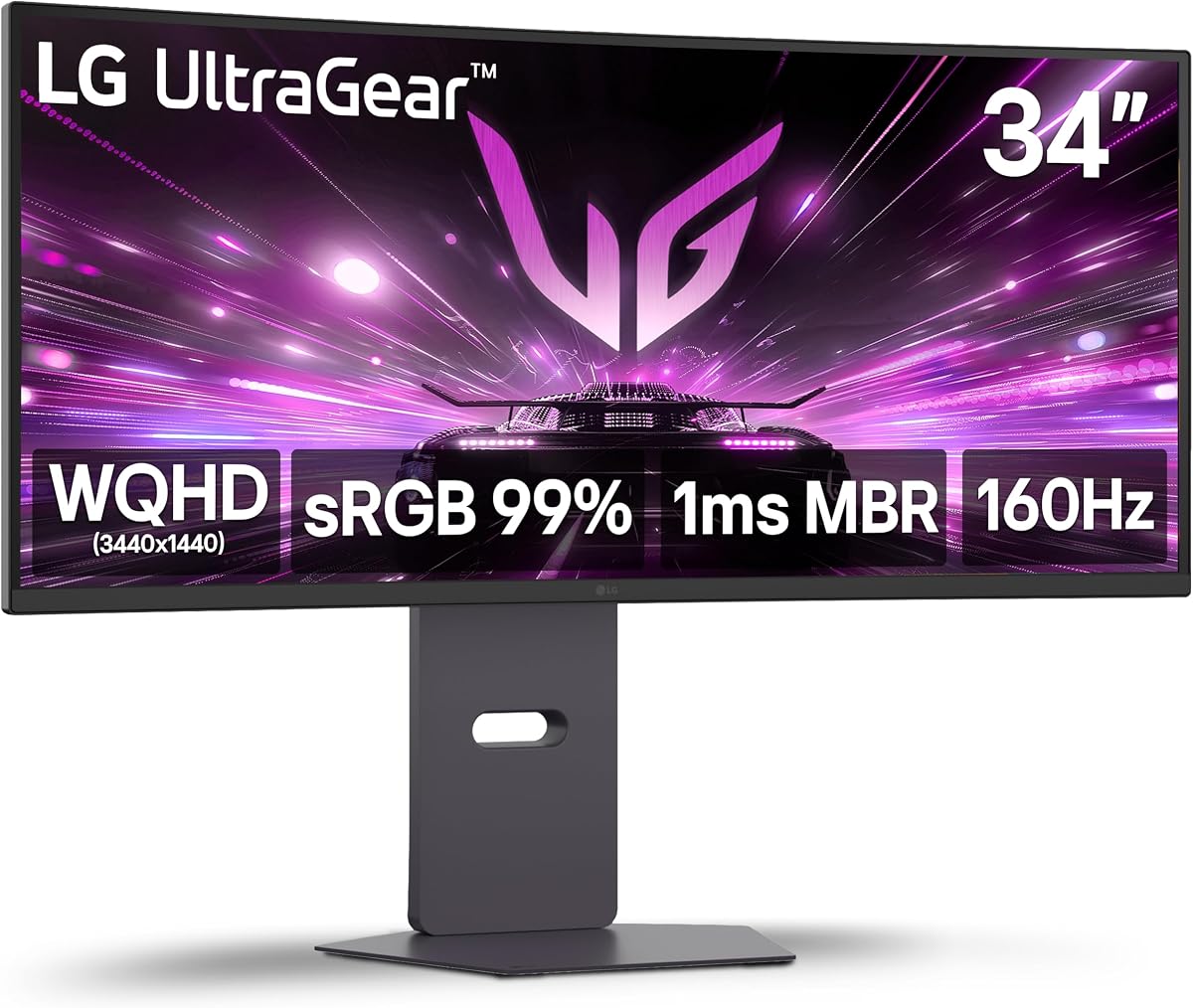
The LG 34G600A-B combines a 34-inch 1800R curved panel, WQHD resolution, and 160Hz refresh rate. Its 4.5 rating and broad feature set make it the most balanced all-around recommendation in this guide. It is particularly well suited to gamers who want an expansive view, modern connectivity, useful competitive tools, and a stand that can be adjusted to fit their desk.
We may earn a commission when you buy through this link, at no additional cost to you.
Motion performance is supported by a 160Hz refresh rate, 1ms Motion Blur Reduction, and AMD FreeSync Premium. Dynamic Action Sync is designed to reduce input lag, while Black Stabilizer brightens dark scenes and the crosshair can assist aiming. HDR10 and up to 99% sRGB coverage make the display more versatile for streaming and everyday content. Reader Mode provides an additional viewing option for text-heavy tasks.
The WQHD panel measures 3440×1440 and offers 30% more screen space than a conventional display, according to the product information. Its 1800R curve is less aggressive than the 1000R design of the Samsung option, which may feel more natural over long sessions. Connectivity includes HDMI 2.1 and DisplayPort, while built-in stereo speakers use Waves MaxxAudio. The stand supports tilt, height, and swivel, giving it more ergonomic flexibility than most 24-inch and 27-inch choices here.
It is the top general recommendation for a PC gamer who wants one display to handle fast games, streaming, browsing, and productivity. The main trade-off is physical size: users need enough desk depth and should be comfortable arranging windows on a 21:9 canvas. Those who need 4K pixel density may favor the CRUA, while competitive players who value maximum refresh may look to the AOC or Alienware.
FreeSync Premium, 1ms Motion Blur Reduction, Dynamic Action Sync, Black Stabilizer, and an on-screen crosshair cover several common gaming needs. These features make the display more than a high-refresh ultrawide, particularly for shooters and fast action titles.
The 1800R curve provides immersion without the most aggressive wraparound, while height and swivel adjustment make it easier to position correctly. The ultrawide format also provides valuable room for chat windows, game guides, and streaming tools.
We may earn a commission when you buy through this link, at no additional cost to you.
This renewed LG 34G600A-B offers the same core 34-inch ultrawide configuration as the standard UltraGear model, including WQHD resolution, 1800R curvature, and 160Hz refresh rate. It carries a 5.0 rating, but the renewed status should be considered carefully. Buyers who value the established feature set and accept possible signs of previous use may find it compelling.
We may earn a commission when you buy through this link, at no additional cost to you.
AMD FreeSync Premium, 1ms Motion Blur Reduction, and Dynamic Action Sync support smooth, responsive gameplay. Black Stabilizer, a crosshair, HDR10, and up to 99% sRGB coverage round out the gaming and viewing features. Built-in stereo speakers with Waves MaxxAudio add practical value for casual audio, while the stand provides tilt, height, and swivel adjustment for a more comfortable position.
The monitor includes HDMI 2.1 and DisplayPort, enabling flexible connections to modern gaming PCs, consoles, and other displays. The supplied information does not describe the exact cosmetic or functional condition of this renewed unit, so inspection of the listing, warranty coverage, and return terms is important. As with any renewed electronics, the presence of a high customer rating should be considered alongside the particular seller's policies.
This renewed model is best for a buyer who prioritizes the LG UltraGear feature set over buying a completely new unit. It is particularly compelling if the listed terms offer meaningful savings and the included warranty addresses the uncertainties of renewed hardware. If condition confidence is the priority, the standard LG model is the safer and more straightforward recommendation.
The renewed listing retains the display's major attraction: a feature-rich 160Hz ultrawide configuration with synchronization, motion reduction, competitive aids, and built-in audio. It offers the same broad use cases as a new unit when the condition and warranty are satisfactory.
Review the condition description, included accessories, warranty, and return policy before ordering. Keep the original packaging and document the monitor's condition promptly so any later issue can be handled according to the seller's terms.
We may earn a commission when you buy through this link, at no additional cost to you.
The Samsung Odyssey G55C is a 32-inch QHD curved monitor with a 165Hz refresh rate, placing it just above the 160Hz target. Its 4.4 rating and 1000R curvature position it as a more aggressively wrapped alternative to the gentler 1500R and 1800R models. It is a strong choice for players who want a deep sense of immersion around a conventional 16:9 screen.
We may earn a commission when you buy through this link, at no additional cost to you.
Its 1ms MPRT specification and AMD Radeon FreeSync support target fast, fluid action. QHD resolution provides 1.7 times the pixel density of Full HD, according to the supplied information, giving games more visible detail. HDR10 adds greater brightness and color range, while Eye Saver Mode reduces blue light and the display also reduces screen flicker to support longer sessions.
The main decision is whether the 1000R curve feels engaging or distracting. It wraps more tightly than the 1500R and 1800R designs in this list, which can make action and cinematic content feel closer. That deeper curve may also make a large 32-inch screen more physically demanding to position correctly. Because the panel remains 16:9 rather than ultrawide, it is a more familiar shape for games, movies, and desktop applications.
The G55C is well suited to gamers who prioritize immersion, QHD clarity, and a refresh rate slightly above 160Hz. It also works well for console players and general entertainment users who value HDR10 and eye-comfort functions. Buyers sensitive to strong curvature should first assess a similar display in person if possible.
The 1000R curve wraps tightly around the viewing area and can make games and movies feel more enveloping. It is a distinct visual experience, but users who are sensitive to peripheral distortion may prefer a gentler 1500R or 1800R panel.
A 165Hz refresh rate, advertised 1ms MPRT response, and FreeSync support cover the main requirements for competitive gaming. QHD resolution helps preserve fine detail in busy environments where enemies, objects, and interface elements appear quickly.
We may earn a commission when you buy through this link, at no additional cost to you.
The Sceptre 34-inch Curved ultrawide WQHD Monitor combines a 3440×1440 ultrawide panel with refresh-rate support listed as high as 180Hz. Its 4.2 rating is the lowest among the ten products here, but the underlying specifications are competitive for the 160Hz category. The 1500R curve, 21:9 format, and 1ms MPRT response make it appealing to speed-focused PC gamers.
We may earn a commission when you buy through this link, at no additional cost to you.
WQHD resolution provides approximately five million pixels and more visible detail than 1080p, while the ultrawide canvas offers about 30% more screen space than a conventional monitor according to the product information. That extra width is useful for gaming with a sidebar, streaming with multiple panels, and general multitasking. The 99% sRGB specification provides a conventional color foundation, and built-in speakers add basic audio without taking up desk space.
Two DisplayPort connections make it convenient to connect multiple computers, though the supplied information does not detail every port or supported operating mode. A colorful LED light illuminates the rear housing, adding a visual accent that can make a minimalist or transparent computer setup more interesting. The 180Hz and 165Hz figures are maximum capabilities, so the active rate depends on the connected hardware, graphics settings, and individual game output.
The Sceptre is a good alternative for gamers who want more than 160Hz and enjoy a 34-inch ultrawide but do not need a 4K panel. Its strong refresh, resolution, and built-in audio form a convincing core specification. Prospective buyers should check the full listing for stand adjustment, warranty information, and current input options before finalizing the purchase.
The listed 180Hz capability gives fast games additional headroom above a standard 160Hz target. Compatible graphics hardware is necessary, and not every game or connection will be able to reach the maximum listed rate.
The 21:9 workspace can keep game chat, inventory guides, or creative applications visible without overlapping. Built-in speakers and rear lighting also make the monitor more useful as a central entertainment display.
We may earn a commission when you buy through this link, at no additional cost to you.
The Alienware AW3425DWM is a 34-inch WQHD curved gaming monitor with a 180Hz refresh rate, 1ms gray-to-gray response specification, and a 4.6 rating. Its 1500R curve and ultrawide format place it firmly in the competitive gaming category, while the color and HDR specifications broaden its appeal for content consumption and creative work.
We may earn a commission when you buy through this link, at no additional cost to you.
AMD FreeSync Premium and VESA AdaptiveSync provide synchronization options, and 180Hz gives the display additional motion headroom over a conventional 160Hz model. DCI-P3 95% color coverage and VESA DisplayHDR 400 certification indicate a focus on vibrant imagery beyond a basic gaming specification. These attributes are useful for detailed open worlds, competitive shooters, and games with strong environmental art direction.
A dedicated console mode is listed for gaming sessions on compatible current-generation consoles. A hardware-based low-blue-light solution is intended to reduce eye strain while preserving color, and the ultrawide format creates a strong sense of presence in first-person games. The supplied product information does not mention built-in speakers, so users requiring audio should plan to use a headset, display, or external speaker system.
This Alienware is an excellent choice for a dedicated gaming setup that emphasizes speed, wide viewing angles, and a stronger color presentation. It is particularly attractive for enthusiasts who want a refresh rate beyond the 160Hz baseline. Buyers should compare its overall system value with the LG UltraGear and AOC, but the combination of rating, 180Hz performance, and color features makes it one of the strongest premium options here.
The 180Hz refresh rate, 1ms gray-to-gray specification, and adaptive-sync support target responsive competitive play. DCI-P3 95% coverage and DisplayHDR 400 certification also support more colorful game scenes and HDR-capable content.
The 1500R ultrawide curve can make expansive environments feel more enveloping while preserving a less extreme shape than the Samsung G55C. A console mode and hardware-based low-blue-light solution broaden the display's gaming and comfort features.
We may earn a commission when you buy through this link, at no additional cost to you.
The AOC CU34G4H is the highest-refresh option in this guide, with a 200Hz maximum via DisplayPort 1.4 and an advertised 0.3ms MPRT response time. Its 4.5 rating reflects a strong combination of competitive specifications, WQHD ultrawide resolution, a 1500R curve, and flexible stand adjustment. It is a compelling choice when smooth motion is the overriding priority.
We may earn a commission when you buy through this link, at no additional cost to you.
Adaptive-Sync support is included to help synchronize compatible graphics hardware and reduce tearing. The 34-inch 21:9 display uses a 3440×1440 VA panel, which provides substantial screen space for gaming, streaming, and multitasking. HDR Ready support adds contrast-oriented image features, although the supplied information does not provide a detailed brightness or color-gamut figure for this model.
Connectivity is a particularly important consideration. DisplayPort 1.4 supports up to 200Hz, while HDMI 2.0 is listed at up to 100Hz. There is one DisplayPort, two HDMI ports, and an audio output, offering more flexibility than many competing models. The stand supports height adjustment, tilt, and swivel, while the 1500R curvature is a middle ground between conventional and highly wrapped displays.
The AOC is ideal for competitive PC players with a powerful graphics card and a preference for a very high refresh ceiling. It is less suited to users who plan to connect solely through HDMI and expect 160Hz, because that connection is limited to 100Hz in the supplied specifications. For compatible DisplayPort setups, however, it delivers the most ambitious performance figures in the roundup.
The 200Hz DisplayPort mode and 0.3ms MPRT specification target the fastest motion presentation in this group. The advantage is most meaningful with a capable graphics card and games capable of delivering sufficiently high frame rates.
Two HDMI inputs, one DisplayPort, and an audio output provide a flexible setup for multiple source devices. Height, tilt, and swivel adjustments make the wide panel easier to position comfortably on a large desk.
We may earn a commission when you buy through this link, at no additional cost to you.
A good curved 160Hz gaming monitor should balance speed, clarity, size, color, and ergonomics rather than treating refresh rate as the only consideration. The following factors help identify which model best fits your hardware, desk, and preferred games.
A 160Hz refresh rate can make fast motion noticeably smoother than standard 60Hz or 144Hz displays, provided the PC, graphics card, game, and display settings all support it. Several products in this list reach 165Hz, 180Hz, or 200Hz, offering more headroom for demanding titles, but the extra rate is only useful if the system can produce enough frames. A connected console may also have a lower maximum output, so verify the device's supported resolution and refresh combinations before buying.
The connection path matters just as much as the headline rate. The AOC reaches 200Hz through DisplayPort but is limited to 100Hz over HDMI according to its supplied information. Most of the other 160Hz-focused models list both HDMI 2.0 and DisplayPort 1.4 for 160Hz. A high-quality cable, current graphics driver, and correct operating-system display setting are needed to achieve the intended rate.
Resolution determines how much detail the display can present, while screen size affects physical footprint, viewing distance, and immersion. The 24-inch and 27-inch SANSUI models use 1920×1080 Full HD, which is simple to drive and works well at close desk distances. The 32-inch CRUA combines 4K resolution with 160Hz, offering excellent detail but creating much greater graphics-card demands. Samsung and Alienware use 32-inch QHD, while several 34-inch models use 3440×1440 ultrawide.
Choose the combination that your hardware can sustain. A 4K 160Hz setup needs a substantially more capable graphics system than 1080p 160Hz, especially in demanding games. If you also work at the desk, ultrawide resolution can provide useful horizontal space, but 21:9 layouts may require adjustments to older applications. Always consider screen width and desk depth before selecting a 34-inch display.
Curvature is expressed as a radius followed by R, such as 1000R, 1500R, or 1800R. A lower number generally indicates a more pronounced curve that wraps farther around the viewer. The Samsung G55C uses 1000R for deep immersion, while the LG UltraGear uses 1800R for a gentler wrap and most other selections use 1500R. Curvature preference is personal, but very wide screens can make the outer edges feel closer and may be uncomfortable for some users.
A moderate 1500R curve is a versatile middle ground, offering immersion without the strongest peripheral wrap. The 1800R option is generally easier to position and may feel less visually dramatic. If possible, view an ultrawide curved monitor in a store or on a returnable listing, because screen curvature changes the way the image surrounds you and cannot be judged fully from specifications alone.
Response-time figures help indicate how quickly a panel should transition between frames, but the labels are not always directly comparable. Some products quote MPRT, which is a moving-picture response measure, while the Alienware specifies 1ms gray-to-gray. A refresh rate of at least 160Hz is generally the more meaningful starting point for smooth competitive gaming. Faster advertised response can further improve clarity when the system is capable of presenting a high frame rate.
Adaptive-sync technology coordinates the monitor with a compatible graphics card to reduce tearing and provide a smoother presentation. The SANSUI monitors list FreeSync compatibility, the LG uses FreeSync Premium, and the Alienware lists both FreeSync Premium and VESA AdaptiveSync. The Samsung uses AMD Radeon FreeSync, while the AOC supports Adaptive-Sync. Use a supported graphics card and enable synchronization in both the game and the graphics-control software.
Color coverage is useful for distinguishing a basic gaming panel from one designed to handle vibrant imagery. The SANSUI models list 110% sRGB, the CRUA claims 120% sRGB, and the Sceptre and LG list 99% sRGB. The Alienware goes further with 95% DCI-P3 coverage. Brightness and contrast figures also vary, with the CRUA at 320 cd/m² and 3000:1, the SANSUI models at 300 nits with 3000:1 or 4000:1, and HDR support appearing across several products.
HDR is not automatically equivalent to excellent color accuracy, and support may depend on the input and OSD configuration. One SANSUI model specifically notes that its HDR mode is available through the OSD when connected by HDMI. If accurate color work is important, look beyond headline HDR labels and consider calibration tools, professional color coverage, and operating-system color-management support.
A complete gaming monitor should connect easily to the devices you already own. DisplayPort is generally a good choice for high-refresh PC gaming, while HDMI provides broad compatibility with consoles and other devices. The AOC offers one DisplayPort and two HDMI inputs, the Sceptre has two DisplayPort connections, and the CRUA includes HDMI 2.1 and DisplayPort 1.4. An audio jack or output can connect a headset or speakers, though built-in speakers should not be mistaken for a dedicated gaming audio system.
On-screen features can materially improve daily usability. Crosshairs assist with aiming, timers track challenges, counters support competitive sessions, and black-level adjustment can reveal detail in shadows. The SANSUI models provide extensive preset modes, while the LG includes Dynamic Action Sync, Black Stabilizer, and a crosshair. The Alienware adds a console mode and hardware-based low-blue-light function. Select features that match your games rather than paying for a crowded menu of options you will never use.
A curved ultrawide needs enough desk depth to sit at a sensible distance, and a suitable stand makes prolonged sessions more comfortable. The LG UltraGear supports tilt, height, and swivel adjustment, while the AOC adds height, tilt, and swivel as well. Most SANSUI models offer tilt only, and the detailed ergonomic range of the CRUA and Sceptre is not included in the supplied information. VESA mounting can provide a cleaner setup, but the compatible mount must match the listed pattern and support the display's weight.
Consider not only the panel width but also the base footprint and room for a keyboard. A 34-inch ultrawide placed too close can create excessive eye movement between the center and edges. If possible, adjust the screen height, tilt, and viewing distance after installation rather than relying only on a display's curvature to create immersion. For wall-mounted setups, allow accessible cable routing and adequate ventilation.
Long gaming sessions make comfort features and support terms important. Several SANSUI models list blue-light reduction, anti-flicker, and anti-glare features. Samsung includes Eye Saver Mode and flicker reduction, Alienware offers a hardware-based low-blue-light solution, and LG includes Reader Mode. These technologies can reduce visual fatigue, although room lighting, screen brightness, and individual sensitivity still affect comfort.
Review the warranty and return information before placing an order. The SANSUI products mention money-back and replacement support within 30 days, along with technical support, while one also lists a one-year quality warranty. Other brands use varying terms, so the listing should be checked carefully. A limited return window is especially useful when evaluating a new curve, a 4K panel, or a renewed display whose exact physical condition may differ from a new unit.
Start by connecting the monitor with the appropriate cable and selecting the matching input through the OSD. On Windows, the display settings should show the full 3440×1440, 2560×1440, 3840×2160, or 1920×1080 resolution specified for the model. Set the refresh rate to the highest stable value supported by both the graphics card and the selected connection, then enable FreeSync, Adaptive-Sync, or the manufacturer's equivalent in both the monitor and graphics-control software.
In each game, confirm that the display mode and resolution match the monitor's native specification. Avoid using an unusually low resolution merely to reduce the load on a graphics card because the image may appear less clear. Competitive players should also test sensitivity settings for a comfortable relationship between camera movement and aiming. For ultrawide models, check whether the game supports 21:9 resolution and adjust the field of view only if it improves visibility rather than distorting the intended perspective.
For care, clean the curved surface with a soft microfiber cloth and use water or a suitable screen-cleaning solution without spraying liquid directly onto the panel. Avoid abrasive pads and excessive pressure, particularly around the curved edges. Keep vents unobstructed, manage cables so they do not pull against the ports, and use the stand's adjustment controls to reduce glare. Periodically confirm that the refresh rate, adaptive-sync setting, and operating-system updates remain correctly configured.
A 160Hz curved monitor can offer smoother motion and a more immersive view than a standard 60Hz display. The benefit is greatest in competitive shooters, racing games, fast action, and competitive shooters, provided your graphics card and game can deliver a high frame rate. The curve adds immersion, although personal comfort and desk size matter. A 144Hz or lower model can still work well if your system cannot consistently exceed 60fps.
A curved monitor does not automatically cause eye strain. Its shape may reduce the need to move your eyes across a flat panel and can make some games feel more natural, but an aggressive curve such as 1000R may feel distracting to sensitive users. Brightness, room lighting, screen distance, text size, and flicker also influence comfort. Models with anti-flicker, blue-light reduction, or eye-saver functions can help, but correct setup remains essential.
Usually, yes, because a 160Hz-capable display is generally capable of operating at lower refresh rates. The available rates depend on the monitor's supported modes, graphics card, connection, and resolution. For example, the SANSUI 27-inch model lists support for 160Hz, 144Hz, and 120Hz depending on the signal source. Using the graphics driver's control panel to select the desired rate is the simplest way to confirm operation.
The required graphics power depends on resolution, game, and graphics settings. Full HD 160Hz is generally easier to achieve than 4K 160Hz, which can demand considerably more rendering performance. A high-refresh monitor also does not make a slow computer render games faster. Aim for a frame rate close to the refresh rate, use the appropriate graphics settings, and consider upscaling or lower demanding visual effects when necessary.
A 24-inch model is easy to fit at a close viewing distance and works well for FHD gaming. A 32-inch QHD or 4K screen offers more detail and a larger image, while a 34-inch WQHD ultrawide provides the most horizontal workspace. The best choice depends on desk depth, graphics hardware, game library, and whether you also need productivity space. A 34-inch ultrawide can overwhelm a small desk, while a 24-inch display may feel modest for a large room.
There is no universally better curve. A 1000R panel wraps more tightly and can create stronger immersion, while 1500R and 1800R designs are generally more conventional. The Samsung G55C in this guide uses 1000R, most competing models use 1500R, and the LG UltraGear uses 1800R. Comfort is subjective, so viewing a curved display in person is helpful before making a final decision.
Not always. Most of the 160Hz-focused models in this guide list HDMI 2.0 and DisplayPort 1.4 as supporting up to 160Hz, so either can work when the source device and game support it. The AOC CU34G4H is a notable exception in its supplied specifications: it reaches up to 200Hz through DisplayPort but is limited to 100Hz over HDMI. Check each model's port-specific refresh-rate list and use a cable rated for the intended bandwidth.
A renewed monitor can be worthwhile when it provides the desired specifications at a lower cost and comes with clear condition details and warranty coverage. It may carry signs of previous use, and the exact cosmetic or functional condition can vary. The renewed LG UltraGear in this guide retains a strong 160Hz feature set, but buyers should inspect the return policy, warranty, accessories, and condition report before ordering.
The SANSUI 24 Inch Curved Gaming Monitor up to 160Hz MPRT 1ms Computer Monitor is the best budget choice because it combines a compact footprint, 160Hz refresh rate, 1ms MPRT specification, FreeSync, and both major digital connections. The LG UltraGear 34G600A-B is the overall selection, offering WQHD ultrawide resolution, an adjustable stand, FreeSync Premium, useful gaming tools, and built-in speakers.
Prioritize the combination your hardware can sustain rather than selecting a maximum refresh rate alone. 1080p models are simpler to drive, 4K provides exceptional detail but greater GPU demands, and 34-inch ultrawides deliver the most workspace. Also consider curve comfort, stand adjustment, synchronization support, and whether your main connection can reach the desired rate. The CRUA 32-inch 4K display is the premium pick for maximum pixel density, while faster options such as the AOC and Alienware suit competitive PC players with capable graphics hardware.
Before purchasing, verify the current listing, connection requirements, supported modes, warranty, and return terms. Prices and promotions can change, and the same model may appear with different bundles or renewed status. Reviewing those details at the time of purchase will help ensure that the chosen curved 160Hz gaming monitor fits both your system and your expectations.
