
Sonnet Breakaway Box 850 T5
4.5Editor score
850W internal power supply
Triple-wide GPU compatibility
Integrated Thunderbolt 5 dock
Our Egpu Enclosures guide compares ten models for bandwidth, power, GPU fit, connectivity, portability, and compatibility across gaming, creative, and local AI
An eGPU enclosure connects a desktop graphics card to a compatible computer through Thunderbolt or USB4, giving laptops, mini PCs, NUCs, and some handhelds access to a more capable GPU. A good enclosure balances bandwidth, power delivery, thermal performance, card compatibility, portability, and useful dock connectivity.
This guide compares ten eGPU enclosures based on their stated interfaces, power supplies, supported graphics cards, physical dimensions, host compatibility, cooling features, and connectivity. It covers portable mini designs, Thunderbolt 3 and 4 models, and advanced Thunderbolt 5 options intended for demanding creative and AI workloads.
Each selection identifies the enclosure that best represents a distinct use case, from a value-focused setup for compact graphics cards to high-power systems for professional GPUs. Product configurations and availability can change, so readers should verify current specifications and computer compatibility before purchasing.
4.5Editor score

4.0Editor score

5.0Editor score
The comparison below highlights the differences that matter most when selecting an eGPU enclosure: host-interface generation, available power, supported card dimensions, and added connectivity.


The Razer Core X V2 is a broad-purpose external graphics enclosure for Windows 11 systems with Thunderbolt 4, Thunderbolt 5, or USB4. Its 4.0 rating reflects a platform that combines strong physical flexibility with a very modern host interface. The enclosure supports desktop graphics cards as wide as four slots and uses an included Thunderbolt 5 cable for a straightforward connection, making it attractive to users who want one eGPU platform for demanding games and creative software.
We may earn a commission when you buy through this link, at no additional cost to you.
Its standout feature is the combination of up to 80 Gbps Thunderbolt 5 bandwidth and support for PCIe 4.0 graphics hardware. The tool-free installation arrangement lets a user swap the graphics card or ATX power supply without reaching for a conventional tool set. A vented steel chassis and automatically controlled 120mm fan help preserve performance during sustained workloads, while 140W USB-C power delivery can charge a compatible host while the enclosure is in use. The product is also designed for USB4 gaming handhelds, not just conventional laptops.
The principal trade-off is that neither the GPU nor the power supply is included, so buyers must budget separately for the two components most likely to determine performance. The enclosure also cannot be used with Mac systems containing M1 or later chips, although that limitation is clearly stated in the product information. Its four-slot support is valuable for large cards, but buyers should still confirm slot width, physical dimensions, and PSU requirements for the exact GPU they intend to install. The 4.0 rating should therefore be read alongside a feature set that is unusually forward-looking.
This is the strongest general recommendation for a buyer who wants broad GPU fit, modern bandwidth, active cooling, and host charging in one enclosure. It works especially well for a Windows laptop that lacks a powerful discrete GPU, a creative workstation needing accelerated rendering, or a compatible handheld that benefits from a full-size desktop card. Those who want a turnkey package with a power supply already included may prefer one of the bundled 240W alternatives, but the Razer Core X V2 offers the more versatile foundation.
Thunderbolt 5 provides up to 80 Gbps of bi-directional bandwidth, giving compatible hosts more headroom for graphics-heavy applications. This interface is especially relevant when transferring large textures, project files, AI models, or high-resolution video through the external graphics pipeline.
Support for PCIe desktop cards up to four slots wide distinguishes this model from many compact enclosures. The modular GPU and PSU arrangement also makes it easier to adapt the system as card demands or workstation requirements evolve.
We may earn a commission when you buy through this link, at no additional cost to you.
The Sonnet Breakaway Box 850 T5 is a high-capacity Thunderbolt 5 enclosure aimed at Windows 11 workstations that need access to power-hungry desktop GPUs. It carries a 4.5 rating and an Intel Thunderbolt Certified designation, making it one of the strongest premium choices in this guide. The defining feature is its 850W power supply, which provides substantially more headroom for current and future graphics hardware than compact enclosures using lower-wattage external adapters.
We may earn a commission when you buy through this link, at no additional cost to you.
The enclosure can accelerate editing, rendering, color grading, animation, visual effects, and AI-driven applications, while remaining compatible with Thunderbolt 4 and most USB4 Windows 11 computers. Its stated support extends to triple-wide NVIDIA GeForce RX 50-, 40-, and 30-series cards and AMD Radeon RX 9000, 7000, and 6000-series cards. A large built-in fan adjusts its speed with temperature, allowing a quieter approach during lighter work while adding airflow under sustained GPU load. The 80 Gbps interface also positions it for demanding data movement between the host and external graphics hardware.
One of its most useful premium features is the integrated Thunderbolt 5 dock. It adds a downstream Thunderbolt 5 peripheral port, three 10 Gbps USB Type-A ports, and a 5 Gigabit Ethernet connection, reducing the need for a separate desk dock. The limitation is its clearly Windows orientation, and the graphics card is still not supplied. Buyers must also account for the physical size, weight, power requirements, and heat generated by a large GPU. These are reasonable compromises for a desk-based workstation where performance and connection flexibility outweigh portability.
Choose the Breakaway Box 850 T5 when a professional workflow requires both a powerful graphics card and abundant external connectivity. It is less appropriate for a student seeking a small travel accessory, but for a serious Windows workstation it provides one of the most complete packages in the category. The generous power supply, modern interface, cooling system, and built-in dock make it the premium option for users who expect to install a high-end GPU and keep the setup for years.
The 850W supply separates this model from most portable eGPU designs. That capacity allows it to accommodate demanding desktop cards while providing a practical foundation for professional rendering, AI, animation, and high-frame-rate gaming.
The integrated Thunderbolt 5 dock adds fast USB-A networking and peripheral connections in the same enclosure. This simplifies a workstation setup by reducing the number of separate adapters needed around the host computer.
We may earn a commission when you buy through this link, at no additional cost to you.
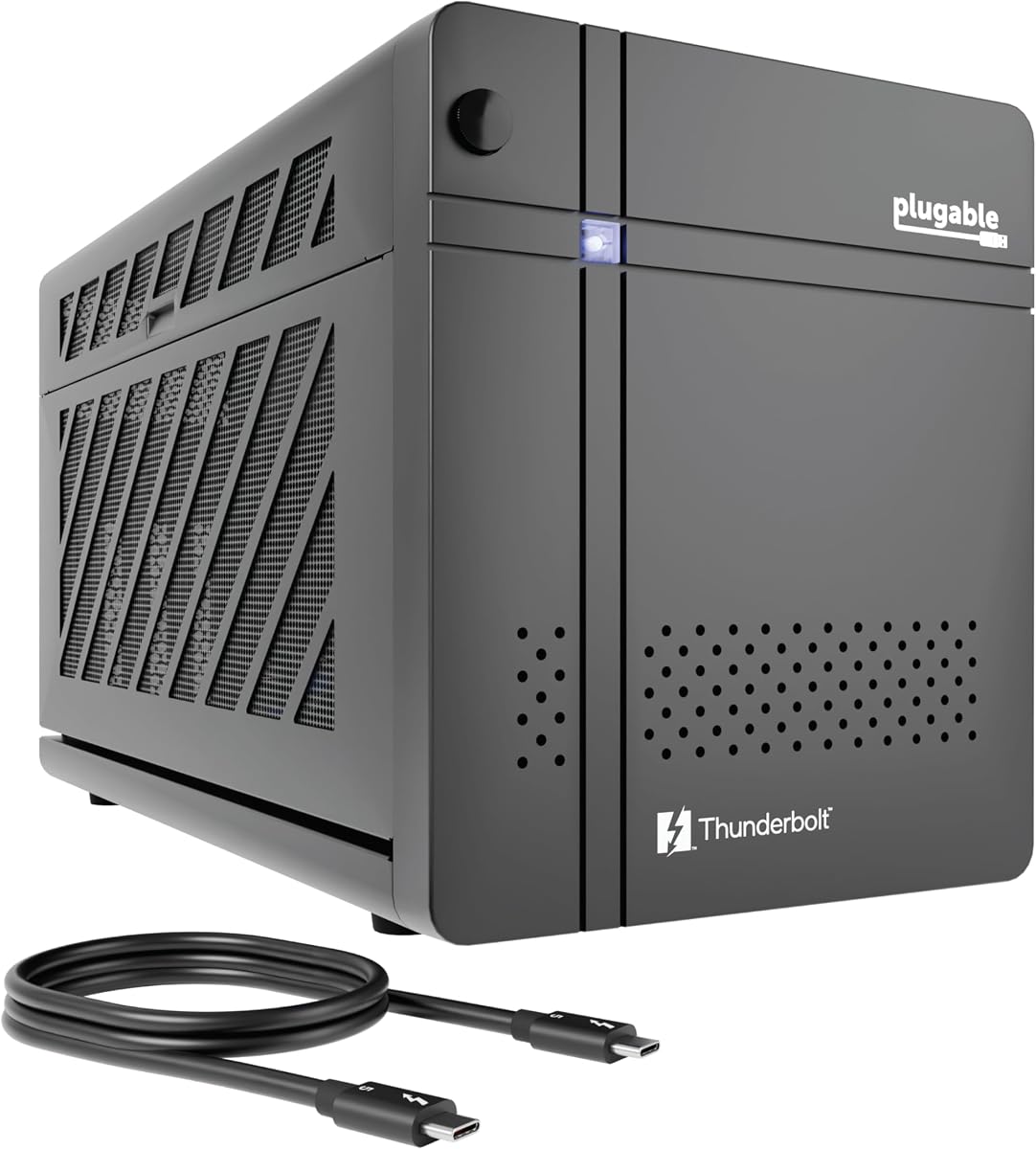
The Plugable TBT5-AI is a specialized Thunderbolt 5 enclosure and dock designed for local AI workloads. Its perfect 5.0 rating reflects a tightly defined use case rather than a general-purpose gaming proposition. It combines an 80 Gbps interface, an 850W ATX 3.1 power supply, and up to 600W of dedicated GPU power, creating a platform for running models locally while keeping prompts, data, and results within the user's own environment.
We may earn a commission when you buy through this link, at no additional cost to you.
The enclosure supports software and workflows including Ollama, LM Studio, Foundry Local, NVIDIA NIM, and llama.cpp. That makes it especially relevant to users who want to run models such as Llama 3 in an air-gapped setup without sending sensitive material to a cloud service. Its PCIe slot uses four lanes of PCIe 4.0, and the card must fit within stated dimensions of 346 by 170 by 77 millimeters and no more than 3.5 slots wide. The 850W 80+ Gold power supply provides a dependable foundation for compatible high-end NVIDIA and AMD cards.
The built-in dock is unusually complete. It offers 96W host charging, a downstream Thunderbolt 5 port, 10 Gbps USB-A and USB-C connections, and 2.5Gbps Ethernet. The tradeoff is platform rigidity: it is designed for Windows 11 and is explicitly not compatible with macOS, Linux, ChromeOS, or Thunderbolt 3. The supplied information also notes its TAA compliance, which may make it relevant to managed deployments and government-oriented purchasing environments. Users still need to provide a GPU and must check card dimensions, connector requirements, and power limits before ordering.
This is the recommendation for a Windows 11 user building a private, high-performance local AI system, particularly one who also wants network and peripheral connectivity in the same enclosure. It may be excessive for conventional gaming, but its power delivery and secure local-compute focus are exactly aligned with demanding inference and development workflows. For organizations or technically confident users, the combination of lifetime support, TAA compliance, and a serious power platform makes the TBT5-AI the most purpose-focused option here.
Running supported language-model software locally can keep sensitive prompts and project data inside the user's perimeter. The enclosure is designed for that offline or air-gapped workflow rather than depending on a remote graphics service.
An 850W ATX 3.1 power supply and up to 600W of GPU power support demanding accelerators. Fast networking, host charging, and downstream ports make it practical to operate as a compact professional workstation.
We may earn a commission when you buy through this link, at no additional cost to you.
This External eGPU Enclosure with PSU is the most approachable complete kit in the guide. It has a 5.0 rating and bundles the enclosure, a 240W external power supply, a Thunderbolt 4 cable, an 8-pin PCIe power cable, and a custom carrying case. That packaging removes several of the most common setup obstacles, making it useful for first-time eGPU owners who want a functional portable system without sourcing several components independently.
We may earn a commission when you buy through this link, at no additional cost to you.
The enclosure supports most NVIDIA and AMD graphics cards within stated maximum dimensions of 205 millimeters long, 150 millimeters high, and 55 millimeters wide. It works with Windows 10, Windows 11, and Linux systems that expose the required Thunderbolt 3, Thunderbolt 4, or USB4 interface. A USB-C port alone is not sufficient; the host must support one of the listed protocols. The included 8-pin PCIe power lead adds another useful detail, although a very short or unusually powered card may still require a different arrangement.
Connectivity includes a Thunderbolt port with 85W host charging, a second Thunderbolt port with 15W charging, and DisplayPort output. The data path operates in PCIe 3.0 x16 mode, making it an older generation than the 40 Gbps and 80 Gbps alternatives in this list. The anodized aluminum shell and included case improve portability, but the 240W supply and compact card-size ceiling limit it to midrange and many power-efficient designs. It is best understood as a convenient balanced enclosure rather than a workstation for the largest GPUs.
Buyers who want the shortest path to a portable eGPU setup should strongly consider this model. It suits Windows laptops, Linux workstations, compatible NUCs, and handhelds that need more graphics capability without relying on integrated graphics. Anyone planning to install a very large or extremely power-hungry card should move to a higher-capacity chassis instead. For supported midrange graphics cards, though, the bundled accessories, host charging, and straightforward compatibility make this an excellent budget-oriented recommendation.
The external power supply, Thunderbolt cable, PCIe power cable, and carrying case are included. This reduces setup complexity and gives a new owner the essential accessories needed to begin using the enclosure.
The enclosure accepts many common NVIDIA and AMD cards within its published size limits. Its aluminum shell and included case make it more convenient to move between a laptop, NUC, or compatible handheld than a full-size desktop chassis.
We may earn a commission when you buy through this link, at no additional cost to you.
The ANQ-L336 Mini prioritizes a small enclosure and broad host compatibility over maximum power. Its 3.8 rating is the second-lowest in the guide, but the product addresses a recognizable niche: mobile and compact systems that need an external GPU without carrying a full desktop chassis. It supports Thunderbolt 3, Thunderbolt 4, and USB4 hosts, including the ROG Ally X and MSI Claw 8, and is listed for Windows, Linux, and macOS systems.
We may earn a commission when you buy through this link, at no additional cost to you.
At the heart of the design is an officially certified JHL7440 controller and a 32 Gbps PCIe 4.0 x4 data path. It supports current NVIDIA and AMD families, with limited support noted for the RTX 50 series and strong support for AMD Radeon 9000-series cards. The unusual power flexibility is another advantage: users can employ an ATX, SFX, FLEX, or DC 12V supply, allowing the enclosure to work with different desktop cards and portability priorities. An 85W Power Delivery function can also activate the ROG Ally X Turbo Mode through the Thunderbolt or USB4 connection.
The main limitation follows from the mini format and flexible power design. It does not include a power supply, so buyers must select one according to the installed card. The four-lane PCIe connection is also less expansive than a full x16 desktop path, and the listed Mac support should not be interpreted as a guarantee for every Apple workflow or modern Apple Silicon setup. The two Thunderbolt 4 ports and 10Gbps USB-A port make the enclosure useful as a hub, but the product's core value still rests on compact graphics expansion.
Choose the ANQ-L336 Mini when space is important and the target graphics card is efficient enough for a compact four-lane enclosure. It is particularly relevant to owners of compatible handhelds and small laptops who want a dock-style eGPU rather than a transportable full-size workstation. For heavy AI rendering, very large cards, or maximum graphics bandwidth, a higher-powered enclosure is more appropriate. Within its intended class, however, it combines certified controller hardware, useful charging, and unusual power-supply flexibility.
Support for ATX, SFX, FLEX, and DC 12V supplies allows owners to match the power system to the card and use context. This is particularly valuable for users who want one enclosure to serve both portable and more permanent setups.
The enclosure specifically addresses USB4-equipped handhelds such as the ROG Ally X and MSI Claw 8. Its 85W charging and 40Gbps interface create a more desktop-like path for supported games and applications.
We may earn a commission when you buy through this link, at no additional cost to you.
The VK-Y900 is a flexible Thunderbolt 3 and Thunderbolt 4 enclosure designed for a wide range of NVIDIA and AMD graphics cards. Its 3.9 rating reflects a capable platform with some important limitations around included power and supported operating environments. It can serve compatible laptops, NUCs, and handhelds, including the ROG Ally X, and the 85W Power Delivery path is designed to simplify a one-cable setup.
We may earn a commission when you buy through this link, at no additional cost to you.
Its Intel JHL7440 or JHL7450 controller provides the core PCIe bridge, while the ENIG PCB is intended to support conductivity and resist oxidation over time. The enclosure supports NVIDIA RTX cards through the 50 series, AMD Radeon RX cards through the 9000 series, and listed GTX, Quadro, Tesla, Pro, and VII families. Dual Thunderbolt ports provide 15W and 85W charging options, and the DisplayPort connection expands the available display setup. The manufacturer also states that the platform can use AMD RDNA3+ and NVIDIA Ampere-or-newer cards with TinyGPU on Apple Silicon for specific AI deep-learning development tasks.
That Apple support requires careful interpretation. The product information limits it to the TinyGPU, Tinygrad, and compatible deep-learning development path; it does not claim support for general gaming or 3D rendering on macOS. The enclosure expects an ATX power supply, which is not included, so buyers need to match the supply to their selected card. Those requirements increase setup effort compared with a bundled 240W kit. The 3.9 rating should be considered alongside broad card support and a useful 85W charging feature, rather than as a turnkey recommendation.
The VK-Y900 fits developers and technically confident users who want to experiment with local AI hardware or connect a powerful supported card to a mobile system. It also works for general compatible systems that can take advantage of Thunderbolt and 85W charging. Those who expect effortless installation should favor a model with a power supply and simple card restrictions. For readers comfortable selecting an ATX PSU and checking software support, however, the controller platform and broad card range make this a capable development-oriented enclosure.
Support spans multiple NVIDIA and AMD families, including listed professional and development-oriented lines. This variety allows the enclosure to change purpose as a user moves between graphics, compute, and experimentation.
The 85W charging port can power the host while the enclosure handles graphics data and display output. Dual Thunderbolt connections also provide flexibility for downstream devices and different charging arrangements.
We may earn a commission when you buy through this link, at no additional cost to you.
The Sonnet Breakaway Box 750ex is a Thunderbolt 3 enclosure for Mac and Windows systems that predates the current generation of high-bandwidth eGPU connections. Its 3.9 rating places it among the established options in the guide, and its main strengths are a 750W internal power supply, broad listed graphics-card support, and a built-in set of connectivity options.
We may earn a commission when you buy through this link, at no additional cost to you.
The 750W supply is capable of supporting relatively demanding compatible cards, while the enclosure lists AMD Radeon VII, RX, RX Vega, Pro W, and Pro WX models alongside NVIDIA GeForce RTX, TITAN, and Quadro cards. Its function is straightforward: connect the enclosure through Thunderbolt 3 and use a supported GPU to accelerate editing, rendering, color grading, animation, and special-effects workflows. A large built-in fan helps cool the installed card, and the 750ex model's extra ports include four 5 Gbps USB Type-A connections and RJ45 Gigabit Ethernet.
The crucial limitation is host generation. This enclosure uses Thunderbolt 3 rather than Thunderbolt 4 or 5, so it cannot exploit the bandwidth of a newer port even if a cable allows physical connection. It is also explicitly not compatible with GPUs on M1 Macs. Compatible Intel-based Macs and Windows computers remain the intended audience, and the connection standard may limit performance in bandwidth-intensive pipelines compared with newer enclosures. Buyers should also confirm that a particular card, power connector, and software combination works with their exact host.
Choose the Breakaway Box 750ex if you own a Thunderbolt 3 Mac or PC and need more GPU power than the built-in hardware provides. Its internal supply and integrated networking are especially attractive for a fixed editing or rendering desk. It is not the strongest purchase for a new Thunderbolt 5 workstation, because the newer Razer, Sonnet 850 T5, Plugable, and MINISFORUM options provide more contemporary interfaces. Within the older Thunderbolt 3 category, however, it remains a capable and well-connected choice.
The 750W power supply offers enough capacity for many high-end compatible graphics cards without requiring a large external brick. That makes the enclosure easier to keep on a desk and use as a semi-permanent workstation.
Four 5 Gbps USB-A ports and Gigabit Ethernet eliminate the need for a separate basic dock. A laptop user can connect storage, input devices, and a wired network through the enclosure itself.
We may earn a commission when you buy through this link, at no additional cost to you.
The Mini eGPU Enclosure is a small Thunderbolt 3, Thunderbolt 4, and USB4 solution for users who value portability and flexible power more than maximum internal power. It has a 3.9 rating and uses the officially certified JHL7440 controller module. The enclosure is designed for compatible NUCs and laptops and includes a TB3 or USB4 cable, USB-A port, and a second Thunderbolt port for downstream devices.
We may earn a commission when you buy through this link, at no additional cost to you.
Its 40 Gbps dual-link interface is a significant step above basic single-link Thunderbolt configurations and can suit compatible PCIe 4.0 x4 cards. The power section is adaptable: SFX, ATX, FLEX, and DC supplies are supported, although the correct supply must be chosen for the installed card. The product information also warns that a DC supply is appropriate only for PCIe devices that do not require external power. This flexibility can help users create a compact traveling setup or a more permanent workstation with a larger supply.
The main drawback is that compatibility depends on technical confidence. Buyers should inspect Device Manager, and for some older Intel systems use AIDA64, to confirm that the computer exposes the required Thunderbolt or USB4 controller. Handheld console use is not recommended, and the enclosure requires some hardware and driver compatibility work. A one-year warranty is included, but the product's minimum configuration is less turnkey than a model that arrives with a power supply. Those trade-offs make it most appropriate for users comfortable building and troubleshooting compact graphics systems.
The Mini eGPU Enclosure is a sensible option for a small workstation where a full-size four-slot chassis would be excessive. It fits the needs of owners who want a portable enclosure for a compatible laptop or NUC and already understand how to select a power supply for the intended card. Those wanting a simple package should choose a bundled 240W model, while high-end workstation users should consider a larger enclosure with a stronger internal supply.
The certified controller and 40 Gbps interface create a capable path for compatible PCIe 4.0 x4 graphics cards. That makes the enclosure more relevant than older single-link designs while retaining a small enclosure footprint.
SFX, ATX, FLEX, and DC options give the enclosure flexibility across different cards. Buyers should match the supply to the card's connector needs and use DC only for a card that operates without an external PCIe power lead.
We may earn a commission when you buy through this link, at no additional cost to you.
The MINISFORUM DEG2 is a hybrid external graphics enclosure that supports USB4 Version 2 with Thunderbolt 5 compatibility as well as OCuLink. Its 4.4 rating makes it one of the strongest-rated options in the guide, and its dual-link design is unusual in a category where most products support only one host connection. It can deliver up to 80 Gbps over Thunderbolt 5 or 64 Gbps over OCuLink.
We may earn a commission when you buy through this link, at no additional cost to you.
A dedicated hardware switch allows users to move between an all-in-one docking mode and a pure GPU performance mode. The enclosure also includes an M.2 2280 NVMe slot, allowing a graphics card and a dedicated solid-state drive to coexist in one desktop-style accessory. That storage can be useful for AI models, project files, caches, and active datasets that benefit from local high-speed access. The dock can handle data, display output, and host charging through a single Thunderbolt 5 cable, with automatic power-on and host synchronization.
Signal stability receives special attention through a built-in re-drive signal booster. The stated purpose is to minimize latency and interruptions during high-bandwidth tasks such as LLM inference and 8K rendering. Power support is intentionally broad, with standard ATX and SFX supplies supported and compatibility for a variety of desktop graphics cards. The trade-off is complexity. Two high-speed interfaces and a hardware mode switch can be excellent for a carefully configured workstation, but the system is not as immediately simple as a single-interface enclosure bundled with a cable and power adapter.
The DEG2 is a compelling choice for a user with both Thunderbolt 5 and OCuLink equipment or for a builder who wants to retain an upgrade path between interface generations. It is especially useful when fast local storage is as important as graphics expansion. Buyers should plan the power supply, physical layout, and connection mode before assembly. For those who understand the distinction between dock mode and maximum graphics throughput, the combination of dual interfaces, NVMe expansion, and signal conditioning makes it a distinctive high-performance choice.
Thunderbolt 5 and OCuLink give the enclosure more flexibility than a one-interface design. The hardware switch makes it possible to favor dock integration or dedicate the link to graphics performance.
The integrated M.2 2280 slot can hold NVMe storage for models, project assets, and working data. Combining that storage with the external GPU creates a more self-contained accelerated workstation.
We may earn a commission when you buy through this link, at no additional cost to you.
The External GPU Enclosure with PSU is a complete portable kit rated 4.5 by customers. It includes a 240W external power supply, Thunderbolt 4 cable, 8-pin PCIe power cable, and custom carrying case in addition to the enclosure itself. As a result, it provides a more immediately accessible route into eGPU computing than designs that require owners to source a power supply separately.
We may earn a commission when you buy through this link, at no additional cost to you.
The enclosure supports Windows 10, Windows 11, and Linux, provided the host has a Thunderbolt 3, Thunderbolt 4, or USB4 interface. A plain USB-C connector is not enough, and the same protocol requirement applies to NUCs, laptops, and compatible handheld game consoles. It accepts most NVIDIA and AMD cards within maximum dimensions of 205 millimeters in length, 150 millimeters in height, and 55 millimeters in width. The data connection uses PCIe 3.0 x16 mode, while the host can receive up to 85W of charging through the primary Thunderbolt port.
The second Thunderbolt connection offers 15W charging, and a DisplayPort output is present. The enclosure's lightweight anodized aluminum shell and dedicated case make it suitable for moving between locations. Its 240W ceiling and card-size restrictions are the most important limitations. High-end cards often require more power, more physical space, and multiple power connectors, so the enclosure is best matched to efficient midrange graphics. The bundled 8-pin lead simplifies the common case but does not guarantee compatibility with every modern card.
This is a strong recommendation for a portable setup built around a compact or midrange GPU. It is particularly appealing to first-time eGPU users, because the important cables and power components are already in the box, and to owners of compatible Windows or Linux systems that need stronger graphics without replacing the whole computer. For a permanent high-end workstation, the Sonnet 850 T5 or Plugable TBT5-AI offers more power and newer connectivity, but this enclosure remains one of the most convenient portable packages.
The enclosure, external power supply, host cable, PCIe power lead, and carrying case form a complete setup. It reduces the need to compare separate power adapters and connectors before beginning a portable graphics upgrade.
The primary Thunderbolt connection can deliver 85W to the host, helping a laptop maintain its charge during a demanding session. A second 15W Thunderbolt port and DisplayPort complete a practical single-enclosure desk setup.
We may earn a commission when you buy through this link, at no additional cost to you.
Choosing an eGPU enclosure requires matching the enclosure's interface, power system, physical design, and card support to the host computer and intended workload. The most important step is confirming what the computer actually supports before considering a particular chassis.
An enclosure cannot perform faster than the connection between the computer and the graphics card permits. Thunderbolt 5 models offer up to 80 Gbps and are best suited to modern high-end cards, AI workloads, large project files, and high-resolution media. Thunderbolt 4 and USB4 systems commonly use 40 Gbps dual-link configurations, while the older Sonnet Breakaway Box 750ex uses Thunderbolt 3. USB4 may share bandwidth with other system functions, so the host's implementation matters. Confirm that the computer has the correct controller, not merely a USB-C-shaped port, and verify whether the operating system and graphics driver support the required external GPU arrangement.
Card fit involves more than nominal PCIe compatibility. Length, height, thickness, slot width, mounting clearance, and the location of power connectors all affect installation. Full-size desktop GPUs may need a four-slot chassis, while compact cards can fit mini enclosures with tighter dimensional limits. A card that is physically too long may rest at an angle or prevent the case from closing, and a thick card may interfere with adjacent slots. Compare the enclosure's published maximum dimensions with the exact card model, including any cooler or backplate overhang. The GPU and enclosure are separate purchases in every option in this guide, so this check is essential.
The power supply must support the graphics card's total demand and its required connectors. A 240W external supply is appropriate for many efficient midrange cards, while 750W and 850W internal systems provide room for larger and more demanding GPUs. Plugable states that its 850W ATX 3.1 supply can deliver up to 600W to the GPU, while the Sonnet 850 T5 similarly emphasizes high-capacity cards. Compact models that accept ATX, SFX, FLEX, or DC supplies are flexible, but the user must choose and provide the correct unit. Check transient power requirements as well as the labeled wattage, and avoid assuming that a PCIe slot can supply enough power by itself.
External graphics cards generate substantial heat, particularly during rendering, AI inference, or sustained gaming. A vented metal chassis and an active fan improve the ability to sustain performance, while variable-speed cooling can remain quieter during lighter work. The Razer Core X V2 includes a 120mm fan that automatically ramps with load, and the Sonnet Breakaway Box 850 T5 uses a large temperature-controlled fan. Mini enclosures may rely more heavily on the graphics card's own cooler and case airflow. Leave adequate space around the intake and exhaust paths, keep the enclosure off soft surfaces, and avoid tightly enclosing a high-power system without additional airflow.
An eGPU enclosure can also reduce desk clutter by adding ports that the host lacks. Look for DisplayPort, USB-A, USB-C, Ethernet, and downstream Thunderbolt connections. The Sonnet 850 T5 integrates a comprehensive Thunderbolt 5 dock, while the Breakaway Box 750ex adds four USB-A ports and Gigabit Ethernet. The MINISFORUM DEG2 includes an M.2 NVMe slot, allowing local high-speed storage beside the graphics card. Additional ports are useful, but they should not distract from the primary requirement: confirming that the host and enclosure use a compatible graphics data path.
The smallest enclosures are easier to place beside a laptop and carry between locations, but they restrict card size, power, and cooling. Full-size four-slot designs accommodate broader graphics hardware yet take more room and may be less convenient to transport. A complete kit with a 240W external supply, cable, and carrying case can still be practical for mobile use. Consider the complete footprint of the enclosure, power adapter, GPU, and cables rather than judging portability from the case alone. Also consider whether the system will remain on a desk or travel in a bag with the graphics card installed.
Operating-system support varies significantly across the list. Several Thunderbolt 4 and 5 products are explicitly designed for Windows 11, while the two portable 240W kits support Windows 10, Windows 11, and Linux. The ANQ-L336 Mini lists Windows, Linux, and macOS, but its Apple AI functionality is limited to a specific development workflow. The VK-Y900 also limits its Apple use to TinyGPU-based AI development rather than gaming or rendering. M1 and later Macs are explicitly unsupported by the Razer Core X V2, and the Sonnet 750ex excludes M1 Macs as well. Verify the exact operating system, driver, application, and card combination before making a final selection.
Gaming, content creation, and local AI have different demands, but interface bandwidth, card power, cooling, and storage matter across all three. The Plugable TBT5-AI is focused on private local AI with an 850W supply and high-speed networking. Sonnet's 850 T5 emphasizes professional creative workflows and an integrated dock. The Razer Core X V2 offers a versatile four-slot format, while the bundled 240W enclosures suit portable midrange systems and compatible handhelds. A better approach is to identify the applications, expected workload duration, and likely card first, then select the enclosure that provides enough headroom without adding unnecessary bulk.
Begin by confirming that the host computer supports Thunderbolt 3, Thunderbolt 4, Thunderbolt 5, or a suitable USB4 eGPU implementation, and that the operating system and driver recognize the interface. Install the required graphics-card driver, connect the enclosure to the host with the supplied cable, and power the enclosure on before starting the computer if that is the manufacturer's recommended sequence. A USB-C port by itself does not guarantee the required data path, so verify the host controller before assembling the system.
Install the graphics card only after checking its dimensions, slot width, and power requirements against the enclosure's published limits. Fit the card securely, attach the correct PCIe power connectors, and use the selected ATX, SFX, FLEX, or DC supply only within its rated limits. Leave the enclosure's vents unobstructed, use a stable surface, and avoid placing the system on fabric. When connecting or disconnecting the card, shut down the host, remove the graphics workload, and follow the enclosure's installation instructions.
For regular care, inspect cables and connectors for bending, damage, or discoloration, and keep dust away from intake openings. Monitor temperatures during sustained rendering, gaming, or AI jobs, allowing the fan to increase speed as designed. Do not hot-swap the graphics card or PSU. If the system behaves inconsistently, test the host connection without the enclosure, update the appropriate driver, verify the power supply, and consult the manufacturer's compatibility guidance before opening the chassis.
No. The USB-C connector is only the physical connection, while Thunderbolt 3, Thunderbolt 4, Thunderbolt 5, or a compatible USB4 implementation supplies the required data path. The computer must also support external graphics through its controller and operating system. Check Device Manager or the manufacturer's specifications before buying, and do not assume that a USB-C port supporting data transfer or charging is also suitable for an eGPU.
It depends on the enclosure and the Mac's chipset. The Razer Core X V2 does not support M1 or later Macs, and the Sonnet Breakaway Box 750ex also excludes M1 Macs. Some other models list macOS support, but one of them limits Apple use to a specific TinyGPU-based AI development workflow rather than gaming or rendering. Check the exact operating-system and chipset requirements for the chosen model.
None of the ten products in this guide includes a graphics card. Most also require the buyer to select a compatible power supply, although the two portable 240W bundles include one. The graphics card and power supply can represent a significant part of the final system, so budget and compare them separately while checking physical size, power connectors, and software support.
The correct choice depends on the card's power consumption, recommended supply capacity, and required connectors. A 240W enclosure is best matched to efficient midrange cards, while 750W and 850W systems support more demanding hardware. Mini enclosures may accept several supply formats, including ATX, SFX, FLEX, and DC, but the user must provide a unit suitable for the chosen card. Never assume a graphics card will operate safely from PCIe slot power alone.
It is not always necessary, but it provides the highest bandwidth in this group and offers more headroom for demanding cards, AI workloads, and large media pipelines. Thunderbolt 4 and compatible USB4 systems can provide a good experience with suitable cards, while Thunderbolt 3 remains relevant for older equipment. The better question is whether the enclosure's interface matches the host and whether the selected application benefits from additional bandwidth.
The required space depends on both the card and the chassis. Full-size desktop cards may need a four-slot enclosure, while compact cards can fit mini models. Measure card length, height, thickness, and connector position rather than relying only on the number of slots. The compact models in this guide publish maximum dimensions, and a card should fit within all of them, including any backplate or cooler overhang.
It depends on the handheld and its interface. The ANQ-L336 Mini specifically names the ROG Ally X and MSI Claw 8, and the VK-Y900 is optimized for the ROG Ally X with 85W pass-through charging. Other compatible handhelds may work if they expose the required Thunderbolt or USB4 eGPU path. The generic mini enclosure specifically does not recommend handheld use, so the manufacturer's model-specific guidance should take priority.
Power the system down before moving it, and avoid leaving a heavy graphics card installed while transporting the enclosure in a way that could stress the PCIe connector. Use the supplied case where available, protect cables from sharp bends, and keep dust and foreign objects out of the vents. Check the enclosure and card for movement after travel, and make sure the case has adequate airflow during operation.
The Razer Core X V2 is the strongest all-around recommendation because it combines Thunderbolt 5 bandwidth, four-slot GPU support, active cooling, and host charging in a flexible format. The Sonnet Breakaway Box 850 T5 takes the premium lead for Windows users who need an 850W supply and a comprehensive integrated dock, while the External eGPU Enclosure with 240W PSU offers the most convenient portable package.
Specialized requirements deserve specialized choices. The Plugable TBT5-AI is built for private local AI and professional deployments, while the MINISFORUM DEG2 is compelling when Thunderbolt 5, OCuLink, and local NVMe storage all matter. For compact systems or a simple midrange graphics upgrade, the ANQ-L336 Mini, Mini 40Gbps eGPU, and VK-Y900 offer different balances of size, flexibility, and host support.
Before making a final decision, verify the computer's real controller capability, operating-system support, card dimensions, power connectors, cooling needs, and current product specifications. Marketplace listings and configurations can change, so checking the latest manufacturer guidance and host compatibility is essential before ordering an eGPU enclosure.