
Intel BE200 NGW Wireless Card
4.6Editor score
Wi-Fi 7 tri-band
Bluetooth 5.4
Intel 12th generation+
Our M2 WiFi Cards guide compares ten internal Wi-Fi 6E, Wi-Fi 7, and dual-band adapters for speed, compatibility, Bluetooth, and easy installation today.
M2 WiFi cards are compact internal adapters that can restore or modernize wireless connectivity in compatible laptops, desktops, and mini PCs. The right card depends on your M.2 interface, processor platform, router generation, operating system, and whether you need Bluetooth as well as Wi-Fi.
We compared all ten products by wireless standard, supported frequency bands, stated maximum throughput, Bluetooth version, form factor, platform restrictions, security features, and installation requirements. The list covers AX210-based Wi-Fi 6E options, newer Wi-Fi 7 cards, and a dual-band AX1800 alternative.
Each review identifies the card's strongest use case and its important limitations, helping you avoid an upgrade that cannot fit or perform as expected. Product ratings and technical claims reflect the supplied listings, while current prices and availability can change over time.
4.6Editor score
4.6Editor score
4.4Editor score
The table below compares all ten M2 WiFi cards by wireless generation, frequency support, Bluetooth capability, compatibility, and key installation constraints, making it easier to identify the adapter that matches your computer and network.


The AX210NGW DTK WiFi Card has a 4.5 rating and stands out from a typical bare M.2 module because the package includes antennas, RF cables, and low-profile brackets. It is built around the Intel AX210 platform and supports tri-band Wi-Fi 6E across 2.4GHz, 5GHz, and 6GHz, making it a flexible choice for newer routers as well as existing dual-band networks.
We may earn a commission when you buy through this link, at no additional cost to you.
Its stated maximum speed is 574Mbps at 2.4GHz and 2,400Mbps on each of the 5GHz and 6GHz bands. The card also carries Bluetooth 5.3, MU-MIMO, OFDMA, and Target Wake Time support. Most notably, the included 11-inch RF cable and 5dBi high-gain antennas provide installation flexibility that bare cards cannot offer, particularly inside desktops or laptops positioned far from an external antenna.
The tradeoff is a more elaborate package. You may need to route the cable around internal components, secure an antenna, and select the appropriate bracket. The product description also points buyers to Intel's website for the AX210 driver rather than promising a fully automatic setup. The maximum speed figures are theoretical link ratings and depend heavily on the router, signal, channel width, and nearby congestion.
This is the most practical choice in the roundup for someone who wants a complete Wi-Fi 6E installation kit rather than a card alone. It is especially useful for a desktop with an M.2 E-key slot but limited internal antenna placement options. If you need a simple, compact module for a laptop with existing antennas, a simpler AX210 card may reduce assembly work.
The 11-inch RF cable and high-gain antennas let you position the radio away from dense metal components, which can improve signal reception in compatible desktop cases.
Supporting 2.4GHz, 5GHz, and 6GHz gives the card more flexibility than dual-band alternatives when used with modern Wi-Fi 6E routers.
We may earn a commission when you buy through this link, at no additional cost to you.
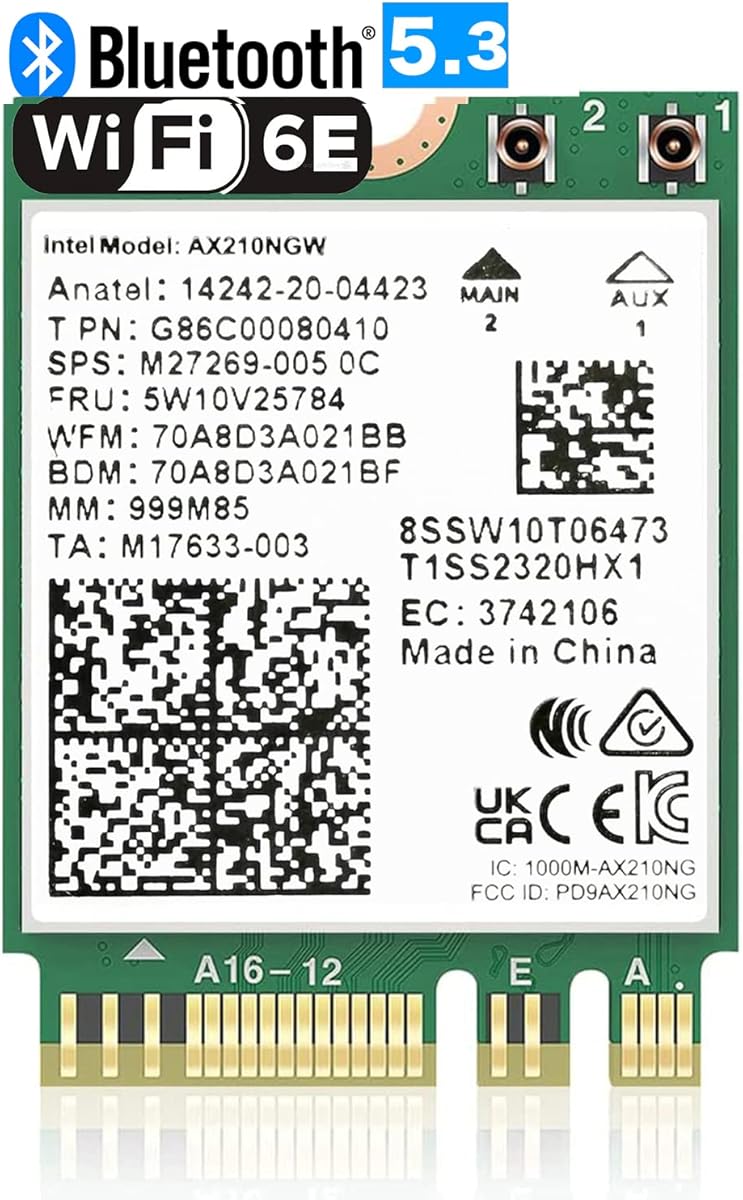
The OKN AX210 NGW Wireless Card carries a 4.6 rating and offers the strongest all-around balance in this guide. It combines the widely used Intel AX210 platform with tri-band Wi-Fi 6E, Bluetooth 5.3, and support for contemporary features such as MU-MIMO, OFDMA, 1024-QAM, and 160MHz operation.
We may earn a commission when you buy through this link, at no additional cost to you.
The listing identifies a maximum link rate of 5,374Mbps when the theoretical limits of all three bands are added together. The 2.4GHz band contributes 574Mbps, while the 5GHz and 6GHz bands each reach 2,400Mbps in the stated configuration. That makes the card suitable for compatible Wi-Fi 6E routers, while retaining backward compatibility with existing Wi-Fi 6 routers. WPA, WPA2, and WPA3 security are also listed.
The main limitations are platform and operating-system requirements. It is specified for Windows 10 and Windows 11 64-bit systems, works with Intel CPUs and newer AMD CPUs, and must be installed in a compatible M.2 2230 NGFF slot. Drivers are obtained from Intel by searching for AX210. As with every internal adapter, actual internet throughput will be limited by the router, internet connection, environment, and number of nearby networks.
We recommend this card for most Windows users who want a straightforward move to Wi-Fi 6E without moving to Wi-Fi 7. Its established AX210 platform, broad band support, current security options, and included Bluetooth make it a well-rounded choice for compatible laptops and desktops.
The 6GHz band provides access to newer spectrum and cleaner channels, while 2.4GHz and 5GHz support remain useful for range, legacy routers, and mixed networks.
MU-MIMO, OFDMA, 1024-QAM, 160MHz support, and WPA3 create a capable feature set for compatible Wi-Fi 6 and Wi-Fi 6E equipment.
We may earn a commission when you buy through this link, at no additional cost to you.
The Intel AX210 Tri-Band Wi-Fi 6E Bluetooth 5.3 Network Card has a 4.8 rating, making it one of the strongest customer-rated options here. Its simple notebook-oriented design is centered on the Intel AX210.NGW.NV platform, offering 2.4GHz, 5GHz, and 6GHz connectivity plus Bluetooth 5.3 in a standard internal module format.
We may earn a commission when you buy through this link, at no additional cost to you.
Because it uses a recognized AX210 chipset, it is best suited to systems with a compatible M.2 2230 E-key interface and supported wireless drivers. The product data does not spell out detailed system requirements or include a fuller antenna kit, so buyers should confirm the card's physical dimensions, antenna connections, and laptop layout before ordering.
Its concise listing makes direct comparison less detailed than some alternatives. There are no stated operating-system restrictions, maximum speed breakdown, security protocols, or included accessories in the supplied description. That means the card's 4.8 rating is encouraging, but the installation requirements must be verified through the computer and operating system rather than inferred from the listing.
This card is a compelling choice for a compatible notebook that needs a direct AX210 replacement, particularly one already wired for tri-band antennas. Its high rating and modern wireless standard make it worth considering, but the sparse specifications favor buyers who already know their laptop's M.2 layout and antenna configuration.
The module offers a direct way to add an AX210-based Wi-Fi 6E and Bluetooth connection to compatible notebooks with the required slot and antennas.
Its 4.8 rating places it among the most favorable products in the list, although the limited listing details make careful compatibility checks essential.
We may earn a commission when you buy through this link, at no additional cost to you.
The Intel BE200 NGW Wireless Card has a 4.6 rating and is the premium Wi-Fi 7 option in this roundup. It is designed for systems using Intel 12th-generation processors or newer and supports tri-band operation across 2.4GHz, 5GHz, and 6GHz. Its listed maximum link rate reaches 8,774Mbps when the three band limits are combined.
We may earn a commission when you buy through this link, at no additional cost to you.
The card also includes Bluetooth 5.4, with the listing highlighting lower latency, stronger interference resistance, and improved energy efficiency. It supports Windows 10 and Windows 11 64-bit systems as well as Linux. Intel's BE200NGW drivers must be downloaded and installed for both wireless and Bluetooth functions, making a network connection or having the drivers ready beforehand important.
Platform restrictions are the defining issue. The product supports only the M.2 E-key interface and does not work with AMD processors, even if the host computer has a similar physical slot. Compatibility also depends on antennas and the host platform. The high theoretical speed only becomes useful with a suitable Wi-Fi 7 router, favorable conditions, and matching client equipment.
Choose the BE200 NGW if you own a supported Intel 12th-generation-or-newer system and use a Wi-Fi 7 router. It is a strong choice for a high-end build where future wireless capability matters. For AMD systems, older Intel platforms, or basic office networks, one of the broader-compatible AX210 or AX1800 options is more sensible.
The card's combined 8,774Mbps link-rate ceiling provides substantial theoretical headroom for compatible Wi-Fi 7 routers, high-speed local networks, and demanding multi-device homes.
Intel 12th-generation processors or newer are required, and AMD systems are excluded, so the CPU and chipset should be checked before purchase.
We may earn a commission when you buy through this link, at no additional cost to you.
The EDUP M.2 WiFi 7 Card has a 4.4 rating and uses the MT7925 chipset to bring Wi-Fi 7 to compatible Intel and AMD platforms. Its headline advantage is platform breadth: unlike the Intel BE200 choices, it is not limited to a particular generation of Intel processors, making it particularly attractive to AMD laptop owners.
We may earn a commission when you buy through this link, at no additional cost to you.
The card supports 2.4GHz, 5GHz, and 6GHz bands with a stated maximum throughput of 6.5Gbps. The listed band allocations are 688Mbps at 2.4GHz and 2,882Mbps at both 5GHz and 6GHz. Multi-Link Operation is highlighted as a way to use multiple links intelligently, supporting stable low-latency connections in suitable environments. Bluetooth 5.4 can connect up to seven devices according to the listing.
Installation still has firm boundaries. The module requires a standard M.2 2230 A/E-key slot and is incompatible with CNViO2-protocol slots and Mini PCIe slots. Windows 11 64-bit and Linux kernel 6.7 or newer are supported, and the manufacturer directs buyers to a dedicated driver page. The computer's built-in Bluetooth should be disabled when the module is used to avoid conflicts.
This is the strongest choice here for an AMD user seeking Wi-Fi 7. It also makes sense for Intel users who want a card not restricted to the BE200 platform. Verify the physical slot and operating system first, and make sure the card's antenna arrangement matches the laptop or desktop.
Supporting both AMD and Intel makes this card more flexible than the Intel-only Wi-Fi 7 models, particularly for compatible AMD notebooks and desktops.
MLO can improve responsiveness by coordinating wireless links, although real-world gains depend on the router, network configuration, and surrounding conditions.
We may earn a commission when you buy through this link, at no additional cost to you.
The EDUP AX210 WiFi Card has a 4.8 rating and combines an established Intel AX210 chipset with a generous support package. It supports tri-band Wi-Fi 6E, with listed maximum speeds of 574Mbps at 2.4GHz and 2,400Mbps on each of the 5GHz and 6GHz bands. Bluetooth 5.3 is included for compatible peripherals.
We may earn a commission when you buy through this link, at no additional cost to you.
The feature set includes MU-MIMO, 160MHz bandwidth, OFDMA, and 1024-QAM. WPA, WPA2, and WPA3 protocols are supported, while the listing describes the module as suitable for gaming, streaming, and video calls. A one-year warranty and lifetime technical support add reassurance for buyers installing the card themselves.
The card requires a laptop or desktop with an Intel CPU and an M.2 2230 A/E-key slot. CNViO2 protocol slots and Mini PCIe slots are not supported. It targets Windows 10 and Windows 11 64-bit systems, with Wi-Fi and Bluetooth drivers available from Intel. A bare internal module also means that antennas may need to be sourced separately unless the computer already has the correct fittings.
This is an excellent AX210 option for a compatible Windows system where tri-band support and strong after-sales coverage matter. Its 4.8 rating and stated support period distinguish it from minimally documented modules. Confirm your M.2 interface and antenna arrangement before ordering, and budget for the small installation effort.
A one-year warranty and lifetime technical support can be valuable for a component that requires installation, driver setup, and occasional troubleshooting.
MU-MIMO, OFDMA, 1024-QAM, 160MHz support, and Wi-Fi 6E band access make this a capable card for modern mixed networks.
We may earn a commission when you buy through this link, at no additional cost to you.
The Intel 9560NGW has a 4.4 rating and serves as a sensible dual-band option when 6GHz and Wi-Fi 7 are unnecessary. It supports 802.11ac Wave 2 on 2.4GHz and 5GHz, with a maximum stated speed of 1.73Gbps when using 160MHz channels. Integrated Bluetooth 5.1 expands its usefulness beyond the Wi-Fi connection.
We may earn a commission when you buy through this link, at no additional cost to you.
Its M.2 2230 interface fits many compatible laptops and desktops, and MU-MIMO allows multiple devices to receive data simultaneously. WPA3 encryption is listed, providing stronger security than older wireless standards. The product is described as working best with Intel Core processors, making it a natural option for systems already built around that platform.
The clear disadvantage is age relative to the AX210, AX411, and Wi-Fi 7 options. It has no 6GHz band, so it cannot exploit the cleaner spectrum and high capacity associated with Wi-Fi 6E. Its theoretical throughput is also substantially lower, although a real connection rarely reaches the card's maximum in any event.
Choose the 9560NGW for a compatible dual-band network, a replacement module for an existing 9560 installation, or a user who needs a straightforward Intel card without 6GHz. It is less compelling when a Wi-Fi 6E router and newer laptop are available, but it remains a functional upgrade over much older wireless hardware.
The 9560NGW supports 2.4GHz and 5GHz 802.11ac connectivity with 160MHz channels, making it suitable for conventional dual-band routers.
Integrated Bluetooth 5.1 provides a practical way to connect keyboards, headsets, and other peripherals when the host system lacks wireless Bluetooth.
We may earn a commission when you buy through this link, at no additional cost to you.
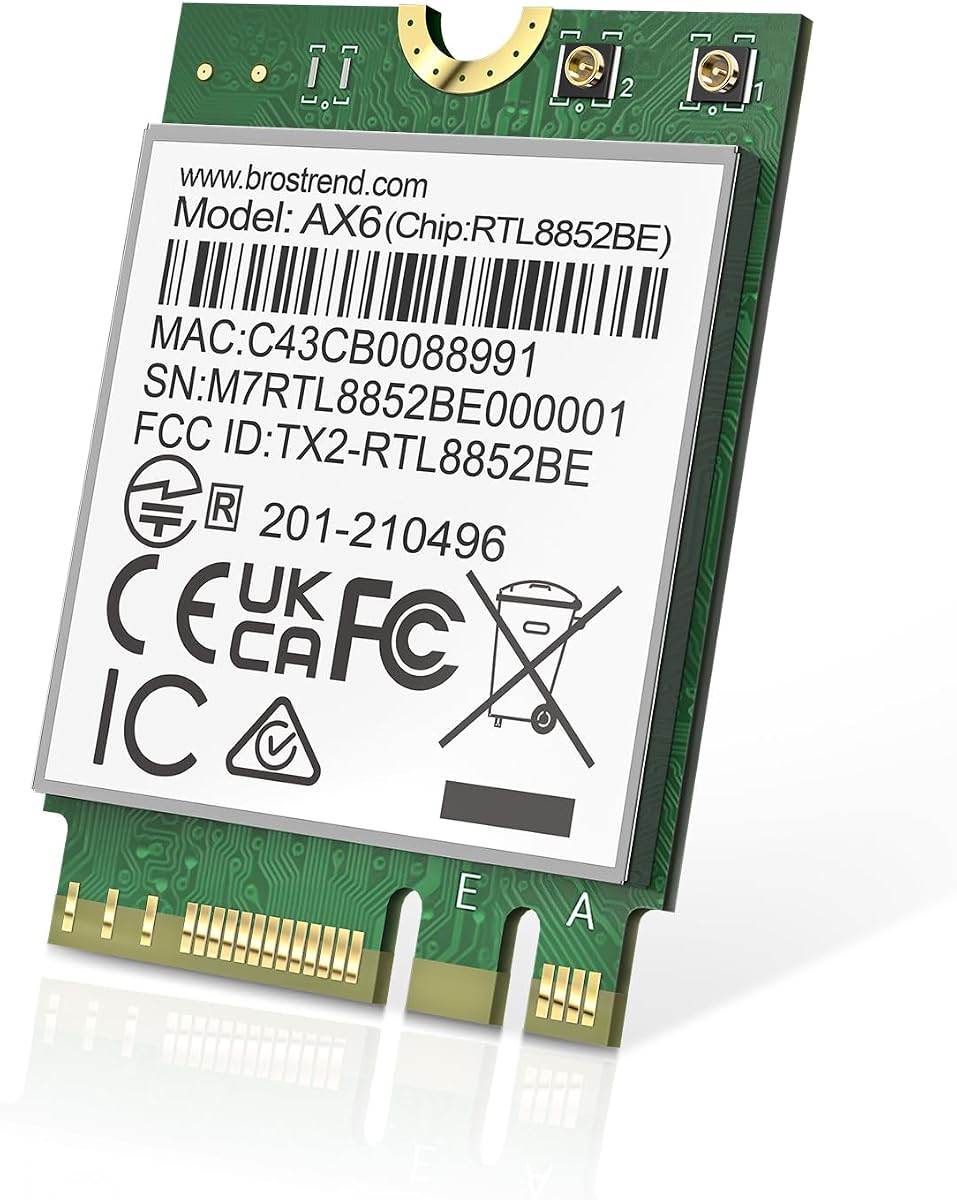
The BrosTrend AX1800 M.2 Wireless Card has a 4.4 rating and offers a focused Wi-Fi 6 upgrade without paying for tri-band or Wi-Fi 7 hardware. It operates on 2.4GHz and 5GHz, with stated maximum rates of 574Mbps and 1,201Mbps respectively, for a combined AX1800 rating.
We may earn a commission when you buy through this link, at no additional cost to you.
UL and DL MU-MIMO, OFDMA, and 1024-QAM support improve efficiency in busy networks. Bluetooth 5.2 is integrated for compatible accessories and is described as offering faster transmission and broader range than Bluetooth 4.2. The card uses the standard M.2 2230 format with Key A and Key E slot compatibility, fitting it in many modern laptop and desktop designs.
The main limitation is that it cannot use the 6GHz band. A Wi-Fi 6E router will still offer 2.4GHz and 5GHz connectivity, but the card will not gain Wi-Fi 6E's additional spectrum. Windows 10 and 11 are supported, and Linux compatibility requires kernel 6.5 or higher, though the manufacturer does not provide Linux expertise support. The latest Wi-Fi driver should be downloaded from BrosTrend's website.
This is a good budget pick for an everyday laptop that needs reliable dual-band Wi-Fi 6 and Bluetooth but has no need for 6GHz. Choose it when value and straightforward functionality matter more than tri-band capacity or Wi-Fi 7 headroom. Verify the module's antenna requirements and download the driver before beginning installation.
Dual-band AX1800 performance is sufficient for common browsing, streaming, downloads, and office tasks when paired with a capable Wi-Fi 6 router.
Windows 10 and 11 are supported, while Linux users need kernel 6.5 or later and should be comfortable handling the driver themselves.
We may earn a commission when you buy through this link, at no additional cost to you.
The Intel Killer BE200 has a 4.6 rating and is presented as a low-latency Wi-Fi 7 option aimed particularly at gaming computers. It uses a tri-band 802.11be radio across 2.4GHz, 5GHz, and 6GHz, with a listed maximum speed of 5.8Gbps when paired with compatible Wi-Fi 7 routers.
We may earn a commission when you buy through this link, at no additional cost to you.
Bluetooth 5.4 is included for compatible wireless accessories. The product targets PCs with an available M.2 PCIe Key E slot and Intel processors, making it a more narrowly specified option than the EDUP MT7925BE. The listing emphasizes gaming suitability through low latency, although real network responsiveness still depends on the router, internet service, server distance, and competing traffic.
The platform requirements are explicit. Windows 11 64-bit is required, and AMD-based systems are not supported. The maximum 5.8Gbps rating is also an ideal link-rate figure rather than a guaranteed application throughput. A suitable Wi-Fi 7 router and other compatible equipment are needed to realize the advertised generation and speed benefits.
Buy this card for a supported Intel gaming PC that has an E-key slot and a Wi-Fi 7 router. It is a credible choice when low-latency tri-band wireless is the priority. If your system runs Windows 10, uses AMD, or lacks the required M.2 interface, select a more broadly compatible AX210, AX411, or AX1800 module instead.
The card's 2.4GHz, 5GHz, and 6GHz support offers multiple paths for compatible gaming networks, with the router playing a major role in realized latency.
Windows 11 64-bit, an Intel processor, and an M.2 PCIe Key E slot are required, so compatibility should be confirmed before installation.
We may earn a commission when you buy through this link, at no additional cost to you.
The Intel AX411.NGWG.NVX Combo Adapter has the highest listed rating at 5.0 and targets a wider range of compact systems, including laptops, mini PCs, and motherboards. It provides tri-band Wi-Fi 6E connectivity across 2.4GHz, 5GHz, and 6GHz, with a stated maximum speed of up to 3 Gbps.
We may earn a commission when you buy through this link, at no additional cost to you.
Intel Killer optimization is highlighted as a way to prioritize gaming, streaming, and real-time applications. The adapter also supports OFDMA, MU-MIMO, 1024-QAM, and WPA3 security. Integrated Bluetooth 5.3 supports wireless peripherals and is described as offering improved stability, energy efficiency, and BLE support.
Its M.2 2230 Key E format is compact, but a physical slot alone does not guarantee compatibility. The system must have suitable antennas, an appropriate chassis or display arrangement, and a platform supported by the installed drivers. Windows 10 and Windows 11 are the listed operating systems, and Intel driver support is required. Actual throughput will depend on the router, antenna placement, and network conditions.
This card is a strong pick for a compatible Windows system seeking an AX-series tri-band module without moving all the way to Wi-Fi 7 hardware. The listing also presents it as suitable for server-oriented use, but administrators should confirm support for their particular platform and peripherals. Its high rating makes it worth close consideration after compatibility checks.
Intel Killer optimization is intended to favor latency-sensitive and real-time traffic, making the adapter useful for mixed-use systems.
The M.2 2230 module can suit laptops, mini PCs, and compatible motherboards when the host includes the required interface and antennas.
We may earn a commission when you buy through this link, at no additional cost to you.
Choosing an M2 WiFi card starts with physical and platform compatibility, followed by the wireless generation and features your router can actually use. A card cannot deliver tri-band or Wi-Fi 7 benefits without compatible networking equipment, so both sides of the connection should be considered.
In short, verify both the M.2 form factor and the exact key or protocol before purchasing.
Check processor generation, chipset, and operating-system support before ordering any M.2 WiFi card.
Prioritize a generation that your router can use, rather than choosing solely by the card's headline speed.
Compare theoretical link rates cautiously, and focus more heavily on compatibility and network conditions.
Confirm the card, antenna connectors, coax type, and mounting hardware before disassembling the computer.
A Bluetooth-equipped M.2 card is convenient, but built-in wireless hardware may need to be disabled to prevent conflicts.
Check the operating system, kernel version, and driver source before installation to avoid an unsupported card.
Favor WPA3-capable hardware and check whether the seller provides meaningful warranty coverage and installation assistance.
Before opening the computer, confirm the M.2 interface, processor platform, operating system, antenna connectors, and driver requirements. Shut the system down, disconnect its power source, remove the battery if the manufacturer directs you to do so, and use appropriate anti-static precautions. Keep screws and small brackets in a labeled container so reassembly is easier.
Install the card according to the computer manufacturer's guide. Insert the module at the correct angle without forcing it, secure the retaining screw, and attach the required antenna cables to the card's ports. If the system already has working antennas, confirm that their connectors match. Install the correct wireless and Bluetooth drivers, restart if requested, and allow the operating system to detect the new interfaces.
After installation, connect to the 2.4GHz or 5GHz SSID first, then add 6GHz access if the router and network are configured for it. Update the router firmware, choose appropriate channel settings, and use WPA3 or mixed WPA2/WPA3 security where supported. To protect internal components, avoid sharply bending antenna cables, keep the module away from heat and conductive debris, and check for driver or hardware errors in the system's device manager periodically.
No. Compatibility depends on the physical interface, key type, processor platform, antenna connectors, operating system, and available drivers. A laptop with an M.2 2230 slot may still use CNViO2, a Mini PCIe layout, or an incompatible platform. Check the computer service manual and the card's requirements before purchasing.
A Wi-Fi 7 card is generally backward-compatible with older Wi-Fi generations, so it can connect to a Wi-Fi 6 router. However, the connection will operate within the older router's limits and will not gain Wi-Fi 7 speed. Matching the card to a Wi-Fi 7 router and compatible client equipment is necessary to use the newest features.
Most internal cards require external antenna cables, although compatible laptops and desktops may already include them. Products such as the AX210NGW DTK listing include antennas, an RF cable, and brackets, while other listings describe the module alone. Confirm the connector type and whether the host system supplies the necessary antenna hardware.
AX210 and AX411 are Wi-Fi 6E modules with 6GHz support, while BE200 is a Wi-Fi 7 module. The AX210 is a very common platform, whereas BE200 generally targets supported newer Intel systems. AX411 provides another tri-band option with Killer-oriented optimization, but all three require suitable antennas, drivers, and router support.
Yes, if the motherboard has a compatible M.2 E-key slot and the necessary antenna connectors. Many compact and full-size desktop boards include wireless provisions, but some require an add-in antenna kit or a PCIe-to-M2 conversion card. The card's 2230 dimensions and E-key interface should be confirmed first.
Start by checking whether the correct wireless driver is installed, the antenna cables are firmly attached, and the system recognizes the card in Device Manager. Disable any conflicting built-in wireless adapter, confirm the router is operating normally, and restart the computer. For Linux, also verify that the kernel version meets the card's requirement.
No. The advertised figure is a theoretical link rate, while actual internet speed is limited by the broadband plan, router, signal conditions, server response time, and network congestion. A faster card can help with a capable local network and congested Wi-Fi environment, but it cannot increase the speed delivered by an internet service.
It may be necessary if the operating system shows two active Bluetooth controllers or experiences pairing conflicts. The EDUP MT7925BE listing specifically instructs buyers to disable built-in Bluetooth before use. Other systems may handle both adapters automatically, so check Device Manager and test stability before permanently disabling an internal radio.
The OKN AX210 NGW Wireless Card is the best overall option because it combines a well-known AX210 platform, tri-band Wi-Fi 6E, Bluetooth 5.3, and broad Windows compatibility. For a premium Wi-Fi 7 build on a supported Intel 12th-generation-or-newer system, the Intel BE200 NGW offers the newest standard, while the BrosTrend AX1800 provides a focused and economical dual-band upgrade.
Compatibility should guide the final decision more than the largest speed number. Check the M.2 key and protocol, processor platform, antenna connections, operating system, and driver requirements. Choose Wi-Fi 7 only when the host and router can use it, choose a tri-band AX210 or AX411 for Wi-Fi 6E flexibility, and consider the 9560NGW or AX1800 when dual-band operation is enough.
Finally, compare current product details and prices before purchasing because listings, driver packages, and availability can change. Confirm that the selected card includes the antennas or mounting parts you need, and make sure the router supports the generation and security features you expect to use.