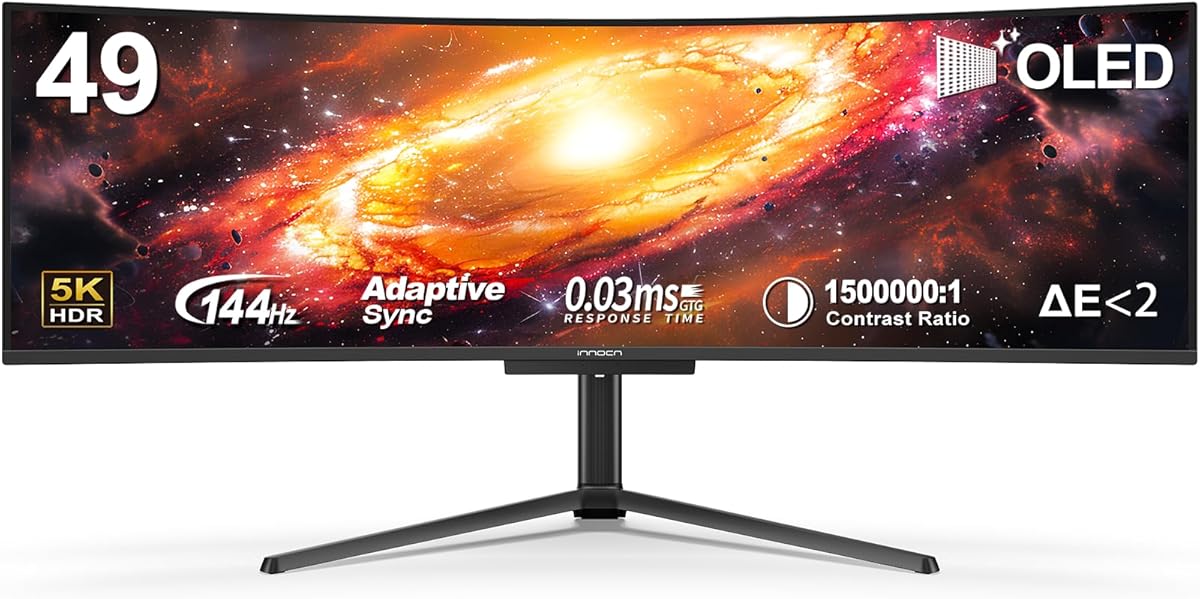
INNOCN 49Q1R
4.2Editor score
5K2K QD-OLED display
144Hz refresh rate
90W USB-C power delivery
PIP and PBP functions
A 49-inch ultrawide curved monitor can replace a conventional multi-monitor arrangement with one expansive display, giving creative applications, games, and productivity tools more room to breathe. The strongest models combine a wide 32:9 format with sharp resolution, fluid refresh rates, accurate color, useful connectivity, and an adjustable stand.
The products in this guide were compared using the supplied specifications and customer ratings, with emphasis on panel format, resolution, refresh rate, response time, color coverage, HDR support, ports, stand adjustment, split-screen functions, and built-in speakers. The list also includes several 34-inch ultrawides that offer useful alternatives when desk depth is limited.
Each review explains where a monitor stands out, where compromises may apply, and which users are most likely to benefit. Ratings and product configurations can evolve, so confirm current specifications and listing details before buying. Prices also change frequently, making it wise to compare the complete feature set rather than focusing on a single promotion.
4.2Editor score

4.1Editor score

4.4Editor score
As an Amazon Associate we earn from qualifying purchases.
This side-by-side comparison highlights the major differences in screen size, resolution, refresh rate, gaming features, productivity functions, and connectivity. It is designed to make the most important trade-offs visible before choosing a display.




The LG 34-inch Smart Monitor combines a 21:9 curved panel with webOS 23, making it one of the more distinctive options in this guide. It carries a 4.3 customer rating and stands apart from conventional productivity screens through its built-in streaming platform, Magic Remote, AirPlay 2 support, and access to popular entertainment applications.
We may earn a commission when you buy through this link, at no additional cost to you.
The 3440 x 1440 WQHD resolution provides enough detail for office work, media consumption, and casual gaming, while the 1800R curve creates a more enveloping presentation than a flat screen. HDR10 and up to 99% sRGB coverage support richer color, and the 100Hz refresh rate gives everyday motion a smooth appearance. The adjustable stand also makes it easier to find a comfortable viewing height and angle.
Its principal limitation is size: this is a 34-inch monitor rather than the 49-inch format sought by buyers who want maximum workspace. A 100Hz refresh rate is also less ambitious than the high-refresh options later in the list. Nevertheless, the smart features compensate for those limitations if entertainment and convenient streaming matter more than competitive gaming or maximum desk coverage.
Choose this model for someone who wants an ultrawide curved display that can function as both a workstation and a smart entertainment screen. It is especially suitable for users who value a simple remote-controlled interface, familiar streaming access, and a compact 21:9 format that is easier to accommodate than a 49-inch panel.
Built-in webOS access to Netflix, Prime Video, the Apple TV app, Disney+, HBO Max, and LG Channels reduces the need to switch to a separate streaming device. The included Magic Remote adds voice-command support and makes navigating a larger interface less cumbersome.
The 21:9 panel offers 34% more width than a 16:9 display according to the supplied product information, which is helpful for arranging documents and applications side by side. HDR10 and 99% sRGB coverage also make the screen more versatile for media and color-sensitive everyday tasks.
We may earn a commission when you buy through this link, at no additional cost to you.
The INNOCN 49C1R is a high-resolution 49-inch option built around a 5120 x 1440 VA panel. Its 4.2 rating reflects a broadly capable feature set, and the combination of a 32:9 canvas, 120Hz refresh rate, and extensive connectivity makes it particularly compelling for people who divide their work between several applications and devices.
We may earn a commission when you buy through this link, at no additional cost to you.
Dual-QHD resolution gives the screen substantially more horizontal room than a standard 16:9 monitor while preserving useful pixel density. The supplied specifications list 99% sRGB coverage, HDR 400 support, Adaptive-Sync, and 3000:1 contrast. Connectivity is also unusually complete, with DisplayPort 1.4, HDMI 2.1, 65W USB-C power delivery, USB-A, USB-B, RJ45, and a 3.5mm audio connection.
PIP and PBP functions allow two input sources to be displayed simultaneously, which is valuable for editing, monitoring, research, and other parallel workflows. Built-in speakers add convenience, although they are not a substitute for a dedicated audio system. As with any 49-inch curved display, the real practical drawback is footprint: users need a broad desk and sufficient viewing distance to avoid stretching too far across the panel.
This monitor is an excellent choice for creative professionals, developers, financial traders, and power users who value pixel density and one-screen multitasking above all else. It is less suitable for buyers who want the very highest gaming refresh rate, but its 120Hz specification and gaming-oriented ports still make it broadly capable.
A 5120 x 1440 resolution spreads more pixels across the horizontal display than a standard WQHD model. For timelines, code, spreadsheets, and other dense workspaces, that extra width can reduce the need to alternate between overlapping windows.
The 65W USB-C input can simplify a laptop-centered setup by carrying video and power over one connection. DisplayPort, HDMI 2.1, USB hub ports, and RJ45 broaden compatibility with desktops, consoles, peripherals, and networked workflows.
We may earn a commission when you buy through this link, at no additional cost to you.
The Samsung Odyssey G93SC is the most explicitly gaming-focused monitor in this roundup. Its 49-inch QD-OLED panel, 240Hz refresh rate, and stated 0.03ms GTG response time are aimed at competitive and high-intensity play. The monitor has a 4.1 customer rating and also offers enough display width and connectivity to function as a productivity display.
We may earn a commission when you buy through this link, at no additional cost to you.
QD-OLED technology is the centerpiece, providing deep blacks, strong contrast, and an expressive color presentation. DisplayHDR True Black 400 supports high dynamic-range content, while HDMI 2.1 and DisplayPort provide modern high-bandwidth connections. G-Sync compatibility helps synchronize the GPU and panel, and the Picture-by-Picture function can place two inputs on one screen.
The 1800R curve helps wrap the image around the viewer and may feel more immersive in racing, flight, and open-world games. The most important trade-off is hardware readiness. A 240Hz refresh rate cannot be fully appreciated unless the connected computer or console can deliver sufficiently fast frames, and demanding ultrawide resolutions may place substantial demands on a graphics card.
Choose the G93SC for a dedicated gaming setup where speed, contrast, and a large curved field of view are the priorities. It also works well for enthusiasts who want a premium OLED presentation but do not need the 144Hz rate of the INNOCN 49Q1R. For mixed creative and gaming use, it is the most versatile high-performance pick in this list.
A 240Hz refresh rate and 0.03ms GTG response time form a strong foundation for fast motion. These specifications are especially useful in competitive shooters, where visual clarity and quick transitions can be as important as raw frame rate.
QD-OLED's deep black levels and strong contrast can make dark scenes appear more dimensional. DisplayHDR True Black 400 further supports the intended impact of high-dynamic-range games and cinematic content.
We may earn a commission when you buy through this link, at no additional cost to you.
The INNOCN 49C1G is a strong value-oriented choice for buyers who want the full width of a 49-inch curved monitor without paying for a 5K2K or OLED panel. It has a 4.4 customer rating, a 144Hz refresh rate, and a useful set of ports, making it a balanced option for gaming and productivity.
We may earn a commission when you buy through this link, at no additional cost to you.
Its native resolution is 3840 x 1080 across a 32:9 screen, effectively combining two full HD spaces. This format is less dense than 5K2K, but it can still provide ample room for side-by-side applications. A 1800R curve, 99% sRGB coverage, HDR 400, Adaptive-Sync, and a 3000:1 contrast ratio give the display a solid feature set for games, video, and documents.
The monitor includes 65W USB-C power delivery, DisplayPort 1.4, HDMI 2.1, USB-A and USB-B ports, RJ45, and a 3.5mm audio jack. Built-in speakers, PIP, and PBP add convenience. The trade-off is pixel density: compared with 5120 x 1440 models, small text and detailed interfaces may appear less finely resolved when viewed closely.
The 49C1G is a compelling recommendation for value-conscious gamers, students, and office users who prioritize screen area, high refresh, and connectivity. It is especially suitable when one large display can replace two smaller monitors, while the 144Hz rate keeps fast games smooth.
A 144Hz refresh rate offers more headroom for fast motion than conventional office monitors. Adaptive-Sync support can also help align frame delivery with the display, reducing visible inconsistency when the connected system supports the feature.
At 3840 x 1080, the 32:9 canvas provides two standard-width work areas on one panel. PIP and PBP take that concept further by allowing content from two separate input sources to be viewed simultaneously.
We may earn a commission when you buy through this link, at no additional cost to you.
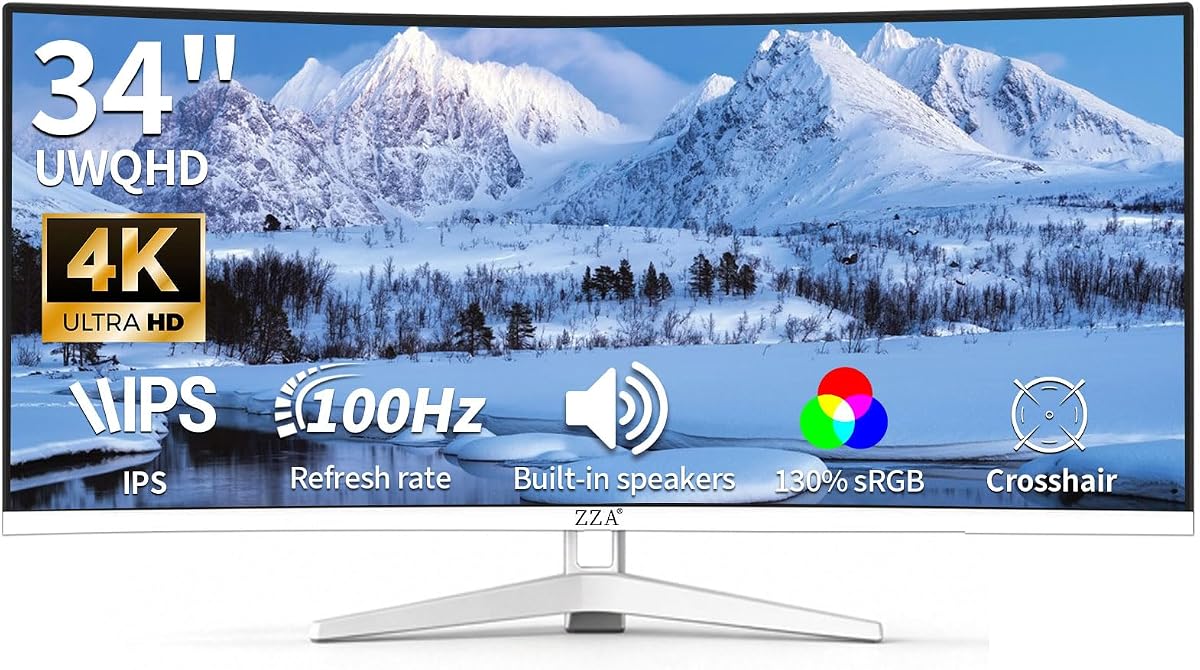
The ZZA 34-inch 4K Gaming monitor is a polished alternative for shoppers who want an ultrawide curved format in a compact footprint. It earns a 4.5 customer rating, the highest among the listed models, and its white frameless appearance, integrated speakers, and flexible mounting options make it attractive for a modern shared or home office.
We may earn a commission when you buy through this link, at no additional cost to you.
The display uses a 3440 x 1440 WQHD resolution across a 21:9 ratio. Its 3800R curvature is gentler than the 1800R curve used by many 49-inch models, which can create a less enveloping but potentially more practical viewing experience. The supplied listing specifies 130% sRGB coverage, a 100Hz refresh rate, and reduced screen tearing support.
HDMI and DisplayPort make setup straightforward, while VESA compatibility provides another installation route beyond the included stand. Built-in speakers reduce desk clutter for everyday audio. The main limitations are clear: this is not a true 49-inch screen, and a 100Hz rate is modest compared with the 144Hz and 240Hz gaming choices in this guide.
Choose the ZZA for a smaller ultrawide setup, a clean white-themed workspace, or a display that needs flexible mounting. It may also appeal to users who value a higher customer rating without paying for an OLED panel or high-end gaming refresh rate, although the rating itself should not outweigh panel and resolution considerations.
The 3800R radius creates a noticeable curve while avoiding the more pronounced wrap associated with many super-ultrawides. That balance can be useful in offices and rooms where the display may be viewed by several people.
VESA compatibility allows the monitor to be placed on a compatible arm or wall mount. Integrated speakers offer an easy audio fallback, although external speakers remain preferable when stronger output or broader sound control is important.
We may earn a commission when you buy through this link, at no additional cost to you.
The INNOCN 49Q1R combines several of the most desirable specifications in the guide: a 49-inch QD-OLED panel, 5120 x 1440 resolution, and a 144Hz refresh rate. Its 4.2 rating and extensive connectivity make it a serious premium option for creators, advanced gamers, and users who want both high pixel density and strong motion performance.
We may earn a commission when you buy through this link, at no additional cost to you.
The QD-OLED panel is listed at 99% sRGB coverage with a contrast ratio of 1,500,000:1, an impressive figure associated with the technology's ability to render very deep blacks. HDR 400 and Adaptive-Sync add further gaming and media functionality. Its 1800R curve is consistent with the strong sense of immersion associated with super-ultrawide gaming and cinematic viewing.
Connectivity includes two HDMI 2.1 ports, DisplayPort 1.4, a 90W USB-C input with power delivery, USB-A and USB-B ports, RJ45, and a 3.5mm audio jack. Tilt, swivel, and height adjustments help with positioning, while PIP and PBP support two-source workflows. The main considerations are the substantial desk requirement and the processing power needed to drive a 5K2K gaming display effectively.
This is a strong recommendation for a high-end setup where the display must handle detailed creative work, entertainment, and gaming. It may be the ideal match for users who want more than a conventional ultrawide and who value 90W USB-C charging, but the Samsung G93SC offers a faster 240Hz rate for gaming-focused buyers.
The 5120 x 1440 canvas provides generous pixel density across a 32:9 display. This makes the model well suited to editing timelines, high-resolution application interfaces, photo workflows, and panoramic entertainment.
The 90W USB-C connection can power a compatible laptop while carrying display signals. Two HDMI 2.1 inputs, DisplayPort, and the included USB and network connections create a flexible hub for a desk that serves multiple device types.
We may earn a commission when you buy through this link, at no additional cost to you.
The Sceptre C345B-QU240T Series delivers an aggressive gaming specification in a 34-inch curved format. It has a 4.4 customer rating and stands out with support for refresh rates up to 240Hz, a stated 1ms response time, and a 1500R curve. It is a compelling option for competitive gamers who prefer a more manageable desk footprint.
We may earn a commission when you buy through this link, at no additional cost to you.
The 3440 x 1440 WQHD resolution is well suited to ultrawide gaming and provides more horizontal space than a standard 16:9 display. The product data lists 100% sRGB coverage, built-in speakers, an audio-out connection, and Blue-Light Shift technology for more comfortable reading sessions. Two HDMI and two DisplayPort inputs offer convenient options for multiple consoles or computers.
The 1ms specification and 240Hz ceiling place this monitor in a high-performance category, but actual benefits depend on frame rates produced by the connected hardware. A less powerful system may not reach the upper limits in demanding titles. Another trade-off is physical scale: the 34-inch screen offers less workspace than a true 49-inch model and cannot match the same immersive horizontal span.
Choose the Sceptre for fast 21:9 gaming in a compact setup, especially if you value high refresh rates more than maximum physical screen area. It can also serve well for mixed work and play, although buyers focused on multitasking should compare it with a 32:9 5K2K monitor.
A 240Hz refresh rate and 1ms response-time specification make the monitor well suited to fast-paced competitive titles. The 21:9 ratio can also provide a wider field of view than a standard widescreen display when the game supports it.
Two HDMI and two DisplayPort connections make it easier to keep several source devices ready. Built-in speakers and an audio-out jack provide convenient options for everyday sound without requiring the monitor to remain completely silent.
We may earn a commission when you buy through this link, at no additional cost to you.
The LG 34WR55QK-B is built primarily as a productivity monitor, and its 4.6 customer rating is the highest among the products covered. It combines a 21:9 WQHD display with extensive wired connectivity, Picture-by-Picture support, a 65W USB-C connection, and an ergonomically adjustable stand.
We may earn a commission when you buy through this link, at no additional cost to you.
OnScreen Control lets users divide the display and adjust basic settings with a mouse. Picture-by-Picture can show two separate input sources simultaneously, which is useful for combining a work computer with another information source. The port selection includes USB-C, two HDMI ports, two USB ports, DisplayPort, and a headphone jack, making it easier to use the display as a central hub.
HDR10 and 99% sRGB coverage support good everyday color, while Reader Mode adjusts the display for lower blue-light output during long reading sessions. The 100Hz refresh rate and 5ms response time provide adequate smoothness for office work, media, and casual gaming. Competitive gaming enthusiasts may prefer the 144Hz or 240Hz alternatives.
Choose the LG for business productivity, document-heavy work, and users who prefer a clean 34-inch footprint with broad connectivity. Its high rating and practical feature set are strong reasons to consider it, but it should be understood as a compact ultrawide alternative rather than a literal 49-inch choice.
Sixty-five-watt USB-C power delivery can simplify a laptop setup, while the full complement of video, USB, and headphone connections reduces the need for separate adapters. The result is a more organized desk with fewer cables.
Reader Mode reduces blue light to create warmer viewing conditions for documents and browsing. Height and tilt adjustments allow the screen to be positioned closer to eye level, which is especially useful in extended office sessions.
We may earn a commission when you buy through this link, at no additional cost to you.
The LG 34U60ZB-B distinguishes itself through LG Switch, a desktop-oriented control feature that lets users adjust preferences, apply settings through a hotkey, divide the screen into as many as 11 layouts, and launch video calls quickly. It has a 4.1 rating and pairs that software convenience with a curved 21:9 WQHD panel.
We may earn a commission when you buy through this link, at no additional cost to you.
The monitor's 120Hz refresh rate and 5ms response time are suitable for video calls, streaming, and general gaming. HDR10 and up to 99% sRGB coverage support balanced color, while the 1800R curve follows a natural line of sight and creates a more immersive image. The three-side virtually borderless design helps preserve the clean appearance of the wide panel.
Connectivity is more restrained than on several INNOCN models, with DisplayPort, HDMI, and a headphone jack listed. The stand supports height and tilt adjustments, and one-click mounting is mentioned in the product information. This makes the LG straightforward to position, although buyers needing USB-C charging, a network connection, or an integrated USB hub may prefer another model.
Choose the 34U60ZB-B if software-managed window layouts and quick access to communication tools are central to your routine. It is also a sensible option for users who want a smooth 120Hz ultrawide without the desk demands of a 49-inch display.
LG Switch centralizes display preferences and provides quick access to split layouts and communication tools. This can reduce the time spent navigating monitor menus and rearranging applications throughout the day.
Black Stabilizer brightens dark scenes to help reveal details in shadowed gameplay areas. The 120Hz rate and 5ms response time also provide a more fluid foundation than standard office monitors.
We may earn a commission when you buy through this link, at no additional cost to you.
The Samsung ViewFinity S5 S55GH is a balanced 34-inch curved ultrawide aimed at professional productivity, media use, and general gaming. It carries a 4.5 customer rating and combines a 21:9 format, 120Hz refresh rate, HDR10, and AMD FreeSync Premium in a conventional office-oriented design.
We may earn a commission when you buy through this link, at no additional cost to you.
Its 1800R curve produces a panoramic view, while the 21:9 aspect ratio creates room for more than one application at once. Samsung states that the display can express more than one billion accurate colors through HDR10. The 120Hz refresh rate helps minimize visible motion blur, and variable refresh support is designed to keep the GPU and panel synchronized.
Game Mode adjusts color and contrast to improve scene clarity, while Eye Saver Mode is certified by TÜV and works to limit blue light and screen flickering. HDMI and DisplayPort connections cover the primary needs of a PC or compatible device. The lower 2560 x 1440 resolution means it offers less fine detail than the 3440 x 1440 alternatives, and the listed connectivity is less extensive than some INNOCN models.
Choose the ViewFinity S5 for a professional ultrawide setup that prioritizes eye comfort, smooth motion, and a simple connection setup. It is a particularly good match for office users who want more width than a standard monitor without moving to a full super-ultrawide.
HDR10 is used to optimize contrast and support a wide range of colors in supported content. This makes the display relevant for everyday media workflows and creative tasks where richer tonal separation can be useful.
Eye Saver Mode reduces blue-light output and prevents screen flickering. Together with the curved 21:9 layout, it targets users who spend many hours reading, comparing information, or working across multiple open applications.
We may earn a commission when you buy through this link, at no additional cost to you.
The right super-ultrawide depends on how you work, what you play, and how much desk depth you can devote to the display. Resolution, refresh rate, panel technology, connectivity, and ergonomic support should be evaluated together rather than in isolation.
A 49-inch 32:9 display is physically much wider than a 34-inch 21:9 monitor, so desk width and viewing distance are essential considerations. The extreme edges of a large curved screen can become difficult to inspect from too close, making a slightly farther chair position more comfortable. An 1800R curve is common among the 49-inch choices in this guide and creates a pronounced wrap, while the ZZA's 3800R curve is gentler.
The 5120 x 1440 models provide the highest pixel density in the group and are well suited to detailed timelines, code, spreadsheets, and multiple full-width applications. The INNOCN 49C1G uses 3840 x 1080, effectively offering two full HD areas, while 34-inch models range from 2560 to 3440 pixels wide. Higher resolution does not automatically improve every use case, and it can place more demand on the graphics system.
Refresh rate determines how frequently the display updates each second, which matters most in fast-moving games. The Samsung Odyssey G93SC and Sceptre reach 240Hz, while the INNOCN 49C1G and 49Q1R offer 144Hz. The 120Hz LG and Samsung 34-inch models are well suited to office work, media, and casual gaming. Response-time figures should be treated as comparative specifications rather than a guarantee of real-world clarity.
QD-OLED models such as the Samsung Odyssey G93SC and INNOCN 49Q1R are built for deep blacks, strong contrast, and expressive color. VA-based alternatives provide high listed contrast and broad sRGB coverage, making them versatile for gaming, video, and general creative work. HDR support enhances compatible content, but panel capability, operating-system settings, calibration, and room lighting all influence the final result.
A 49-inch monitor usually requires a desk that is substantially wider than one used with a standard 16:9 display. Its stand may also require enough depth to remain stable, and users with shallower desks should check whether arm mounting is possible. The 34-inch alternatives provide similar workflow benefits in a more manageable package, but they cannot reproduce the physical span of a true super-ultrawide.
USB-C with power delivery can simplify a laptop setup by combining display and charging over one cable. The INNOCN 49C1R supplies 65W, the 49Q1R supplies 90W, and the LG 34WR55QK-B supplies 65W. DisplayPort and HDMI are essential for PCs and consoles, while USB hub ports, RJ45, PIP, and PBP improve the experience for users switching between devices and applications.
Height and tilt adjustment make it easier to place a large curved panel at a comfortable height. Reader Mode, Blue-Light Shift, and Eye Saver Mode are useful for long reading or office sessions, while anti-flicker design can improve visual comfort. Curvature may also reduce the need to turn your head as much, although individual comfort varies with room size, vision, and desk position.
Built-in speakers can handle system audio, alerts, and casual video viewing without immediately requiring external speakers. Smart features such as webOS, a Magic Remote, and streaming applications may be valuable for entertainment-focused users. For a full desktop setup, PBP, PIP, and desktop control software often matter more because they determine how effectively the ultrawide can replace multiple conventional displays.
Start by positioning the monitor at the center of your primary seating area, with the screen approximately an arm's length away. A 49-inch display is best used from a little farther back than a conventional monitor, allowing the curved edges to remain within your field of vision. Connect the computer through DisplayPort for a high-refresh PC setup or HDMI for compatible consoles, then use the supplied stand adjustments to set the top of the panel near or slightly below eye level.
Organize the operating system around the display's full width rather than treating it as an oversized standard monitor. Use one window per major task, assign dedicated regions for communication tools, reference material, and active work, and avoid placing tiny text at the far edges where viewing becomes less comfortable. PIP or PBP can divide the panel between two source devices, while 21:9 game support can be checked in the graphics settings.
For care, clean the screen with a soft microfiber cloth and avoid spraying liquid directly onto the panel. Use a mild, water-based cleaner only after checking the manufacturer's guidance, and never press hard against the display surface. Keep vents unobstructed, route cables to prevent pressure on connectors, and update the display or system software when needed to maintain compatibility and access the latest features.
A 49-inch ultrawide can reduce desk clutter and provide a more continuous workspace than two separate screens. It also gives supported games a wider field of view and allows applications to remain visible without moving windows between physical displays. However, the very wide curve can be less comfortable for some users, and not every application benefits from a 32:9 layout.
It depends on resolution and refresh rate. A 5120 x 1440 display with high refresh settings can demand considerably more graphics performance than a standard WQHD screen. For office use, an integrated or modest graphics solution may be sufficient, but competitive gaming at 144Hz or 240Hz generally benefits from a capable graphics card and a game that supports the target frame rate.
The 5120 x 1440 models offer the highest detail and are ideal for dense professional work. A 3840 x 1080 panel creates a convenient dual-full-HD workspace and can reduce the burden on connected graphics hardware. Among 34-inch options, 3440 x 1440 generally provides more detail than 2560 x 1440 while remaining less demanding than 5K2K.
For casual and competitive gaming, 120Hz provides a noticeable improvement over 60Hz and works well with many modern titles. Competitive players may prefer 144Hz or 240Hz for the shortest possible frame intervals. The real benefit also depends on whether the computer or console can consistently deliver enough frames at the selected ultrawide resolution.
It can when the laptop accepts the monitor's supplied power and the wattage meets the device's charging requirements. The listed 65W and 90W USB-C options may support many notebooks, but demanding workstations may require the original charger. Video support, data transfer, and charging also depend on the laptop and the monitor's USB-C implementation.
Curvature itself does not cause discomfort, but an unsuitable size, viewing distance, or desk setup can. A 49-inch model should be placed where the edges are comfortably visible without excessive head movement. The gentler 3800R design of the ZZA may feel less enveloping than an 1800R screen, making it worth comparing different shapes if possible.
For many office and creative workflows, yes. A 49-inch 32:9 display can show multiple applications at once, and models with PBP can even display separate computer inputs. The replacement may not be ideal for every task, however, because a very wide screen can encourage prolonged neck movement and may not reproduce the physical separation of two smaller displays.
QD-OLED is the stronger choice for deep blacks, high contrast, and premium gaming performance. VA panels can provide excellent value and broad color coverage, with the 49C1R and 49C1G specifically listing 99% sRGB coverage and 3000:1 contrast. Your priority should be image quality versus refresh rate, resolution, and overall budget.
The Samsung Odyssey G93SC is the leading choice for gaming, combining a 49-inch QD-OLED panel, 240Hz refresh rate, 0.03ms stated response time, and modern connectivity. The INNOCN 49Q1R is the premium all-rounder, pairing 5K2K resolution with QD-OLED technology, 144Hz motion, and 90W USB-C charging. For value-conscious buyers who still want maximum screen area, the INNOCN 49C1G combines 49 inches, 144Hz, and extensive ports.
Before ordering, decide whether maximum width is more important than pixel density, whether your hardware can drive the intended resolution and refresh rate, and whether your desk allows a natural viewing distance. Check USB-C charging requirements, split-screen features, stand adjustment, and room lighting. A 34-inch ultrawide is often the more comfortable choice when physical desk depth is restricted.
Specifications and prices can change as products are updated or promotions rotate. Review the current listing, warranty information, compatibility details, and return terms before purchasing, and compare the complete feature set rather than choosing on one headline specification.