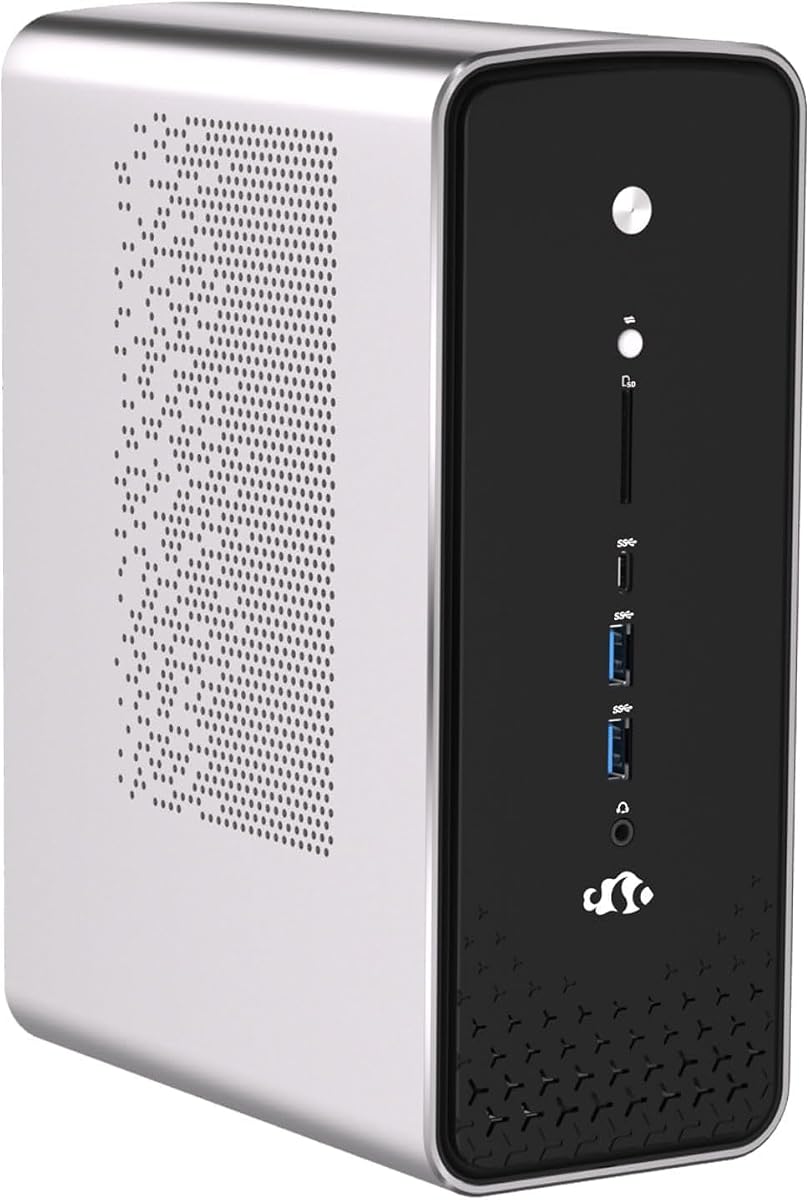
NIMO Mini PC Ryzen AI Max+ 395
5.0Editor score
Ubuntu and Windows preinstalled
Ryzen AI Max+ 395 processor
Dedicated integrated AI NPU
Dual 2.5G Ethernet connectivity
Compare the best Desktop PC with Ubuntu Pre Installed options, covering performance, memory, displays, connectivity, operating systems, and developer features.
A Desktop PC with Ubuntu Pre Installed is most useful when you want a ready-to-work Linux system without performing the operating system installation yourself. Good choices balance processor power, memory, storage, display support, networking, and practical expansion options while remaining appropriate for development, office work, learning, and everyday productivity.
We compared all ten supplied systems using their processors, memory, storage, included operating systems, connectivity, display capabilities, and form factors. The list includes compact mini PCs, traditional business towers, renewed Dell desktops, and Linux Mint systems, so readers can distinguish a true Ubuntu-ready option from a Windows computer that could later run Ubuntu.
Each review explains the strongest reasons to consider that particular model, along with its limitations and ideal user. The three featured selections emphasize overall capability, a premium engineering-focused configuration, and value. Marketplace pricing and availability can change, so confirm the current listing, operating system, included accessories, and warranty before purchasing.
5.0Editor score

4.0Editor score
This side-by-side comparison highlights the preinstalled operating system, processor class, memory, storage, and form factor of every supplied system, helping you separate true Ubuntu configurations from Windows and Linux Mint alternatives.





The Beelink SER9 Pro 255 is the most direct match for shoppers who want a compact Ubuntu desktop with more current hardware than a typical refurbished office PC. It carries a 4.0 rating and comes with a built-in Ubuntu system plus preinstalled OpenClaw, skills, and integrations. The combination makes it particularly interesting for developers, technical users, and anyone who wants a Linux system ready for productivity applications and AI-related workflows.
We may earn a commission when you buy through this link, at no additional cost to you.
Its Ryzen 7 255 processor provides eight cores and sixteen threads, with speeds listed from 3.8GHz to 4.9GHz and a 16MB L3 cache. Integrated Radeon 780M graphics use RDNA 3 architecture, while 24GB of LPDDR5X memory runs at 6400MT/s. A 1TB PCIe 4.0 drive is included, and dual M.2 PCIe 4.0 x4 slots provide additional internal storage options. The supplied information describes this configuration as suitable for demanding work, multimedia, and gaming.
Connectivity is another major strength. The system supports triple-display output through HDMI 2.1, DisplayPort 1.4, and full-function USB4, with HDMI and DisplayPort resolutions listed up to 4K at 240Hz. It also has 2.5Gbps Ethernet, WiFi 6, Bluetooth 5.2, two USB 3.2 ports, two USB 2.0 ports, a 10Gbps USB-C data port, and a 40Gbps USB4 port. Built-in microphones and dual speakers add convenience, although external equipment may still be desirable for specialized audio work.
This is a compelling recommendation for users who want a dedicated Ubuntu machine without installing the operating system themselves. Its main limitation is that the onboard LPDDR5X memory generally cannot be upgraded in the same way as conventional desktop DDR modules. It may also be more than a basic office user needs. Even so, the processor, graphics, memory, storage, connectivity, and ready-installed software make it the strongest all-around recommendation in this group.
The preinstalled Ubuntu environment and OpenClaw tools are the defining convenience. Users can concentrate on configuring their applications and workflow instead of beginning with a bare operating system and a separate installation process.
Triple-display capability, 2.5Gbps Ethernet, WiFi 6, and USB4 give the system flexibility for a focused workstation. These features are particularly useful for developers, creators, and users who move large files between devices.
We may earn a commission when you buy through this link, at no additional cost to you.
The Dell OptiPlex 7070 SFF is a capable business desktop with a 4.1 rating, although its included operating system is Windows 11 Pro rather than Ubuntu. It is still worth considering for an Ubuntu-focused buyer who values memory, storage, serviceability, and a traditional desktop chassis over the compact dimensions of a mini PC. It could also serve as a dual-purpose workstation if the buyer intends to install Ubuntu alongside Windows.
We may earn a commission when you buy through this link, at no additional cost to you.
The ninth-generation Intel Core i7-9700 has eight cores and a listed maximum speed of 4.70GHz. It is paired with 32GB of DDR4 memory and a new 1TB M.2 NVMe SSD. That memory capacity is comfortable for office multitasking, browser-heavy workflows, virtual machines, and development environments, while the NVMe drive provides fast boot and file access. The listing also identifies built-in AX210 WiFi 6E and includes a wireless keyboard and mouse.
The small form factor case is roomier than a typical mini PC and is described as suitable for future expansion. Connectivity includes five USB 3.1 ports, four USB 2.0 ports, and two DisplayPort outputs for two displays. These details make the system more adaptable to offices that still depend on wired peripherals and legacy accessories. Its renewed status should be considered alongside the included specifications and any seller-provided coverage.
This OptiPlex is best for buyers who want the dependable layout of a business desktop and may add Ubuntu later. It is less convenient than the Beelink for an immediate Ubuntu-first experience, and the i7-9700 is not as current as the Ryzen hardware in several mini PCs. Its generous memory, NVMe storage, and practical port selection nevertheless make it a strong general-purpose platform.
The 32GB of DDR4 memory provides more room for many applications at once. It is especially helpful when running development tools, communication apps, virtualized environments, and multiple browser sessions together.
A small form factor Dell chassis offers a familiar workstation layout. Multiple USB generations and two DisplayPort connections simplify the setup of an office, although Ubuntu would need to be installed separately.
We may earn a commission when you buy through this link, at no additional cost to you.
The NIMO Ryzen AI Max+ 395 is the premium selection in this roundup and the most ambitious specification. It has a 5.0 rating and comes with Windows 11 Pro and Linux Ubuntu preloaded, providing a smooth switch between a general-purpose commercial environment and a developer-friendly Linux platform. The operating system flexibility makes it especially attractive for users who need both ecosystems without rebuilding a dual-boot configuration.
We may earn a commission when you buy through this link, at no additional cost to you.
The Ryzen AI Max+ 395 processor uses Zen 5 architecture and is designed for demanding multitasking, AI deployment, and complex computation. Its integrated NPU accelerates local AI workflows such as language models, image generation, data modeling, and code completion. Integrated Radeon graphics support demanding visual tasks, while the high-bandwidth memory platform is intended to handle virtual machines and containerized applications. Dual M.2 PCIe 4.0 SSD slots provide room for local storage and rapid OS selection.
Connectivity is extensive for a compact system. Simultaneous triple 4K output is supported through HDMI, DisplayPort, and full-featured USB4. A 40Gbps USB4 port can support external GPU expansion and charging, while dual 2.5G RJ45 Ethernet ports are useful for reliable networking and advanced workstation arrangements. WiFi 7, Bluetooth 5.4, and an upgraded copper cooling module add further capability. A VESA bracket allows the mini PC to be mounted behind a compatible display.
The NIMO is the right choice for developers, engineers, AI researchers, and advanced creators who need a capable workstation in a small footprint. Dual preloaded operating systems eliminate much of the initial setup, while the high-end processor and AI hardware offer room for demanding workloads. The specification level is excessive for basic browsing and document work, and the exact memory figure should be confirmed in the listing, but for a no-compromise compact Linux workstation, it is the leading option here.
Windows 11 Pro and Ubuntu arrive preloaded, making the machine useful for mixed workflows. Developers can use Linux natively while retaining Windows for business software or specialized applications.
The integrated AI NPU and high-bandwidth memory architecture target demanding local AI and development tasks. This makes the system relevant to users who want more than general desktop performance from a compact machine.
We may earn a commission when you buy through this link, at no additional cost to you.
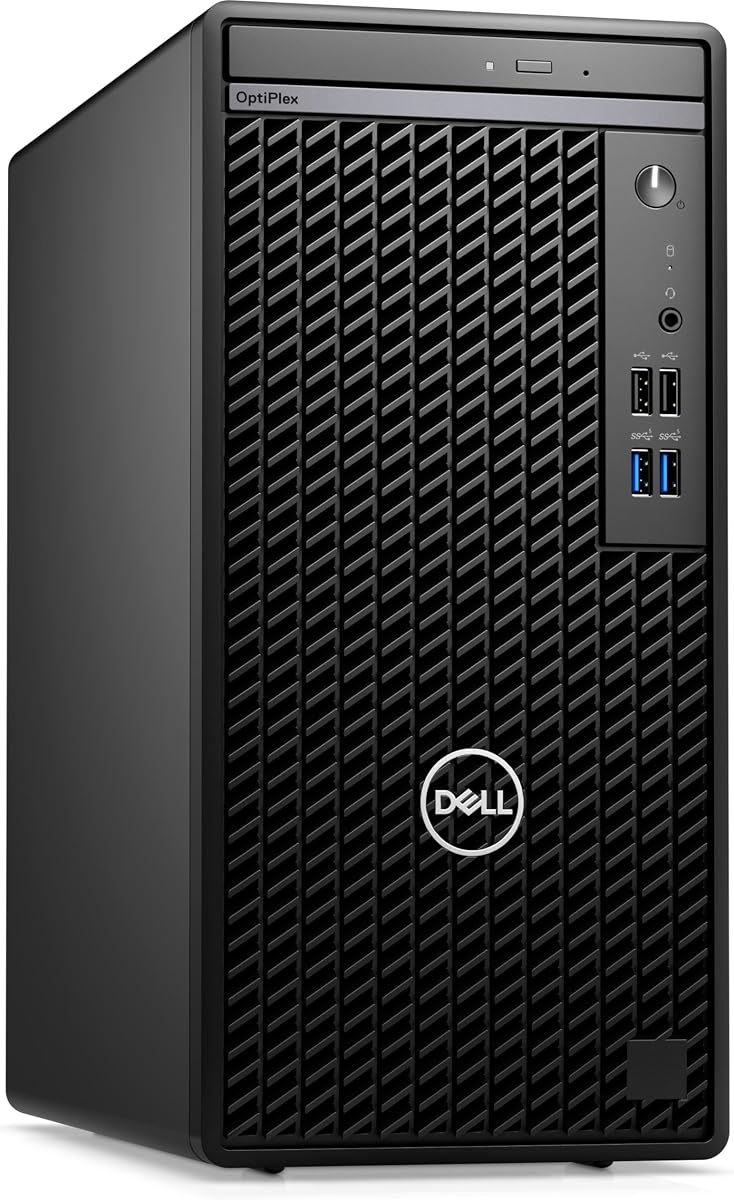
The Dell OptiPlex 7010 is a straightforward Ubuntu desktop with Ubuntu Linux 22.04 already installed. It stands out as a value-oriented traditional tower rather than a miniature workstation, and no customer rating is supplied for this listing. Its appeal lies in a modern 13th-generation Core i5 processor, a conventional business mini tower, and the elimination of a separate operating system installation.
We may earn a commission when you buy through this link, at no additional cost to you.
The Core i5-13500 has fourteen cores and twenty threads, with six performance cores, speeds listed from 2.50GHz to 4.8GHz, and a 24MB cache. Integrated Intel UHD graphics accompany 8GB of DDR4 memory and a 256GB PCIe NVMe SSD. The system includes a 180W power supply, a USB keyboard, and a USB mouse. That specification should handle office applications, web work, coding, and light creative tasks, but the memory and storage capacities are modest.
Its port selection is serviceable for a business machine: four USB 2.0 ports, HDMI, DisplayPort, a DVD drive, Ethernet through RJ-45, and a combined headphone and microphone jack. No display or webcam is included. The mini tower format also provides a more conventional approach to internal components than an ultra-compact system, making it approachable for office users and institutions that prefer familiar Dell OptiPlex hardware.
Choose this model if you specifically want a desktop that arrives with Ubuntu and do not need a compact footprint. The main upgrades to consider are additional memory and storage, since 8GB and 256GB may become restrictive over time. With a recent processor and a preconfigured Linux environment, it remains a sensible entry point for office productivity, technical learning, and straightforward Ubuntu development.
Ubuntu Linux 22.04 is preinstalled, giving buyers a direct path to a ready Linux workstation. The system does not depend on a separate installation before ordinary office or development work can begin.
The fourteen-core i5-13500 provides ample multitasking potential, but the listed 8GB of RAM is the limiting factor. Buyers with heavier workflows should plan for a memory upgrade.
We may earn a commission when you buy through this link, at no additional cost to you.
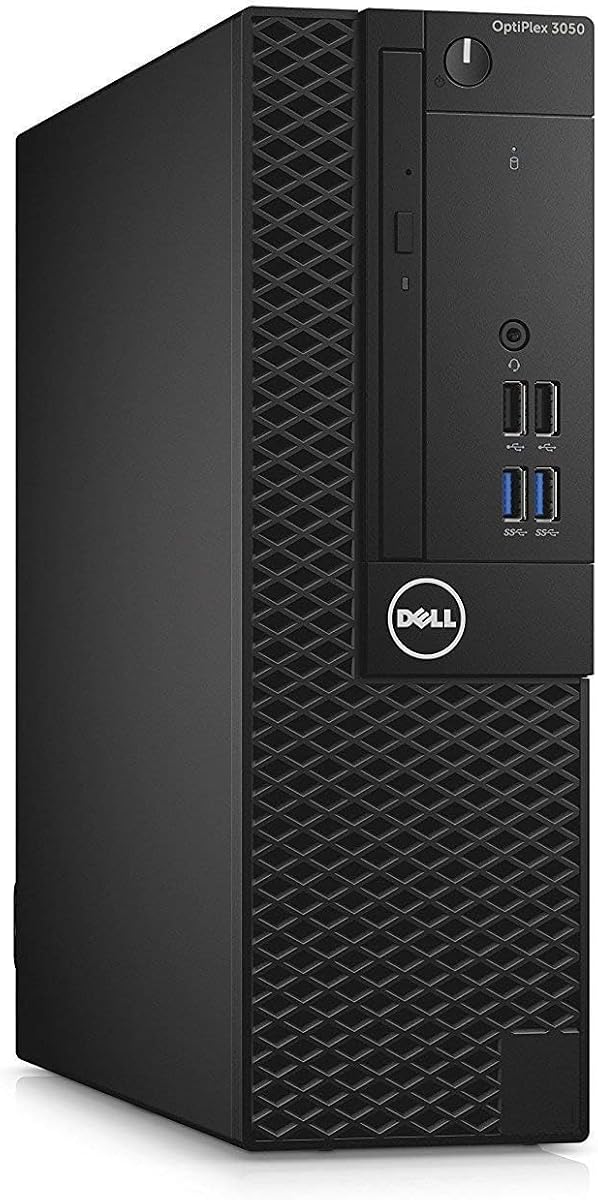
The renewed Dell OptiPlex 7050 SFF has a 3.9 rating and combines an older Intel Core i7 processor with generous memory and storage. It ships with Windows 11 Pro rather than Ubuntu, so it is better suited to buyers willing to install Ubuntu themselves or install it alongside Windows. The attractive part of this system is its balanced capacity for office software, browsing, development, and several simultaneous applications.
We may earn a commission when you buy through this link, at no additional cost to you.
The Core i7-7700 is a four-core processor running at 3.60GHz, while the system includes 32GB of DDR4 memory and a 1TB SSD. That memory allocation is more substantial than many refurbished office desktops offer, and solid state storage improves responsiveness compared with a traditional hard drive. The package also includes a wired keyboard and mouse, power cord, and a USB WiFi adapter with Bluetooth support.
The small form factor chassis remains practical for offices and desks where a full tower is inconvenient. Ports include USB 3.0 and USB 2.0, HDMI, DisplayPort, Ethernet, and audio connections, allowing a two-monitor arrangement. The listing says the system is professionally renewed, tested, certified, and backed by a 90-day seller warranty. Those details provide more context than simply describing the computer as used.
This OptiPlex is a sensible option for a Linux-curious shopper who values memory and storage over having Ubuntu preinstalled. Its four-core processor is dated by current standards, but 32GB of RAM and a 1TB SSD help sustain productivity. Choose it for value-oriented general computing, and plan the Ubuntu installation and driver setup before expecting the same ready-out-of-the-box convenience as the true Ubuntu systems.
The 32GB DDR4 allocation distinguishes this model from many similarly positioned renewed desktops. It offers useful headroom for numerous browser tabs, office applications, containers, and background services.
The seller describes the unit as professionally renewed, tested, and certified, with a 90-day warranty. Buyers should still examine the listing for specific condition details and return terms.
We may earn a commission when you buy through this link, at no additional cost to you.
The Dell OptiPlex 7060 SFF is a renewed business desktop with a 4.0 rating, a six-core Intel Core i7-8700 processor, 32GB of DDR4 memory, and a 512GB NVMe SSD. It comes with Windows 11 Pro, built-in WiFi and Bluetooth, and a wireless keyboard and mouse. It is a credible option for a buyer who wants a capable general-purpose system and is comfortable installing Ubuntu separately.
We may earn a commission when you buy through this link, at no additional cost to you.
The i7-8700 has six cores and reaches a listed maximum frequency of 4.60GHz. Paired with 32GB of RAM, it should manage office suites, web applications, light development work, and multiple background tasks effectively. The NVMe drive supports faster boot times and file operations than a conventional SATA SSD, which improves the feel of the renewed system. The roomy small form factor case is also described as offering room for future expansion.
Five USB 3.0 ports, two USB 2.0 ports, and two DisplayPort connections provide a good selection of wired and display options. Dual-monitor support is explicitly mentioned, while built-in wireless connectivity avoids requiring a separate adapter. The supplied keyboard and mouse make the system more convenient as a complete package. As with other renewed PCs, the physical condition and seller protections deserve careful review.
This system is best for budget-conscious office users, students, and developers who can handle an operating system installation. It is less convenient than the Beelink, NIMO, Dell 7010, or Dell Pro Micro because Ubuntu is not included, but the combination of six cores, 32GB of memory, NVMe storage, and flexible ports remains appealing. Verify the exact Ubuntu compatibility of the components before completing an installation.
Six CPU cores and 32GB of memory create a comfortable foundation for multitasking. The system feels better suited to demanding office use than the cheapest compact alternatives with only 8GB installed.
Built-in WiFi and Bluetooth simplify network setup, and the included wireless input devices complement that feature. A Ubuntu installation would still need compatible drivers and appropriate system configuration.
We may earn a commission when you buy through this link, at no additional cost to you.
The Dell OptiPlex 5050 SFF has a 4.2 rating and offers a compact, familiar Dell desktop based on the Core i7-7700. It is a renewed system with Windows 11 Professional preinstalled, not Ubuntu, but it could become a practical Linux machine for a buyer comfortable performing the installation. The strongest features are its 16GB of memory, 512GB NVMe storage, and space-efficient chassis.
We may earn a commission when you buy through this link, at no additional cost to you.
The quad-core processor operates at 3.6GHz and can turbo up to 4.2GHz. Intel HD Graphics 630 handles routine visual output, while 16GB of DDR4 memory provides enough capacity for many productivity applications, browser sessions, and light programming tasks. The 512GB NVMe SSD gives applications and files quick access, improving the responsiveness of the overall system. A wired black keyboard and mouse are included.
Its small form factor design is useful for offices, home workspaces, and environments where full-size towers are unnecessary. The supplied information is less detailed about ports than for several other Dell listings, so buyers should inspect the product images and full listing to confirm the connections needed for displays, storage, and peripherals. They should also review the renewed condition and included warranty information.
This OptiPlex is most appropriate for a straightforward desktop that can be repurposed with Ubuntu. It offers a better memory configuration than entry-level 8GB systems and faster storage than systems equipped with a hard drive, although its processor and integrated graphics are not intended for modern gaming or heavy graphics work. For inexpensive Linux experimentation and everyday computing, it remains a credible office-machine option.
Sixteen gigabytes of memory and NVMe storage create a responsive general-purpose platform. The combination is more future-friendly than the 8GB memory supplied with several compact alternatives.
The slim Dell enclosure keeps a full desktop setup compact while retaining familiar business features. It is easier to place beside or beneath a monitor than a conventional mini tower.
We may earn a commission when you buy through this link, at no additional cost to you.
The Dell Pro Micro QCM1250 is a compact Ubuntu business desktop with no customer rating supplied in the product data. Ubuntu Linux 18.04 is preinstalled, making it a direct option for organizations seeking a small Linux endpoint. Its 15th-generation Intel Core Ultra 5 processor, DDR5 memory, and NVMe storage give it a modern foundation despite the modest amount of memory listed.
We may earn a commission when you buy through this link, at no additional cost to you.
The Core Ultra 5-235T has fourteen cores and fourteen threads, including six performance cores, operates at 2.20GHz, and can reach a listed 5GHz. Integrated graphics, 8GB of DDR5 SODIMM memory, and a 512GB PCIe NVMe SSD complete the core configuration. A 90W power supply supports the compact form factor, while Ubuntu Linux 18.04 is already loaded on the system.
Connectivity includes WiFi 6E through an AX211 adapter, Bluetooth 5.4, RJ-45 Ethernet, two USB 2.0 ports, one USB 3.2 Type-C port, HDMI 2.1, DisplayPort, and a combined headphone and microphone jack. A USB keyboard and mouse are included, but no display is listed. The broad port selection is useful for an office installation requiring both modern and legacy connections.
This Dell Pro Micro is an attractive fit for business users, classrooms, and developers who need Ubuntu in a small footprint. However, Ubuntu 18.04 is an older release, and an immediate upgrade to a supported release may be advisable depending on the current support lifecycle and the buyer's requirements. The 8GB memory configuration is also likely to benefit from expansion. Subject to those points, it is a modern and practical Ubuntu-ready machine.
The Core Ultra 5-235T provides a recent processor generation and strong burst performance. Its compact enclosure makes the system suitable for reception desks, shared workstations, and small home offices.
Ubuntu 18.04 is already installed, which avoids a fresh setup. Because it is an older release, buyers with ongoing support or software compatibility requirements should verify whether an upgrade is necessary.
We may earn a commission when you buy through this link, at no additional cost to you.
The ASUS NUC 14 Pro ships with Linux Mint rather than Ubuntu, but it remains relevant to buyers who want a polished Linux desktop without installation. It is built around the Intel Core Ultra 7 155H processor with sixteen cores and twenty-two threads, 16GB of DDR5 memory, and 512GB of PCIe solid state storage. Its 1.0 rating is the lowest in the list, so close attention to the listing and customer feedback is advisable.
We may earn a commission when you buy through this link, at no additional cost to you.
Linux Mint provides a familiar, approachable Linux environment with a strong foundation for programming, virtualization, cloud-native development, and open-source tools. The stated configuration ranges in the product information describe memory options up to 64GB and storage options up to 2TB, while the selected listing specifically identifies 16GB and 512GB. Optional SATA hard drive support is noted as a separate option rather than an included accessory.
The system includes Intel Arc graphics, Thunderbolt 4, USB 3.2 Gen2 Type-C and Type-A ports, HDMI 2.1, and 2.5G Ethernet. It supports up to eight 8K displays or four 4K HDR displays, making it relevant to advanced multi-screen workspaces. WiFi 6E, Bluetooth 5.3, an aluminum cooling design, dual copper heat pipes, and VESA mounting reinforce its suitability as a compact professional workstation.
Choose the NUC if Linux Mint's user experience and tooling meet your needs and you are comfortable with a non-Ubuntu distribution. It is a strong machine for Linux-based development, AI inference, and compact multi-monitor use, but the Ubuntu requirement may make it a less direct fit. Its low rating does not establish a hardware defect, yet it is a valid reason to examine verified customer feedback carefully before deciding.
Linux Mint provides an immediately usable desktop and a developer-friendly environment. Buyers who prefer Ubuntu can still use the hardware, but will need to install or replace the operating system themselves.
Thunderbolt 4 and extensive display support make the NUC useful for demanding desk arrangements. Its VESA mounting option also helps recover workspace behind larger monitors.
We may earn a commission when you buy through this link, at no additional cost to you.
The ASUS PB64 is a compact business mini PC that comes with Windows 11 Pro instead of Ubuntu. It is included because its current Intel processor, tool-free chassis, business security, and multi-display support make it a capable candidate for a future Ubuntu installation. No customer rating is provided, so the supplied technical details and current listing terms are the best basis for evaluation.
We may earn a commission when you buy through this link, at no additional cost to you.
The Series 2 Intel Core Ultra 7 265 processor is joined by 16GB of DDR5 memory, a 512GB NVMe SSD, and integrated Intel graphics. The system occupies only 1.35 liters and uses an improved tool-less chassis intended to simplify upgrades and reduce downtime. That design is valuable for IT departments or technically inclined users who want a small footprint without giving up serviceability.
Wireless connectivity includes Intel WiFi 6E and Bluetooth 5.4. A hardware TPM 2.0 provides platform-level support for authentication, encryption, and identity protection, while the Control Center offers a managed approach to business functions. Display capabilities extend to up to four 4K screens through dual DisplayPort, one configuration port, and USB4. The package also includes a VESA mount for placement behind a compatible display.
This PB64 is best for a Windows-oriented business desktop that may later run Ubuntu or another Linux distribution. It is less convenient for an Ubuntu-first purchase because the operating system must be replaced or added separately, and buyers should verify installation media, driver support, and storage or memory requirements. Even so, it is an efficient, modern, and serviceable platform for developers and compact professional offices.
Tool-less chassis access and a compact 1.35-liter volume make maintenance more approachable. The system balances desk-space efficiency with features commonly valued in professional offices.
Support for up to four 4K displays suits complex workspaces, while the Control Center and hardware TPM support managed deployments. Ubuntu users can benefit from these features after preparing the appropriate software environment.
We may earn a commission when you buy through this link, at no additional cost to you.
The best Ubuntu desktop depends on whether immediate operating system readiness is the priority and how demanding your software will be. Review the preinstalled Linux version, processor, memory, storage, display needs, connectivity, and expansion options before choosing.
A genuine Ubuntu-preinstalled machine saves the most time because the operating system, desktop environment, basic drivers, and bundled tools are already configured. The Beelink includes Ubuntu and OpenClaw, the NIMO includes Ubuntu alongside Windows, the Dell OptiPlex 7010 includes Ubuntu Linux 22.04, and the Dell Pro Micro lists Ubuntu Linux 18.04. Version matters because older distributions may have different hardware support, application availability, and security support needs.
Confirm the exact Ubuntu release and ask whether an upgrade is included. Linux Mint and Windows systems remain valid hardware choices, but they are not Ubuntu-preinstalled products.
Processor performance depends on more than the model number. Consider core count, thread count, maximum clock speed, integrated graphics, and the workload. The Ryzen AI Max+ 395 and Core Ultra processors target demanding development, AI, and creation tasks, while the Core i7-8700 and Core i5-13500 offer capable general-purpose performance. Older Core i7-7700 systems can remain effective for standard office work.
Match the processor to your software rather than automatically choosing the newest model. Light productivity tasks do not require a workstation-class chip, but virtual machines, compiling, rendering, and local AI workloads benefit from additional cores and faster memory.
Memory determines how comfortably a desktop handles many applications, browser tabs, containers, and virtual machines. The supplied Dell OptiPlex systems range from 8GB to 32GB of DDR4, while the Beelink has 24GB of LPDDR5X, the Dell Pro Micro has 8GB of DDR5, the NIMO emphasizes high-bandwidth memory, and the ASUS systems include 16GB of DDR5. The OptiPlex 7010 and Dell Pro Micro would benefit particularly from more memory.
Prefer at least 16GB for general development and consider 32GB or more for intensive multitasking. Check whether the RAM is soldered or replaceable; a compact LPDDR5X configuration may prioritize size over upgrade flexibility.
All ten systems use solid state storage, which provides a much better experience than a traditional hard drive. Capacity still matters: the Dell OptiPlex 7010 and Dell Pro Micro list 256GB and 512GB respectively, while the Beelink and several OptiPlex systems offer 1TB. The NIMO and ASUS NUC also support multiple M.2 storage positions, making them relevant to projects, virtual machine images, and container storage.
Choose enough room for the operating system, applications, working files, and backups. A faster NVMe drive improves application launches and file transfers, while additional M.2 slots can provide expansion without replacing the primary drive.
Display requirements should account for resolution, refresh rate, the number of monitors, and the graphics workload. The Beelink supports triple 4K output up to 240Hz on its listed HDMI and DisplayPort connections. The NIMO supports simultaneous triple 4K output, while the ASUS NUC supports up to four 4K HDR displays or as many as eight 8K displays. The Dell systems primarily emphasize one or two displays.
Integrated Radeon or Intel graphics are appropriate for office work and many development tasks, while heavier 3D rendering, gaming, and graphics applications require more capable hardware. Check connector types and monitor compatibility before purchase.
Networking matters for remote work, large transfers, development repositories, and local services. The Beelink includes 2.5Gbps Ethernet, the NIMO provides dual 2.5G ports, and the ASUS NUC includes 2.5G Ethernet. Several Dell desktops use standard RJ-45 Ethernet, while the Dell Pro Micro adds WiFi 6E and Bluetooth 5.4. USB4 and Thunderbolt 4 offer high-speed peripherals and external display flexibility.
For a wired office, prioritize the Ethernet standard and available USB ports. For a compact or wireless setup, confirm the WiFi generation, Bluetooth version, placement of antenna hardware, and the strength of the supplied network adapter.
Form factor affects desk space, noise, cooling, ports, and service access. Mini PCs such as the Beelink, NIMO, Dell Pro Micro, and ASUS NUC can be compact and highly integrated. The OptiPlex 7010 mini tower and the renewed OptiPlex SFF systems use more traditional business enclosures. The ASUS PB64 is only 1.35 liters but emphasizes tool-less internal access.
Choose a larger case when expansion, serviceability, or abundant ports matter more than saving every inch of desk space. Choose a smaller system when portability, tidy installations, and minimalist workspaces are the priority.
Condition is especially important with renewed business desktops. The Dell OptiPlex 7070, 7050, 7060, and 5050 listings identify renewed systems, and the OptiPlex 7050 listing mentions professional testing, certification, and a 90-day seller warranty. Confirm the exact condition statement, return policy, included power cord, peripherals, and coverage rather than assuming all renewed systems are equivalent.
Also verify that the listing includes what you need. Some systems include keyboards and mice, some include WiFi adapters, and the NIMO lists its power adapter and support. A display is generally not included, so budget for the monitor, keyboard, mouse, and any network or audio equipment you need.
Begin by confirming that the operating system, processor, memory, storage, and included accessories match the listing. Connect the power supply, display, keyboard, mouse, and network equipment, then power on the system and follow the initial Ubuntu setup prompts. Create a separate administrator or user account, connect to a trusted network, and confirm that the current Ubuntu release and security updates are appropriate for your needs.
Install only the software and drivers required for your workflow. For development, configure your preferred programming languages, version-control tools, containers, IDEs, and development frameworks. For office use, verify document formatting, fonts, printer support, and video-conferencing applications. Run hardware diagnostics after setup, and test every USB, display, audio, storage, and network connection before migrating important files.
Maintain the system by applying operating system and application updates, keeping backups in more than one location, and monitoring free storage space. Clean vents gently, avoid blocking airflow, and place the computer on a stable surface. For a compact mini PC, check that VESA mounting does not obstruct ventilation. Periodically inspect renewed-system fans, cables, storage health, and the seller's warranty terms.
The Beelink SER9 Pro 255, NIMO Ryzen AI Max+ 395, Dell OptiPlex 7010, and Dell Pro Micro QCM1250 are the listed systems that include Ubuntu. The NIMO also includes Windows 11 Pro. The other products include Windows 11 Pro or Linux Mint and would require an Ubuntu installation or replacement for a strictly Ubuntu-first setup.
Linux Mint is a separate Linux distribution that offers an approachable desktop and useful development tools. It can be excellent for a buyer who values a ready-to-use Linux system, but it is not the same as Ubuntu. Users with Ubuntu-specific workflows, software repositories, or deployment practices should choose an actual Ubuntu model or install Ubuntu themselves.
Many Dell OptiPlex systems use standard components that can work well with Ubuntu, but compatibility should be checked for the exact model and installed drivers. Wireless adapters, graphics, audio devices, and particular storage or peripheral combinations may require additional attention. Confirm Linux support for the hardware before installing, especially on an older renewed system.
Sixteen gigabytes is a useful starting point for coding, browser use, containers, and moderate multitasking, while 32GB is more comfortable for virtual machines, large projects, and many simultaneous services. The supplied 8GB configurations may be adequate for light use but are easier to constrain. Check whether additional memory is supported before making an upgrade plan.
Several can, including the Beelink, NIMO, and ASUS NUC. The Beelink supports triple output through HDMI, DisplayPort, and USB4, while the NIMO supports simultaneous triple 4K output. The ASUS NUC supports up to four 4K HDR displays according to its listed capabilities. Monitor resolution, refresh rate, operating system support, and adapter requirements should all be verified.
A preinstalled Ubuntu PC is more convenient for users who want immediate use and may not be comfortable partitioning a drive or resolving drivers. Installing Ubuntu yourself offers more control over the version, partition layout, and coexistence with another operating system. Choose the preinstalled route for convenience, or self-install when customization and a clean configuration are priorities.
Review the processor, memory, storage, operating system, port selection, included accessories, physical condition, and warranty terms. The OptiPlex 7050 listing specifically mentions professional testing, certification, and a 90-day seller warranty. Return policies and coverage vary by seller, so confirm those details before completing the purchase.
None of the supplied product descriptions lists a monitor as an included component. The Beelink has built-in speakers and a microphone, and several desktop listings include a keyboard and mouse, but a display generally needs to be sourced separately. Check the package contents carefully because Dell systems vary in whether they include wired or wireless input devices.
The Beelink SER9 Pro 255 is the best overall choice because it combines a ready Ubuntu environment, a capable Ryzen 7 255 processor, 24GB of fast memory, 1TB PCIe 4.0 storage, strong integrated graphics, and extensive display and network connectivity. The NIMO Ryzen AI Max+ 395 is the premium selection for users who need more processing power, local AI acceleration, dual operating systems, and a highly connected compact workstation.
The Dell OptiPlex 7010 is the best value-oriented Ubuntu choice in this group. It provides Ubuntu Linux 22.04, a modern Core i5-13500, and a traditional business mini tower. Its 8GB memory and 256GB storage are modest, so buyers should consider upgrades if their workload will expand. For a Windows-first or Linux Mint experience, the remaining Dell and ASUS systems provide useful alternatives, but they do not arrive with Ubuntu ready to use.
Before buying, verify the exact operating system version, included components, memory upgradeability, display support, driver compatibility, and warranty. Marketplace pricing and availability can change, and renewed systems may have different condition terms. Choosing the model that best matches your software, upgrade plans, desk space, and need for immediate Linux setup will lead to the most satisfying result.