
240W Dell G16 G15 Charger
4.4Editor score
240W high-power output
Ten-foot combined cable reach
Multiple safety protections
Compare 10 Alienware Laptop Charger Replacement, with key specifications, product ratings, pros and cons to help you choose.
Replacing an Alienware laptop charger is more than finding a matching power tip. A dependable replacement must deliver the right voltage, amperage, wattage, connector configuration, and safety protections for the specific laptop model. These factors become especially important with Alienware systems designed for demanding gaming workloads and high-performance graphics components.
This guide compares ten replacement chargers using the specifications and compatibility information supplied for each product. The evaluation covers output power, supported Dell and Alienware families, connector size, input voltage, protective circuitry, included cords, portability, and warranty or support details. Models range from broadly compatible 240W units to a higher-output 330W option for demanding configurations.
Each review explains who the charger is best suited to, along with its strongest features and practical limitations. The top picks highlight a value-focused 240W model, a broadly compatible slim 240W adapter, and a premium 330W charger for newer high-performance systems. Product availability, seller terms, and pricing can change, so readers should verify the latest model details before ordering.
4.4Editor score

4.4Editor score

4.3Editor score
The table below places all ten replacement chargers side by side, focusing on maximum output, connector configuration, supported laptop coverage, and notable practical features such as included cords, portability, and safety controls.


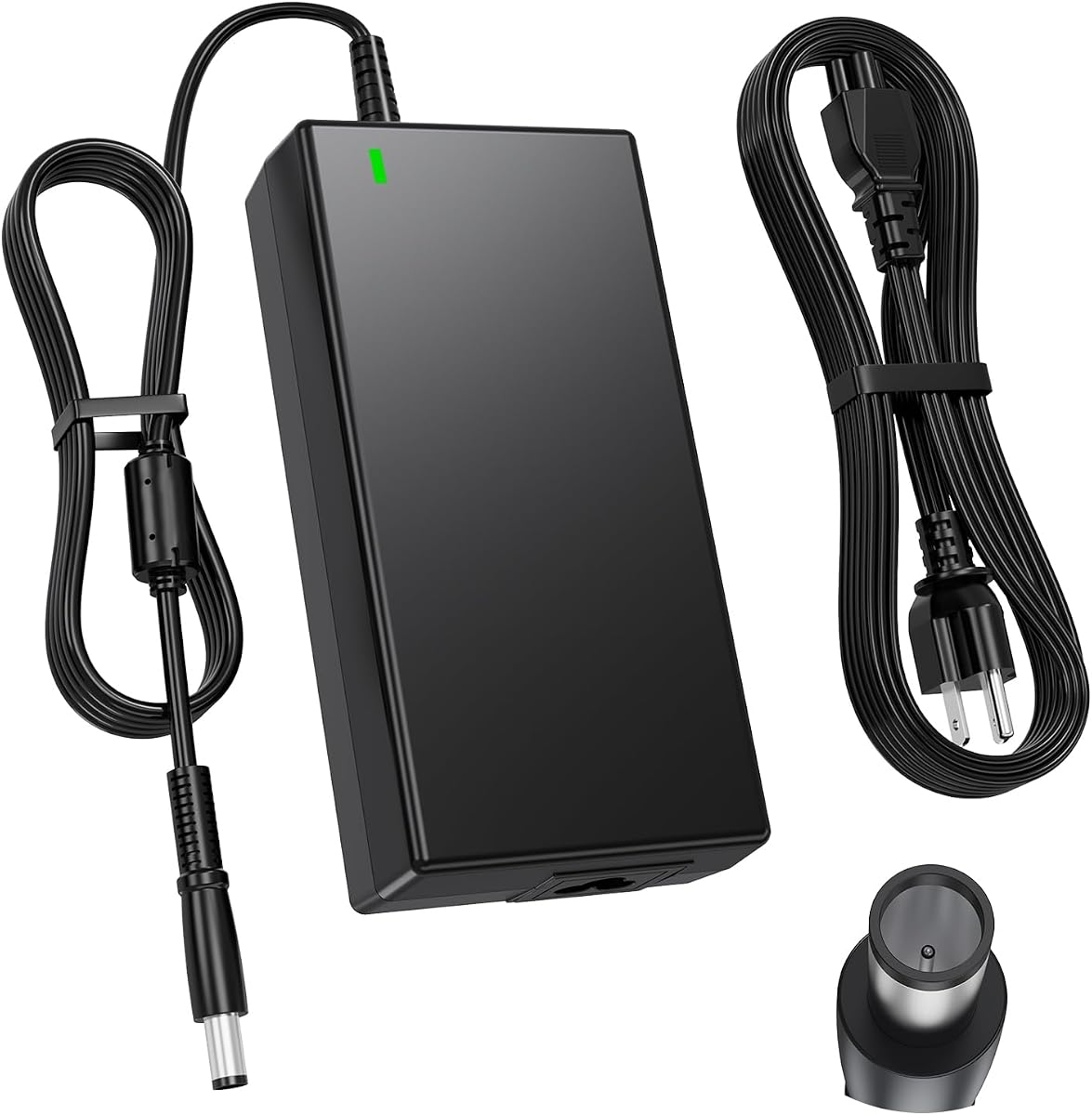


This 240W replacement charger earns the top position for combining useful capacity, flexible reach, broad Dell gaming-laptop support, and an approachable package. Its listed rating is 4.4 out of 5. The adapter supplies 19.5V at 12.3A and is designed for Dell G16, G15, G7, G5, and G3 systems, as well as selected Alienware and Precision models. That makes it a practical starting point for owners of the common rectangular 7.4 by 5.0mm connector.
We may earn a commission when you buy through this link, at no additional cost to you.
One of its most useful features is the unusually long total cable arrangement. The package combines a six-foot charger cord with a four-foot power cord, creating ten feet of reach. This gives users more freedom when positioning a desktop, game station, or charging area without requiring a separate extension. The 100–240V, 50–60Hz input also allows the charger to operate across different international mains systems when an appropriate local wall plug is used.
The listed safeguards include short-circuit, over-current, over-voltage, and overheating protection. These protections are especially relevant for a gaming laptop replacement because sustained high-power charging can generate more heat than a lightweight office-device adapter. The product description also highlights a shell designed to resist everyday wear. The trade-off is that the compatibility list is less expansive than those offered by several other products in this guide, so buyers should confirm their exact Alienware family and factory charger part number.
This is a strong recommendation for anyone replacing a standard 240W Dell or Alienware gaming charger, particularly if cable reach matters. It is also suitable for compatible Precision and G-series owners. It is not the right choice for a notebook requiring more than 240W, a USB-C-only design, or a system with a different connector. Buyers should compare the model label and original charger specifications before ordering, but for a common 240W setup this product offers a balanced and feature-rich replacement.
The combined ten-foot reach can simplify charging in rooms where the wall outlet and desk are far apart. It also reduces pressure on the connector caused by pulling a short cable tight against the laptop.
Short-circuit, over-current, over-voltage, and overheating safeguards provide several layers of defense during the long charging sessions associated with demanding gaming laptops.
We may earn a commission when you buy through this link, at no additional cost to you.
This DECSZDY adapter is built around the 240W output profile used by many Alienware gaming laptops, including the M17 R1 through R5, M17X, M18X, Area-51m, G5, and G7 families. It has a 4.2 rating, placing it among the more highly rated entries in the group. Its primary attraction is model coverage, particularly for owners searching for a replacement for an older or widely used Alienware M-series notebook.
We may earn a commission when you buy through this link, at no additional cost to you.
The output is 19.5V at 12.3A for a maximum of 240W. The description also identifies compatibility with 180W, 150W, and 90W output requirements when those devices use the same connector and voltage. This does not mean the adapter reduces itself automatically; it means the higher-capacity output is suitable for compatible systems that accept the same 19.5V connector arrangement. A 5.0 by 7.4mm connector and three-prong wall outlet are specified for the package.
Safety features include a heat-dissipation system and an IC chip providing overload, short-circuit, and overheat protection. The product has also undergone technical inspection before shipment. Its support proposition is unusually specific: buyers are told that a 60-day refund and 12-month warranty are available, while the instructions direct customers to contact the seller for the longer warranty after Amazon's standard return window has closed. That arrangement is useful, although it requires retaining order information and communicating directly with the seller.
This charger is best recommended for an Alienware owner whose exact model appears in the M17, M17X, M18X, Area-51m, G5, or G7 families. It is less suitable for newer systems requiring more than 240W or for laptops using a USB-C connection. Buyers should confirm both the connector and required output. The combination of broad M-series coverage, a 240W ceiling, and seller-backed warranty makes this a credible option, provided they are comfortable using the stated direct-warranty process.
The detailed coverage of M17, M17X, M18X, and Area-51m families is especially useful for owners of Alienware systems that share the traditional 19.5V charging arrangement.
A dedicated heat-dissipation system and overheat protection help the charger manage sustained output when used with power-hungry gaming configurations.
We may earn a commission when you buy through this link, at no additional cost to you.
This slim 240W adapter is the most broadly useful replacement in the guide, earning the Editor's Choice distinction. Its 4.4 rating reflects a favorable customer reception, while the compatibility information covers numerous Alienware 13, 15, and 17 systems, the M11 through M18X range, X51, Dell G3, G5, and G7 families, and a substantial selection of Precision mobile workstations. It is a strong candidate when the buyer wants one replacement to cover several compatible Dell ecosystems.
We may earn a commission when you buy through this link, at no additional cost to you.
Maximum output is 19.5V at 12.3A, or 240W, and the product is also listed as compatible with 180W devices. Input accepts 100–240V at 50–60Hz. The particularly useful part is the part-number list, which includes identifiers such as FWCRC, C3MFM, U896K, 6RTJT, Y044M, Y047M, J211H, J938H, GA240PE1-00, PA-9E, 7XCR6, DA240PM180, 0RYJJ9, RYJJ9, and 8N2T2. Checking these against the original adapter can be more dependable than matching only a marketing family name.
Its slim construction is useful for travel or a less crowded charging space. The description also provides direct seller warranty instructions, including contact through the seller store after Amazon's standard return period. Buyers still need to observe sound practices: confirm the laptop model, inspect the original power brick's output label, and check whether the replacement's connector has the same shape and center-pin arrangement. A long compatibility list can only help if the selected charger is electrically and physically correct.
This recommendation is ideal for owners of most traditional 19.5V Alienware and Precision systems who want a versatile replacement without moving to the much higher 330W class. It is not appropriate for USB-C-only laptops, proprietary newer connectors, or any system requiring more than 240W. For older and mid-range gaming laptops, however, the combination of wide model coverage, detailed part-number references, and a relatively compact form gives it exceptional practical value.
Coverage across Alienware, Precision, and supported G-series models makes this a convenient option for households or workplaces that own more than one compatible Dell mobile computer.
The long list of factory part numbers gives buyers a practical way to match the replacement to an existing charger instead of relying only on an uncertain model-name guess.
We may earn a commission when you buy through this link, at no additional cost to you.
This 180W replacement is aimed at users whose original Alienware or Dell adapter supplied 19.5V and 9.23A. It carries a 4.3 rating and supports Alienware 13, 15, and 17 systems across several revisions, plus M15, M17, M17X, and X51 models. It is also compatible with a range of Dell Precision systems, G3, G5, and G7 notebooks, and selected Inspiron and OptiPlex desktop models. That wider Dell reach makes it a sensible option for a mixed-device workspace.
We may earn a commission when you buy through this link, at no additional cost to you.
The charger uses a 7.4 by 5.0mm connector with a center pin. The center pin is an important detail because some visually similar Dell-style tips are wired differently. Buyers should compare the original adapter rather than relying only on the outside dimensions. The included US power cable completes the setup, and the 100–240V input allows operation on different mains voltages when paired with a suitable cord.
Its most obvious limitation is the 180W ceiling. A laptop factory-rated for 240W or 330W may not operate correctly with this unit, even if the connector appears to fit. The product's part-number list includes DA180PM111, FA180PM111, LA180PM111, ADP-180MB B, DW5G3, 0DW5G3, 74X5J, 074X5J, WW4XY, TW1P0, F0G4K, JVF3V, 331-1469, and 331-7957. This provides a solid basis for checking compatibility with the charger being replaced.
This is the best-oriented option for a specific Alienware notebook that originally used a 180W brick, particularly owners who also maintain older Precision or OptiPlex equipment. It should not be selected for a 240W gaming laptop simply because the connector looks similar. It is also less convenient for international travel because the included cord uses a US-style wall plug. For a correctly matched 180W setup, however, it offers proven compatibility, straightforward installation, and a useful extension beyond Alienware laptops.
A matching outer diameter does not guarantee a proper electrical connection. The specified center pin helps distinguish this replacement from some visually similar Dell-style adapters.
Support for selected Precision, Inspiron One, OptiPlex AIO, and docking products makes this charger more adaptable than replacements marketed only for one family.
We may earn a commission when you buy through this link, at no additional cost to you.
This 330W slim charger is the premium, high-output selection for newer Alienware gaming laptops. It has a 4.3 rating and is explicitly listed for Alienware m16, m18, x16 R1, and the part numbers P124F001, P51E001, and P120F001. It is positioned for configurations associated with high-end RTX 4090 and RTX 4080 graphics, where a 240W adapter may be insufficient for the complete system and attached high-power peripherals.
We may earn a commission when you buy through this link, at no additional cost to you.
The adapter's maximum output is 19.5V at 16.92A, producing 330W. It is also described as compatible with Dell Alienware 240W and 180W chargers, allowing it to serve both the newest supported systems and many lower-powered models that use the same connection. Input is AC 100–240V at 50–60Hz, and the listed connector size is 7.4mm. The package includes one adapter and one three-prong power cord.
A major advantage is headroom. A charger rated above the laptop's requirement can provide a useful reserve for power-hungry components, although the laptop will continue to manage the power it actually accepts. That makes the 330W unit a logical choice for owners of the specific modern models named in the listing. Its slim shape also aims to counter one of the common objections to high-wattage bricks, which tend to be bulkier than standard replacements.
This recommendation is specifically for a compatible newer Alienware system that benefits from 330W output. It is excessive for a 180W or 240W model, and a 330W unit can place more sustained demand on a wall outlet than a lower-rated charger. Buyers should verify their exact model and factory part number and confirm that the laptop uses the listed 7.4mm connection. For a supported m16, m18, or x16 R1 configuration, it is the most capable charger in this guide.
A 330W rating gives compatible modern systems more delivery headroom than standard 240W replacements, which is valuable for configurations built around demanding graphics hardware.
The slim design is notable at this output level because many higher-capacity power bricks become unnecessarily large. The included three-prong cord completes the installation.
We may earn a commission when you buy through this link, at no additional cost to you.
This 240W replacement combines a 5.0 rating with a notably compact design, making it attractive for travelers and users who want a less bulky adapter. It supplies 19.5V at 12.3A and uses the Smart Blue 7.4 by 5.0mm tip associated with many Dell and Alienware charging systems. The product information is less exhaustive about individual laptop models than several other listings in the guide, so compatibility confirmation remains essential.
We may earn a commission when you buy through this link, at no additional cost to you.
Its defining physical feature is a housing described as 15 percent smaller than standard chargers. That compactness can make it easier to carry in a laptop bag or maintain a less crowded desk. The shell uses high-density nylon fibers and is described as surviving 30,000 bend tests, which is three times the cited industry average. While laboratory claims cannot substitute for checking the actual charger and cable, the construction details suggest attention to common failure points around the cord and housing.
The built-in IC provides overload, short-circuit, and overheat protection. The listing also claims 45 percent faster charging than a standard 130W adapter and says the charger maintains peak performance while charging. The comparison to a 130W unit explains why charging may be quicker on supported high-power models, but actual charging time depends on the laptop, battery condition, workload, thermal state, and the power profile the computer permits. The safe interpretation is that this is a 240W adapter designed to supply a compatible machine's requested power more quickly than an underpowered alternative.
This is a good recommendation for an Alienware owner with a confirmed 7.4 by 5.0mm connection who values portability, a clean 240W output, and a 5.0 customer rating. It is not the best choice for a buyer who needs an extensive written model list, a center-pin requirement, or more than 240W. Buyers should inspect the original connector, compare the voltage and amperage labels, and confirm that the device does not require a different charging protocol before purchasing.
The stated 15-percent size reduction helps the charger occupy less room than a conventional brick without reducing its listed 240W output capacity.
A nylon-fiber housing and a stated 30,000-bend-test endurance target address the flexing and pulling that commonly damage replacement charger cords.
We may earn a commission when you buy through this link, at no additional cost to you.
This HSXIRQA adapter has a 4.5 rating and one of the most extensive model lists in the collection. It covers Alienware M15 through M17 families, M15x, M17x, M18x, M11x, M14x, x15, x16, x17, X51, the 13, 14, 15, and 17 series, Area-51m, and Alpha R1 and R2. Numerous model codes are also included, making it a promising option for owners who know only the older generation of their gaming notebook.
We may earn a commission when you buy through this link, at no additional cost to you.
Output is 19.5V at 12.3A for a 240W maximum, with stated compatibility for 180W, 150W, and 130W devices. The round connector is 7.4 by 5.0mm, and the product explicitly warns that it is not suitable for laptops requiring more than 240W. This makes the power profile compatible with many traditional Alienware systems, but the extensive name list should never be interpreted as an automatic fit. Connector shape, center-pin construction, voltage, and required wattage must all agree.
The product emphasizes a lightweight, compact enclosure and materials designed to resist high temperatures. Its built-in chip is described as adjusting power according to the connected device's temperature and battery status, reducing heat and supporting safer operation. Safeguards for overcurrent, short circuits, and overheating are also listed, along with flame-retardant and fire-resistant material claims. The box includes one power adapter and one power cord.
This charger is best for an older or mid-range Alienware laptop that uses the standard 19.5V round connector and accepts up to 240W. It is less suitable for a 330W-capable modern system, USB-C-only notebook, or a proprietary connector arrangement. Its strongest feature is revision coverage rather than maximum power. Confirm the exact laptop code, inspect the original power brick, and verify the connector before ordering. When those details align, it offers an attractive balance of portability, protection, and broad family coverage.
The product includes M-series, Area-51m, Alpha, X-series, and classic 13, 14, 15, and 17 families, reducing the chance that an older Alienware owner will find no listed match.
A built-in chip is described as responding to device temperature and battery status, complementing the listed overcurrent, short-circuit, and overheating safeguards.
We may earn a commission when you buy through this link, at no additional cost to you.
This 240W replacement earns a 4.4 rating and offers a conventional balance of broad compatibility, detailed factory identifiers, and layered protection. It supports Alienware 13, 15, and 17 systems, the M11 through M18X range, and X51, along with Dell G3, G5, and G7 laptops. Dell Precision coverage includes 7510, 7520, 7530, 7710, 7720, 7730, and the M4300 through M6800 families named in the product information.
We may earn a commission when you buy through this link, at no additional cost to you.
Its maximum output is 19.5V at 12.3A, or 240W, and it is also listed for 180W, 150W, and 130W systems. The connector is 7.4 by 5.0mm, while input voltage is 100–240V at 50–60Hz. Factory part numbers include FWCRC, C3MFM, U896K, 6RTJT, Y044M, Y047M, J211H, J938H, GA240PE1-00, PA-9E, 7XCR6, DA240PM180, 0RYJJ9, RYJJ9, 8N2T2, and 450-AGCX.
The most clearly explained selling point is the safety system. The listing identifies over-voltage, over-current, short-circuit, and overheating protection. These are meaningful protections for a replacement brick because a fault should ideally be handled by the charger rather than the laptop. The product description also refers to premium materials, although it does not provide quantified durability testing like the Fancy Buying model. Buyers should still inspect the connector, cable, and housing when the package arrives.
This adapter is a sound choice for a 19.5V Alienware or Precision laptop requiring no more than 240W. It is especially useful when the buyer recognizes one of the listed part numbers or can confirm a matching 7.4 by 5.0mm tip. It is not appropriate for a 330W system or a USB-C-only notebook. Its broad model range and clearly stated protections make it a strong all-rounder for standard gaming-laptop replacements without moving into the premium high-output category.
Over-voltage, over-current, short-circuit, and overheating controls create a comprehensive baseline for a gaming charger expected to operate under sustained load.
A detailed list of factory part numbers allows buyers to compare the replacement directly with the identifier printed on an existing Dell power adapter.
We may earn a commission when you buy through this link, at no additional cost to you.
This 240W charger has a 4.2 rating and differentiates itself through detailed support for Dell G-series models, including G15, G16, and G7 variants from several hardware generations. It also covers G3 and G5 systems and a long list of Alienware 13, 15, 17, x15, x16, x17, M11x, M14x, M15, M17, M17x, and Area-51m models. That makes it especially relevant for buyers moving from an older Dell gaming laptop to a recent G15 or G16.
We may earn a commission when you buy through this link, at no additional cost to you.
The electrical specification is 19.5V at 12.3A for up to 240W, with AC input from 100–240V at 50–60Hz. The connector is 5.0 by 7.4mm and the wall connection is a three-prong outlet. The listing includes numerous factory part numbers, including J211H, FWCRC, Y044M, U896K, PA-9E, 330-3514, LA240PM180, 7XCR6, DA240PM180, 0RYJJ9, RYJJ9, 8N2T2, 074X5J, WW4XY, 330-4342, J938H, PA-1151-06D, 320-2746, D1404, D2746, N426P, 330-5829, R940P, 330-7842, 330-5830, 0WW4XY, 74X5J, 450-ABJU, TW1P0, 450-AHDJ, XCT0N, 331-7957, 450-AGCU, NDFTY, F0G4K, and N3834.
One practical strength is the support policy. The product listing describes 120 days of free exchange, a one-year quality assurance period, and customer service available seven days a week. It also notes that sellers can be contacted directly after Amazon's standard return window closes. As with all third-party replacement listings, buyers should keep the order record and understand the stated process before relying on longer-term coverage.
This charger is a good recommendation for a compatible Dell G15, G16, or G7 owner who needs 240W and uses the listed round connector. It should not be chosen for a system requiring 330W, USB-C, or a different pin arrangement. The model's 4.2 rating is slightly lower than that of several alternatives, but the detailed G-series support and exchange terms create a solid case for owners whose exact model is named. Always compare the existing adapter's output label and part number before purchasing.
Specific support for G15, G16, and multiple G7 configurations makes this listing particularly useful for owners of recent Dell gaming laptops.
The stated 120-day exchange period and one-year quality assurance provide useful recourse when the product does not perform as expected.
We may earn a commission when you buy through this link, at no additional cost to you.
The ELECBRAiN replacement is a 240W option that also identifies 180W compatibility in its product title. It has a 4.4 rating and supports Alienware 13, 15, and 17 systems from R2 through R5, M17X, M18X, X51, and several listed model codes. Dell Precision support includes the 7510, 7520, 7530, 7710, 7720, and 7730 workstations along with numerous M-series mobile workstations, making it a relevant choice for owners of both gaming and professional laptops.
We may earn a commission when you buy through this link, at no additional cost to you.
Maximum output is 19.5V at 12.3A, or 240W. The listing also states compatibility with 180W at 19.5V and 9.23A and 130W at 19.5V and 6.7A. The connector is a 7.4 by 5.0mm round tip and is explicitly not USB-C. Input supports 100–240V at 50–60Hz, and the included compatibility list contains PA-9E, PA9E, 330-3514, J211H, Y044M, 330-4342, 330-4128, 450-18931, 450-AGCX, J938H, U896K, LA240PM180, 7XCR6, 07XCR6, DA240PM180, 0RYJJ9, RYJJ9, 8N2T2, FWCRC, C3MFM, 6RTJT, Y047M, and GA240PE1-00.
Safety is addressed through built-in IC technology and surge protection, creating a stated triple-protection mechanism for over-voltage, overload, and short circuits. These features make sense for a charger intended to serve high-performance systems and Dell Precision workstations, which can demand sustained power during rendering, compiling, scientific work, or other processor-intensive tasks. The listing focuses on reliable power delivery and customer support rather than unusually long cable reach or a particularly compact housing.
This is a well-rounded choice for an Alienware or Precision owner who needs a conventional 19.5V charger at up to 240W. It is not suitable for a laptop requiring more than 240W or one that charges through USB-C. It also should not be selected merely because the physical tip resembles the original; center-pin layout and required output must match. For owners of a listed model, it offers a strong rating, familiar 240W power, broad workstation coverage, and clearly explained electrical safeguards.
Compatibility with a wide range of Dell Precision mobile workstations makes this adapter relevant to professional users as well as general Alienware customers.
Combined surge protection and an IC-based triple-protection system provide defined defenses against over-voltage, overload, and short-circuit events.
We may earn a commission when you buy through this link, at no additional cost to you.
The safest replacement is the one that matches the original adapter's electrical output, connector, and supported laptop family. Use the model label, output specification, connector geometry, and factory part number as your primary checks rather than relying on broad compatibility claims alone.
Begin with the output label on the charger that came with the laptop. Most traditional Alienware gaming systems in this guide use a 19.5V adapter, but the available capacity can be 90W, 130W, 150W, 180W, 240W, or 330W. A replacement should meet or exceed the laptop's specified power requirement while using the same voltage. Choosing an underpowered adapter can lead to charging errors, unusual power behavior, or inadequate performance when the system is under a heavy graphics and processor load.
The output voltage must agree with the laptop's requirements. A 19.5V charger should not be used merely because it fits when the original adapter specified a different voltage. Amperage is also a meaningful figure: 12.3A at 19.5V corresponds to 240W, 9.23A corresponds to 180W, and 16.92A corresponds to 330W. Higher-current adapters are generally suitable for compatible lower-current devices because the laptop controls how much current it accepts, but the voltage and connector must still align.
Most of the chargers reviewed use the round 7.4 by 5.0mm Dell-style connector, often called the blue tip. However, two products specifically mention a center pin, and not every visually similar connector is wired identically. A replacement must have the correct outer dimensions, internal pin arrangement, and electrical signaling. USB-C is entirely different and is not interchangeable with the barrel-style connector used by these products.
A long model list is useful only when it includes the buyer's exact laptop. Alienware names such as M17, m17, Area-51m, and X51 can refer to multiple revisions with different power requirements. Compare the full model designation, the label beneath the laptop, the original adapter's part number, and the output specifications. For Dell G-series and Precision owners, factory part numbers such as PA-9E, J211H, FWCRC, Y044M, and related identifiers can be especially valuable.
Look for independent protection against overcurrent, overvoltage, short circuits, and overheating. A charger used with a gaming laptop may remain under load for long periods, making thermal management and circuit protection important. Several products also mention an IC chip, heat-dissipation system, high-temperature materials, or surge protection. These claims are useful differentiators, but buyers should also use a grounded, undamaged outlet and stop using an adapter that develops discoloration, unusual odor, buzzing, or visible connector damage.
Cable design affects both convenience and durability. The leading value pick offers a combined ten-foot reach, while several alternatives emphasize a slim or compact form for travel. A longer cable can reduce strain at the connector and make desktop placement easier. A shorter, compact charger may be more convenient in a laptop bag. Look for a sturdy molded connector, flexible cable, and a housing that does not obstruct adjacent ports or force the charger to sit awkwardly on the floor.
Third-party chargers often differ in after-sale support. Two listings describe direct seller warranty service beyond Amazon's standard return window, while another advertises a longer exchange period. Review the exact terms before ordering, retain the receipt and packaging, and keep the order record accessible. A warranty can provide useful protection, but it does not replace careful compatibility checks or safe charging practices.
Before connecting anything, compare the replacement adapter with the output information shown in the laptop's power settings, system documentation, or original charger label. Confirm the voltage, compatible current range, and connector shape. Inspect the barrel tip for dirt, bent pins, discoloration, or a loose center pin, and inspect the cable for cracks in the insulation. The wall outlet and power strip should also be dry, grounded, and free of visible damage.
Connect the charger to the wall first if that is the normal sequence for the adapter, then insert the barrel connector fully into the laptop without forcing it. Keep the connector straight rather than allowing its weight to pull downward from the laptop. Route the cable where it will not be pinched beneath furniture, caught in a chair wheel, walked over, or exposed to excessive heat. Do not route the cable where pets or children can pull on it, and avoid placing the adapter on soft surfaces that can block ventilation.
During charging, use the laptop normally if the manufacturer permits it, but do not use a visibly damaged cord or continue operating with a charger that smells burnt, buzzes unusually, discolors, or becomes excessively hot at the connector. Clean the connector gently with a dry lint-free cloth when it is unplugged. Bundle the cable loosely for storage rather than making a tight wrap around the adapter, and keep the charger in a dry, ventilated place during storage.
Usually, yes, provided the output voltage and connector design match and the 240W replacement is explicitly compatible with the lower-wattage laptop. A higher-rated charger can supply up to its rated capacity while the laptop controls how much power it accepts. It is still essential to confirm the connector, center pin, voltage, and manufacturer compatibility before use. Do not assume that physical fit alone proves compatibility.
A 180W adapter is not an appropriate choice for a laptop that requires 240W, even when the connector appears identical. The lower current capacity may prevent normal charging or cause problems during heavy workloads. Choose a replacement that matches or exceeds the factory wattage, such as a compatible 240W or 330W model. The original charger label and laptop documentation provide the most reliable requirements.
A 7.4 by 5.0mm charger uses a round Dell-style barrel connector, while USB-C uses a small reversible oval plug with a different communication and power-delivery protocol. The chargers in this guide are barrel-style and are not USB-C replacements. Never force a USB-C cable or connector into a round charging port, and do not assume that a barrel charger can charge a USB-C-only laptop.
Start with the full model number beneath the laptop and the output label on the original adapter. Record the voltage, amperage, wattage, connector size, and any factory part number. Then compare those details with the replacement listing. If the model or part number is absent from the listing, contact the seller before ordering or choose a product with a clearly documented matching identifier.
A properly designed higher-wattage charger does not force extra power into the battery. Compatible laptops manage input current, battery charging, and system power internally, generally drawing what they need. Compatibility still matters because voltage, connector wiring, and supported protocols must agree. Use the charging controls and battery-management features provided by the laptop rather than attempting to modify charging behavior with an unrecognized adapter.
Several products in this guide list support for both categories, provided the exact laptop revision uses the same 19.5V charging arrangement. The most useful check is the original charger or factory part number, because some systems use different wattages or connector pin layouts. A 240W replacement may cover many gaming notebooks and Precision mobile workstations, but it cannot safely cover every Dell laptop.
Usually not unless the laptop or adapter documentation calls for that output. A 240W charger is generally the more proportionate choice for a 240W system, while a 330W unit is primarily relevant to the newer high-performance models supported by the 330W listing. Always follow the factory output requirements and confirm connector compatibility before choosing a higher-output unit.
Stop using a charger if you notice burning odors, persistent buzzing, visible discoloration, melted insulation, a loose connector, repeated power interruptions, or unusual heat beyond what is expected during normal operation. Unplug it from the wall and laptop before inspecting it. If a fault or damaged component is evident, replace the charger and have the laptop or outlet checked to rule out another source of the problem.
The best overall value is the 240W Dell G16 G15 charger, particularly for common 240W gaming systems and buyers who want an extended 10-foot combined reach. The slim 240W 180W charger is the Editor's Choice because its extensive model and factory-part coverage makes it especially versatile across Alienware, Precision, and supported G-series devices. The premium 330W option stands apart for the newer Alienware m16, m18, and x16 R1 families that benefit from additional output headroom.
Regardless of which charger you select, prioritize exact model and connector verification before considering any other feature. Confirm the voltage, current, wattage, center-pin arrangement, and factory part number, then read the seller's warranty and return instructions. For travel, factor in cord length and housing size; for sustained performance, review the thermal and electrical protections carefully.
Alienware laptop charger availability and marketplace pricing can change as sellers update their listings and manufacturers release new systems. Check the current listing, package contents, warranty terms, and latest compatibility information at the time of purchase. Taking those final checks seriously will help ensure that the replacement functions as intended and provides a more dependable daily charging setup.
