
NETGEAR Nighthawk CAX30
4.1Editor score
Integrated WiFi 6 router
Up to 800Mbps Xfinity plans
Four Gigabit Ethernet ports
Compare 10 modems for Xfinity, including DOCSIS 3.1 speed options, WiFi 6 combos, Ethernet ports, provider compatibility, and setup needs for home internet.
A modem for Xfinity must communicate with the provider’s coaxial cable network, deliver a supported DOCSIS speed, and work with the equipment already in your home. The right choice depends on whether you want an all-in-one WiFi gateway, a dedicated high-speed modem, or a budget model for a more modest plan.
This guide compares ten cable modems based on Xfinity compatibility, supported plan speed, DOCSIS version, Ethernet connectivity, WiFi inclusion, setup requirements, and likely ownership considerations. It covers standalone units, modem-router combinations, options with 2.5 Gbps ports, and designs intended for gigabit service.
The top selections show how a convenient WiFi 6 combo differs from a premium multi-gig modem and an affordable DOCSIS 3.1 alternative. Ratings reflect the supplied product data, while features, limitations, and recommendations are based on the documented specifications. Current prices and provider approvals can change.
4.1Editor score

4.2Editor score

4.3Editor score
The table below compares all ten options by speed class, wireless capability, Ethernet support, and overall equipment needs for an Xfinity cable connection.




The NETGEAR Nighthawk CAX30 is a two-in-one DOCSIS 3.1 cable modem and WiFi 6 router with a 4.1 rating. It stands out for households that want one device to handle the Xfinity connection, wireless access, and several wired connections without assembling a separate network.
We may earn a commission when you buy through this link, at no additional cost to you.
Its most useful feature is the combination of DOCSIS 3.1 with AX2700 dual-band WiFi. The supplied specifications say it works with Xfinity plans up to 800Mbps, while the four Gigabit Ethernet ports support hardwired desktops, gaming consoles, televisions, and other devices that benefit from a stable wired connection. Coverage is stated at up to 2,000 square feet, although actual range varies with the home’s layout and building materials.
The principal limitation is speed. Buyers with Xfinity Gigabit+ or other multi-gig plans should not assume the CAX30’s wireless or modem section can pass every available speed tier. Its integrated router may also be less flexible than a premium standalone router, particularly in a large home where stronger wireless coverage or more advanced mesh equipment is desirable. Voice service and non-cable internet are outside its stated scope.
This is the most practical recommendation for renters, beginners, and moderate-plan subscribers who want uncomplicated whole-home internet from a single box. It combines useful WiFi 6, DOCSIS 3.1 capability, app-based management, and multiple Ethernet ports without requiring a separate router. For higher-tier service, consider a dedicated multi-gig modem instead.
Integrating the cable modem and WiFi router simplifies setup and reduces the number of devices connected to the coax line. It also provides an immediate path to wireless networking for phones, laptops, and smart-home products.
Four Gigabit Ethernet ports give high-speed devices several places to connect. This is especially useful for a desktop, smart television, game console, and network switch in the same home.
We may earn a commission when you buy through this link, at no additional cost to you.
This Hitron CODA56 listing offers a 4.4 rating and a 2.5 Gbps Ethernet connection, making it an attractive standalone option for Xfinity subscribers who already own a capable router. The device supports DOCSIS 3.1 and is listed for Xfinity service up to 2.33 Gbps when paired with appropriate equipment.
We may earn a commission when you buy through this link, at no additional cost to you.
The primary benefit is control over the wireless side of the network. Instead of accepting the WiFi radio and software bundled into an all-in-one gateway, users can connect the modem to a router with a suitable 2.5 Gbps port. That separation can be advantageous for demanding homes, existing mesh systems, advanced network management, and the use of Ethernet between a router and switch.
Its trade-offs are straightforward. The modem does not create a wireless network, so buying it without a suitable router can leave only one wired device connected. The supplied information also emphasizes that this unit works exclusively with cable internet, not fiber, DSL, satellite, or fixed wireless service. A single Ethernet port means the modem is primarily a network gateway rather than a multi-port switch.
Choose this CODA56 when your Xfinity plan is gigabit-class, you already have a strong router, and you want a dedicated DOCSIS 3.1 device. It is a strong match for users who value network flexibility and a 2.5 Gbps uplink. New users should budget for the required router and confirm provider support before ordering.
A 2.5 Gbps port can pass substantially more data than a basic Gigabit connection when the Xfinity plan and local network support it. Pairing the modem with a suitable router also lets the buyer choose the wireless standard and coverage system independently.
The modem handles the coax connection and data only. It does not replace a WiFi router, create a wireless network, or support the voice function of a bundled Xfinity plan.
We may earn a commission when you buy through this link, at no additional cost to you.
The second supplied Hitron CODA56 listing has a 4.2 rating and highlights 32×8 DOCSIS 3.1 channel bonding. It is aimed at Xfinity cable subscribers who want high downstream capacity, a 2.5 Gbps Ethernet interface, and the freedom to use their own router.
We may earn a commission when you buy through this link, at no additional cost to you.
Channel bonding is the technical centerpiece of this entry. Thirty-two downstream and eight upstream channels can help a DOCSIS 3.1 modem operate efficiently on suitable cable networks, while backward compatibility with DOCSIS 3.0 provides more flexibility than a modem limited to older standards. The supplied specifications list compatibility with Xfinity plans up to 2 Gbps, Spectrum up to 1 Gbps, and Cox up to 2 Gbps.
This remains a data-only appliance. It has one Ethernet port, no WiFi, and no telephone support, so a separate router is required for ordinary household internet. It also cannot work with fiber, DSL, satellite, or bundled voice plans. Prospective buyers should ask Xfinity whether their exact model and plan are supported, especially when service includes a voice component or a tier above the stated limit.
This listing is well suited to technically informed Xfinity customers with gigabit service and a capable router already available. The 2.5 Gbps port and 32×8 bonding make it more future-conscious than a basic DOCSIS 3.0 device. If wireless is the priority instead, choose a combo unit or plan to add a router.
The advertised 32×8 bonding profile gives the modem a substantial channel footprint. That matters when comparing it with older, narrower DOCSIS options or when preparing for a future Xfinity speed increase.
This modem intentionally omits WiFi, routing functions, and voice support. It can suit a home that already has a router and does not need Xfinity phone service.
We may earn a commission when you buy through this link, at no additional cost to you.
The NETGEAR Nighthawk CM3000 listing shown here carries a 4.2 rating and is built around mid/high-split DOCSIS 3.1. Its most notable feature is the combination of one 2.5 Gbps Ethernet port with two 1 Gbps ports, giving it more connection options than a single-port standalone modem.
We may earn a commission when you buy through this link, at no additional cost to you.
The mid/high-split design is intended to support faster download and upload tiers by using a different spectrum split than traditional DOCSIS systems. Supplied information lists Xfinity, Spectrum, Cox, and most major US cable providers as compatible on plans up to 2 Gbps. The 2.5 Gbps port provides a direct path to a compatible router, while the additional Gigabit ports offer more options for a local connection.
The critical caveat is availability. A capable modem cannot deliver a provider’s fastest upstream tier unless the provider has enabled the necessary mid-split service in the area. This listing is not compatible with fiber or bundled voice, and it does not include WiFi. The product therefore depends on a separate router, which should have a suitable 2.5 Gbps port to make full use of the fastest tier.
This CM3000 is a strong option for an Xfinity household planning to move to a multi-gig plan or pair the modem with a high-end router and mesh system. It is particularly compelling when the two extra Gigabit ports are useful. Confirm mid-split availability and the exact plan tier with Xfinity before purchase.
Unlike single-port models, this design combines a multi-gig port with two Gigabit Ethernet connections. Users can connect a router through the 2.5 Gbps interface and retain additional wired options for a local network.
Mid/high-split support is valuable when faster service tiers are available, but the modem should be matched to actual provider deployment. Checking regional availability prevents buying capabilities that cannot yet be used.
We may earn a commission when you buy through this link, at no additional cost to you.
This CM3000 configuration has a 4.3 rating and is the strongest premium choice in the supplied group. It supports up to 2.5 Gbps downloads and 1 Gbps uploads through mid/high-split DOCSIS 3.1, making it designed for the fastest Xfinity service tiers and other high-capacity cable environments.
We may earn a commission when you buy through this link, at no additional cost to you.
Its standout feature is the complete multi-gig port arrangement. One 2.5 Gbps Ethernet port serves as the primary connection to a capable router, while two 1 Gbps ports can be combined for up to 2 Gbps wired throughput. That makes the device more versatile than basic standalone models, particularly for users who need both a network handoff and additional wired capacity.
DOCSIS 3.1 Active Queue Management and OFDMA are included to help manage congestion and response times. The modem is backward compatible with DOCSIS 3.0 and works with major cable providers, but the actual result still depends on the subscriber’s plan, the provider network, and the paired router. It has no built-in WiFi, so maximum benefit comes from adding a modern WiFi 6E or WiFi 7 system or a suitable mesh network.
This is the recommendation for subscribers with access to top-tier cable service who want premium headroom and broad wired flexibility. It is less rational for a basic Xfinity package because the fastest features would remain unused. Confirm service availability, activation support, and router compatibility before ordering.
Supporting up to 2.5 Gbps downstream and 1 Gbps upstream prepares the network for demanding usage. Fast upload capacity can particularly benefit large file transfers, video calls, and cloud applications.
The two Gigabit ports can be combined for up to 2 Gbps of wired throughput. This creates a more advanced path for compatible networks than a modem with only one Gigabit connection.
We may earn a commission when you buy through this link, at no additional cost to you.
The ARRIS Surfboard S33 has a 4.2 rating and offers an appealing balance of multi-gig capability, straightforward operation, and a compact enclosure. It supports DOCSIS 3.1 cable plans up to 2.5 Gbps, making it a credible option for faster Xfinity tiers.
We may earn a commission when you buy through this link, at no additional cost to you.
Its design is intentionally minimal. A space-saving footprint, simple indicators for power, upstream and downstream activity, and online status make it suitable for a shelf, entertainment center, or utility area. Setup follows a familiar modem sequence: connect the coax cable, power it on, activate with the provider, and connect a WiFi router through Ethernet.
The main limitation is the absence of wireless networking. The S33 is a cable modem, not an all-in-one gateway, and therefore does not replace an existing router or mesh system. A compatible router is also important for preserving the full benefit of a multi-gig plan. Potential buyers should verify that the S33 is approved for their exact Xfinity service tier before purchase.
This S33 is our Editor’s Choice because it delivers a focused, uncomplicated route to modern cable speeds without unnecessary router features. It is a good fit for a new Xfinity installation or an upgrade when a capable router is already available. Choose the CAX30 instead if integrated WiFi is more important than multi-gig capacity.
The S33 avoids unnecessary integrated router hardware and focuses on the cable connection. Its compact form can make placement easier in homes where shelf space is limited.
The documented setup process is centered on connecting coax, powering on, activating with Xfinity, and attaching a router. This makes the process approachable for a first-time cable modem owner.
We may earn a commission when you buy through this link, at no additional cost to you.
The ARRIS SURFboard SB8200 combines a 4.4 rating with DOCSIS 3.1 performance and two Gigabit Ethernet ports. Despite its product title referencing 1 Gbps plans, the supplied feature information also states that DOCSIS 3.1 performance can support cable plans up to 2 Gbps.
We may earn a commission when you buy through this link, at no additional cost to you.
Two wired ports give this modem somewhat more flexibility than single-port models. One can serve a router while the other offers a local wired option, subject to service-provider configuration. The modem is also described as CableLabs certified and tested and qualified for Cox, Xfinity, and Spectrum, making it an established choice for mainstream cable service.
As a modem-only product, the SB8200 requires a separate WiFi router or mesh system. It is also not compatible with fiber, DSL, or satellite connections. While the DOCSIS 3.1 platform provides a useful degree of speed headroom, the lack of a 2.5 Gbps port makes it less directly aligned with the newest Xfinity multi-gig tiers than the S33, S34, or selected CODA56 listings.
The SB8200 is a sensible choice for users on a standard Xfinity tier who value an established rating, two Gigabit ports, and straightforward ownership. It works especially well for someone who already owns a router. Prospective multi-gig subscribers should check whether their selected plan and router need a 2.5 Gbps Ethernet connection.
Two Gigabit ports provide more choices than a one-port modem. They can support a router handoff and an additional network connection when the provider’s configuration allows it.
The supplied information says the SB8200 is CableLabs certified and qualified for Xfinity, Spectrum, and Cox. Confirmation with the local provider remains important because approval lists and supported tiers can change.
We may earn a commission when you buy through this link, at no additional cost to you.
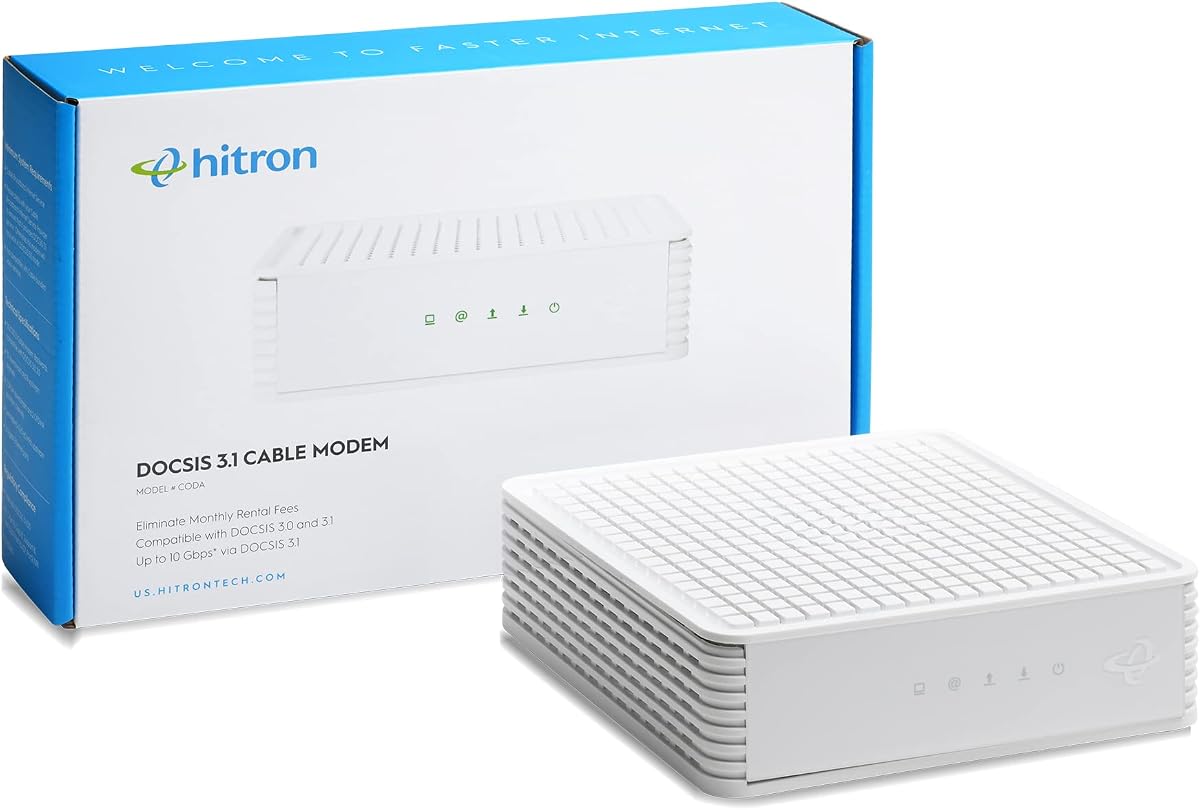
The Hitron CODA is a 4.1-rated DOCSIS 3.1 modem designed for cable service up to 1 Gbps. It offers a deliberately simple approach: connect the coax line, power the modem, link a router by Ethernet, and complete activation with the provider.
We may earn a commission when you buy through this link, at no additional cost to you.
Its strongest benefit is ease of use for a standard Xfinity connection. The documentation provides a four-step setup sequence and clear warnings about service type. Since the device is modem-only, it avoids unnecessary wireless complexity and can fit neatly into a home that already has a capable WiFi router or mesh system.
The single Ethernet port is the main limitation. Without a router, only one device can be connected by cable, and the modem cannot create a wireless network. It also has no telephone support. Although the supplied compatibility checklist refers to a plan above 1 Gbps, the stated product support is up to 1 Gbps, so buyers should reconcile that inconsistency with Xfinity before ordering.
Choose the Hitron CODA when you have a cable plan within its documented range, a separate router, and no need for voice service. It is a reasonable basic ownership option rather than a multi-gig solution. Users on the fastest Xfinity tiers should select a modem with 2.5 Gbps connectivity and confirm provider support.
A one-gigabit class DOCSIS 3.1 modem covers common residential service needs without advanced port arrangements. It can be a practical choice when the connected plan does not require multi-gig throughput.
The product information contains a plan-threshold wording that is worth verifying. Contact Xfinity to confirm that the model supports the intended tier and that a customer-owned modem is permitted for the account.
We may earn a commission when you buy through this link, at no additional cost to you.
The Arris Surfboard S34 earns a 4.3 rating by combining DOCSIS 3.1 multi-gig support with two useful Ethernet connections. One port operates at 2.5 Gbps for a router handoff, while the other provides 1 Gbps for an additional wired device or backup connection, depending on provider configuration.
We may earn a commission when you buy through this link, at no additional cost to you.
Its next-generation upstream capability gives it relevance beyond high download tiers. The supplied information says it supports plans up to 2.5 Gbps and is ready for faster upload speed tiers offered by cable providers. A compact enclosure and simple LEDs for power, upstream and downstream activity, and online status make it practical to install and diagnose.
The S34 is still a modem-only device, so a separate WiFi router or mesh system is necessary. It also cannot be used with fiber, DSL, or satellite service. As with every DOCSIS 3.1 product, the advertised maximum is a ceiling rather than a guarantee: the Xfinity plan, local network capacity, and connected router all influence the result.
This is a compelling all-around premium standalone modem for households with a multi-gig Xfinity plan and a router that includes a 2.5 Gbps port. Its two Ethernet connections are more versatile than a single-port design, while its compact construction suits many installation spaces. Confirm exact plan approval and activation details before buying.
The 2.5 Gbps port serves the primary high-speed network, while the 1 Gbps port adds another wired path. This mix is practical for advanced local networks without requiring a larger multi-port modem.
Next-generation upstream support is valuable as cable providers expand faster upload tiers. Actual upload performance depends on provider availability and the service plan selected.
We may earn a commission when you buy through this link, at no additional cost to you.
This Hitron CODA56 configuration has a 4.2 rating and is presented as a direct multi-gig path for Xfinity cable service. It supports plans up to 2.5 Gbps, with Xfinity compatibility listed up to 2.33 Gbps, and uses a single 2.5 Gbps Ethernet port for the router connection.
We may earn a commission when you buy through this link, at no additional cost to you.
The modem’s appeal is its focused design. A subscriber with a recent multi-gig Xfinity tier, a 2.5 Gbps router, and an interest in gaming, streaming, and video calls can use the DOCSIS 3.1 platform without paying for wireless features that may not suit the home. It remains backward compatible with DOCSIS 3.0 networks for deployment flexibility.
Because the unit has no WiFi, it cannot replace an existing router or mesh system. Only one device can connect directly through Ethernet if no router is present, and the provided information excludes fiber, DSL, satellite, and fixed wireless service. ISP activation is also required, so buyers should be comfortable with provider provisioning rather than expecting a completely self-contained setup.
This CODA56 is a good fit for an Xfinity customer who prioritizes a modern 2.5 Gbps connection and already has suitable networking equipment. It may be less compelling for a small or moderate plan because the additional speed capability would go unused. Confirm the exact model, account eligibility, and plan tier with the provider before placing an order.
The 2.5 Gbps port gives a capable router the best available connection on this modem. That avoids a Gigabit port bottleneck when the cable plan and local equipment support faster throughput.
The product handles coax internet and Ethernet output only. It does not add WiFi, routing, or voice, which keeps the role clear but requires additional equipment for a typical home.
We may earn a commission when you buy through this link, at no additional cost to you.
The right Xfinity modem depends first on service type and speed tier, followed by wireless needs, Ethernet layout, home size, and the importance of provider approval. Comparing these factors before buying prevents a costly mismatch.
Xfinity can deliver service over different network types, so the modem must match the actual connection rather than merely the provider name. The products in this guide are cable modems designed for DOCSIS networks and coaxial wiring. They are not compatible with fiber, DSL, satellite, or fixed wireless service. Check the connector at the wall, identify the plan tier, and ask Xfinity whether customer-owned equipment is supported on the account.
The highest advertised modem speed is only useful when the subscribed plan and local network can deliver it. A multi-gig modem does not automatically increase the speed of a lower-tier subscription. Match the device to the plan you have now and the highest tier available in your area, then check the provider’s approved-equipment list before ordering.
In short, verify the service type, plan speed, and modem approval before making a purchase.
A standalone modem connects to the coax line and sends data through Ethernet. It must be paired with a WiFi router or mesh system, but that separation allows greater control over wireless performance, coverage, and network management. A modem-router combo contains both functions in one enclosure, which can simplify installation and reduce the number of devices required.
Consider whether the included router in a combo unit can handle your home. A large property, many connected devices, demanding smart-home equipment, or a need for faster internal wireless throughput may justify buying a premium router and a dedicated multi-gig modem. A smaller home with moderate usage may find the simpler all-in-one approach more convenient.
In short, choose a combo for simplicity and a standalone modem for router flexibility.
DOCSIS 3.1 is the standard shared across this list and provides the best foundation for modern Xfinity service. It supports multi-gig service and remains backward compatible with DOCSIS 3.0 networks. Within DOCSIS 3.1, however, maximum speeds differ because of channel bonding, port configuration, mid/high-split support, and the provider’s available network tiers.
A standard gigabit plan may not justify a modem built around 2.5 Gbps connectivity. Conversely, a top-tier subscriber may lose access to full speed if the modem only has a 1 Gbps Ethernet port. Check both the plan ceiling and the port used to connect your router. The goal is not simply to buy the fastest modem, but to remove bottlenecks that matter at your subscribed speed.
In short, select a DOCSIS 3.1 model whose wired connection can carry your plan.
A single Ethernet port is sufficient when the modem feeds one router and all local connections are managed by that router and its switches. Models with two Gigabit ports or a combination of 2.5 Gbps and 1 Gbps ports provide more options for advanced networks, direct device connections, and provider-dependent configurations.
For a multi-gig plan, use a 2.5 Gbps-capable router connection. A Gigabit-only router or switch can limit otherwise fast service. Pay attention to port labels and specifications rather than assuming every Ethernet port supports the modem’s maximum rate. Also consider whether the router has enough suitable ports for nearby wired devices.
In short, prioritize 2.5 Gbps for top plans and extra ports for advanced networks.
The CAX30 is the only option here that includes WiFi, offering AX2700 dual-band WiFi 6 and stated coverage of up to 2,000 square feet. That is a useful starting point for a modest home, but it does not guarantee universal coverage. Walls, floors, building materials, router placement, interference, and the number of active devices all affect real-world performance.
Standalone modems shift the wireless decision entirely to the separate router. Consider the size and shape of the home, whether users stream in multiple rooms, and whether the existing router is aging. A mesh system may be more suitable than a single high-powered router in a sprawling property. Compare the router’s speed class and coverage independently from the modem.
In short, match wireless capability to home size and device demands.
Fast downloads receive much of the attention, but upstream speed matters for cloud backups, large uploads, video calls, and remote access. Premium mid/high-split models in this list are designed for higher upstream tiers, with the CM3000 listing supporting up to 1 Gbps uploads. The S34 highlights next-generation upstream support, while other DOCSIS 3.1 models vary by their network design.
Provider deployment is the deciding factor. The modem must support the same split and service tier available at the home. A capable device cannot create provider-side capacity. Ask Xfinity whether mid/high-split, Gigabit+, or faster upstream service is offered at the address and whether the specific modem is approved for it.
In short, verify both downstream and upstream availability in your area.
Standalone cable modems generally follow a simple installation process: connect the coax cable, connect power, attach the router by Ethernet, and activate the service with the provider. The CAX30 also adds a guided mobile app for setup and network management. The differences matter if you want detailed control over channels, parental tools, guest networks, or connected-device visibility.
Standby power consumption, indicator lights, and physical placement can influence convenience. A compact model such as the S33 or S34 may be easier to fit into an entertainment center or utility shelf. Keep the modem in an open, ventilated location and avoid stacking equipment that can trap heat. ISP activation may take longer than physical setup, so have the account information ready.
In short, favor the management style and physical design that suit your household.
Buying a customer-owned modem can provide long-term equipment control and may avoid recurring provider rental charges, but the actual savings depend on current provider rates and how long the device remains in service. Compare the current rental policy with the cost of the modem and any required router. Avoid relying on old generalizations because provider fees and policies change.
Consider support as well. The supplied information highlights seven-day technical support for several Hitron products and Nighthawk support for the NETGEAR models. Warranty coverage, replacement terms, and activation assistance vary, so retaining receipts and registering the product can be useful. A highly rated device is reassuring, but it should not replace checking local provider support.
In short, compare current rental terms, warranty support, and long-term flexibility.
Begin by confirming that the service arriving at the home is coaxial cable and that Xfinity supports the chosen modem on the account. Disconnect power from any old equipment, connect the new modem to the coax outlet, and attach the appropriate Ethernet connection. A standalone modem should connect to a WiFi router, while the CAX30 can serve as both cable modem and wireless router.
Power on the equipment and use the Nighthawk app for guided setup when applicable, or follow the provider’s browser activation process. Activate the service with Xfinity and allow the modem to complete its network registration. Indicators for power, downstream, upstream, and online status can help identify whether the equipment is receiving a signal and communicating with the provider.
For ongoing care, keep the modem unobstructed and ventilated, avoid stacking it beneath equipment that traps heat, and secure the Ethernet and coax cables. Do not reset the device unnecessarily. When troubleshooting, check physical connections first, wait for synchronization, and consult the provider regarding account activation or supported service tiers.
No. The CAX30 combines a DOCSIS 3.1 cable modem with a WiFi 6 router. Every standalone modem in this guide requires a separate WiFi router or mesh system. A standalone modem can connect directly to one device by Ethernet, but it does not create a wireless network for the rest of the home.
No. A modem can only deliver the speed available through the subscribed service and the local cable network. Faster hardware becomes useful when the plan and infrastructure support it. If Xfinity offers a higher tier in your area, a multi-gig modem and compatible router can help you take full advantage of that service.
These products are for Xfinity cable internet delivered through coaxial cable. The supplied information explicitly excludes fiber, DSL, satellite, and fixed wireless services. If the home uses fiber rather than coax, a different type of gateway or an Xfinity-provided fiber device is required.
For the best results, yes. A multi-gig modem can lose part of its advantage when connected to a router limited to 1 Gbps. The Hitron CODA56 and ARRIS S33 listings specifically call for a router with a 2.5 Gbps port to achieve the full potential of supported service tiers.
Customer-owned modems can be used when the provider supports the exact model and service tier. Before buying, check Xfinity’s approved list or contact support with the model number and plan. Approval can vary by technology, location, bundled voice requirements, and the provider’s current equipment policy.
No. Provider activation is still required. After physically connecting the coax line and router, the modem must register with Xfinity and the account must be associated with the device. Some modems offer guided setup through a mobile app, but the service still has to be activated on the provider side.
Choose the CAX30 if simplicity, fewer devices, and built-in WiFi 6 are priorities. Choose a standalone multi-gig modem if you want to select or upgrade your router, already have a strong mesh system, or need more control over your home network. The standalone route requires an additional purchase.
Mid/high-split technology divides the available cable spectrum differently to support higher download and upload speeds. It can be valuable on the fastest Xfinity service tiers, but the provider must offer compatible service at the address. Confirm both regional availability and exact model approval before purchasing.
The NETGEAR Nighthawk CAX30 is the most approachable all-in-one choice, combining DOCSIS 3.1 with AX2700 WiFi 6 and four Gigabit Ethernet ports. The ARRIS Surfboard S33 offers a focused route to multi-gig Xfinity performance, while the premium NETGEAR Nighthawk CM3000 provides the strongest documented combination of high download speed, high upload capability, and flexible multi-gig ports.
For most buyers, the decisive priorities are Xfinity plan speed, provider approval, and whether a separate router is already available. Moderate-plan users can choose a simpler DOCSIS 3.1 model, gigabit subscribers should ensure their router can handle the connection, and multi-gig customers need both compatible service and a 2.5 Gbps network path.
Prices, rental policies, supported tiers, and approved equipment lists can change over time. Review the current Xfinity requirements for the intended address, compare the total equipment needed, and check current prices before making the final purchase.