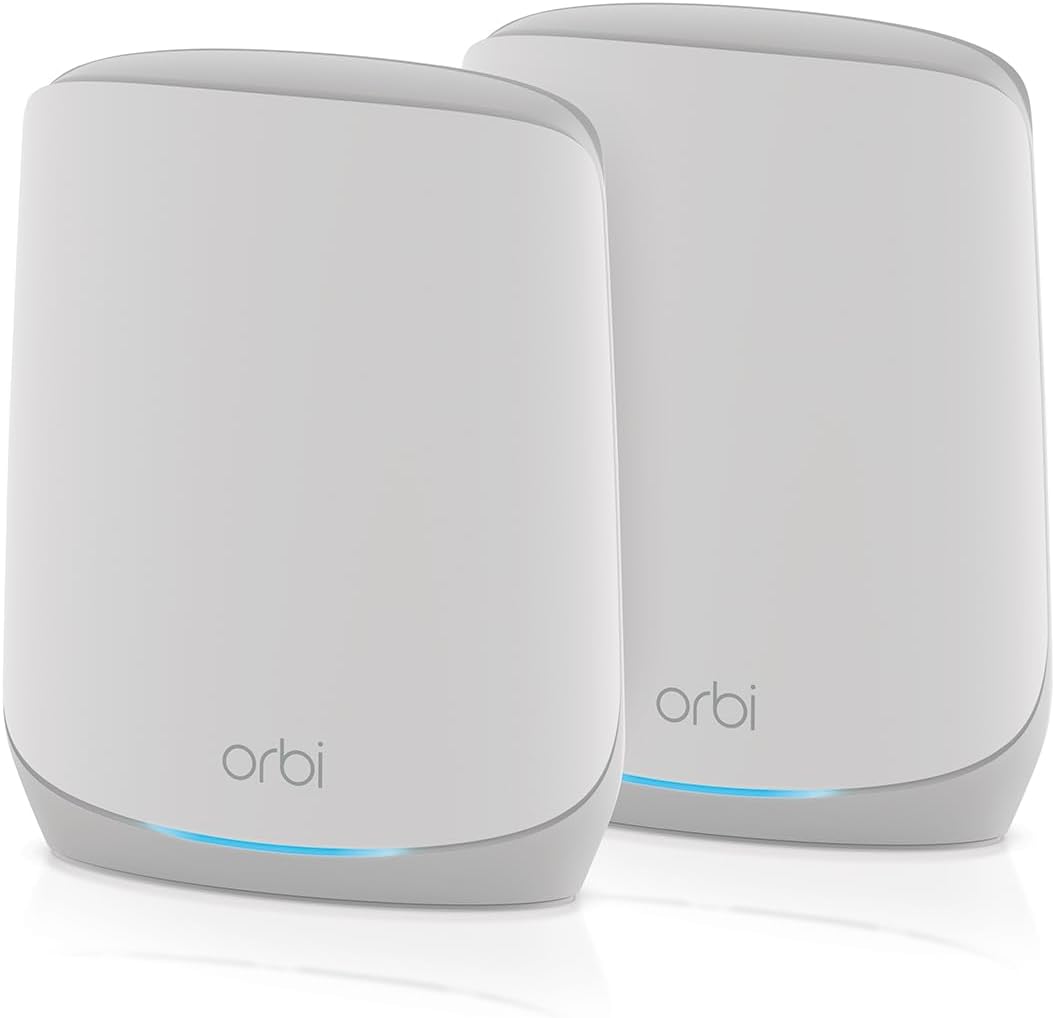
NETGEAR Orbi RBK762S
4.1Editor score
AX5400 tri-band performance
Covers up to 5,000 square feet
Supports up to 75 devices
One-year Armor subscription
Our Netgear Orbi WiFi System guide compares 10 mesh systems by coverage, WiFi generation, backhaul, Ethernet ports, device capacity, security, and ease of use.
A dependable mesh network can eliminate weak WiFi zones, simplify control over connected devices, and give every room a consistent connection without juggling multiple router settings. The NETGEAR Orbi range addresses these needs with different generations of WiFi, dedicated backhaul, flexible satellite expansion, and security tools, making careful comparison essential.
This guide compares ten supplied Orbi and related mesh products across WiFi generation, aggregate speed, coverage area, device capacity, Ethernet connectivity, backhaul design, and intended installation type. It also considers practical distinctions such as standalone satellite compatibility, cable modem integration, app-based management, and whether a complete router-and-satellite bundle is more appropriate than an add-on unit.
Each review identifies the product's strongest use case, notable specifications, and legitimate trade-offs. The selections range from a compact WiFi 6 bundle for smaller homes to high-end WiFi 7 systems for demanding networks, while the list also includes two TP-Link Deco systems for broader mesh comparison. Prices and availability change, so check current listings before purchasing.
4.1Editor score
4.2Editor score

3.7Editor score
The comparison below organizes all ten products by network standard, stated capacity, coverage, connectivity, and expansion options, making it easier to distinguish complete systems from satellites and specialized cable networking hardware.



The NETGEAR Orbi 970 Series add-on satellite is a specialized expansion unit for homes that already own an RBE971, RBE972, or RBE973 system. It carries a 3.3 rating, but that figure should be interpreted alongside its limited role: this is not a general-purpose router or a flexible satellite for older Orbi generations. Its strongest feature is the ability to add as much as 3,300 square feet of WiFi 7 mesh coverage.
We may earn a commission when you buy through this link, at no additional cost to you.
The satellite uses patented quad-band technology with Enhanced Dedicated Backhaul, reserving a dedicated lane for communication between mesh units. That design is intended to keep client traffic separate from backhaul traffic when many devices are active. With aggregate performance stated at up to 27 Gbps, it is also prepared for demanding combinations such as 8K streaming, gaming, virtual reality, and video calls, although actual results depend on connected devices, the internet plan, and the surrounding environment.
The primary trade-off is compatibility. The unit is designed exclusively for the Orbi 970 Series, so it cannot simply be added to an RBK853, RBK852, RBK762S, or other mesh network. It also does not replace a router by itself. Buyers should therefore treat this as a premium expansion accessory rather than a general mesh solution, especially if they have not yet established a compatible 970 Series installation.
This satellite makes the most sense for a large home with a compatible 970 Series base whose existing coverage does not reach a basement, upper floor, garage, or outdoor area. It offers the same roaming experience and dedicated backhaul approach as the flagship family while preserving one network name. For those exact circumstances, it is a logical expansion, but everyone else should begin with a complete router-and-satellite bundle.
Enhanced Dedicated Backhaul separates mesh traffic from the client-facing bands, helping the network remain responsive when numerous devices are connected. This is particularly relevant in homes combining streaming, gaming, remote work, and smart-home devices on the same network.
The stated 3,300-square-foot contribution makes this satellite useful for extending a compatible network across additional floors or difficult areas of a large property. Placement matters, so obstructions and distance can still affect real-world performance.
We may earn a commission when you buy through this link, at no additional cost to you.
The RBE973S is the flagship complete system in this group, combining one router with two satellite extenders in the 970 Series. Its 3.7 rating is modest relative to some WiFi 6 systems, but the underlying specification is designed for buyers who want advanced capacity rather than a basic mesh upgrade. The package supports up to 200 devices and claims coverage across as much as 10,000 square feet.
We may earn a commission when you buy through this link, at no additional cost to you.
Quad-band WiFi 7 and Enhanced Dedicated Backhaul form the system's central advantages. The dedicated wireless lane is designed to reduce contention between satellites and client devices, while compatibility with WiFi 6, WiFi 5, and older devices prevents an immediate need to replace every connected product. A 10 Gig internet port also prepares the installation for faster service plans, although it cannot make an internet connection exceed the speed supplied by the provider.
This system is not the right fit for every household. Its advanced specification may be unnecessary in a small apartment, and the 3.7 rating may give cautious buyers more reason to compare user feedback and current product conditions carefully. Its total stated coverage also should be treated as a maximum rather than a guarantee because building layout, walls, floors, and interference influence results.
For a large home with numerous connected devices, heavy simultaneous usage, and a need for a 10 Gig connection, the RBE973S is the most comprehensive premium option here. It is particularly attractive when two satellites can be placed strategically to cover separate floors. Buyers with modest coverage requirements should instead consider the more balanced RBK853 or RBK762S.
Support for up to 200 devices positions the RBE973S for busy homes filled with televisions, phones, computers, appliances, cameras, and wearables. Dedicated backhaul helps preserve performance as client traffic increases across the three units.
The 10 Gig internet port offers headroom for high-speed broadband plans and modern home networks. It serves as a physical network upgrade, while actual download and upload speeds remain limited by the provider and connected devices.
We may earn a commission when you buy through this link, at no additional cost to you.
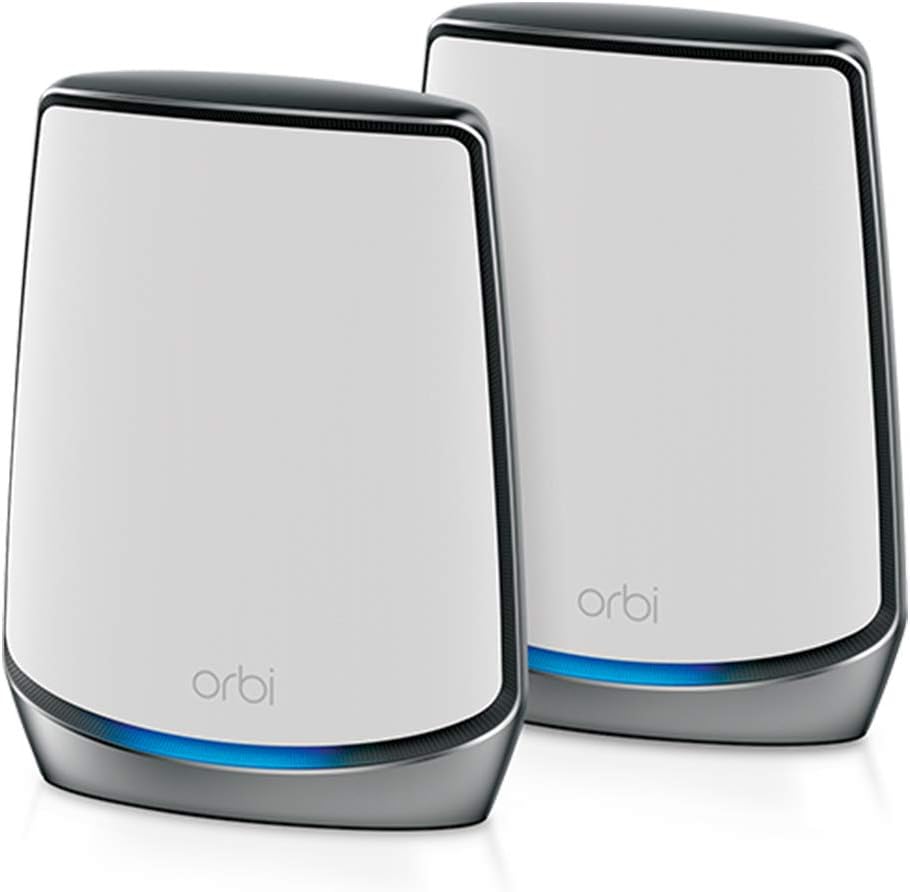
The RBK852 balances capability, coverage, and user rating particularly well. It pairs an Orbi router with one satellite extender, uses tri-band WiFi 6, and provides aggregate performance of up to 6 Gbps. The stated coverage reaches 5,000 square feet and supports as many as 100 devices, making it a practical choice for many medium-sized homes.
We may earn a commission when you buy through this link, at no additional cost to you.
Dedicated tri-band backhaul helps the satellite communicate with the router without consuming the same wireless resources used by clients. Four Gigabit Ethernet ports appear on both the router and satellite, providing several convenient places for a computer, game console, streaming player, or storage device to receive a wired connection. The system is compatible with cable, satellite, fiber, and DSL providers at up to 2.5 Gbps.
The main limitation is its starting scale. Compared with the three-unit RBK853, the RBK852 covers less stated area and may leave a large, multi-floor property with weak zones. Additional satellites can extend coverage by as much as 2,500 square feet each, but those units cost extra. Users should map their floors and place the included satellite where it can meaningfully improve reception before adding more hardware.
This is an excellent general recommendation for buyers who want more than a basic single router but do not need WiFi 7. The 4.3 rating adds confidence, the app simplifies management, and the available wired ports support a mixed-device household. It is best suited to medium homes using internet service up to 2.5 Gbps and expecting dozens of connected devices.
A dedicated band for backhaul allows the satellite to communicate with the router while client devices use the other bands. This arrangement is designed to maintain consistent throughput as more household devices connect.
Four Gigabit Ethernet ports on each included unit provide ample wired options for fixed-position devices. These connections can reduce WiFi congestion for gaming systems, desktop computers, and networked storage.
We may earn a commission when you buy through this link, at no additional cost to you.
The RBK762S is a cost-conscious route into a multi-unit mesh network. It combines an AX5400 router and one satellite, provides tri-band WiFi 6 performance of up to 5.4 Gbps, and is stated to cover 5,000 square feet and 75 devices. Its 4.1 rating is lower than the RBK852 but still indicates generally favorable reception.
We may earn a commission when you buy through this link, at no additional cost to you.
The package includes three Gigabit Ethernet ports on the router and two on the satellite, allowing essential devices to be connected by cable. It works with service providers offering up to 2.5 Gbps, and push-button expansion makes it possible to add a compatible Orbi 760 satellite later. That staged approach is useful for buyers who want to begin with a smaller footprint and extend after learning where coverage is actually weak.
The key trade-off is capacity. Its 75-device target and 5.4 Gbps aggregate ceiling are below the RBK852's figures, while the maximum coverage area remains the same. It also carries one year of NETGEAR Armor, whereas the RBK852's supplied information describes a 30-day trial. Buyers should review which subscription features matter to them before assuming the two systems provide identical ongoing protection.
The RBK762S is well suited to apartments, smaller homes, offices, and users who want the coverage benefits of mesh without moving immediately to a larger or newer system. Its lower device target means it is less compelling for very busy smart homes. For most users needing basic-to-moderate capacity, however, it provides a sensible balance of coverage, wired access, and future expansion.
Starting with a router and one satellite can cover a smaller home without requiring buyers to position three units immediately. A compatible Orbi 760 satellite can be added when another floor or an exterior area needs stronger service.
Five Gigabit Ethernet ports across the two units provide useful wired connectivity without moving to a premium multi-gig system. These ports are especially beneficial for stationary devices that generate sustained traffic.
We may earn a commission when you buy through this link, at no additional cost to you.
The RBE972S provides the 970 Series feature set in a router-and-one-satellite configuration. It supports up to 27 Gbps aggregate performance, coverage up to 6,600 square feet, and as many as 200 devices. Its 3.3 rating warrants attention, but the technical profile clearly targets buyers who prioritize WiFi 7 and high client counts over a smaller, less advanced system.
We may earn a commission when you buy through this link, at no additional cost to you.
Its patented quad-band architecture and Enhanced Dedicated Backhaul are the defining elements. As with other 970 Series products, a dedicated lane helps separate backhaul from client traffic. The system is backward compatible with older WiFi devices and includes a 10 Gig internet port, making it suitable for modern broadband plans and mixed generations of household equipment.
Compared with the RBE973S, this bundle contains one fewer satellite and has a lower stated coverage ceiling. That may make it the more appropriate choice for a large but more compact residence. The trade-off is that two access points may not cover a sprawling property with several separated floors or wings. Users can determine whether more expansion is necessary by evaluating the live placement of the router and satellite.
This system fits buyers who want the 970 Series without paying for the full three-unit configuration. It is a sensible option for high-speed service, heavy concurrent use, and numerous connected devices. Those with modest requirements or an uncertain need for WiFi 7 may find the more highly rated RBK852 or RBK762S easier to justify.
The 10 Gig internet port provides the physical interface required to take advantage of very fast broadband plans. The mesh system can then distribute that service through compatible WiFi 7 and older client devices.
Backward compatibility means a household does not need to replace existing WiFi 6 or older equipment immediately. Newer clients can use WiFi 7 capabilities while legacy products continue connecting to the same mesh.
We may earn a commission when you buy through this link, at no additional cost to you.
The Deco 7 Pro BE10000 is a TP-Link alternative rather than an Orbi product, but it provides a useful high-performance comparison. This three-unit WiFi 7 mesh system carries a 4.2 rating, covers up to 7,600 square feet, supports more than 200 devices, and is built around combined 2.4, 5, and 6 GHz wireless bands.
We may earn a commission when you buy through this link, at no additional cost to you.
Its most distinctive feature is connectivity. Four 2.5G WAN/LAN ports across the system, along with a USB 3.0 port, offer a strong mix of wired and peripheral options. A 10G WAN/LAN connection is also highlighted, while simultaneous wired and wireless backhaul can improve traffic flow between Deco units when they are connected appropriately.
The management platform includes AI-based roaming, a single network name, parental controls, IoT security, and VPN client support. A separate subscription is necessary for some premium HomeShield functions, although basic security tools are included. As with most routers, a separate modem is required for many internet providers, so existing customers should verify their current equipment before selecting this system.
This Deco package deserves consideration when multi-gig Ethernet, WiFi 7, and a large device count matter more than remaining within NETGEAR's Orbi ecosystem. Its 4.2 rating is stronger than several flagship Orbi entries, and the three-unit package offers extensive coverage. However, it cannot expand an existing Orbi installation, so ecosystem choice should come before the specification comparison.
Four 2.5G ports make the system attractive for owners of modern routers, switches, and high-speed storage. The additional 10G capability and USB 3.0 interface add flexibility for advanced home-network arrangements.
A three-node package and AI-driven roaming are designed to maintain one continuous network while clients move among units. Coverage figures remain dependent on property layout, device distance, and physical obstructions.
We may earn a commission when you buy through this link, at no additional cost to you.
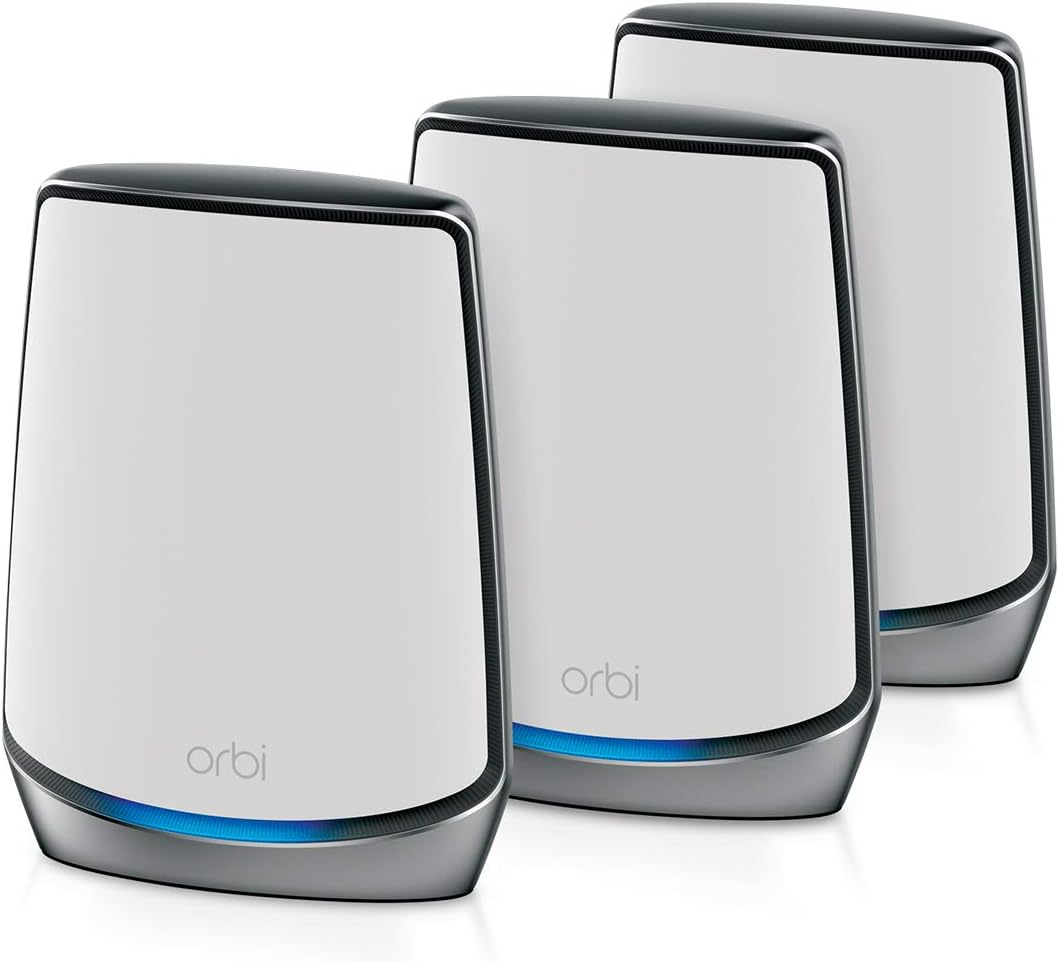
The RBK853 is the most balanced conventional Orbi bundle in this comparison. It includes a router and two satellite extenders, covers up to 7,500 square feet, supports up to 100 devices, and has a 4.2 rating. Tri-band WiFi 6 with a dedicated backhaul band gives it the core characteristics of a capable whole-home mesh system.
We may earn a commission when you buy through this link, at no additional cost to you.
The two included satellites are valuable because they can be placed on separate floors or at opposite ends of a long home. Each unit includes four Gigabit Ethernet ports, so a console, desktop, television, or storage device can use a stable wired connection wherever the unit is installed. Compatibility with internet services up to 2.5 Gbps also makes it suitable for a broad range of cable, fiber, DSL, and satellite providers.
This is still a WiFi 6 system rather than a WiFi 7 platform, and the absence of a multi-gig internet port means it is less prepared for future ultra-high-speed services. It also requires power for three units, which can complicate installation in older homes. Despite these limitations, the number of included nodes gives it more immediate coverage flexibility than a two-piece bundle.
The RBK853 is an excellent choice for medium-to-large homes that want strong multi-floor coverage and have many but not hundreds of connected devices. It is also a logical recommendation for households already familiar with the Orbi app and Armor interface. Buyers prioritizing future wireless generation should compare the 970 Series, while value-focused shoppers can examine the RBK762S.
Two satellite extenders give the installer more freedom to place access points where clients actually use the network. This makes the RBK853 a practical choice for split-level homes, basements, and long rectangular layouts.
The dedicated backhaul band helps the mesh units exchange data independently of client traffic. The result is a design intended to support simultaneous streaming, conferencing, gaming, and smart-home activity across the household.
We may earn a commission when you buy through this link, at no additional cost to you.
The CBK752 is the most specialized system here because it combines a DOCSIS 3.1 cable modem, WiFi 6 router, and mesh satellite in one package. It carries a 4.0 rating and provides tri-band aggregate performance of up to 4.2 Gbps, with stated coverage for 5,000 square feet and 40 or more devices.
We may earn a commission when you buy through this link, at no additional cost to you.
Combining the cable modem and router can simplify a home that currently uses two separate pieces of equipment. The system is certified for Xfinity service up to 900 Mbps, Spectrum up to 1 Gbps, and Cox up to 1 Gbps. Four Gigabit Ethernet LAN ports on the modem router and two on the satellite allow stationary devices to remain wired while other products roam over the mesh.
Compatibility is the decisive limitation. The CBK752 does not work with fiber, DSL, or satellite internet, and cable customers may need to contact their provider for activation or equipment approval. It is therefore unsuitable for many apartment or rural connections even if the wireless specification looks attractive. The stated 40-plus-device capacity is also lower than most Orbi router bundles in the list.
This product is most appropriate for an eligible cable customer who wants fewer boxes and a single Orbi-managed network. It offers a clear path to whole-home WiFi without retaining a separate standalone router. For other connection types, the conventional RBK series is more flexible and avoids provider-specific compatibility constraints.
Integrating DOCSIS 3.1, routing, and mesh wireless reduces the number of primary network boxes in a compatible cable installation. NETGEAR Armor, automatic updates, encryption, and a guest network add protection and separation.
The mix of six Gigabit Ethernet ports across the two units supports consoles, streaming players, computers, and network storage. Wireless clients can move between the router and satellite under one network name.
We may earn a commission when you buy through this link, at no additional cost to you.
The RBS750 is a satellite for the RBK752, not a complete networking system. It has the highest listed rating in the group at 4.4, and its purpose is straightforward: add up to 2,500 square feet of AX4200 tri-band WiFi 6 coverage to an existing compatible Orbi installation.
We may earn a commission when you buy through this link, at no additional cost to you.
Like other Orbi satellites, it communicates through a dedicated backhaul band and allows connected devices to move between access points under a single WiFi name. The Orbi app handles setup and management, making configuration relatively approachable. A second satellite can materially improve service in a basement, upper floor, garage, or another area where the original router signal weakens.
The compatibility requirement is the main caveat. The supplied information specifically identifies the RBS750 as compatible with the RBK752, so it should not be assumed to work with every Orbi model. It also cannot replace the router, supply internet, or operate independently. Purchasers who do not already own a compatible system should buy a bundle rather than this accessory.
For RBK752 owners, this is a high-rated and focused way to remove a dead zone. It is also a sensible expansion for users who want to add coverage only after identifying a problem area. New customers should start with a complete kit, while the RBS750 earns its place for existing systems that need one carefully placed extension.
Adding a satellite near a poorly served room can improve usable coverage without replacing the existing mesh. The stated 2,500-square-foot contribution is a maximum, so placement and building construction remain decisive.
Clients can move between the router and satellite while remaining associated with one network. This simplifies everyday use compared with maintaining separate routers with different names and credentials.
We may earn a commission when you buy through this link, at no additional cost to you.
The Deco 7 BE5000 is another TP-Link comparison option, and it combines WiFi 7 with a 4.3 rating. This dual-band, four-stream mesh system delivers aggregate performance of up to 5 Gbps, covers up to 6,600 square feet, and supports more than 150 devices.
We may earn a commission when you buy through this link, at no additional cost to you.
Its three-unit design is intended to create a unified network with one name and AI-assisted roaming. WiFi 7 and 2.5G Ethernet work together to balance traffic between Deco units, while a separate modem is generally required for internet service. Users can add another Deco router later, although the listed compatibility rules refer to combining Deco products into a mesh rather than mixing with Orbi equipment.
The main technical compromise is the use of only two wireless bands. Tri-band designs can provide more distinct pathways for client traffic and backhaul, while a dual-band system must divide its 5 GHz and 2.4 GHz resources between those tasks. As a result, heavy multi-node use may place greater demand on those two bands, depending on placement and client capabilities.
This system is compelling for buyers who want WiFi 7, a multi-unit configuration, and a strong stated device capacity without moving to a flagship quad-band system. It also includes basic network security, parental controls, quality of service, and reporting. The Deco app handles updates and management, and the product benefits from TP-Link's participation in the CISA Secure-by-Design pledge. It is best viewed as a capable alternative rather than an Orbi upgrade.
The system combines up to 4,324 Mbps on the 5 GHz band with up to 688 Mbps at 2.4 GHz. It is designed for newer wireless clients while remaining backward compatible with earlier WiFi generations.
Free tools include a security scan, IoT device identification, basic parental controls, quality of service, and routine reporting. Advanced HomeShield features are addressed separately through TP-Link's premium service.
We may earn a commission when you buy through this link, at no additional cost to you.
Choosing a mesh system starts with the size and construction of your home, the capabilities of your internet service, and the types of devices that share the network. The following factors help narrow the field before comparing specific models.
Coverage claims are maximum figures, and the usable result depends on floor plans, wall materials, furniture, stairwells, and the placement of each access point. A two-unit system may be sufficient for a conventional home, while a three-unit package is often easier to distribute across multiple floors. Buyers should identify problem areas first and then decide whether a satellite should be positioned near a staircase, basement, upstairs hallway, or garage.
WiFi 7 products offer the newest capabilities in this group and are backward compatible with older devices, but they do not require every household to upgrade immediately. WiFi 6 remains a practical standard for many users, particularly when a complete WiFi 6 bundle provides stronger ratings and more practical coverage for less demanding homes. Consider which devices currently support the newest standard and whether they are likely to be replaced soon.
Backhaul is the connection between the router and satellite. Dedicated backhaul, whether through an extra tri-band or quad-band design, is intended to keep this traffic separate from data sent to phones, computers, and televisions. This can matter in homes with simultaneous streaming, gaming, video calls, and large file transfers. A multi-band system with dedicated backhaul is generally better suited to dense use than a simple dual-band extender arrangement.
The listed device totals reflect maximum supported numbers rather than a guarantee of identical performance for every client. Older, lower-power devices may consume different amounts of airtime, and wall placement can reduce effective throughput. Compare the system's aggregate speed with the internet plan as well: a faster mesh cannot overcome a slower provider connection, although it can improve communication between nodes and distribute available service more effectively.
Most Orbi products in this guide provide Gigabit Ethernet, while the Deco 7 Pro includes 2.5G and 10G capabilities. Wired connections are useful for desktop computers, gaming consoles, streaming devices, smart televisions, and storage systems because they remove those devices from the wireless load. Count the ports available at each intended satellite location, and pay attention to whether a specific port is configured for internet service or LAN use.
Orbi satellites are not universally interchangeable. The 970 Series satellite works only with RBE971, RBE972, and RBE973 systems, while the RBS750 is specifically identified as compatible with the RBK752. Other expansion options likewise have family or model requirements. Buying an accessory before confirming compatibility can lead to an unusable purchase, so check the base system model and the satellite's stated support carefully.
NETGEAR routers include security features and automatic firmware updates, and NETGEAR Armor provides additional tools. The supplied product details differ on trial duration or included subscription periods, so buyers should distinguish standard router protections from premium services. TP-Link's Deco products likewise include basic features while reserving some advanced HomeShield functions for its premium service. Compare ongoing terms rather than assuming every feature remains free.
Mesh nodes generally need a power outlet and, when acting as satellites, a wired network connection to the router during setup. The CBK752 serves a different role because it also connects to coax cable and requires provider activation. Fiber, DSL, and satellite internet users should use a standard router bundle with a compatible modem instead of the cable combo. For large homes, plan node placement around Ethernet outlets if possible, but also leave room for wireless backhaul.
Begin by placing the router near the service entry point rather than automatically choosing a central room if the provider connection is fixed there. Position satellites in open locations between the router and weak areas, avoiding cabinets, enclosed media consoles, mirrors, and appliances that can obstruct wireless signals. Before configuring the system, note each unit's label and connect the units in the sequence directed by the Orbi app.
Use the app or browser interface to set the administrator credentials, update the firmware, select an appropriate network name, and establish the security features you intend to keep. For a satellite-only purchase, confirm that the current system is supported before beginning setup. After installation, walk through the property with a phone or tablet to identify areas with weak or inconsistent service, then reposition units and test again rather than adding hardware immediately.
Keep the units powered, unobstructed, and away from enclosed areas. Install firmware updates as they become available, periodically review connected devices, and adjust security or parental-control settings according to household needs. For a cable-modem-and-router combination, follow the provider's activation process and allow the equipment to synchronize before diagnosing network problems. If connectivity drops, NETGEAR's supplied guidance for the CBK752 recommends power cycling and waiting two minutes.
A complete mesh installation normally requires the Orbi router to provide internet service and one or more satellites to extend its wireless reach. The satellite-only products in this guide are expansion accessories with model compatibility requirements. If you are starting from scratch, choose a bundle that includes a router and the number of satellites appropriate for your floors.
No. The listed square-foot figures represent maximum coverage under favorable conditions. Walls, floors, building materials, interference, device distance, and satellite placement can reduce the usable area. Measure the physical property and identify the locations that need service rather than relying on the maximum figure alone.
That depends on the specific models. The 970 Series add-on satellite is designed for RBE971, RBE972, and RBE973 systems, while the RBS750 is identified as compatible with the RBK752. Do not assume a satellite will work with every Orbi router; confirm the exact model numbers before adding expansion hardware.
Only up to the speed supplied by your internet provider and the capabilities of the connected devices. A WiFi 7 or higher-capacity mesh system can improve local wireless performance, reduce congestion, and provide faster node-to-node communication, but it cannot create additional ISP bandwidth. Wired connections and suitable provider service remain important for maximum results.
The RBK852 includes a router and one satellite, the RBK762S also uses a router and one satellite but targets up to 75 devices and a 5.4 Gbps aggregate rate, and the RBK853 includes a router with two satellites. The RBK853 also offers the largest stated coverage of these three at up to 7,500 square feet.
No. The CBK752 is a DOCSIS 3.1 cable modem router combo and is not compatible with fiber, DSL, or satellite internet. Its certification lists Xfinity, Spectrum, and Cox at specified service levels. Cable customers should also confirm activation requirements with their provider before purchase.
The Deco products in this guide cannot be added to an existing Orbi mesh. They create their own unified network with other compatible Deco units and are backward compatible with older WiFi devices. Choose them as an alternative ecosystem rather than as an expansion for an Orbi installation.
Place the router at the main connection point, then position satellites in open areas where they can communicate with the router and reach underserved rooms. Avoid hiding units in cabinets or placing them immediately beside large metal objects. Testing each floor and adjusting placement before adding more satellites usually produces a more effective network.
The RBK853 stands out as the most balanced all-around Orbi choice, combining a router and two satellites, dedicated tri-band backhaul, broad coverage, and a solid 4.2 rating. The RBK762S offers a more economical two-unit path into mesh networking, while the RBE973S represents the premium option for large homes that need WiFi 7, high device capacity, and a 10 Gig internet connection.
Prioritize compatibility before raw speed. Match the system to your provider, count the fixed devices that need Ethernet, map the areas that require coverage, and check whether future expansion will use the same product family. The RBE972S and RBK852 suit different budgets and coverage goals, while the 970 Series add-on satellite is only appropriate for an existing compatible installation.
Current prices, promotions, and availability can change, and they may alter which model represents the strongest value on a particular day. Review the latest listing, customer feedback, service-provider compatibility, and subscription terms before buying. The right system is the one that provides dependable coverage in your specific property without paying for unused capacity or incompatible expansion.